AI image and video generation glossary: 60 terms from checkpoint to VAE, explained in one line each
Topic: Prompting

By Captain
Published 2026-04-15
Overview
Every community invents a vocabulary and this one invented a large one quickly. The glossary below is the reference the other guides on this site assume; each term gets one sentence, the family or tool it belongs to where that matters, and the longer guide to read next. Terms are grouped: models and architectures, files, settings, techniques, prompting, video, hardware.
Families on this site (
Flux
,
SDXL
,
Wan
and so on) are explained on their own hub pages, and every model page shows the terms in use: its type, its family, its trigger words, its recommended settings. If a word on a model page is not here, the community chat linked from the FAQ is the place to ask.
Reference
Name | Type | What it is |
|---|---|---|
Checkpoint / base model | file | The full model weights in one file (or a few files for Flux-era models). Works alone. See checkpoint vs LoRA vs embedding. |
Fine-tune | model | |
Merge | model | A checkpoint made by averaging others. Inherits the family. |
LoRA / LyCORIS / DoRA | file | A small add-on that changes a checkpoint's behaviour; needs a trigger word and a weight. See the LoRA guide. |
Embedding / textual inversion | file | |
VAE | component | Encoder/decoder between pixels and latents; wrong VAE means washed-out colours. |
Text encoder (CLIP, T5, LLM) | component | Turns the prompt into numbers; decides the prompt dialect (tags vs sentences). |
U-Net / DiT / MMDiT | architecture | |
MoE (mixture of experts) | architecture | |
Diffusion / flow matching | training | Learning to remove noise step by step; flow matching is the straighter 2024+ formulation. See how models work. |
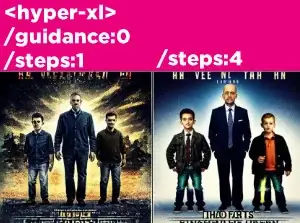
Distilled (Turbo, Lightning, Schnell, Klein, Hyper) | model | |
Guidance-distilled | model | |
fp16 / bf16 / fp8 / NF4 / GGUF Q4-Q8 | precision | How weights are stored; lower precision means smaller files and VRAM , slightly lower quality. See the VRAM guide. |
Safetensors / ckpt | format | Safe tensor-only format vs code-executing pickle. See safe downloads. |
Steps | setting | Denoising iterations; 20-30 normal, 4-8 distilled. |
CFG scale | setting | How hard the prompt steers; 5-7 SDXL, 1 Flux. See settings explained. |
Sampler / scheduler | setting | Numerical method and noise curve (Euler, DPM++ 2M; Karras, simple, beta). |
Seed | setting | The starting noise; fixed seed, repeatable image. |
Denoise | setting | |
Shift / sigma | setting | Where a flow model spends its steps (Flux, Wan, Z-Image). |
Latent | concept | The compressed working image (1/8 or 1/16 size) the denoiser edits. |
Resolution / native size | concept | 512 (SD 1.5), 1024 (SDXL, Flux); multiples of 8 or 16. |
Hires-fix | technique | |
Upscaler (ESRGAN, SwinIR) | technique | Pixel enlargement network run after generation. |
technique | Generate from an existing image plus noise. See img2img and inpainting. | |
Inpainting / outpainting | technique | Regenerate a masked area / extend the canvas. |
ControlNet / T2I-Adapter | technique | |
IP-Adapter / Redux / reference | technique | Image-based style or identity conditioning. |
Face detailer / ADetailer | technique | Automatic face mask plus inpaint at higher resolution. |
Tiled diffusion / Ultimate SD Upscale | technique | Big images in overlapping tiles with a Tile ControlNet. |
Prompt / negative prompt | prompting | What to draw / what to push away from (SD and SDXL only). See prompt basics and negatives. |
Trigger word | prompting | The token a LoRA was trained under; required for it to act. |
Weight (word:1.3) | prompting | Attention emphasis on CLIP models. |
Quality tags / score tags | prompting | masterpiece, best quality (Illustrious); score_9 (Pony). Anime SDXL only. |
Token limit (77) | prompting | CLIP chunk size; the reason long prompts get cut on SD and SDXL. |
Prompt bleeding | prompting | An attribute attaching to the wrong object. |
T2I / T2V / I2V / TI2V / V2V | video | Text to image / text to video / image to video / both / video to video. |
Frames and fps | video | 81 frames at 16 fps is 5 seconds on Wan; memory scales with frames. |
High-noise / low-noise expert | video | Wan 2.2's two 14B models for early and late steps; LoRAs target one. |
First / last frame | video | Keyframe conditioning (FLF2V) for controlled motion. |
VACE / Fun ControlNet | video | Video editing and control models in the Wan family. |
Frame interpolation (RIFE, FILM) | video | Generating in-between frames to raise fps. |
VRAM / offloading / block swap | hardware | GPU memory; moving parts of a model to system RAM when it does not fit. See the VRAM guide. |
CUDA / MPS / ROCm | hardware | NVIDIA / Apple / AMD compute back-ends. |
tool | ||
Custom node | tool | A ComfyUI extension; installed with the Manager. |
Heat score | this site | How hot a model is right now, from downloads, runs and searches; explained on the FAQ page. |
AD

Learn by doing, not by reading
BitVector Prism labels its settings with the same words as this glossary and preloads the right values per model. Open it beside this page and try each term on a real image. No install.
Step by step
- Read a model page top to bottom with the glossary open: type, family, trigger words, settings line under each example.
- Pick the three terms that confused you and read the linked guide for each; the guides are written so that this glossary is enough context.
- When you meet a new term in a forum thread, check whether it is a file, a setting, a technique or a video term; most confusion comes from mixing those categories.
- Come back when a new family appears; the hub pages add their own terms (Wan 2.2 experts, Flux guidance) and this list is updated with them.
Examples
A model page settings line, decoded
"<lora:zavy-cinematic-xl:0.7> zavy cinematic, ... | 1024x1024 | DPM++ 2M Karras | 28 steps | CFG 6 | seed 4471"
LoRA at weight 0.7 with its trigger word; native SDXL size; sampler + scheduler; 28 denoising steps; CFG 6; fixed seed
A Wan 2.2 workflow name, decoded
wan2.2_i2v_high_noise_14B_fp8_scaled.safetensors -> Wan 2.2, image to video, the high-noise expert, 14B parameters, fp8 precision, safetensors format
Tips
- Three words cause most beginner errors: family (a LoRA must match it), trigger word (a LoRA needs it) and denoise (img2img lives or dies by it).
- When two guides disagree on CFG, they are talking about different families; check which.
- "Model" means checkpoint in most sentences, but on this site "model" is any catalog entry including LoRAs; the type label tells you which.
- Video terms are the same ideas with a time axis; if you know T2I and img2img you know T2V and I2V.
- The cloud partners use the same vocabulary:PirateDiffusion's flags are /steps, /guidance, /seed, /size;BitVector's panel uses the same names.
Troubleshooting
Two sources use the same word differently
Why it happens
Terms drifted between SD 1.5, SDXL and Flux eras ("guidance" vs "CFG").
How to fix it
Anchor on the family: CFG for SD/SDXL, guidance for Flux.
"Model" on Civitai means something else than here
Why it happens
Civitai groups versions under one model; this site lists each version separately.
How to fix it
Match by hash, not by name.
A setting named on a model page is missing in my UI
Why it happens
Different UI names (denoising strength vs denoise; hires steps vs second pass).
How to fix it
The glossary row gives the aliases; the ComfyUI node guide maps node names.
AD

Every term is a command
PirateDiffusion turns the vocabulary into Telegram flags: /steps, /guidance, /seed, /size, LoRA tags and [[negatives]]. Thousands of models, unlimited renders, fixed price.

Questions
Is a checkpoint the same as a model?
In everyday use yes. Strictly, a checkpoint is the saved file of a model.
What is the difference between guidance and CFG?
CFG is classifier-free guidance applied at run time on SD and SDXL; Flux dev has it distilled in and exposes a single guidance number instead.
Where are the video-specific words?
In the video group above and on the Wan,
LTX
and H3 family pages; the video getting-started guide walks through them.
Do I need to know all this to make images?
No. Family, trigger word and denoise cover 80 percent of problems; the rest you learn when you hit it.
Links and sources
Models in this guide
Written by
Captain
Related guides

Cloud services
Getting started with AI image generation: your first picture in ten minutes
A plain-language start for complete beginners: what a model is, the three ways to run one (web app, chat bot, your own PC), how to write a first prompt, what the settings mean and how to tell a good result from a lucky one.
By Captain
2025-08-14

Models
How generative AI image models work: diffusion, latents and text encoders explained simply
The mechanics behind Stable Diffusion, SDXL, Flux and the video models without the maths: what noise has to do with it, why models work in a compressed latent space, what the text encoder and VAE do, what steps and guidance really change, and why training data decides what a model can draw.

By Quartermaster
2025-08-28
Models
Checkpoint vs LoRA vs embedding vs ControlNet: which file does what
The six kinds of model files you will meet, what each one changes, how big it is, where it goes and when to use it: checkpoints and fine-tunes, LoRAs and their LyCORIS cousins, textual inversion embeddings, ControlNets and IP-Adapters, VAEs and upscalers.
By Quartermaster
2025-10-08

Prompting
Steps, CFG, samplers, schedulers and seeds: the generation settings explained with safe defaults
What each setting in the generation panel changes, the values that work per model family (SD 1.5, SDXL, Flux, Qwen, Z-Image, Wan), which samplers are worth knowing, why distilled models break the usual rules, and how to use seeds to change one thing at a time.
By Quartermaster
2025-11-19

Video models
AI video generation for beginners: image-to-video, text-to-video and the first clip with Wan, LTX-2 and H3
A first week with open video models: the difference between text-to-video and image-to-video and why to start with the latter, the three model families worth learning (Wan 2.2, LTX-2, MiniMax H3), frame counts and resolutions that work, how to write a motion prompt, what to expect from a 16 or 24 GB card against the cloud, and how to turn five-second clips into something longer.

By Lookout
2026-04-29
More guides

Cloud services
Flat fee vs tokens: why unlimited plans like Graydient.ai are the best value for AI creators in 2026
A ranked cost comparison, with prices checked on 8 October 2026, of flat-fee unlimited plans like Graydient.ai against token and credit pricing from Midjourney, Leonardo, fal.ai, Replicate, Runway and Kling: what 1,000 images and 1,000 videos a month really cost on each, and why one fixed fee for unlimited images, video, audio, Grok LLM chat and web apps is the best value for creators who iterate.
By Captain
2026-10-08

Models
FLUX.1 Dev: how to prompt it, best settings and creative ideas
A practical guide to FLUX.1 Dev by Black Forest Labs: natural-language prompting, guidance and step settings, LoRA stacking, text rendering and prompt ideas that play to its strengths.
By Captain
2026-09-30

Models
Stable Diffusion XL 1.0: prompts, settings and what it still does best
How to get the most out of the official SDXL 1.0 base model: native resolutions, CFG and sampler settings, the refiner, negative prompts and ideas for styles where SDXL still shines.
By Captain
2026-10-01

Models
Stable Diffusion 1.5: the classic model, prompted properly
Stable Diffusion 1.5 is still worth knowing: the right resolution, CFG and sampler, how to use its huge library of LoRAs and embeddings, and creative prompt ideas suited to a 512-pixel model.
By Captain
2026-10-02

Models
FLUX.2 Dev: prompting the newest Black Forest Labs model
FLUX.2 Dev brings larger prompts, better text, stronger realism and multi-reference editing. This guide covers the turbo workflow, guidance and resolution settings, prompt structure and ideas that use its new strengths.
By Captain
2026-10-03
Models
Qwen-Image: long prompts, perfect text and bilingual posters
Qwen-Image is the model to reach for when the words in the picture matter. Learn how to write its long descriptive prompts, render English and Chinese text accurately, set CFG and steps, and explore layout-heavy creative ideas.
By Captain
2026-09-29

Model
Trends
.ai
© ModelTrends.ai
|
© 2026
|
All Rights Reserved