Stable Diffusion XL 1.0: prompts, settings and what it still does best
Topic: Models

By Captain
Published 2026-10-01
How to get the most out of the official SDXL 1.0 base model: native resolutions, CFG and sampler settings, the refiner, negative prompts and ideas for styles where SDXL still shines.
Overview
Stable Diffusion XL
1.0 is Stability AI's 2023 flagship latent diffusion model. It uses two text encoders (OpenCLIP ViT-G and CLIP ViT-L), generates natively at 1024x1024 and ships with an optional refiner that polishes the final denoising steps. It remains the parent of the largest fine-tune ecosystem in the catalog:
Pony
, Illustrious, NoobAI and thousands of realistic checkpoints all descend from it.
The base model itself has a soft, painterly tendency and a broad knowledge of art styles. It is less literal than
Flux
, which makes it good at loose, atmospheric images and quick style exploration.
Reference
Name | Type | What it is |
|---|---|---|
Prompt | text | Comma-separated phrases or short sentences. Quality words (highly detailed, sharp focus) still help on the base model. |
Negative prompt | text | blurry, lowres, watermark, text, deformed hands. Keep it short. |
CFG | 5-8 | 7 is the classic value. Lower for painterly looks, higher for literal prompts. |
Steps | 25-40 | 30 with DPM++ 2M Karras is a reliable default. |
Resolution | 1 MP | 1024x1024, 1152x896, 896x1152, 1216x832, 832x1216, 1344x768, 768x1344. |
AD

No install required - run AI models on the cloud
BitVector Prism is the easiest way to start: pick a model, type a prompt and generate in a clean web app, with nothing to configure. BitVector is also available on Discord and on the web (SpyGlass).
Step by step
- Put the subject first, then style, then lighting and composition words.
- If a face or hands look off, run a secondimg2imgpass at 0.3-0.4 denoise or use the refiner for the last 20 percent of steps.
- Switch to a non-square bucket (1216x832 for landscapes) once the subject is right.
Examples
Painterly landscape
a vast misty fjord at dawn, tiny red fishing boat, oil painting, impasto brushwork, soft pink and slate palette, wide composition
Negative: blurry, lowres, watermark, text
Concept art
concept art of a nomad caravan crossing a salt flat, giant tortoise carrying a wooden house, dramatic clouds, matte painting style, cinematic lighting, highly detailed
Creative idea: paper diorama
a layered paper-cut diorama of a night market, warm lanterns made of tissue paper, miniature paper people, macro photography, shallow depth of field
Tips
- SDXL responds strongly to artist and medium names. Two or three style words do more than ten adjectives.
- Do not generate below 1024 on the long edge; the base model falls apart under 768.
- Prompt weights like (word:1.2) work here, unlike on Flux.
- If you want realism, a dedicated realistic SDXLcheckpointfrom this catalog will beat the base model; use the base for painterly and conceptual work.
Troubleshooting
Faces are mushy at 1024
Why it happens
The base model has limited face detail compared with fine-tunes.
How to fix it
Use the refiner or an img2img pass at 0.35 denoise, or inpaint the face at a higher effective resolution.
Prompt is ignored in favor of a generic style
Why it happens
CFG too low or too many competing style words.
How to fix it
Raise CFG to 8 and cut the style list to two or three terms.
AD

No install required - run AI models on the cloud
PirateDiffusion is Telegram only and built for pros: thousands of models, LoRAs and workflows driven by chat commands, with unlimited generation on a fixed price plan.

Questions
Do I need the refiner?
No. The base model works alone. The refiner adds micro detail on the last steps and is most useful for photographic prompts.
Can I use SD 1.5 LoRAs and embeddings?
Links and sources
Models in this guide

Written by
Captain
Related guides

Models
SDXL-Lightning: four-step generation on any SDXL checkpoint
ByteDance's SDXL-Lightning LoRA turns a 30-step SDXL render into a 4-step one. Learn the step counts, the CFG you must use, the sampler, and how to combine it with your favorite checkpoints and style LoRAs.
By Captain
2026-09-30
Models
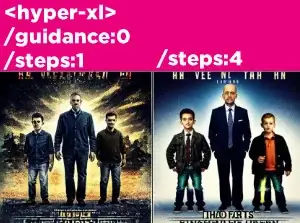
Hyper-SD XL: one-to-eight-step SDXL with a flexible LoRA
Hyper-SD from ByteDance accelerates SDXL checkpoints to as few as one step. Learn which variant to pick, the CFG and sampler rules, and how to combine it with checkpoints and LoRAs without losing quality.
By Captain
2026-10-02
Models
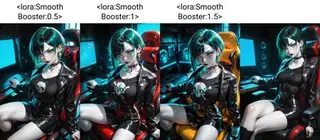
Smooth Detail Booster: cleaner shading and more detail on Illustrious and Pony
DigitalPastel's Smooth Detail Booster LoRA adds detail and smooth shading to anime checkpoints without changing the art style. Learn the weight range, the prompts that help it, and how to pair it with quality tags.
By Captain
2026-09-29

Models
Playground v2 1024 Aesthetic: a second opinion to SDXL
Playground v2 is an SDXL-architecture model trained from scratch for aesthetics. Learn how it differs from SDXL, its CFG and step preferences, and the painterly and realistic prompts where it beats the original.
By Captain
2026-10-02
More guides

Models
FLUX.1 Dev: how to prompt it, best settings and creative ideas
A practical guide to FLUX.1 Dev by Black Forest Labs: natural-language prompting, guidance and step settings, LoRA stacking, text rendering and prompt ideas that play to its strengths.
By Captain
2026-09-30

Models
Stable Diffusion 1.5: the classic model, prompted properly
Stable Diffusion 1.5 is still worth knowing: the right resolution, CFG and sampler, how to use its huge library of LoRAs and embeddings, and creative prompt ideas suited to a 512-pixel model.
By Captain
2026-10-02

Models
FLUX.2 Dev: prompting the newest Black Forest Labs model
FLUX.2 Dev brings larger prompts, better text, stronger realism and multi-reference editing. This guide covers the turbo workflow, guidance and resolution settings, prompt structure and ideas that use its new strengths.
By Captain
2026-10-03

Models
Qwen-Image: long prompts, perfect text and bilingual posters
Qwen-Image is the model to reach for when the words in the picture matter. Learn how to write its long descriptive prompts, render English and Chinese text accurately, set CFG and steps, and explore layout-heavy creative ideas.
By Captain
2026-09-29
ComfyUI
ComfyUI nodes: documentation and troubleshooting
Plain-language documentation for the ComfyUI nodes people use most: what each node does, every input and output, how to wire it, the settings that matter, and the errors it throws with the fix for each one.
By Captain
2026-06-02
Models
Waifu Diffusion: Danbooru-tag prompting for a classic anime model
Waifu Diffusion is the anime base model that taught a generation how to prompt with Danbooru tags. This guide covers tag order, quality tags, negatives, the right resolution and ideas for clean anime illustrations.
By Captain
2026-10-01

Model
Trends
.ai
© ModelTrends.ai
|
Made in Japan
|
© 2026