FLUX.1 Dev: how to prompt it, best settings and creative ideas
Topic: Models

By Captain
Published 2026-09-30
A practical guide to FLUX.1 Dev by Black Forest Labs: natural-language prompting, guidance and step settings, LoRA stacking, text rendering and prompt ideas that play to its strengths.
Overview
FLUX.1 Dev
is a 12-billion-parameter rectified-flow transformer from Black Forest Labs. It reads prompts through a T5 text encoder, which means it understands full sentences, spatial relations and written text far better than the Stable Diffusion generation before it. It is guidance-distilled, so there is no
negative prompt
and the guidance value behaves differently from classic
CFG
.
The catalog entry is the fast fp8 Dev workflow: it accepts up to five
LoRAs
at once and finishes with a built-in 1.4x upscale. Dev is the model most Flux LoRAs are trained on, so it is the safest base for style, character and detail LoRAs.
Reference
Name | Type | What it is |
|---|---|---|
Prompt | text | Plain sentences. Describe subject, setting, lighting, camera and mood in that order. No weights, no tag soup. |
Guidance | 1.5-5 | 3.5 is the default. Lower (2-2.5) gives softer, more photographic skin; higher (4-5) follows the prompt harder but flattens colors. |
Steps | 20-30 | 20 is enough for drafts, 28 for finals. Beyond 30 there is little gain. |
Resolution | 0.5-2 MP | 1024x1024, 1216x832 or 1344x768 work natively; up to 2 MP without tiling. |
LoRAs | up to 5 | Style LoRAs at 0.6-0.9, character LoRAs at 0.8-1.0. Lower each weight when stacking three or more. |
AD

No install required - run AI models on the cloud
BitVector Prism is the easiest way to start: pick a model, type a prompt and generate in a clean web app, with nothing to configure. BitVector is also available on Discord and on the web (SpyGlass).
Step by step
- Write one paragraph that reads like a photo caption: who or what, where, what light, what lens or medium.
- Keep guidance at 3.5 and steps at 24 for the first pass, then adjust guidance in 0.5 increments once the composition is right.
- If you need legible text, put the exact words in double quotes inside the prompt and keep them short (one to four words).
- Add LoRAs one at a time and check the result before adding the next; drop the weight of any LoRA that starts to bend anatomy.
- Pick the best seed and rerun it with 28 steps for the final image.
Examples
Editorial portrait
A candid portrait of a silver-haired architect in her sixties standing in a half-finished concrete stairwell, dust in the air, soft window light from the left, shot on a 50mm lens with a slight film grain, muted teal and sand palette.
Text on a sign
A weathered wooden shop sign hanging over a cobblestone street in Lisbon reads "OPEN LATE" in hand-painted cream letters, late afternoon sun, tram cables overhead, documentary photography.
Creative idea: impossible product shot
A studio product photograph of a glass perfume bottle shaped like a thundercloud, tiny lightning glowing inside it, resting on wet black slate, single softbox from above, reflections crisp.
Tips
- Flux has a recognisable default look: clean skin, centered subject, shallow focus. Mention film stocks, grain, or a specific camera to escape it.
- Say what the camera is doing (low angle, wide lens, handheld) instead of listing adjectives; the T5 encoder follows directions.
- Negative wording in the prompt (no hats) tends to add the thing. Describe what should be there instead.
- For illustrations, name the medium (gouache, risograph, ballpoint pen) early in the prompt; it sets the whole rendering style.
Troubleshooting
Images look plastic and over-smooth
Why it happens
Guidance above 4 with portrait prompts pushes skin toward a retouched look.
How to fix it
Drop guidance to 2-2.5, add words like candid, natural skin texture, 35mm film, and keep steps at 24-28.
A LoRA has no visible effect
Why it happens
The LoRA was trained for Schnell or for another family, or its weight is too low under several other LoRAs.
How to fix it
Check the LoRA's base on its model page, raise its weight to 1.0 alone, then reintroduce the others at lower weights.
AD

No install required - run AI models on the cloud
PirateDiffusion is Telegram only and built for pros: thousands of models, LoRAs and workflows driven by chat commands, with unlimited generation on a fixed price plan.

Questions
Does FLUX.1 Dev use a negative prompt?
No. It is guidance-distilled; describe what you want and use guidance to control adherence.
Which resolution gives the best detail?
Around 1 megapixel natively (1024x1024 or a 3:2 equivalent). The workflow's built-in 1.4x upscale handles the rest.
Links and sources
Models in this guide

Written by
Captain
Related guides
Models
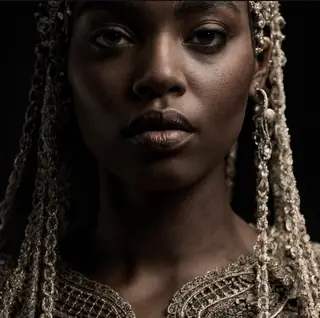
FLUX.1 Krea Dev: photographic realism without the AI look
FLUX.1 Krea Dev is the opinionated, photo-first Flux. This guide explains its aesthetic, the guidance and step values that suit it, how to prompt for natural light and texture, and creative ideas for documentary-style images.
By Captain
2026-10-03
Models
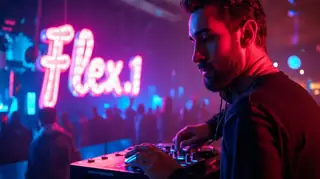
Flex.1 Alpha by Ostris: the open, fine-tunable Flux cousin
Flex.1 Alpha is an 8B Apache-licensed model derived from Flux Schnell with a guidance embedder. Learn how its guidance differs, the settings that work, prompting, and why it is a favorite base for training.
By Captain
2026-09-30

Models
Flux Ghibsky Illustration: serene painted skies on Flux
The GHIBSKY LoRA by aleksa-codes gives Flux a soft, animation-inspired illustration style with glowing skies. Learn its trigger, weight, prompt structure and ideas for calm, luminous scenes.
By Captain
2026-10-03
Models
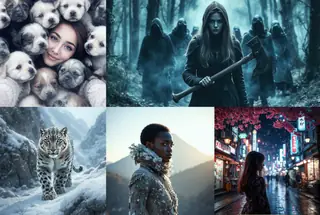
Shuttle 3.1 Aesthetic: fast, pretty Flux Schnell images in 4 steps
Shuttle 3.1 Aesthetic by ShuttleAI is a Schnell fine-tune that outperforms the original in aesthetics at 4-6 steps. Learn the settings, prompting and ideas for fast, polished results.
By Captain
2026-09-29
More guides

Models
Stable Diffusion XL 1.0: prompts, settings and what it still does best
How to get the most out of the official SDXL 1.0 base model: native resolutions, CFG and sampler settings, the refiner, negative prompts and ideas for styles where SDXL still shines.
By Captain
2026-10-01

Models
Stable Diffusion 1.5: the classic model, prompted properly
Stable Diffusion 1.5 is still worth knowing: the right resolution, CFG and sampler, how to use its huge library of LoRAs and embeddings, and creative prompt ideas suited to a 512-pixel model.
By Captain
2026-10-02

Models
FLUX.2 Dev: prompting the newest Black Forest Labs model
FLUX.2 Dev brings larger prompts, better text, stronger realism and multi-reference editing. This guide covers the turbo workflow, guidance and resolution settings, prompt structure and ideas that use its new strengths.
By Captain
2026-10-03

Models
Qwen-Image: long prompts, perfect text and bilingual posters
Qwen-Image is the model to reach for when the words in the picture matter. Learn how to write its long descriptive prompts, render English and Chinese text accurately, set CFG and steps, and explore layout-heavy creative ideas.
By Captain
2026-09-29

Models
SDXL-Lightning: four-step generation on any SDXL checkpoint
ByteDance's SDXL-Lightning LoRA turns a 30-step SDXL render into a 4-step one. Learn the step counts, the CFG you must use, the sampler, and how to combine it with your favorite checkpoints and style LoRAs.
By Captain
2026-09-30
ComfyUI
ComfyUI nodes: documentation and troubleshooting
Plain-language documentation for the ComfyUI nodes people use most: what each node does, every input and output, how to wire it, the settings that matter, and the errors it throws with the fix for each one.
By Captain
2026-06-02

Model
Trends
.ai
© ModelTrends.ai
|
Made in Japan
|
© 2026