FLUX.1 Krea Dev: photographic realism without the AI look
Topic: Models

By Captain
Published 2026-10-03
FLUX.1 Krea Dev is the opinionated, photo-first Flux. This guide explains its aesthetic, the guidance and step values that suit it, how to prompt for natural light and texture, and creative ideas for documentary-style images.
Overview
FLUX.1 Krea
Dev was built by Black Forest Labs with Krea as a deliberately opinionated model: it avoids the oversaturated, over-smoothed look that marks most AI images and leans toward natural light, real skin and believable color. It uses the same architecture and prompting as
FLUX.1 Dev
, so Dev
LoRAs
load, though some shift its colors.
It is the best base in the
Flux
family for editorial, lifestyle and documentary-style photographs, and it still handles illustration well when asked.
Reference
Name | Type | What it is |
|---|---|---|
Prompt | text | Photographic sentences: subject, place, light, camera. Avoid words like masterpiece or 8k; they push it back toward the AI look. |
Guidance | 3.5-4.5 | Slightly higher than Dev; 4 is a good default. |
Steps | 28-32 | It benefits from a few more steps than Dev. |
Resolution | 1-1.5 MP | 1024x1024 or 1216x832 for stills; 1344x768 for cinematic frames. |
LoRAs | Flux Dev LoRAs | Compatible; use 0.6-0.8 and watch for color shifts. |
AD

No install required - run AI models on the cloud
BitVector Prism is the easiest way to start: pick a model, type a prompt and generate in a clean web app, with nothing to configure. BitVector is also available on Discord and on the web (SpyGlass).
Step by step
- Describe a real moment: what the person is doing, where the light comes from and what time of day it is.
- Set guidance 4, steps 30.
- Name the camera look you want (medium-format film, disposable camera, 35mm Kodak Portra).
- Let imperfections in: slight motion blur, mixed lighting, unposed expressions.
- Keep LoRAs light; Krea's own aesthetic is the point.
Examples
Documentary portrait
A bus driver on her break leaning against the bus door at a rainy depot, overcast daylight, reflective vest, steam rising from a paper cup, 35mm film photograph, unposed.
Interior still
A sunlit kitchen in a 1970s apartment, orange tiles, a cat asleep on the counter, dust in a shaft of light, medium-format film, slightly underexposed.
Creative idea: fictional travel diary
A page from a travel photo diary: a street vendor grilling corn under a tarp during a downpour in Oaxaca, blue tarp light on his face, motion blur in the rain, 28mm, Portra 400.
Tips
- Krea likes understatement. One clear subject and honest light beats a stacked adjective list.
- Use color temperature words (tungsten, overcast daylight, sodium street lamps) to steer the grade.
- For skin, say freckles, pores, or unretouched; it responds without exaggeration.
- Illustration prompts still work; name the medium and the paper.
Troubleshooting
Images look dim or muddy
Why it happens
Krea's restrained palette combined with low-light prompts.
How to fix it
Add a defined light source (window light from the left, late afternoon sun) and raise guidance to 4.5.
A Dev LoRA changes the colors
Why it happens
Style LoRAs trained on Dev's palette fight Krea's.
How to fix it
Lower the LoRA to 0.5-0.6 or choose a LoRA trained on Krea.
AD

No install required - run AI models on the cloud
PirateDiffusion is Telegram only and built for pros: thousands of models, LoRAs and workflows driven by chat commands, with unlimited generation on a fixed price plan.

Questions
Is Krea Dev better than FLUX.1 Dev?
For photographs that should look like photographs, usually yes. For graphic design and text, Dev or
FLUX.2
are stronger.
Does it use a negative prompt?
No, like all FLUX.1 models.
Links and sources
Models in this guide
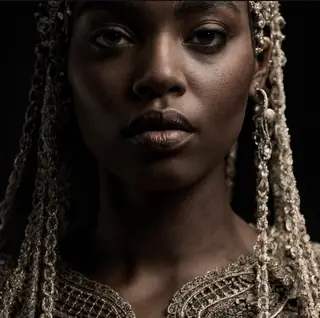
Written by
Captain
Related guides
Models
Flex.1 Alpha by Ostris: the open, fine-tunable Flux cousin
Flex.1 Alpha is an 8B Apache-licensed model derived from Flux Schnell with a guidance embedder. Learn how its guidance differs, the settings that work, prompting, and why it is a favorite base for training.
By Captain
2026-09-30

Models
FLUX.1 Dev: how to prompt it, best settings and creative ideas
A practical guide to FLUX.1 Dev by Black Forest Labs: natural-language prompting, guidance and step settings, LoRA stacking, text rendering and prompt ideas that play to its strengths.
By Captain
2026-09-30

Models
Flux Ghibsky Illustration: serene painted skies on Flux
The GHIBSKY LoRA by aleksa-codes gives Flux a soft, animation-inspired illustration style with glowing skies. Learn its trigger, weight, prompt structure and ideas for calm, luminous scenes.
By Captain
2026-10-03
Models
Shuttle 3.1 Aesthetic: fast, pretty Flux Schnell images in 4 steps
Shuttle 3.1 Aesthetic by ShuttleAI is a Schnell fine-tune that outperforms the original in aesthetics at 4-6 steps. Learn the settings, prompting and ideas for fast, polished results.
By Captain
2026-09-29
More guides

Models
Stable Diffusion XL 1.0: prompts, settings and what it still does best
How to get the most out of the official SDXL 1.0 base model: native resolutions, CFG and sampler settings, the refiner, negative prompts and ideas for styles where SDXL still shines.
By Captain
2026-10-01

Models
Stable Diffusion 1.5: the classic model, prompted properly
Stable Diffusion 1.5 is still worth knowing: the right resolution, CFG and sampler, how to use its huge library of LoRAs and embeddings, and creative prompt ideas suited to a 512-pixel model.
By Captain
2026-10-02

Models
FLUX.2 Dev: prompting the newest Black Forest Labs model
FLUX.2 Dev brings larger prompts, better text, stronger realism and multi-reference editing. This guide covers the turbo workflow, guidance and resolution settings, prompt structure and ideas that use its new strengths.
By Captain
2026-10-03

Models
Qwen-Image: long prompts, perfect text and bilingual posters
Qwen-Image is the model to reach for when the words in the picture matter. Learn how to write its long descriptive prompts, render English and Chinese text accurately, set CFG and steps, and explore layout-heavy creative ideas.
By Captain
2026-09-29

Models
SDXL-Lightning: four-step generation on any SDXL checkpoint
ByteDance's SDXL-Lightning LoRA turns a 30-step SDXL render into a 4-step one. Learn the step counts, the CFG you must use, the sampler, and how to combine it with your favorite checkpoints and style LoRAs.
By Captain
2026-09-30
ComfyUI
ComfyUI nodes: documentation and troubleshooting
Plain-language documentation for the ComfyUI nodes people use most: what each node does, every input and output, how to wire it, the settings that matter, and the errors it throws with the fix for each one.
By Captain
2026-06-02

Model
Trends
.ai
© ModelTrends.ai
|
Made in Japan
|
© 2026