
Product Design (Elegant minimalism eddiemauro) LORA
8097°
<product-elegant>
Apps that support ModelTrends tags let you run/install models by copying this code in your prompt with no setup. Look for our icon in apps that support it, like Prism (below).
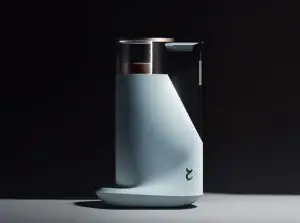
Run this model
Offers / Ads

Easy Creator (Prism) Web
Unlimited · flat fee
Best for beginners. Describe what you want in a chat and the picture comes back, no learning curve.

PirateDiffusion Telegram
Unlimited · flat fee
Images and video from a chat, with short commands. The most convenient tool for Telegram users, with a web companion.

Pro studio (SpyGlass) Web
Unlimited · flat fee
Best for power users. Full control over models, settings and workflows in a browser studio.

Discord bot (Vector)
Unlimited · flat fee
Best for communities. Add it to your own server and run any workflow from a channel.

Unified Editor Web
Unlimited · flat fee
One screen for every model and workflow: prompts, references, edits and video, built into your Graydient account.

Civitai Web
Pay per use
Generate on Civitai's own site; every image is paid for with Buzz credits.

Local apps
Requires setup
Set up local programs if your computer has capable hardware.

ModelDuel Web
Pay per use
Generate the same prompt on up to 50 checkpoint/base models at a time.

Creator notes
Before to use
-
You have to know how works Stable Diffusion. I recommend using Automatic1111 like an interface to launch the model.
-
This is a model trained on SD 1.5 model, so you have to consider that it is not perfect. I have to make so much testing before to arrive to a stable generation. I will enhance the model when a better base model arrives (like SD XL new one).
-
This is a LORA model, so it is recommended to use like an extension of a Checkpoint. I recommend you to use realistic dataset models.
-
I recommend you to follow me on my instagram account, where I will explain about AI image generation:
Intro
PRODUCT DESIGN (Elegant minimalism-eddiemauro) LORA: Hi, I’m a product and car designer, and I’m so excited to test with AI, I think is a good tool for designing. This tool (Lora) is so useful for the design process (shapes-ideas generation), but more than that it helps so much to refine aesthetically. Also, you can turn sketch and 3D schemes into render style. I created a basic Lora and tested it with so many kinds of checkpoints, and the result was a different type of "minimalism". The style is more aggressive and elegant (taken from Szechuan), but it preserves the minimalism style. Furthermore, the colors tend to be darker and opaque.
If you want to support my work and help me to upload more models (with better quality), you can do it by entering here and donating, I would greatly appreciate it:
Installation
-
I use Automatic1111, the best UI for Stable Diffusion image generation, so I recommend you to install locally or use it online with some Colab or other hosting. You can find online instructions or videos to do that. If you are going to install locally, you can and I recommend you to have at least a 6-8 Gb of VRAM Graphic Card (nvidia) to have a stable interface and launch with “Microsoft Edge” because you will have problems on “Google Chrome”. Try also to install “medvram” or “lowvram” options besides “xformers” (search online how to).
-
This is a Lora model. You can how to install it. It is just to download a file and put it inside Lora file models. The Lora file extension is “.safetensor”, and mostly the size is lower than a Checkpoint (that could be more than a gigabit).
-
You have to install also a Checkpoint model to use with, select one focused on realism visualization or 3D/render aspect.
-
Please for image creation you have to follow all my recommendations, if you don't, it is impossible to generate a good image quality. Also, you have to consider that from today AI image generation is not so consistent and perfect, you have to invest time to get it and make plenty of tests.
Recommendations for image generation
-
Checkpoint best models: SD 1.5 based models. It is mandatory to use with a checkpoint called or , so download first, install and load inside SD UI.
-
Activation token/caption: Inside prompt space, the first word has to be: “emauromin”or “emauromin style” to activate the style. It is mandatory, if you don't do it, it will not work properly.
-
Another recommended prompting: Inside prompt you can use those words that will enhance the image generation: in the positive space, “futuristic, finely detailed, purism, ue 5, a computer rendering, minimalism, octane render, 4k”; in the negative space: “(worst quality:2), (low quality:2), (normal quality:2), lowres, ((monochrome)), ((grayscale)), cropped, text, jpeg artifacts, signature, watermark, username, sketch, cartoon, drawing, anime, duplicate, blurry, semi-realistic, out of frame, ugly, deformed”. You can also watch the image metadata of example images here and simulate the prompt.
-
Textual inversion/embedding or Lora tool recommended: I consider that “EasyNegative” is one best of textual inversion for negative prompt space, you should use it. and install it, putting the file inside “embeddings”. You can use it also “Detail Tweaker” to even reduce the details of the image, for that, you have to , install like a Lora and use it inside positive prompt with a value of “-0.5”. Use it when you realize the checkpoint used has so many details, but not when you see that minimalism is on it. This can change the shape of objects considerably.
-
Lora's weight: I'm trying to enhance the model, for now, this model works fine from 0.7 to 1, the most you increase the value, minimalism is higher. Sometimes the values 0.8-0.9, adapt better than 1.
-
VAE: This depends on what checkpoint are you using. Mostly it is recommended to use the “vae-ft-mse-840000-ema-pruned” Stable Diffusion standard.
-
Clip Skip: It was trained on 2, so use 2.
-
Steps and CFG: It is recommended to use Steps from “20-40” and CFG scale from “6-8”, the ideal is: steps 30, CFG 7. For next models, those values could change.
-
Sampler: I use mostly “EulerA”, “DPM++SDE Karras” or “DPM++2S a”. Euler tends to be simpler and more creative. Make experimentation with other samplers if you like.
-
Batch: In txt2img try to put a value of 4 to generate more than 1 image and watch the generations. If you have a good graphic card, you can use “Batch size”, this will create at same time 4 images, increasing generation time; but if your computer cannot handle this, change to “Batch count” that will create 4 images in a row (not a same time), but generation time will be more.
-
Image aspect: Try to use these dimensions: 512x512, 768x512, 512x768, but even you can experiment with different. Don't generate bigger images because the style could be lost, if you want to create a bigger image, use hires.fix in txt2img mode, img2img increase method or Ultimate SD Upscale script extension + ControlNet, or just upscaling with GAN models.
-
Create bigger images: There are 4 different methods to create large images in Stable Diffusion, you can check online how to. For first method “txt2img hires.fix”, I recommend you to use upscale model called “4x-UltraSharp”, just “.pth” file, and then installing it, putting inside “ESRGAN” file. In hires.fix option
Trigger words
emauromin style
SHA256
3002FF124811B48001176D6B4072FA14A2A6F5843B52F3650C4429843E389F1B
Ranking badge
Updated Oct 22, 2026

Made this model? Show this badge on your page.
Paste it into your Hugging Face card or Civitai description.
Also ranked: #86 Hottest Stable Diffusion 1.5 model
Not this creator?
Get your own badge
Product Design (Elegant minimalism eddiemauro) LORA Popularity Trend
Heat score, last 12 months
Heat score
8,097°
This week
▬
0.0%
8,099° then, 8,097° now
This month
▼
0.2%
8,104° then, 8,097° now
Past year
▼
1.9%
8,181° then, 8,097° now
7,000°
Floor
The scale runs from 0° to 9,999°. Everything below 7,000° is kept for models no source reports on yet, which carry a stand-in number there so lists stay complete. 7,000° is where measured data begins: a model with real data but almost no downloads sits at the floor, and the measurements fill the degrees above it. The floor says nothing about the model; only the degrees above it do, and they are what separates one model from another.
+1,241°
Civitai downloads
13,701 downloads of this exact version on Civitai. Downloads are the heaviest ingredient and are counted on a log scale: ten times the downloads adds the same 300°, so a model with a million downloads is not a thousand times hotter than one with a thousand. The six download sources share that one term, split between them in proportion to their counts.
+465°
Likes
1,260 likes and thumbs up across the sources. A like weighs half a download, on the same log scale.
−609°
Age
−609° because the SD15 weights came out in 2022. Every model inherits the age of the weights it is built on: 150° a year, up to 750°, and it keeps growing until then. Without it the top of the list would be 2022 and 2023 checkpoints on the strength of downloads that had years to pile up.
Show detailed breakdown
Every number on this site can be checked. This model's heat score is 8,097°, and here it is built one ingredient at a time, with the running total after each: the floor, the degrees each source adds, the bonus for the kind of model and what the age of its weights takes away. The colors are the bands of the chart above. The glossary at the end defines every term.
- 1Start at the floor.Why 7,000° and not zero: the scale runs from 0° to 9,999°, and the part below 7,000° is reserved for models no source reports on yet, which carry a stand-in number there so the lists stay complete and never outrank a model with data. 7,000° is where measured data begins. A model with real data but almost no downloads sits here; everything that follows is measurement, and the room above the floor holds ten tenfold steps in downloads at 300° each. The floor is the same for every model, so it decides nothing; the degrees above it do.7,000°running total
- 2Add the downloads.13,701 download-equivalents in all, from Civitai downloads. Ten times the downloads adds the same 300°, so size matters but never runs away with the score.+1,241°8,241°running total
- 3Add the likes.1,260 likes and thumbs up, at half the weight of a download.+465°8,706°running total
- 4Take off the age.The SD15 weights came out in 2022: 150° a year, up to 750°, growing until then.−609°8,097°running total
- =The heat score.Where this model stands on every list of this site. Nothing else adjusts it.8,097°
Glossary: the terms used here
- Heat score
- One number for how much a model is used and wanted right now, from 0° to 9,999°. Every list on this site that says hottest is sorted by it and nothing else.
- Floor
- The 7,000° every model with real data starts from. The scale runs from 0° to 9,999°; the part below the floor is reserved for stand-ins (models without data), so that a model with data always ranks above one without. The floor is the same for everyone and decides nothing; the degrees above it are the measurement.
- Download-equivalents
- Everything the score treats as a download, added up: downloads themselves, each torrent seeder as 1,000, each AI Horde image and each run on a generation site as one.
- Log scale
- Counting by tens, not by ones: going from 1,000 to 10,000 downloads adds the same degrees as going from 10,000 to 100,000. It keeps giants from crowding out everything else.
- Likes
- Thumbs up and likes from every source, worth half a download each on the log scale.
- Adoption rate
- How many downloads a day a model gets right now, from the difference between two readings of a source. A quarter of the weight of the download term.
- Measured and estimated
- Measured means two readings of a source exist and the difference is real. Estimated means only today's total is known and the past is spread over the model's life; the site says which one it is showing.
- Seeder
- Someone who keeps a copy of the weights online for others to download over a torrent, or a hosted mirror doing the same. Each one counts as 1,000 downloads.
- AI Horde
- A volunteer network that generates images for free on donated computers. The number of images it has made with a model is public, and each counts as one download.
- Generation sites
- Sites that host their own copies of a model and let people generate with it, such as PixAI, SeaArt and Yodayo. Their downloads count like Civitai's and each generation run as one download.
- OpenRouter tokens
- A text model served through an API, such as Claude or GPT, has no weights to download, so its usage is measured in tokens: the pieces of text it read and wrote through OpenRouter, a gateway many apps use, over the last 30 days. Every 10,000,000 tokens count as one download. Source: OpenRouter (openrouter.ai/rankings), CC BY 4.0.
- Full model (checkpoint)
- The weights themselves, the file that generates on its own. It gets a bonus because add-ons depend on it.
- LoRA and embedding
- Small add-on files that steer someone else's weights toward a style, a character or a concept. They cannot run alone.
- Family and weights
- The base a model is built on, such as SD 1.5, SDXL, Flux or Wan. Every model inherits the release date of its family's weights.
- Age
- Degrees taken off for how long ago the family's weights came out: 150° a year, up to 750°. It keeps old downloads that had years to pile up from freezing the top of the list.
- Family boost
- A small, bounded nudge for LoRAs of a family this site is pushing forward right now, always listed in the breakdown.
- Stand-in score
- A stable number below the floor given to a model no source reports on yet, so lists stay complete. It never ranks above a model with data.
- New! (grace period)
- A model less than 7 days old shows New! instead of a score and holds no place in the rankings. Its score is computed from day one, but a model one day old grows faster than anything, so without the wait the week's #1 would always be whatever came out yesterday rather than what held up for a week.
- Trend
- How a model's growth over a period compares with the typical model's growth over the same period. Faster than typical reads as a rise, slower as a fall.
- Typical model
- The middle of the catalog: half the models with a figure grew faster over the period, half slower.
How this model's popularity has moved against the rest of the catalog: its growth in downloads, likes and usage over each period, measured against the typical model's growth over the same period, with its heat score at the time. Above the typical growth reads as a rise, below it as a fall. The past is reconstructed from today's totals, the model's first day and its measured download speed where two readings exist; a model that did not exist at the start of a period shows n/a.
Example renders
Prompts and settings shared by the people who made these renders on Civitai. Pick a render to see how it was made.
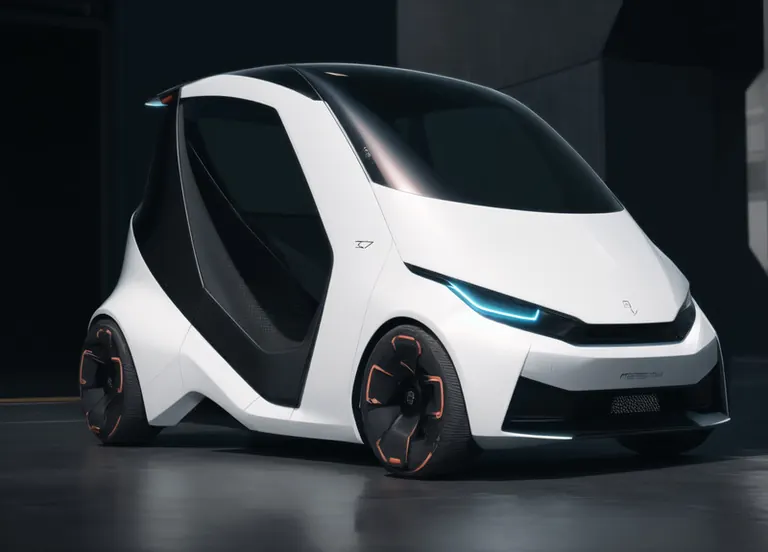

Settings
Sampler
Euler a
Steps
30
Guidance
7
Seed
3653215291
Size
768x768
Clip skip
2
Prompt
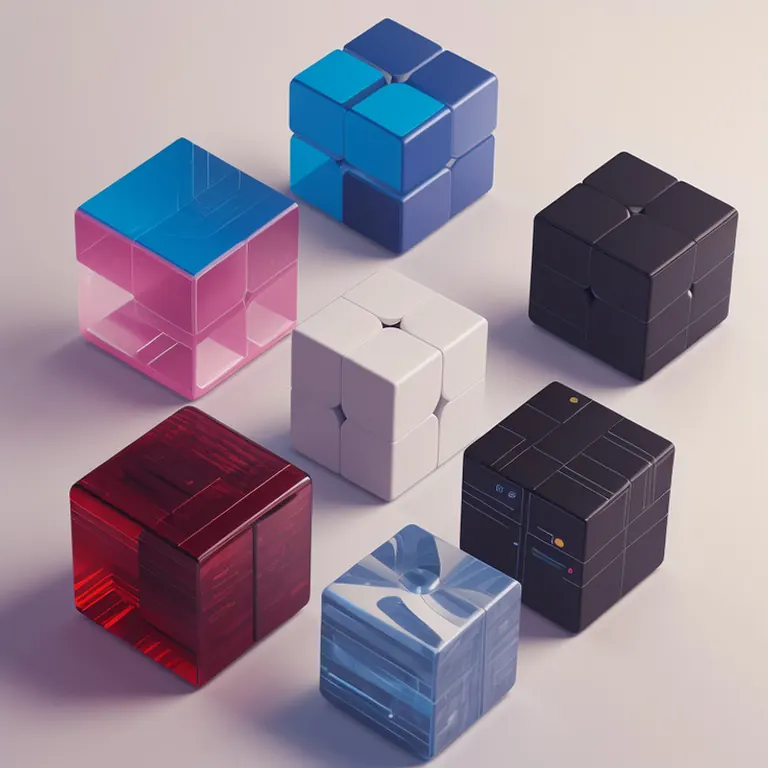
emauromin style, futuristic cubes, finely detailed, purism, ue 5, a computer rendering, minimalism, octane render, 4k <lora:eddiemauroLora2 (Dark):0.3> <lora:2.5D:0.9>
Negative prompt
(worst quality:2), (low quality:2), (normal quality:2), lowres, normal quality, bad_prompt, bad_prompt2, ((monochrome)), ((grayscale)), cropped, text, jpeg artifacts, signature, watermark, username, EasyNegative,sketch, cartoon, drawing, anime, duplicate, blurry, semi-realistic, out of frame, worst quality, ugly, low quality, deformed, multiple objetcs
Settings
Sampler
Euler a
Steps
30
Guidance
7
Seed
737757255
Size
1024x1216
Clip skip
2
Prompt
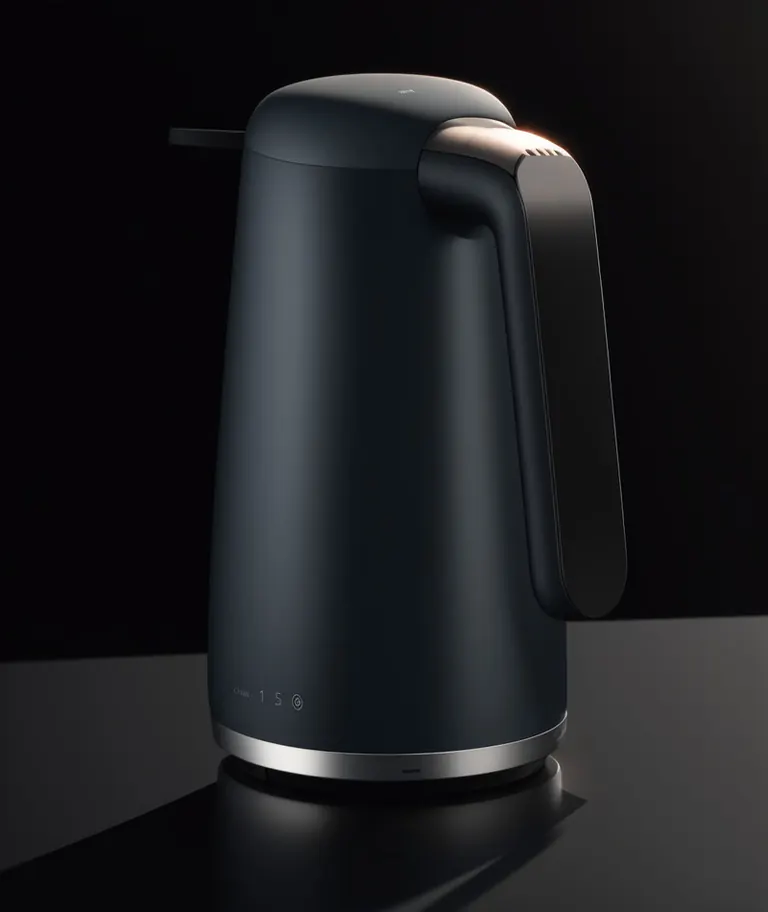
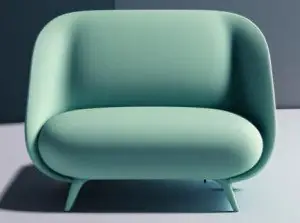
emauromin style, futuristic kettle, finely detailed, purism, ue 5, a computer rendering, minimalism, octane render, 4k <lora:eddiemauroLora2:0.9>
Negative prompt
(worst quality:2), (low quality:2), (normal quality:2), lowres, normal quality, bad_prompt, bad_prompt2, ((monochrome)), ((grayscale)), cropped, text, jpeg artifacts, signature, watermark, username, EasyNegative,sketch, cartoon, drawing, anime, duplicate, blurry, semi-realistic, out of frame, worst quality, ugly, low quality, deformed, multiple objects
Settings
Sampler
Euler a
Steps
30
Guidance
7
Seed
242557425
Size
1424x1024
Clip skip
2
Prompt
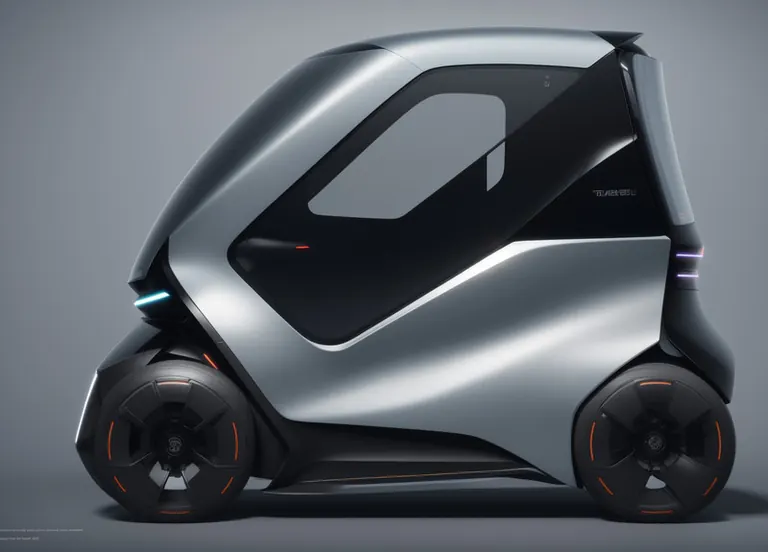
emauromin style, futuristic vehicle, finely detailed, purism, ue 5, a computer rendering, minimalism, octane render, 4k <lora:eddiemauroLora2:0.8>
Negative prompt
(worst quality:2), (low quality:2), (normal quality:2), lowres, normal quality, bad_prompt, bad_prompt2, ((monochrome)), ((grayscale)), cropped, text, jpeg artifacts, signature, watermark, username, EasyNegative,sketch, cartoon, drawing, anime, duplicate, blurry, semi-realistic, out of frame, worst quality, ugly, low quality, deformed, multiple objects
Settings
Sampler
DPM++ SDE Karras
Steps
30
Guidance
7
Seed
3653215289
Size
1424x1024
Clip skip
2
Prompt
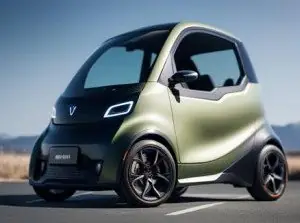
emauromin style, futuristic vehicle, finely detailed, purism, ue 5, a computer rendering, minimalism, octane render, 4k <lora:eddiemauroLora2:0.8>
Negative prompt
(worst quality:2), (low quality:2), (normal quality:2), lowres, normal quality, bad_prompt, bad_prompt2, ((monochrome)), ((grayscale)), cropped, text, jpeg artifacts, signature, watermark, username, EasyNegative,sketch, cartoon, drawing, anime, duplicate, blurry, semi-realistic, out of frame, worst quality, ugly, low quality, deformed, multiple objetcs
Run Locally
How to install

How to install a LoRA: folders, file checks and first use in ComfyUI, Forge, Automatic1111 and Draw Things
Sep 24, 2025
eddiemauroLora2 (Elegant).safetensors
Downloads are served by Civitai. Some creators ask for a Civitai login first.


![[SD 1.5] New Chinese style clothing | 新中式服装 vol.1 Style 8](https://media.modeltrends.ai/concepts/6879/thumb_20251113_121815.webp)
Product Design (Elegant minimalism eddiemauro) LORA is a LoRA for the Stable Diffusion 1.5 family listed on ModelTrends.ai, a read-only catalog of open source AI image, video and text models. Compare it with other Stable Diffusion 1.5 models, check its heat score to see how it is trending, and open it on PirateDiffusion or BitVector to try it.
More Stable Diffusion 1.5 modelsMore Stable Diffusion 1.5 LoRAsgraphic-designproduct designcarscar designindustrial designobjectsvehiclesdesign
Browse by Model Family

Text / LLM Models
434

Anima Models
528

Chroma Models
19
Fibo Models
2

Flux Models
1,496

Flux 2 / Klein Models
1,239
Flux 3 Models
3

Moss Models
3

Iris Models
1
MiniMax H3 Models
364
Hunyuan Models
204

Ideogram Models
20
Krea2 Models
717
Qwen Models
20
Qwen2 Models
47
Ltx2 Models
153