
Product Design (Elegant minimalism eddiemauro) LORA
8097°
<product-elegant>
التطبيقات التي تدعم علامات ModelTrends تتيح لك تشغيل/تثبيت النماذج بنسخ هذا الكود في موجه الأوامر بدون إعداد. ابحث عن أيقونتنا في التطبيقات التي تدعمها، مثل Prism (بالأسفل).
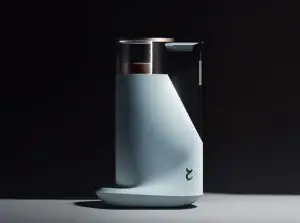
تشغيل النموذج
عروض / إعلانات

Easy Creator (Prism) ويب
غير محدود · رسوم ثابتة
الأفضل للمبتدئين. سير عمل قوي، منحنى تعلم منخفض.

PirateDiffusion تليجرام
غير محدود · رسوم ثابتة
أنشئ فيديوهات، صور، شخصيات دردشة مخصصة، وأكثر.

Pro studio (SpyGlass) ويب
غير محدود · رسوم ثابتة
تصفح النماذج، قم بالتصيير والتنقيح من أي متصفح أو هاتف.

Discord bot (Vector) ديسكورد
غير محدود · رسوم ثابتة
أضف Vector إلى خادمك أو انضم إلى Discord الخاص بـ Vector. أنشئ أي شيء!

Unified Editor ويب
غير محدود · رسوم ثابتة
محرر للصور والفيديو: التصيير، التحرير، التكبير والمزيد في صفحة واحدة.

Civitai ويب
ادفع حسب الاستخدام
أنشئ على موقع Civitai؛ كل صورة تُدفع برصيد Buzz.

تطبيقات محلية
يتطلب إعدادًا
نزّل البرامج محليًا إذا جهازك يتحمل.

ModelDuel ويب
ادفع حسب الاستخدام
أنشئ نفس الطلب على ما يصل إلى 50 نموذج نقطة تحقق/أساسي في نفس الوقت.

ملاحظات المنشئ
Before to use
-
You have to know how works Stable Diffusion. I recommend using Automatic1111 like an interface to launch the model.
-
This is a model trained on SD 1.5 model, so you have to consider that it is not perfect. I have to make so much testing before to arrive to a stable generation. I will enhance the model when a better base model arrives (like SD XL new one).
-
This is a LORA model, so it is recommended to use like an extension of a Checkpoint. I recommend you to use realistic dataset models.
-
I recommend you to follow me on my instagram account, where I will explain about AI image generation:
Intro
PRODUCT DESIGN (Elegant minimalism-eddiemauro) LORA: Hi, I’m a product and car designer, and I’m so excited to test with AI, I think is a good tool for designing. This tool (Lora) is so useful for the design process (shapes-ideas generation), but more than that it helps so much to refine aesthetically. Also, you can turn sketch and 3D schemes into render style. I created a basic Lora and tested it with so many kinds of checkpoints, and the result was a different type of "minimalism". The style is more aggressive and elegant (taken from Szechuan), but it preserves the minimalism style. Furthermore, the colors tend to be darker and opaque.
If you want to support my work and help me to upload more models (with better quality), you can do it by entering here and donating, I would greatly appreciate it:
Installation
-
I use Automatic1111, the best UI for Stable Diffusion image generation, so I recommend you to install locally or use it online with some Colab or other hosting. You can find online instructions or videos to do that. If you are going to install locally, you can and I recommend you to have at least a 6-8 Gb of VRAM Graphic Card (nvidia) to have a stable interface and launch with “Microsoft Edge” because you will have problems on “Google Chrome”. Try also to install “medvram” or “lowvram” options besides “xformers” (search online how to).
-
This is a Lora model. You can how to install it. It is just to download a file and put it inside Lora file models. The Lora file extension is “.safetensor”, and mostly the size is lower than a Checkpoint (that could be more than a gigabit).
-
You have to install also a Checkpoint model to use with, select one focused on realism visualization or 3D/render aspect.
-
Please for image creation you have to follow all my recommendations, if you don't, it is impossible to generate a good image quality. Also, you have to consider that from today AI image generation is not so consistent and perfect, you have to invest time to get it and make plenty of tests.
Recommendations for image generation
-
Checkpoint best models: SD 1.5 based models. It is mandatory to use with a checkpoint called or , so download first, install and load inside SD UI.
-
Activation token/caption: Inside prompt space, the first word has to be: “emauromin”or “emauromin style” to activate the style. It is mandatory, if you don't do it, it will not work properly.
-
Another recommended prompting: Inside prompt you can use those words that will enhance the image generation: in the positive space, “futuristic, finely detailed, purism, ue 5, a computer rendering, minimalism, octane render, 4k”; in the negative space: “(worst quality:2), (low quality:2), (normal quality:2), lowres, ((monochrome)), ((grayscale)), cropped, text, jpeg artifacts, signature, watermark, username, sketch, cartoon, drawing, anime, duplicate, blurry, semi-realistic, out of frame, ugly, deformed”. You can also watch the image metadata of example images here and simulate the prompt.
-
Textual inversion/embedding or Lora tool recommended: I consider that “EasyNegative” is one best of textual inversion for negative prompt space, you should use it. and install it, putting the file inside “embeddings”. You can use it also “Detail Tweaker” to even reduce the details of the image, for that, you have to , install like a Lora and use it inside positive prompt with a value of “-0.5”. Use it when you realize the checkpoint used has so many details, but not when you see that minimalism is on it. This can change the shape of objects considerably.
-
Lora's weight: I'm trying to enhance the model, for now, this model works fine from 0.7 to 1, the most you increase the value, minimalism is higher. Sometimes the values 0.8-0.9, adapt better than 1.
-
VAE: This depends on what checkpoint are you using. Mostly it is recommended to use the “vae-ft-mse-840000-ema-pruned” Stable Diffusion standard.
-
Clip Skip: It was trained on 2, so use 2.
-
Steps and CFG: It is recommended to use Steps from “20-40” and CFG scale from “6-8”, the ideal is: steps 30, CFG 7. For next models, those values could change.
-
Sampler: I use mostly “EulerA”, “DPM++SDE Karras” or “DPM++2S a”. Euler tends to be simpler and more creative. Make experimentation with other samplers if you like.
-
Batch: In txt2img try to put a value of 4 to generate more than 1 image and watch the generations. If you have a good graphic card, you can use “Batch size”, this will create at same time 4 images, increasing generation time; but if your computer cannot handle this, change to “Batch count” that will create 4 images in a row (not a same time), but generation time will be more.
-
Image aspect: Try to use these dimensions: 512x512, 768x512, 512x768, but even you can experiment with different. Don't generate bigger images because the style could be lost, if you want to create a bigger image, use hires.fix in txt2img mode, img2img increase method or Ultimate SD Upscale script extension + ControlNet, or just upscaling with GAN models.
-
Create bigger images: There are 4 different methods to create large images in Stable Diffusion, you can check online how to. For first method “txt2img hires.fix”, I recommend you to use upscale model called “4x-UltraSharp”, just “.pth” file, and then installing it, putting inside “ESRGAN” file. In hires.fix option
كلمات التفعيل
emauromin style
SHA256
3002FF124811B48001176D6B4072FA14A2A6F5843B52F3650C4429843E389F1B
Ranking badge
Updated Oct 22, 2026

Made this model? Show this badge on your page.
Paste it into your Hugging Face card or Civitai description.
Also ranked: #86 Hottest Stable Diffusion 1.5 model
Not this creator?
Get your own badge
اتجاه شعبية Product Design (Elegant minimalism eddiemauro) LORA
درجة الحرارة، آخر 12 أشهر
درجة الحرارة
8,097°
هذا الأسبوع
▬
0.0%
8,099° في ذلك الوقت، 8,097° الآن
هذا الشهر
▼
0.2%
8,104° في ذلك الوقت، 8,097° الآن
السنة الماضية
▼
1.9%
8,181° في ذلك الوقت، 8,097° الآن
7,000°
الحد الأدنى
المقياس يمتد من 0° إلى 9,999°. كل شيء تحت 7,000° مخصص للنماذج التي لم يبلغ عنها أي مصدر بعد، والتي تحمل رقمًا مؤقتًا هناك للحفاظ على اكتمال القوائم. 7,000° هو بداية البيانات المقاسة: النموذج الذي لديه بيانات حقيقية ولكن لا تحميلات تقريبًا يكون عند الحد الأدنى، والقياسات تملأ الدرجات فوقه. الحد الأدنى لا يقول شيئًا عن النموذج؛ فقط الدرجات فوقه تفعل ذلك، وهي التي تميز نموذجًا عن آخر.
+1,241°
تحميلات Civitai
13,701 تحميلات لهذا الإصدار بالذات على Civitai. التحميلات هي المكون الأثقل وتُحسب على مقياس لوغاريتمي: عشرة أضعاف التحميلات تضيف نفس 300°، لذا النموذج الذي لديه مليون تحميل ليس أكثر حرارة ألف مرة من نموذج لديه ألف تحميل. المصادر الستة للتحميل تشترك في هذا المصطلح، موزعة بينها بنسبة تحميلاتها.
+465°
الإعجابات
1,260 إعجابات وإبهامات عبر المصادر. الإعجاب يزن نصف تحميل، على نفس المقياس اللوغاريتمي.
−609°
العمر
−609° لأن أوزان SD15 صدرت في 2022. كل نموذج يرث عمر الأوزان التي بُني عليها: 150° في السنة، حتى 750°، ويستمر في النمو حتى ذلك الحين. بدون هذا، كانت قائمة الأعلى ستكون نقاط تحقق 2022 و2023 بناءً على التحميلات التي تراكمت لسنوات.
عرض التفاصيل
يمكن التحقق من كل رقم في هذا الموقع. درجة حرارة هذا النموذج هي 8,097°، وهنا يتم بناؤها مكونًا تلو الآخر، مع المجموع الجاري بعد كل خطوة: الحد الأدنى، الدرجات التي يضيفها كل مصدر، المكافأة لنوع النموذج وما يأخذه عمر الأوزان. الألوان هي نطاقات الرسم البياني أعلاه. القاموس في النهاية يشرح كل مصطلح.
- 1ابدأ من الحد الأدنى.لماذا 7,000° وليس صفر: المقياس يمتد من 0° إلى 9,999°، والجزء تحت 7,000° مخصص للنماذج التي لم يبلغ عنها أي مصدر بعد، والتي تحمل رقمًا مؤقتًا هناك للحفاظ على اكتمال القوائم وألا تتفوق على نموذج يحتوي على بيانات. 7,000° هو بداية البيانات المقاسة. النموذج الذي لديه بيانات حقيقية ولكن لا تحميلات تقريبًا يكون هنا؛ كل ما يلي هو قياس، والمساحة فوق الحد الأدنى تحتوي على عشر خطوات زيادة عشرة أضعاف في التحميلات عند 300° لكل منها. الحد الأدنى هو نفسه لكل نموذج، لذلك لا يقرر شيئًا؛ الدرجات فوقه هي التي تفعل.7,000°المجموع الجاري
- 2أضف التنزيلات.13,701 مكافئات تنزيل في المجموع، من تحميلات Civitai. عشرة أضعاف التنزيلات تضيف نفس 300°، لذا الحجم مهم لكنه لا يسيطر على النتيجة.+1,241°8,241°المجموع الجاري
- 3أضف الإعجابات.1,260 إعجاب وإبهام مرفوع، بنصف وزن التنزيل.+465°8,706°المجموع الجاري
- 4أزل العمر.أوزان SD15 صدرت في 2022: 150° في السنة، حتى 750°، تنمو حتى ذلك الحين.−609°8,097°المجموع الجاري
- =درجة الحرارة.مكان هذا النموذج في كل قائمة على هذا الموقع. لا شيء آخر يؤثر عليها.8,097°
قاموس المصطلحات المستخدمة هنا
- درجة الحرارة
- رقم واحد يعبر عن مدى استخدام ورغبة الناس في النموذج الآن، من 0° إلى 9,999°. كل قائمة على هذا الموقع تقول إنها الأكثر حرارة مرتبة حسبها فقط.
- الحد الأدنى
- 7,000° هو الحد الأدنى الذي يبدأ منه كل نموذج له بيانات حقيقية. المقياس من 0° إلى 9,999°؛ الجزء تحت الحد الأدنى مخصص للنماذج الوهمية (بدون بيانات)، حتى يكون النموذج ذو البيانات دائمًا أعلى من الذي لا يملك. الحد الأدنى نفسه للجميع ولا يقرر شيئًا؛ الدرجات فوقه هي القياس.
- مكافئات التنزيل
- كل ما يعامله المقياس كتنزيل، مجموعًا: التنزيلات نفسها، كل مزود تورنت كـ 1,000، كل صورة AI Horde وكل عملية على موقع توليد كنموذج واحد.
- مقياس لوغاريتمي
- العد بالعشرات، مش بالآحاد: الانتقال من 1,000 إلى 10,000 تنزيل يضيف نفس الدرجات كالانتقال من 10,000 إلى 100,000. يمنع العمالقة من طغيان الباقي.
- الإعجابات
- الإبهام المرفوع والإعجابات من كل مصدر، تساوي نصف تنزيل على المقياس اللوغاريتمي.
- معدل التبني
- عدد التنزيلات يوميًا التي يحصل عليها النموذج الآن، من الفرق بين قراءتين لمصدر. ربع وزن مصطلح التنزيل.
- مقاسة ومقدرة
- مقاسة تعني وجود قراءتين لمصدر ما والفارق بينهما حقيقي. مقدرة تعني أن المجموع اليومي فقط معروف والماضي موزع على عمر النموذج؛ الموقع يوضح أي واحد يعرض.
- الموزع
- شخص يحتفظ بنسخة من الأوزان على الإنترنت ليتمكن الآخرون من تحميلها عبر التورنت، أو مرآة مستضافة تقوم بنفس الشيء. كل واحد منهم يُحسب كـ 1000 تحميل.
- AI Horde
- شبكة متطوعين تولد صورًا مجانًا على أجهزة كمبيوتر متبرع بها. عدد الصور التي صنعها باستخدام نموذج معين متاح للجميع، وكل صورة تُحسب كتحميل واحد.
- مواقع التوليد
- مواقع تستضيف نسخها الخاصة من نموذج وتسمح للناس بالتوليد باستخدامه، مثل PixAI وSeaArt وYodayo. تحميلاتهم تُحسب مثل Civitai وكل عملية توليد تُحسب كتحميل واحد.
- رموز OpenRouter
- نموذج نصي يُخدم عبر API، مثل Claude أو GPT، لا يحتوي على أوزان للتحميل، لذا يُقاس استخدامه بالرموز: أجزاء النص التي قرأها وكتبها عبر OpenRouter، وهو بوابة تستخدمها العديد من التطبيقات، خلال آخر 30 يومًا. كل 10,000,000 رمز يُحسب كتحميل واحد. المصدر: OpenRouter (openrouter.ai/rankings)، CC BY 4.0.
- النموذج الكامل (نقطة التحقق)
- الأوزان نفسها، الملف الذي يولد بشكل مستقل. يحصل على مكافأة لأن الإضافات تعتمد عليه.
- LoRA والتضمين
- ملفات إضافية صغيرة توجه أوزان شخص آخر نحو أسلوب أو شخصية أو مفهوم معين. لا يمكنها العمل بمفردها.
- العائلة والأوزان
- القاعدة التي يُبنى عليها النموذج، مثل SD 1.5، SDXL، Flux أو Wan. كل نموذج يرث تاريخ إصدار أوزان عائلته.
- العمر
- درجات تُخصم بناءً على مدى قدم إصدار أوزان العائلة: 150° في السنة، حتى 750°. يحتفظ بالتحميلات القديمة التي كان لديها سنوات لتتراكم من خلال تجميد أعلى القائمة.
- تعزيز العائلة
- دفعة صغيرة ومحدودة لإضافات LoRA لعائلة يدعمها هذا الموقع الآن، تظهر دائمًا في التحليل.
- درجة الاحتياط
- رقم ثابت تحت الحد الأدنى يُعطى لنموذج لم يبلغ عنه أي مصدر بعد، حتى تبقى القوائم كاملة. لا يتفوق أبدًا على نموذج لديه بيانات.
- جديد! (فترة سماح)
- النموذج الذي عمره أقل من 7 يومًا يظهر كلمة جديد! بدلًا من الدرجة ولا يحتل مكانًا في التصنيفات. تُحسب درجته من اليوم الأول، لكن النموذج الذي عمره يوم واحد ينمو أسرع من أي شيء، لذا بدون الانتظار سيكون رقم #1 للأسبوع دائمًا هو ما صدر البارحة بدلاً من ما استمر لأسبوع.
- الاتجاه
- كيف ينمو نموذج خلال فترة مقارنة بنموذج نموذجي خلال نفس الفترة. أسرع من المعتاد يعني ارتفاع، أبطأ يعني انخفاض.
- النموذج النموذجي
- منتصف الكتالوج: نصف النماذج التي لديها رقم نمت أسرع خلال الفترة، والنصف الآخر أبطأ.
كيف تحركت شعبية هذا النموذج مقارنة بباقي الكتالوج: نموه في التنزيلات والإعجابات والاستخدام خلال كل فترة، مقاسة مقابل النمو النموذجي خلال نفس الفترة، مع درجة الحرارة الخاصة به في ذلك الوقت. القراءة فوق النمو النموذجي تعني ارتفاعًا، وتحتها تعني انخفاضًا. يتم إعادة بناء الماضي من الإجماليات الحالية، واليوم الأول للنموذج وسرعة تنزيله المقاسة حيث توجد قراءتان؛ النموذج الذي لم يكن موجودًا في بداية الفترة يظهر كـ n/a.
أمثلة على الصور المولّدة
الأوامر النصية والإعدادات التي شاركها من أنشأوا هذه الصور على Civitai. اختر صورة لترى كيف صُنعت.
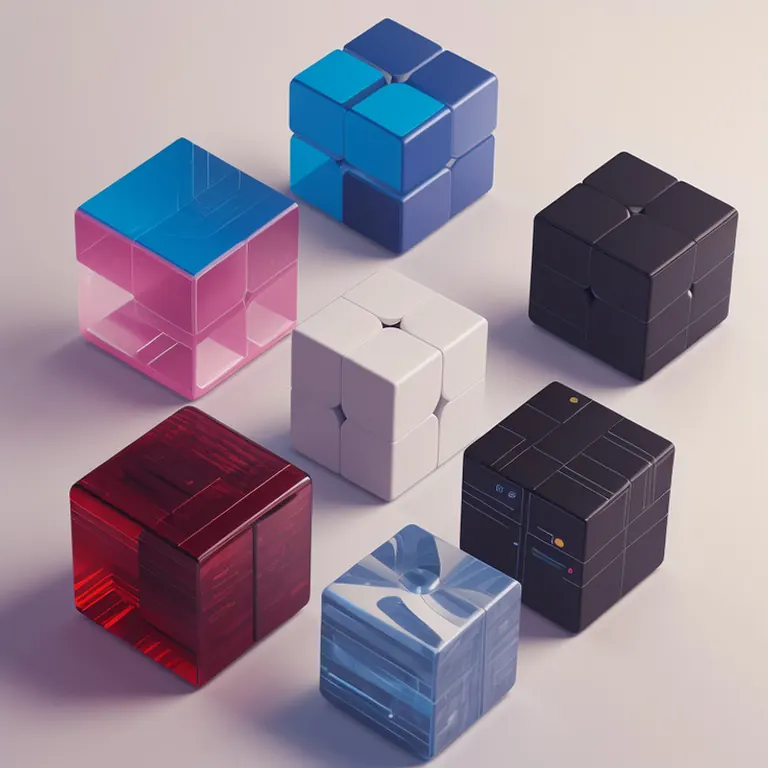
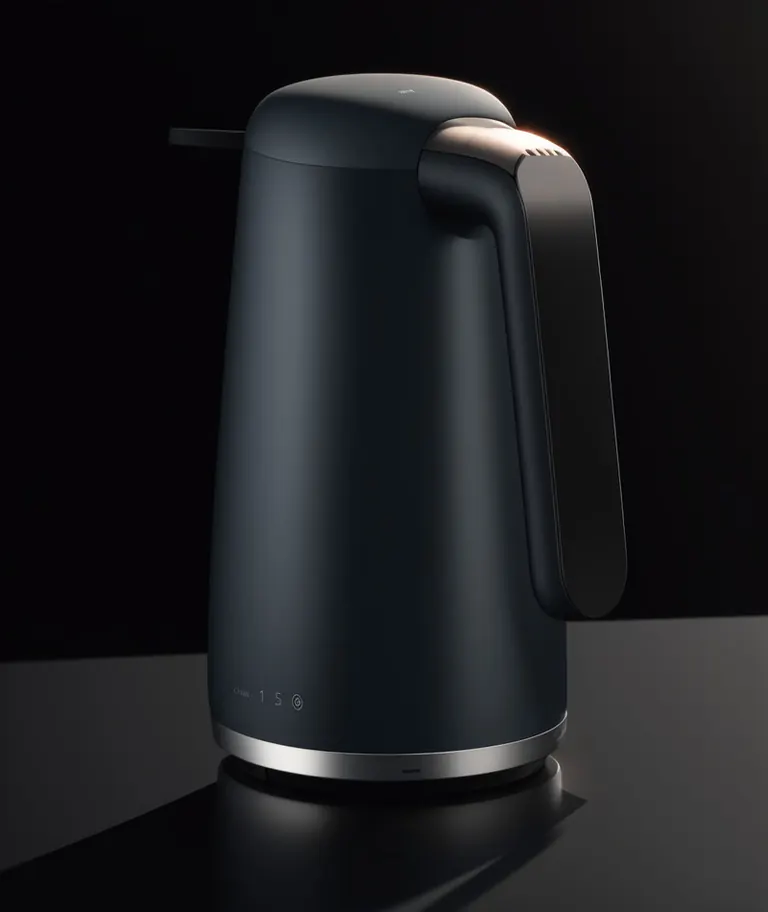
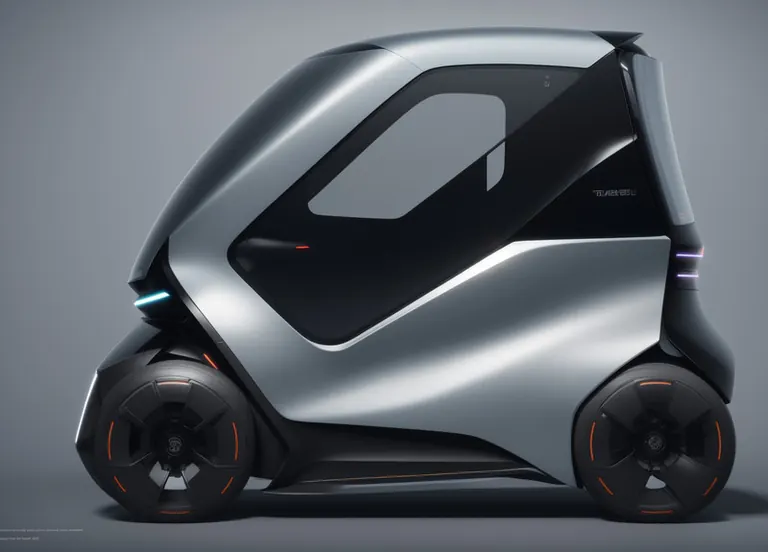
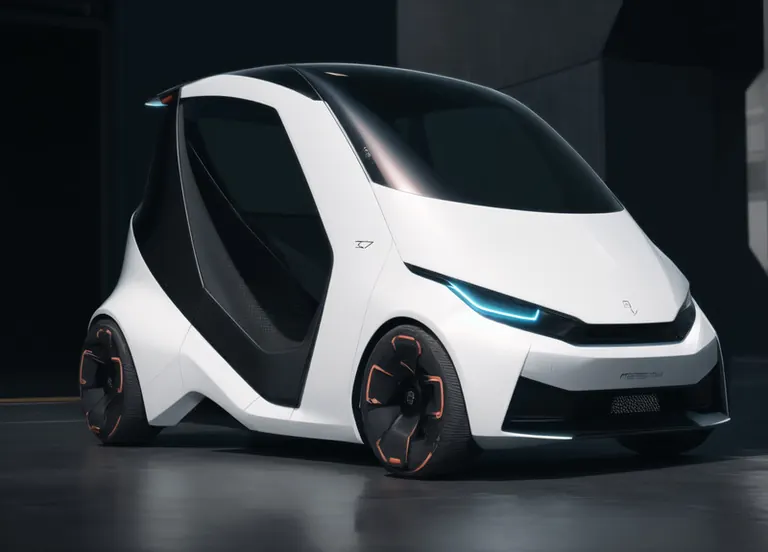

الإعدادات
Sampler
Euler a
الخطوات
30
التوجيه
7
Seed
3653215291
الحجم
768x768
Clip skip
2
الأمر النصي
emauromin style, futuristic cubes, finely detailed, purism, ue 5, a computer rendering, minimalism, octane render, 4k <lora:eddiemauroLora2 (Dark):0.3> <lora:2.5D:0.9>
الأمر النصي السلبي
(worst quality:2), (low quality:2), (normal quality:2), lowres, normal quality, bad_prompt, bad_prompt2, ((monochrome)), ((grayscale)), cropped, text, jpeg artifacts, signature, watermark, username, EasyNegative,sketch, cartoon, drawing, anime, duplicate, blurry, semi-realistic, out of frame, worst quality, ugly, low quality, deformed, multiple objetcs
الإعدادات
Sampler
Euler a
الخطوات
30
التوجيه
7
Seed
737757255
الحجم
1024x1216
Clip skip
2
الأمر النصي
emauromin style, futuristic kettle, finely detailed, purism, ue 5, a computer rendering, minimalism, octane render, 4k <lora:eddiemauroLora2:0.9>
الأمر النصي السلبي
(worst quality:2), (low quality:2), (normal quality:2), lowres, normal quality, bad_prompt, bad_prompt2, ((monochrome)), ((grayscale)), cropped, text, jpeg artifacts, signature, watermark, username, EasyNegative,sketch, cartoon, drawing, anime, duplicate, blurry, semi-realistic, out of frame, worst quality, ugly, low quality, deformed, multiple objects
الإعدادات
Sampler
Euler a
الخطوات
30
التوجيه
7
Seed
242557425
الحجم
1424x1024
Clip skip
2
الأمر النصي
emauromin style, futuristic vehicle, finely detailed, purism, ue 5, a computer rendering, minimalism, octane render, 4k <lora:eddiemauroLora2:0.8>
الأمر النصي السلبي
(worst quality:2), (low quality:2), (normal quality:2), lowres, normal quality, bad_prompt, bad_prompt2, ((monochrome)), ((grayscale)), cropped, text, jpeg artifacts, signature, watermark, username, EasyNegative,sketch, cartoon, drawing, anime, duplicate, blurry, semi-realistic, out of frame, worst quality, ugly, low quality, deformed, multiple objects
الإعدادات
Sampler
DPM++ SDE Karras
الخطوات
30
التوجيه
7
Seed
3653215289
الحجم
1424x1024
Clip skip
2
الأمر النصي
emauromin style, futuristic vehicle, finely detailed, purism, ue 5, a computer rendering, minimalism, octane render, 4k <lora:eddiemauroLora2:0.8>
الأمر النصي السلبي
(worst quality:2), (low quality:2), (normal quality:2), lowres, normal quality, bad_prompt, bad_prompt2, ((monochrome)), ((grayscale)), cropped, text, jpeg artifacts, signature, watermark, username, EasyNegative,sketch, cartoon, drawing, anime, duplicate, blurry, semi-realistic, out of frame, worst quality, ugly, low quality, deformed, multiple objetcs
التشغيل محليًا
كيفية التثبيت

كيفية تثبيت LoRA: المجلدات، فحص الملفات والاستخدام الأول في ComfyUI وForge وAutomatic1111 وDraw Things
24 سبتمبر 2025
eddiemauroLora2 (Elegant).safetensors
التنزيلات يقدمها Civitai. يطلب بعض المنشئين تسجيل الدخول إلى Civitai أولًا.
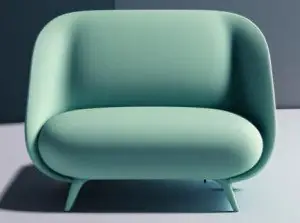
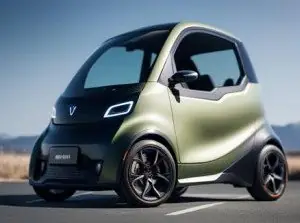
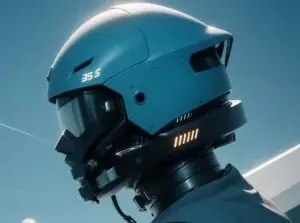




Product Design (Elegant minimalism eddiemauro) LORA هو LoRA لعائلة Stable Diffusion 1.5 مدرج على ModelTrends.ai، وهو فهرس للقراءة فقط لنماذج الذكاء الاصطناعي مفتوحة المصدر للصور والفيديو والنص. قارنه بنماذج Stable Diffusion 1.5 الأخرى، وتحقق من درجة رواجه لمعرفة اتجاهه، وافتحه على PirateDiffusion أو BitVector لتجربته.
المزيد من نماذج Stable Diffusion 1.5المزيد من LoRA Stable Diffusion 1.5تصميم جرافيكيتصميم المنتجسياراتتصميم سيارةتصميم صناعيأشياءمركباتتصميم
تصفح حسب عائلة النموذج

نماذج Text / LLM
434

نماذج Anima
528

نماذج Chroma
19
نماذج Fibo
2
نماذج Flux
1,496
نماذج Flux 2 / Klein
1,239
نماذج Flux 3
3

نماذج Moss
3

نماذج Iris
1

نماذج MiniMax H3
364

نماذج Hunyuan
204

نماذج Ideogram
20
نماذج Krea2
717
نماذج Qwen
20
نماذج Qwen2
47
نماذج Ltx2
153