Waifu Diffusion: Danbooru-tag prompting for a classic anime model
Topic: Models

By Captain
Published 2026-10-01
Waifu Diffusion is the anime base model that taught a generation how to prompt with Danbooru tags. This guide covers tag order, quality tags, negatives, the right resolution and ideas for clean anime illustrations.
Overview
Waifu
Diffusion by hakurei is a long-running fine-tune of Stable Diffusion 1.x on tagged anime illustrations. It expects Danbooru-style tags rather than sentences and produces crisp, consistent anime line art and coloring.
It is well-rounded rather than specialized: good at portraits, scenery and simple scenes, less sharp than the newer
Illustrious
family, but light, fast and compatible with the whole
SD 1.5
LoRA
library.
Reference
Name | Type | What it is |
|---|---|---|
Prompt | tags | Danbooru tags separated by commas: count, subject, appearance, clothing, pose, setting, style. |
Negative prompt | tags | lowres, bad anatomy, bad hands, text, error, missing fingers, cropped, worst quality, low quality, jpeg artifacts, signature, watermark, blurry |
CFG | 7-11 | Higher than realistic models; 9 is a good middle. |
Steps | 25-30 | Euler a or DPM++ 2M Karras. |
Resolution | 512-768 | 512x768 for portraits; use hires fix for larger. |
AD

No install required - run AI models on the cloud
BitVector Prism is the easiest way to start: pick a model, type a prompt and generate in a clean web app, with nothing to configure. BitVector is also available on Discord and on the web (SpyGlass).
Step by step
- Start with masterpiece, best quality, then the subject tags (1girl, solo), then appearance (long black hair, green eyes).
- Add clothing and pose tags, then the setting (classroom, rainy street), then a lighting or style tag.
Examples
Portrait
masterpiece, best quality, 1woman, solo, short silver hair, blue eyes, knit cardigan, looking at viewer, cherry blossoms, wind, soft lighting, detailed background
Scenery
masterpiece, best quality, no humans, scenery, mountain village, rice terraces, morning mist, wooden houses, wide shot, detailed
Creative idea: cozy still life
masterpiece, best quality, no humans, still life, kotatsu, mandarin oranges, sleeping cat, winter window, warm indoor light, soft shading
Tips
- Use underscores or spaces consistently; Waifu Diffusion was trained with spaces replacing underscores.
- Tag order matters: the first few tags dominate the composition.
- Scenery prompts (no humans, scenery, sunset, torii) produce lovely background art.
- Combine with an SD 1.5 style LoRA at 0.6 to modernize the look without changing the tag workflow.
Troubleshooting
Melted hands and extra fingers
Why it happens
An SD 1.x limitation made worse by low resolution.
How to fix it
Add bad hands and missing fingers to the negative, generate at 512x768, and inpaint hands at a higher resolution.
Grey, low-contrast colors
Why it happens
The default VAE in some setups.
How to fix it
Load the standard SD 1.5 VAE or the anime kl-f8 VAE and raise CFG to 9-10.
AD

No install required - run AI models on the cloud
PirateDiffusion is Telegram only and built for pros: thousands of models, LoRAs and workflows driven by chat commands, with unlimited generation on a fixed price plan.

Questions
Do natural-language prompts work?
They work partially, but tags give far more control. Mix a few short phrases with tags if you need something specific.
Which upscaler suits it?
Links and sources
Models in this guide
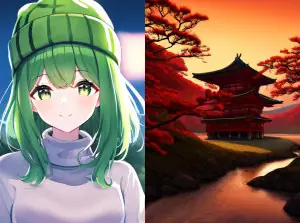
Written by
Captain
Related guides

Models
Stable Diffusion 1.5: the classic model, prompted properly
Stable Diffusion 1.5 is still worth knowing: the right resolution, CFG and sampler, how to use its huge library of LoRAs and embeddings, and creative prompt ideas suited to a 512-pixel model.
By Captain
2026-10-02

Models
Ghibli Diffusion: the ghibli style token and how to use it
Nitrosocke's Ghibli Diffusion was one of the first style models for Stable Diffusion. Learn its trigger phrase, settings, how to describe scenes it can draw, and creative ideas for painterly animation-style landscapes.
By Captain
2026-09-30

Models
DreamShaper 8 Inpainting: fixing and changing parts of an image
Lykon's DreamShaper 8 inpainting checkpoint replaces masked regions cleanly in a versatile semi-realistic style. Learn mask strategy, denoise values, prompting for the masked area, and ideas for creative edits.
By Captain
2026-10-01
Models
Stable Diffusion v1.1: the original release, used creatively
Stable Diffusion v1.1 is the first public Stable Diffusion checkpoint, trained at 256 then 512 pixels. This guide shows what it is good for today: dreamlike textures, abstract compositions and deliberately rough, early-AI aesthetics.
By Captain
2026-09-29
More guides

Models
FLUX.1 Dev: how to prompt it, best settings and creative ideas
A practical guide to FLUX.1 Dev by Black Forest Labs: natural-language prompting, guidance and step settings, LoRA stacking, text rendering and prompt ideas that play to its strengths.
By Captain
2026-09-30

Models
Stable Diffusion XL 1.0: prompts, settings and what it still does best
How to get the most out of the official SDXL 1.0 base model: native resolutions, CFG and sampler settings, the refiner, negative prompts and ideas for styles where SDXL still shines.
By Captain
2026-10-01

Models
FLUX.2 Dev: prompting the newest Black Forest Labs model
FLUX.2 Dev brings larger prompts, better text, stronger realism and multi-reference editing. This guide covers the turbo workflow, guidance and resolution settings, prompt structure and ideas that use its new strengths.
By Captain
2026-10-03

Models
Qwen-Image: long prompts, perfect text and bilingual posters
Qwen-Image is the model to reach for when the words in the picture matter. Learn how to write its long descriptive prompts, render English and Chinese text accurately, set CFG and steps, and explore layout-heavy creative ideas.
By Captain
2026-09-29

Models
SDXL-Lightning: four-step generation on any SDXL checkpoint
ByteDance's SDXL-Lightning LoRA turns a 30-step SDXL render into a 4-step one. Learn the step counts, the CFG you must use, the sampler, and how to combine it with your favorite checkpoints and style LoRAs.
By Captain
2026-09-30
ComfyUI
ComfyUI nodes: documentation and troubleshooting
Plain-language documentation for the ComfyUI nodes people use most: what each node does, every input and output, how to wire it, the settings that matter, and the errors it throws with the fix for each one.
By Captain
2026-06-02

Model
Trends
.ai
© ModelTrends.ai
|
Made in Japan
|
© 2026