
Product Design (minimalism eddiemauro) LORA
7996°
<product-minimal>
支援 ModelTrends 標籤的應用程式,讓你只要在提示詞中複製這段程式碼就能執行或安裝模型,無需設定。請在支援的應用程式中尋找我們的圖示,例如下方的 Prism。
執行此模型
優惠/廣告

Easy Creator (Prism) 網頁
無限 · 固定費用
最適合初學者。強大的工作流程,學習曲線低。

PirateDiffusion Telegram
無限 · 固定費用
創建影片、圖片、自訂聊天角色等更多內容。

Pro studio (SpyGlass) 網頁
無限 · 固定費用
從任何瀏覽器或手機瀏覽模型、渲染並精修。

Discord bot (Vector)
無限 · 固定費用
將 Vector 加入你的伺服器或加入 Vector Discord。創造任何東西!

Unified Editor 網頁
無限 · 固定費用
影像與影片編輯器:在同一頁面渲染、編輯、放大等功能。

Civitai 網頁
按次付費
在 Civitai 官網產生,每張圖片用 Buzz 點數支付。

本地應用程式
需設定
如果你的電腦硬體夠強,可以安裝本地程式。

ModelDuel 網頁
按次付費
一次在最多 50 個檢查點/基礎模型上產生相同的提示。

創作者說明
Before to use
-
You have to know how works Stable Diffusion. I recommend using Automatic1111 like an interface to launch the model.
-
This is a model trained on SD 1.5 model, so you have to consider that it is not perfect. I have to make so much testing before to arrive to a stable generation. I will enhance the model when a better base model arrives (like SD XL new one).
-
This is a LORA model, so it is recommended to use like an extension of a Checkpoint. I recommend you to use realistic dataset models.
-
I recommend you to follow me on my instagram account, where I will explain about AI image generation:
Intro
PRODUCT DESIGN (minimalism-eddiemauro) LORA: Hi, I’m a product and car designer, and I’m so excited to test with AI, I think is a good tool for designing. This tool (Lora) is so useful for the design process (shapes-ideas generation), but more than that it helps so much to refine aesthetically. Also, you can turn sketch and 3D schemes into render style. I created a basic Lora and tested it with so many kinds of checkpoints, and the result was a different type of "minimalism". The style is with more contrast (taken from Deliberate and Dreamshaper), and preserves the minimalism style. It is the officially Lora General model centered from my checkpoint of minimalism.
If you want to support my work and help me to upload more models (with better quality), you can do it by entering here and donating, I would greatly appreciate it:
Installation
-
I use Automatic1111, the best UI for Stable Diffusion image generation, so I recommend you to install locally or use it online with some Colab or other hosting. You can find online instructions or videos to do that. If you are going to install locally, you can and I recommend you to have at least a 6-8 Gb of VRAM Graphic Card (nvidia) to have a stable interface and launch with “Microsoft Edge” because you will have problems on “Google Chrome”. Try also to install “medvram” or “lowvram” options besides “xformers” (search online how to).
-
This is a Lora model. You can how to install it. It is just to download a file and put it inside Lora file models. The Lora file extension is “.safetensor”, and mostly the size is lower than a Checkpoint (that could be more than a gigabit).
-
You have to install also a Checkpoint model to use with, select one focused on realism visualization or 3D/render aspect.
-
Please for image creation you have to follow all my recommendations, if you don't, it is impossible to generate a good image quality. Also, you have to consider that from today AI image generation is not so consistent and perfect, you have to invest time to get it and make plenty of tests.
Recommendations for image generation
-
Checkpoint best models: SD 1.5 based models. It is mandatory to use with a checkpoint called , , , or , so download first, install and load inside SD UI.
-
Activation token/caption: Inside prompt space, the first word has to be: “emauromin”or “emauromin style” to activate the style. It is mandatory, if you don't do it, it will not work properly.
-
Another recommended prompting: Inside prompt you can use those words that will enhance the image generation: in the positive space, “futuristic, finely detailed, purism, ue 5, a computer rendering, minimalism, octane render, 4k”; in the negative space: “(worst quality:2), (low quality:2), (normal quality:2), lowres, ((monochrome)), ((grayscale)), cropped, text, jpeg artifacts, signature, watermark, username, sketch, cartoon, drawing, anime, duplicate, blurry, semi-realistic, out of frame, ugly, deformed”. You can also watch the image metadata of example images here and simulate the prompt.
-
Textual inversion/embedding or Lora tool recommended: I consider that “EasyNegative” is one best of textual inversion for negative prompt space, you should use it. and install it, putting the file inside “embeddings”. You can use it also “Detail Tweaker” to even reduce the details of the image, for that, you have to , install like a Lora and use it inside positive prompt with a value of “-0.5”. Use it when you realize the checkpoint used has so many details, but not when you see that minimalism is on it. This can change the shape of objects considerably.
-
Lora's weight: I'm trying to enhance the model, for now, this model works fine from 0.7 to 1, the most you increase the value, minimalism is higher. Sometimes the values 0.8-0.9, adapt better than 1.
-
VAE: This depends on what checkpoint are you using. Mostly it is recommended to use the “vae-ft-mse-840000-ema-pruned” Stable Diffusion standard.
-
Clip Skip: It was trained on 2, so use 2.
-
Steps and CFG: It is recommended to use Steps from “20-40” and CFG scale from “6-8”, the ideal is: steps 30, CFG 7. For next models, those values could change.
-
Sampler: I use mostly “EulerA”, “DPM++SDE Karras” or “DPM++2S a”. Euler tends to be simpler and more creative. Make experimentation with other samplers if you like.
-
Batch: In txt2img try to put a value of 4 to generate more than 1 image and watch the generations. If you have a good graphic card, you can use “Batch size”, this will create at same time 4 images, increasing generation time; but if your computer cannot handle this, change to “Batch count” that will create 4 images in a row (not a same time), but generation time will be more.
-
Image aspect: Try to use these dimensions: 512x512, 768x512, 512x768, but even you can experiment with different. Don't generate bigger images because the style could be lost, if you want to create a bigger image, use hires.fix in txt2img mode, img2img increase method or Ultimate SD Upscale script extension + ControlNet, or just upscaling with GAN models.
-
Create bigger images: There are 4 different methods to create large images in Stable Diffusion, you can check online how to. For first method “txt2img hires.fix”, I recommend you to use upscale model called “4x-UltraSharp”, just “.pth” file, and then installing it, putting inside “E
觸發詞
emauromin style
SHA256
3002FF124811B48001176D6B4072FA14A2A6F5843B52F3650C4429843E389F1B
Ranking badge
Updated Oct 22, 2026

Made this model? Show this badge on your page.
Paste it into your Hugging Face card or Civitai description.
Product Design (minimalism eddiemauro) LORA 熱度趨勢
熱度分數,過去 12 個月
熱度分數
7,996°
本週
▬
0.0%
7,998° 當時,7,996° 現在
本月
▼
0.2%
8,003° 當時,7,996° 現在
過去一年
▼
1.9%
8,079° 當時,7,996° 現在
7,000°
基準值
分數範圍是從 0° 到 9,999°。低於 7,000° 的部分是留給還沒被任何來源報告的模型,它們會有一個替代數字,讓列表保持完整。7,000° 是有測量數據開始的地方:有真實數據但幾乎沒下載的模型會在基準值,之後的度數才是測量結果。基準值本身不代表模型好壞,只有基準值以上的度數才會區分模型。
+1,167°
Civitai 下載量
此版本在 Civitai 上有 7,770 次下載。下載量是最重要的成分,且以對數刻度計算:下載量增加十倍,熱度增加 300°,因此一百萬下載的模型不會比一千下載的熱度高一千倍。六個下載來源共用此一項,依其數量比例分配。
+438°
喜歡數
各來源共有 828 個喜歡和讚。每個喜歡相當於半次下載,採用同樣的對數刻度。
−609°
年齡
−609° 因為 SD15 權重是在 2022 發布的。每個模型都繼承它所用權重的年齡:每年扣 150°,最多扣 750°,扣分會持續增加。沒有這項,排行榜頂端會是 2022 和 2023 年的檢查點,因為下載有多年累積。
顯示詳細分析
這個網站上的每個數字都可以查證。這個模型的熱度分數是 7,996°,這裡會一步步拆解它的組成,每加一項就會顯示目前的總分:基準值、每個來源增加的度數、模型類型的加分,以及權重年齡帶來的扣分。顏色對應上方圖表的區間。最後的詞彙表會解釋每個術語。
- 1從基準值開始。為什麼是 7,000° 而不是零:分數範圍是 0° 到 9,999°,低於 7,000° 的部分是留給還沒被任何來源報告的模型,它們有替代數字,讓列表完整且不會超過有數據的模型。7,000° 是有測量數據開始的地方。有真實數據但幾乎沒下載的模型會在這裡;之後的度數是測量結果,基準值以上有十個十倍下載的階段,每階段增加 300°。基準值對所有模型都一樣,不會決定排名;真正區分模型的是基準值以上的度數。7,000°累計總和
- 2加入下載量。總共 7,770 個下載等值,來自 Civitai 下載量。下載量增加十倍會增加相同的 300°,所以大小很重要,但不會主導分數。+1,167°8,167°累計總和
- 3加入喜歡數。828 個喜歡和讚,權重是下載量的一半。+438°8,605°累計總和
- 4移除年齡。SD15 權重於 2022 發布:每年扣除 150°,最多扣除 750°,直到達到上限。−609°7,996°累計總和
- =熱度分數。這個模型在本網站所有排行榜上的位置。沒有其他因素會調整它。7,996°
詞彙表:這裡使用的術語
- 熱度分數
- 一個數字,表示模型目前的使用和需求程度,範圍從 0° 到 9,999°。本網站所有標示「最熱門」的排行榜都是依此排序,沒有其他排序依據。
- 底線
- 每個有實際數據的模型起始於 7,000°。分數範圍是 0° 到 9,999°;底線以下保留給沒有數據的模型,確保有數據的模型總是排名較前。底線對所有人相同,不影響排名;超過底線的度數才是評分依據。
- 下載等值
- 分數中視為下載的所有項目加總:下載本身、每個種子節點算 1,000、每張 AI Horde 圖像和每次生成網站的執行算一。
- 對數刻度
- 以十為單位計數,不是以一為單位:從 1,000 到 10,000 下載增加的度數,和從 10,000 到 100,000 增加的度數相同。這樣能防止巨頭壓過其他模型。
- 喜歡數
- 來自各來源的讚和喜歡,每個在對數刻度上算半個下載量。
- 採用率
- 模型目前每天的下載次數,根據兩次來源讀取的差異計算。權重是下載量的四分之一。
- 實測與估算
- 實測表示有兩個來源的讀數,且差異是真實的。估算表示只知道今天的總數,過去的數據則分散在模型的整個生命週期;網站會說明顯示的是哪一種。
- 種子節點
- 指在線上保留權重檔案供他人透過種子下載的人,或是提供相同服務的鏡像站。每一個種子節點算作1,000次下載。
- AI Horde
- 一個志願者網絡,利用捐贈的電腦免費生成圖片。它用某模型生成的圖片數量是公開的,每張圖片算作一次下載。
- 生成網站
- 自己托管模型並讓人使用它生成圖片的網站,例如PixAI、SeaArt和Yodayo。它們的下載量和Civitai一樣,每次生成算一次下載。
- OpenRouter 代幣
- 透過 API 提供的文字模型,如 Claude 或 GPT,沒有權重可下載,因此使用量以代幣計算:過去30天內透過 OpenRouter(許多應用使用的閘道)讀取和生成的文字片段。每 10,000,000 代幣算作一次下載。來源:OpenRouter (openrouter.ai/rankings),CC BY 4.0。
- 完整模型(檢查點)
- 權重本身,是能獨立生成的檔案。它會有額外加分,因為其他附加檔案都依賴它。
- LoRA和嵌入
- 小型附加檔案,用來引導別人的權重走向某種風格、角色或概念。它們無法獨立運行。
- 家族與權重
- 模型所建立的基礎,例如SD 1.5、SDXL、Flux或Wan。每個模型都繼承其家族權重的發布日期。
- 年齡
- 根據家族權重發布時間距今多久,扣除的度數:每年150°,最多750°。它會保留那些有多年累積下載的舊模型,防止它們從排行榜頂端消失。
- 家族加成
- 針對本站目前推廣的某個家族的LoRA給予的小幅度限制加成,會在分解中顯示。
- 替代分數
- 給尚無來源報告的模型一個穩定的最低分,讓列表保持完整。它永遠不會高於有數據的模型。
- 全新!(寬限期)
- 不到 7 天的新模型會顯示「全新!」而非分數,且不列入排名。分數從第一天開始計算,但一天大的模型成長最快,若不等待,週榜首將永遠是昨天剛出的模型,而非持續一週的。
- 趨勢
- 模型在某段時間內的成長與典型模型同期成長的比較。比典型快表示上升,比典型慢表示下降。
- 典型模型
- 目錄中的中間值:一半模型在該期間成長較快,一半較慢。
這個模型的受歡迎程度跟整個目錄相比的變化:它在每個時期的下載量、喜歡數和使用量的成長,跟同一時期一般模型的成長相比,還有當時的熱度分數。高於一般成長代表上升,低於則是下降。過去的數據是從今天的總數、模型的第一天和有兩次讀數時的下載速度推算出來的;如果模型在某時期開始時不存在,會顯示 n/a。
範例作品
以下提示詞和參數由在 Civitai 上創作這些作品的人分享。選擇一張作品查看它是如何生成的。
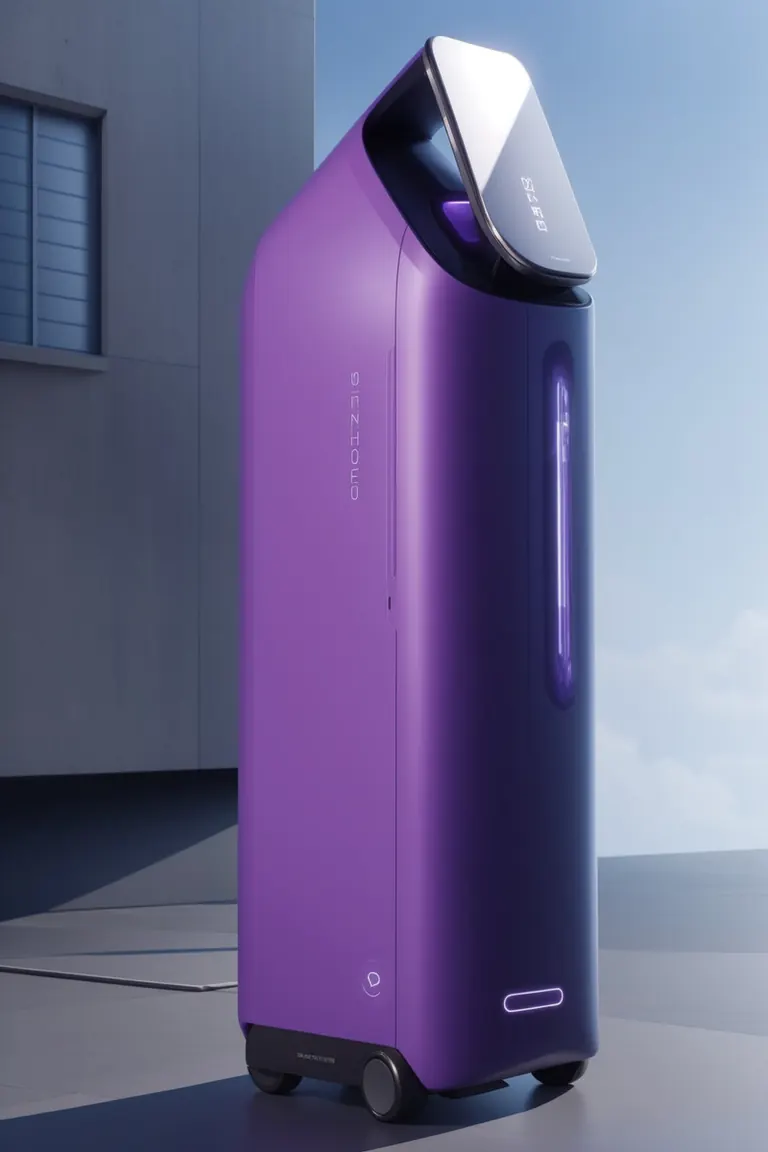

參數
取樣器
Euler a
步數
30
引導強度
8
種子
108753904
尺寸
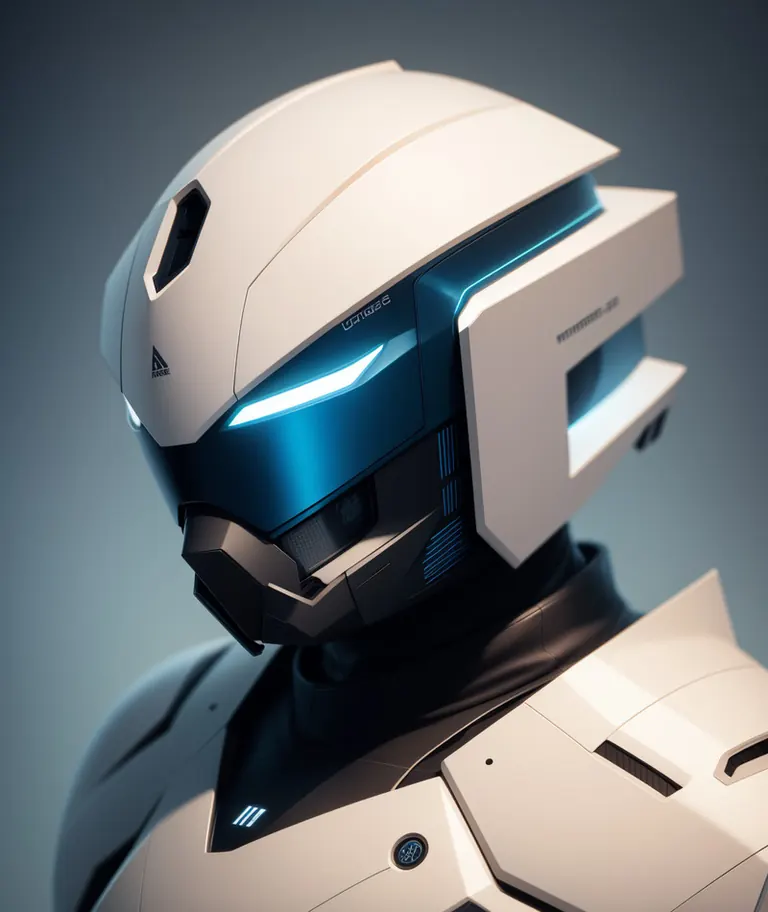
1024x1216
Clip skip
2
提示詞
emauromin style, futuristic helmet, finely detailed, purism, ue 5, a computer rendering, minimalism, octane render, 4k <lora:eddiemauroLora2:0.6>
負面提示詞
(worst quality:2), (low quality:2), (normal quality:2), lowres, normal quality, bad_prompt, bad_prompt2, ((monochrome)), ((grayscale)), cropped, text, jpeg artifacts, signature, watermark, username, EasyNegative,sketch, cartoon, drawing, anime, duplicate, blurry, semi-realistic, out of frame, worst quality, ugly, low quality, deformed, multiple objetcs
參數
取樣器
Euler a
步數
30
引導強度
9
種子
2213332203
尺寸
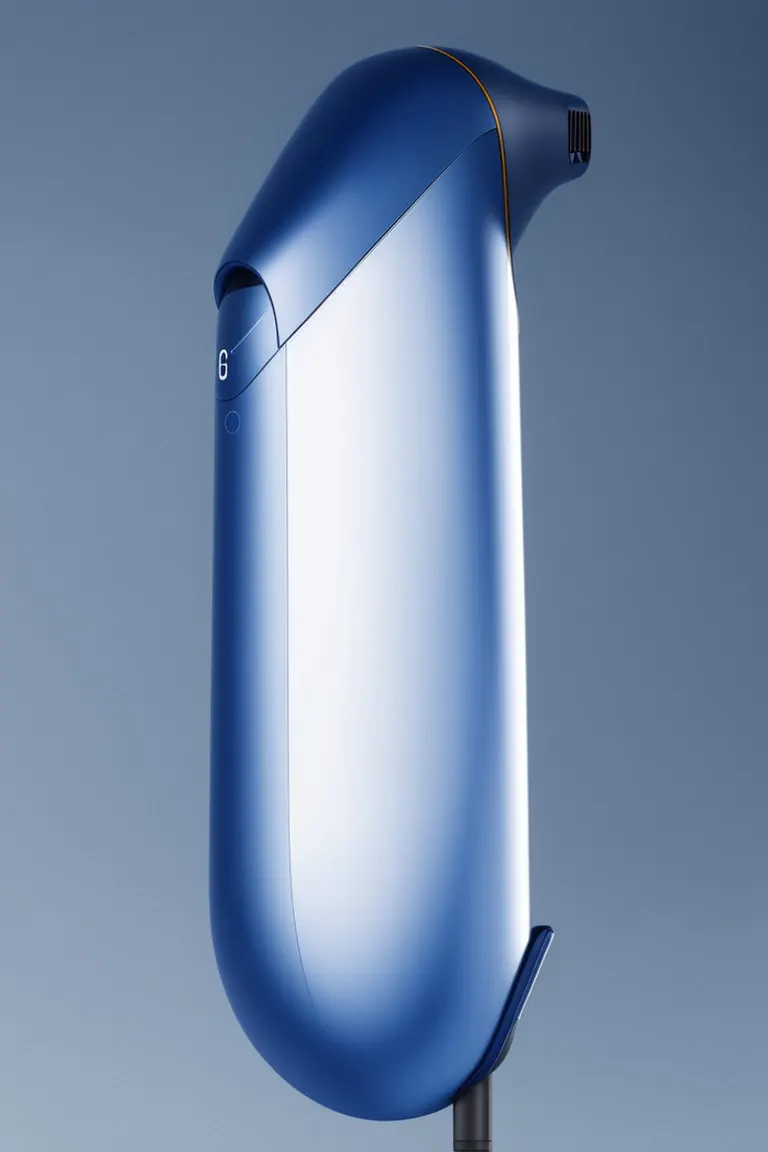
768x1152
Clip skip
2
提示詞
emauromin style, futuristic hair dryer, finely detailed, purism, ue 5, a computer rendering, minimalism, octane render, 4k <lora:eddiemauroLora2:0.8>
負面提示詞
EasyNegative, (worst quality:2), (low quality:2), (normal quality:2), lowres, ((monochrome)), ((grayscale)), cropped, text, jpeg artifacts, signature, watermark, username, sketch, cartoon, drawing, anime, duplicate, blurry, semi-realistic, out of frame, ugly, deformed, weird colors
參數
取樣器
Euler a
步數
30
引導強度
8
種子
3384491526
尺寸
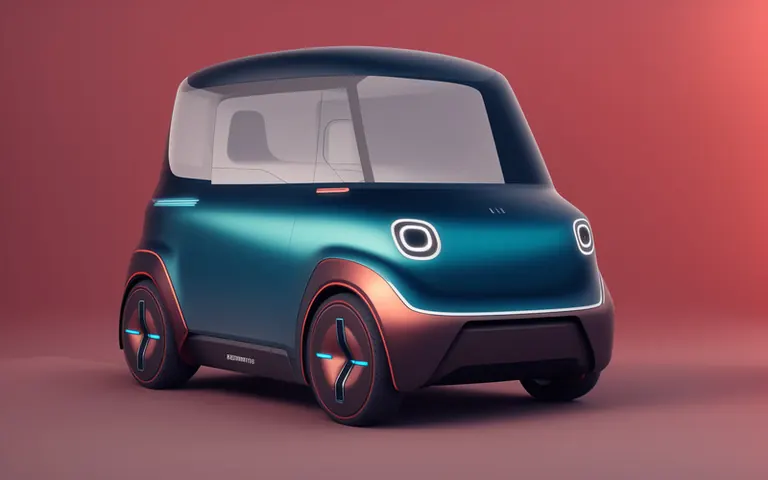
1624x1020
Clip skip
2
提示詞
emauromin style, futuristic vehicle, finely detailed, purism, ue 5, a computer rendering, minimalism, octane render, 4k <lora:eddiemauroLora2:0.8>
負面提示詞
(worst quality:2), (low quality:2), (normal quality:2), lowres, normal quality, bad_prompt, bad_prompt2, ((monochrome)), ((grayscale)), cropped, text, jpeg artifacts, signature, watermark, username, EasyNegative,sketch, cartoon, drawing, anime, duplicate, blurry, semi-realistic, out of frame, worst quality, ugly, low quality, deformed, multiple objetcs
參數
取樣器
Euler a
步數
30
引導強度
7
種子
319860765
尺寸
1024x1536
Clip skip
2
提示詞
emauromin style, modern vacuum, purple, finely detailed, purism, ue 5, a computer rendering, minimalism, octane render, 4k <lora:eddiemauroLora2:0.9>
負面提示詞
EasyNegative, (worst quality:2), (low quality:2), (normal quality:2), lowres, ((monochrome)), ((grayscale)), cropped, text, jpeg artifacts, signature, watermark, username, sketch, cartoon, drawing, anime, duplicate, blurry, semi-realistic, out of frame, ugly, deformed, weird colors
本機執行

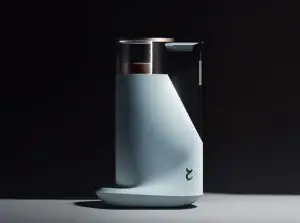
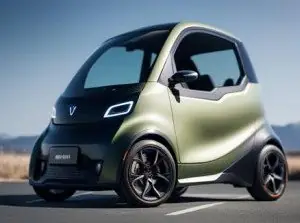
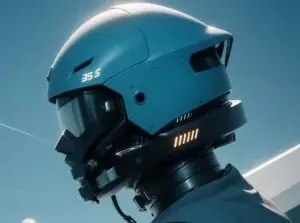

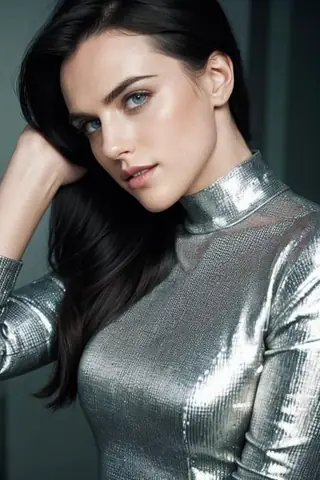

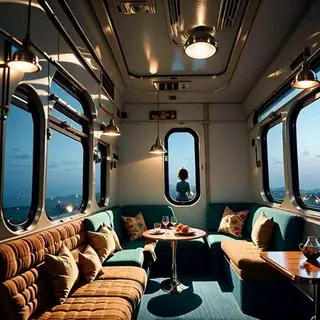

Product Design (minimalism eddiemauro) LORA 是 Stable Diffusion 1.5 系列的LoRA,收錄於 ModelTrends.ai——一個唯讀的開源 AI 圖片、影片與文字模型目錄。將它與其他 Stable Diffusion 1.5 模型比較、查看熱度分數了解趨勢,並在 PirateDiffusion 或 BitVector 上試用。
依模型系列瀏覽

Text / LLM 模型
434

Anima 模型
528

Chroma 模型
19
Fibo 模型
2

Flux 模型
1,496
Flux 2 / Klein 模型
1,239
Flux 3 模型
3

Moss 模型
3

Iris 模型
1
MiniMax H3 模型
364

Hunyuan 模型
204

Ideogram 模型
20

Krea2 模型
717

Qwen 模型
20
Qwen2 模型
47
Ltx2 模型
153