Ghibli Diffusion: the ghibli style token and how to use it
Paksa: Mga model

Ni Captain
Inilathala 2026-09-30
Nitrosocke's Ghibli Diffusion was one of the first style models for Stable Diffusion. Learn its trigger phrase, settings, how to describe scenes it can draw, and creative ideas for painterly animation-style landscapes.
Hindi pa naisasalin ang pahinang ito, kaya ipinapakita ito sa Ingles.
Pangkalahatang-ideya
Ghibli
Diffusion by Nitrosocke is a Stable Diffusion 1.x fine-tune trained on stills in the style of the Japanese animation studio. It is triggered by the phrase ghibli style and excels at lush landscapes, cozy interiors, skies and gentle characters.
It knows the look, not the characters: there is no training on specific names, so describe appearances and settings. It is a 512-pixel model, so upscale with an anime-friendly
upscaler
for finals.
Sanggunian
Pangalan | Uri | Ano ito |
|---|---|---|
Trigger | ghibli style | Put it at the start of the prompt. |
Prompt | text + tags | Short descriptive phrases work well; describe the scene, time of day and weather. |
CFG | 7 | |
Steps | 25-30 | Euler a or DPM++ 2M Karras. |
Resolution | 512x512 to 512x768 | Upscale afterward; do not render large directly. |
AD

Walang kailangang i-install - patakbuhin ang mga AI model sa cloud
Ang BitVector Prism ang pinakamadaling paraan para magsimula: pumili ng model, mag-type ng prompt at gumawa sa isang malinis na web app, nang walang kailangang i-configure. Available din ang BitVector sa Discord at sa web (SpyGlass).
Hakbang-hakbang
- Begin with ghibli style, then the scene in one or two phrases.
- Add time of day and weather words: golden hour, after the rain, summer haze.
- Generate at 512x768 for vertical scenes or 768x512 for landscapes.
Mga halimbawa
Landscape
ghibli style, a grassy hill with a lone tree, a girl in a yellow dress flying a kite, cumulus clouds, summer afternoon, distant sea
Interior
ghibli style, cozy bakery kitchen at dawn, bread in a wood oven, copper pots, flour dust in sunlight, an old baker smiling
Creative idea: sky harbor
ghibli style, a harbor town built on clouds, propeller boats docked at wooden piers, lanterns, sunset, children waving
Mga tip
- Landscapes with one small figure are its signature; describe the figure briefly.
- Flying machines, trains and seaside towns produce especially convincing results.
- Interiors want warm light and clutter: kitchen, pots, hanging herbs, open window.
- For characters, describe hair, clothing and expression; avoid celebrity or franchise names.
Pag-aayos ng problema
Faces look distorted
Bakit ito nangyayari
512-pixel base and small faces in wide shots.
Paano ayusin
Make the figure small and distant, or inpaint the face at a higher resolution after upscaling.
Output looks like generic SD 1.5
Bakit ito nangyayari
Trigger phrase missing or buried late in the prompt.
Paano ayusin
AD

Walang kailangang i-install - patakbuhin ang mga AI model sa cloud
Ang PirateDiffusion ay Telegram lamang at ginawa para sa mga pro: libo-libong model, LoRA at workflow na pinapatakbo ng mga chat command, na may walang limitasyong paggawa sa isang fixed-price plan.

Mga tanong
Can it draw specific film characters?
No. It learned the visual style only; describe the character's look instead.
Does it work with ControlNet?
Yes, as an SD 1.5 model it works with all SD 1.5 ControlNets.
Mga link at pinagmulan
Mga model sa gabay na ito

Isinulat ni
Captain
Mga kaugnay na gabay

Mga model
DreamShaper 8 Inpainting: fixing and changing parts of an image
Lykon's DreamShaper 8 inpainting checkpoint replaces masked regions cleanly in a versatile semi-realistic style. Learn mask strategy, denoise values, prompting for the masked area, and ideas for creative edits.
Ni Captain
2026-10-01
Mga model
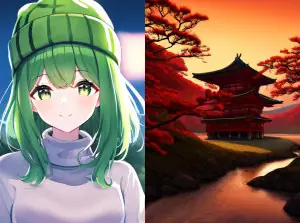
Waifu Diffusion: Danbooru-tag prompting for a classic anime model
Waifu Diffusion is the anime base model that taught a generation how to prompt with Danbooru tags. This guide covers tag order, quality tags, negatives, the right resolution and ideas for clean anime illustrations.
Ni Captain
2026-10-01
Mga model
Stable Diffusion v1.1: the original release, used creatively
Stable Diffusion v1.1 is the first public Stable Diffusion checkpoint, trained at 256 then 512 pixels. This guide shows what it is good for today: dreamlike textures, abstract compositions and deliberately rough, early-AI aesthetics.
Ni Captain
2026-09-29

Mga model
Realistic Vision 5.1 Inpainting: photoreal repairs and edits
The inpainting build of Realistic Vision 5.1 (with baked VAE) fills masked regions with convincing photographic detail. Learn mask and denoise strategy, the RAW photo prompt style, and ideas for realistic edits.
Ni Captain
2026-10-02
Higit pang gabay

Mga model
FLUX.1 Dev: how to prompt it, best settings and creative ideas
A practical guide to FLUX.1 Dev by Black Forest Labs: natural-language prompting, guidance and step settings, LoRA stacking, text rendering and prompt ideas that play to its strengths.
Ni Captain
2026-09-30

Mga model
Stable Diffusion XL 1.0: prompts, settings and what it still does best
How to get the most out of the official SDXL 1.0 base model: native resolutions, CFG and sampler settings, the refiner, negative prompts and ideas for styles where SDXL still shines.
Ni Captain
2026-10-01

Mga model
Stable Diffusion 1.5: the classic model, prompted properly
Stable Diffusion 1.5 is still worth knowing: the right resolution, CFG and sampler, how to use its huge library of LoRAs and embeddings, and creative prompt ideas suited to a 512-pixel model.
Ni Captain
2026-10-02

Mga model
FLUX.2 Dev: prompting the newest Black Forest Labs model
FLUX.2 Dev brings larger prompts, better text, stronger realism and multi-reference editing. This guide covers the turbo workflow, guidance and resolution settings, prompt structure and ideas that use its new strengths.
Ni Captain
2026-10-03

Mga model
Qwen-Image: long prompts, perfect text and bilingual posters
Qwen-Image is the model to reach for when the words in the picture matter. Learn how to write its long descriptive prompts, render English and Chinese text accurately, set CFG and steps, and explore layout-heavy creative ideas.
Ni Captain
2026-09-29

Mga model
SDXL-Lightning: four-step generation on any SDXL checkpoint
ByteDance's SDXL-Lightning LoRA turns a 30-step SDXL render into a 4-step one. Learn the step counts, the CFG you must use, the sampler, and how to combine it with your favorite checkpoints and style LoRAs.
Ni Captain
2026-09-30

Model
Trends
.ai
© ModelTrends.ai
|
Gawa sa Japan
|
© 2026