
Fresh Photo XL (realism eddiemauro mix)
7556°
<freshphoto-xl>
ModelTrends 태그를 지원하는 앱에서는 이 코드를 프롬프트에 복사해 붙여넣기만 하면 별도 설정 없이 모델을 실행하거나 설치할 수 있어요. Prism(아래) 같은 지원 앱에서 아이콘을 찾아보세요.

모델 실행
제공 / 광고

Easy Creator (Prism) 웹
무제한 · 정액제
초보자에게 최적. 강력한 워크플로우, 낮은 학습 곡선.

PirateDiffusion 텔레그램
무제한 · 정액제
영상, 이미지, 맞춤형 채팅 페르소나 등 다양하게 만들어 보세요.

Pro studio (SpyGlass) 웹
무제한 · 정액제
어떤 브라우저나 휴대폰에서도 모델을 탐색하고 렌더링하며 수정하세요.

Discord bot (Vector) 디스코드
무제한 · 정액제
Vector를 서버에 추가하거나 Vector Discord에 참여하세요. 무엇이든 만들어 보세요!

Unified Editor 웹
무제한 · 정액제
이미지와 비디오 편집기: 한 페이지에서 렌더링, 편집, 업스케일 등 모두 가능합니다.

Civitai 웹
사용량별 결제
Civitai 사이트에서 생성; 이미지마다 Buzz 크레딧 사용.

로컬 앱
설정 필요
내 컴퓨터 성능이 되면 로컬 프로그램을 설치해.

ModelDuel 웹
사용량별 결제
한 번에 최대 50개의 체크포인트/기본 모델에서 동일한 프롬프트를 생성하세요.


by EddieMauro is a realism focused non-pony SDXL model. Example Prompting: Positive prompt: RAW photo of Laura Ojeda in casual clothes, little smile, Photorealistic, dramatic lighting Negative prompt: low quality, worst quality, text, artifacts, strabismus, bad eyes, render, (asian:0.1) Steps: from 30-40 Guidance scale: 5-6
제작자 노트
Before to use
-
You have to know how works Stable Diffusion. I recommend using ComfyUI or Automatic1111 like an interface to launch the model. Civitai doesn’t read the ComfyUI metadata, so you are welcome to experiment with it, and also consider that ComfyUI system is different from Automatic1111 (CFG, Steps, and configuration). Today I’m not using anymore Automatic1111, so these examples here are ComfyUI based. I tried to make a simple translation of the metadata.
-
This is a block-merge model based on XL models. I had to make so much testing before to arrive to a desirable generation. You have to consider that SD1.5 system is way different from SDXL, you can use both versions, but consider that.
-
This is a Checkpoint dataset, not a Lora.
-
It is a merge, so consider that it could sometimes generate NSFW images. Add in the negative prompt "(nudes:0.1)" or just "nudes", when is required.
-
I recommend you to follow me on my Instagram account, where I will explain about AI image generation:
Intro
FRESH PHOTO (digital and 3d-eddiemauro mix) CHECKPOINT: Hi, I’m a product and car designer, and I’m so excited to test with AI, I think is a good tool for designing. It is a merged model that I created to facilitate my creations, and it has a SD1.5 version as well.
v1: it performs well in different types of photography. My idea is to create a "general model" to use it for realistic image creation. Also is sometimes creative, including some prompts, but for more creative models, use Fresh Magic or Fresh Draw (but you will lose reality).
v1 Lightning: Same than v1, but I consider that is better the normal model in quality. This model is faster in generation. This will work just with some samplers, like: DPM++SDE with scheduler: SIMPLE, HEUN +scheduler: SIMPLE. Steps from 4 to 6, and CFG from 1 to 2.
If you want to support my work and help me to upload more models (with better quality), you can do it by entering here and donating, I would greatly appreciate it:
Installation
-
I use ComfyUI, the best UI for Stable Diffusion image generation, so I recommend you to install locally or use it online with some Colab or other hosting. You can find online instructions or videos to do that.
-
You have to install the Checkpoint model to use. Put the file inside “Checkpoints” folder.
-
Please for image creation you have to follow some small recommendations, but please don't hesitate to experiment, XL system is more precise and interesting.
Recommendations for image generation
-
Activation token/caption: Inside prompt you can whatever you want, but you can start with "RAW photo of", “photo of” or "Analog photo of" (for a more retro style). If you want a more realistic representation, just put in the positive “realistic”, “photorealistic”, and to put more contrast, words like “dramatic lighting” or “cinematic”.
-
I recommend using “Wildcards” for prompt experimentation. Install any Node for ComfyUI, that works with Wildcards. This will put more creativity to your creations.
-
Textual inversion/embedding or Lora tool recommended: You can use whatever Lora or Embedding for XL system, for positive or negative. For negative prompt, I use: “low quality, worst quality, text, artifacts, strabismus, bad eyes, render”. If you want to put less realism, just put the opposite word inside the negative prompt. Sometimes is recommended to add in the negative prompt “asian”, to reduce asian face aspect, because of the results of the model merge, but is up to you to experiment. Put "nudes", or "(nudes:0.1) in the negative prompt, if you find that you are getting NSFW images.
-
VAE: This model is baked with VAE, and mostly the majority of the models are. But in case you wish to use the VAE, it works with the normal XL VAE.
-
Clip Skip: Use 1 mostly, and you will get more realism. You can use 2, for less realism, more contrast, colors and other effects, but is up to you to experiment.
-
Steps and CFG: It is recommended to use Steps from “30-40” and CFG scale from “5-6”.
-
Sampler: I use mostly “DPM++SDE - Karras”, but there are some interesting results with: “DPM++2S A - Normal” (simplier) and “DPM++SDE GPU - Karras”. For Lightning, is mandatory to use: DPM++SDE with scheduler: SIMPLE, HEUN +scheduler: SIMPLE. Steps from 4 to 6, and CFG from 1 to 2; also works DPM++SDE GPU +scheduler: SIMPLE or DPM++2M SDE +scheduler: SIMPLE.
-
Batch: In txt2img try to put a value of 4 to generate more than 1 image and watch the generations. If you have a good graphic card, you can use “Batch size”, this will create at same time 4 images, increasing generation time; but if your computer cannot handle this, change to “Batch count” that will create 4 images in a row (not a same time), but generation time will be more.
-
Image aspect: Try to use these dimensions: 1024x1024, or image size or aspects, related to 768 or 1024 on one or both sides. For example, I use the proportion of 768x1152. Then, for upscaling a rate of 1,5.
-
Create bigger images: There are 4 different methods to create large images in Stable Diffusion, you can check online how to. For the first method “txt2img hires.fix”, I recommend you to use upscale model called “8x-NMKD-Superscale_150000_G”,just “.pth” file, and then installing it, putting inside “ESRGAN” file. In hires.fix option put any “upscale by” value, and then with a “denoise strength” of “0.4-0.7”. For the second method, you have to select first the image generated in txt2img and then putting in img2img mode, increasing dimension at least “1,5 times” with a “denoise strength” from “0.4-0.7”. For the third method, you can use “tiled generation”, the same configuration of img2img, but activating “tile” mode of “ControlNet” extension or the script of “Ultimate SD Upscale”, but for that. For the last method, you have to pass the generated image in txt2img to “extras” and then select a GAN model and scale it, you can also use the “8x-NMKD-Superscale_150000_G” model.
-
Get more control of your cr
트리거 단어
Photo of
RAW Photo of
Analog photo of
SHA256
B5F90D39ACB9730BDABEC54439E0141C65F153D4B739290ABDA8FDEBEE6E5433
Ranking badge
Updated Oct 22, 2026

Made this model? Show this badge on your page.
Paste it into your Hugging Face card or Civitai description.
Fresh Photo XL (realism eddiemauro mix) 인기 추세
히트 점수, 지난 12개월
인기 점수
7,556°
이번 주
n/a
아직 출시/추적되지 않음
이번 달
n/a
아직 출시/추적되지 않음
지난 1년
n/a
아직 출시/추적되지 않음
7,000°
기준점
점수는 0°부터 9,999°까지 있어. 7,000° 아래는 아직 어떤 출처에서도 보고되지 않은 모델들을 위해 남겨둔 영역이고, 그 모델들은 목록이 완성되도록 임시 점수를 받지. 7,000°가 실제 측정 데이터가 시작되는 지점이야: 실제 데이터는 있지만 다운로드가 거의 없는 모델은 기준점에 위치하고, 그 위로 측정된 점수가 쌓여. 기준점 자체는 모델에 대해 아무것도 말해주지 않고, 위에 쌓인 점수만이 모델 간 차이를 만들어.
+722°
Civitai 다운로드
Civitai에서 이 정확한 버전의 다운로드 수 255회. 다운로드가 가장 큰 비중이며 로그 스케일로 계산됩니다: 다운로드가 10배 증가하면 300°만큼 증가하므로 백만 다운로드 모델이 천 다운로드 모델보다 1000배 뜨겁지 않습니다. 여섯 다운로드 출처가 이 수치를 공유하며 각 출처 비중에 따라 분배됩니다.
+181°
좋아요
출처 전반에서 15개의 좋아요와 엄지 척이 있어. 좋아요 한 개는 다운로드 절반의 가치가 있고, 같은 로그 스케일로 계산돼.
+150°
전체 모델
+150°는 이게 전체 모델이기 때문이야: 체크포인트, 즉 가중치 자체야. LoRA나 임베딩은 다른 사람 가중치에 덧붙이는 거라, 같은 인기도라면 체크포인트보다 순위가 높지 않아.
−497°
연령
−497°는 SDXL 가중치가 2023에 나왔기 때문이야. 모든 모델은 기반 가중치의 연령을 물려받아: 연간 150°, 최대 750°까지 점수가 깎이고, 그때까지 계속 커져. 이게 없으면 목록 상위가 2022년과 2023년 체크포인트로만 채워졌을 거야, 다운로드가 쌓일 시간이 있었으니까.
상세 내역 보기
이 사이트의 모든 숫자는 확인할 수 있어. 이 모델의 히트 점수는 7,556°이고, 여기서는 각 요소가 하나씩 더해지면서 누적 합계가 표시돼: 기준점, 각 출처가 더하는 점수, 모델 종류에 따른 보너스, 그리고 가중치의 연령이 빼는 점수. 색깔은 위 차트의 구간을 나타내. 마지막에 용어집에서 모든 용어를 정의해.
- 1기준점부터 시작해.왜 7,000°이고 0이 아닌지: 점수는 0°부터 9,999°까지 있고, 7,000° 아래는 아직 출처가 보고하지 않은 모델을 위해 남겨둔 영역이야. 그 모델들은 목록 완성을 위해 임시 점수를 받고, 데이터가 있는 모델보다 순위가 높지 않아. 7,000°가 실제 측정 데이터가 시작되는 지점이야. 실제 데이터가 있지만 다운로드가 거의 없는 모델은 여기 있고, 그 뒤로는 모두 측정된 점수야. 기준점 위에는 다운로드가 10배씩 늘어날 때마다 300°씩 10단계가 있어. 기준점은 모든 모델에 같아서 아무것도 결정하지 않고, 위 점수가 모델을 구분해.7,000°누적 합계
- 2다운로드 수를 더해.총 255개의 다운로드 동등치, Civitai 다운로드에서 나왔어. 다운로드가 10배 늘어나면 같은 300°가 더해지니까, 크기가 중요하지만 점수를 독차지하지는 않아.+722°7,722°누적 합계
- 3좋아요 수를 더해.15개의 좋아요와 엄지척, 다운로드의 절반 무게로 계산해.+181°7,903°누적 합계
- 4전체 모델에 보너스.체크포인트는 가중치 자체를 담고 있어; 애드온은 같은 인기도면 체크포인트보다 점수가 높지 않아.+150°8,053°누적 합계
- 5연령을 제외하세요.SDXL 가중치는 2023에 나왔어: 연간 150°, 최대 750°까지, 그때까지 점점 커져.−497°7,556°누적 합계
- =히트 점수.이 모델이 이 사이트 모든 목록에서 어디에 있는지 보여줘. 다른 건 조정하지 않아.7,556°
용어집: 여기서 쓰는 말들
- 히트 점수
- 모델이 지금 얼마나 쓰이고 원하는지 한 숫자로 나타낸 거야, 0°부터 9,999°까지. 이 사이트에서 가장 인기 있는 목록은 모두 이 점수로 정렬돼.
- 기본 점수
- 실제 데이터가 있는 모든 모델이 시작하는 7,000°야. 점수는 0°부터 9,999°까지인데, 기본 점수 아래는 데이터 없는 모델(대체 모델)용으로 남겨둬서 데이터 있는 모델이 항상 위에 오도록 해. 기본 점수는 모두 같고 아무것도 결정하지 않아; 그 위 점수가 실제 측정치야.
- 다운로드 동등치
- 점수가 다운로드로 취급하는 모든 걸 합친 거야: 실제 다운로드, 토렌트 시더 1,000개씩, AI Horde 이미지와 생성 사이트 실행 1개씩.
- 로그 스케일
- 1씩이 아니라 10씩 세는 거야: 1,000에서 10,000 다운로드가 늘면 10,000에서 100,000 늘어난 것과 같은 점수가 더해져. 큰 모델이 다 차지하는 걸 막아줘.
- 좋아요
- 모든 출처의 좋아요와 엄지척, 로그 스케일에서 다운로드 절반 가치야.
- 채택률
- 두 번 측정한 차이로 계산한 지금 하루 다운로드 수야. 다운로드 항목 무게의 4분의 1이야.
- 측정 및 추정
- 측정은 두 번의 소스 읽기가 존재하고 그 차이가 실제라는 뜻이야. 추정은 오늘의 총합만 알고 과거는 모델의 전체 기간에 나눠서 보여주는 거야; 사이트에서 어떤 걸 보여주는지 알려줘.
- 시더
- 토렌트를 통해 다른 사람이 다운로드할 수 있도록 가중치 파일을 온라인에 보관하는 사람이나 호스팅 미러를 말해. 각각 1,000번 다운로드로 계산돼.
- AI 호드
- 기부받은 컴퓨터에서 무료로 이미지를 생성하는 자원봉사 네트워크야. 모델로 만든 이미지 수가 공개되고, 각각이 한 번의 다운로드로 계산돼.
- 생성 사이트
- PixAI, SeaArt, Yodayo 같은 모델 복사본을 직접 호스팅하고 사람들이 생성할 수 있게 하는 사이트들이야. 이들의 다운로드는 Civitai와 같고, 생성 한 번이 한 번의 다운로드로 계산돼.
- OpenRouter 토큰
- Claude나 GPT 같은 API를 통해 제공되는 텍스트 모델은 다운로드할 가중치가 없으므로, 지난 30일간 OpenRouter를 통해 읽고 쓴 텍스트 조각인 토큰 수로 사용량을 측정합니다. 10,000,000 토큰마다 다운로드 1회로 계산합니다. 출처: OpenRouter (openrouter.ai/rankings), CC BY 4.0.
- 전체 모델 (체크포인트)
- 가중치 자체, 혼자서 생성하는 파일이야. 애드온이 이걸 기반으로 하기 때문에 보너스 점수를 받아.
- LoRA와 임베딩
- 다른 사람의 가중치를 특정 스타일, 캐릭터, 개념 쪽으로 조정하는 작은 추가 파일이야. 혼자 실행할 수 없어.
- 패밀리와 가중치
- 모델이 기반으로 하는 것, 예를 들어 SD 1.5, SDXL, Flux, Wan 같은 거야. 모든 모델은 패밀리 가중치의 출시일을 물려받아.
- 연령
- 패밀리 가중치가 나온 지 얼마나 됐는지에 따라 점수를 깎아: 1년에 150°, 최대 750°까지. 오래된 다운로드는 리스트 상단 고정을 풀어 쌓이도록 해.
- 패밀리 부스트
- 이 사이트가 지금 밀고 있는 패밀리의 LoRA에 주는 작고 제한된 점수 조정으로, 항상 세부 내역에 표시돼.
- 대체 점수
- 아직 소스 보고가 없는 모델에 안정적으로 주는 최저 점수로, 리스트가 완전하게 유지되도록 해. 데이터가 있는 모델보다 절대 높게 평가되지 않아.
- 신규! (유예 기간)
- 7일 미만의 신규 모델은 점수 대신 '신규!' 표시가 나오며 순위에 포함되지 않습니다. 점수는 첫날부터 계산되지만, 하루 된 모델은 매우 빠르게 성장하므로 유예 기간 없이는 항상 어제 나온 모델이 이번 주 #1이 되어버립니다.
- 추세
- 한 기간 동안 모델의 성장 속도가 같은 기간의 일반 모델 성장 속도와 비교해서 어떤지 보여줘. 일반보다 빠르면 상승, 느리면 하락으로 봐.
- 일반 모델
- 카탈로그의 중간값: 수치가 있는 모델 중 절반은 기간 동안 더 빨리 성장했고, 절반은 더 느리게 성장했어.
이 모델의 인기가 카탈로그 다른 모델들과 비교해 어떻게 움직였는지 보여줘: 각 기간마다 다운로드, 좋아요, 사용량이 얼마나 늘었는지, 같은 기간 보통 모델의 성장과 비교해서, 그때의 히트 점수와 함께. 보통 성장보다 위면 상승, 아래면 하락으로 봐. 과거는 오늘까지의 총합, 모델 첫 날, 두 번 측정된 다운로드 속도로 재구성돼; 기간 시작에 없던 모델은 n/a로 표시돼.
예시 작품
Civitai에서 이 작품들을 만든 사람들이 공유한 프롬프트와 설정입니다. 작품을 선택하면 어떻게 만들어졌는지 볼 수 있습니다.


설정
샘플러
dpmpp_2m_sde_simple
스텝
6
가이던스
2
시드
483739333951325
크기
1152x1728
프롬프트
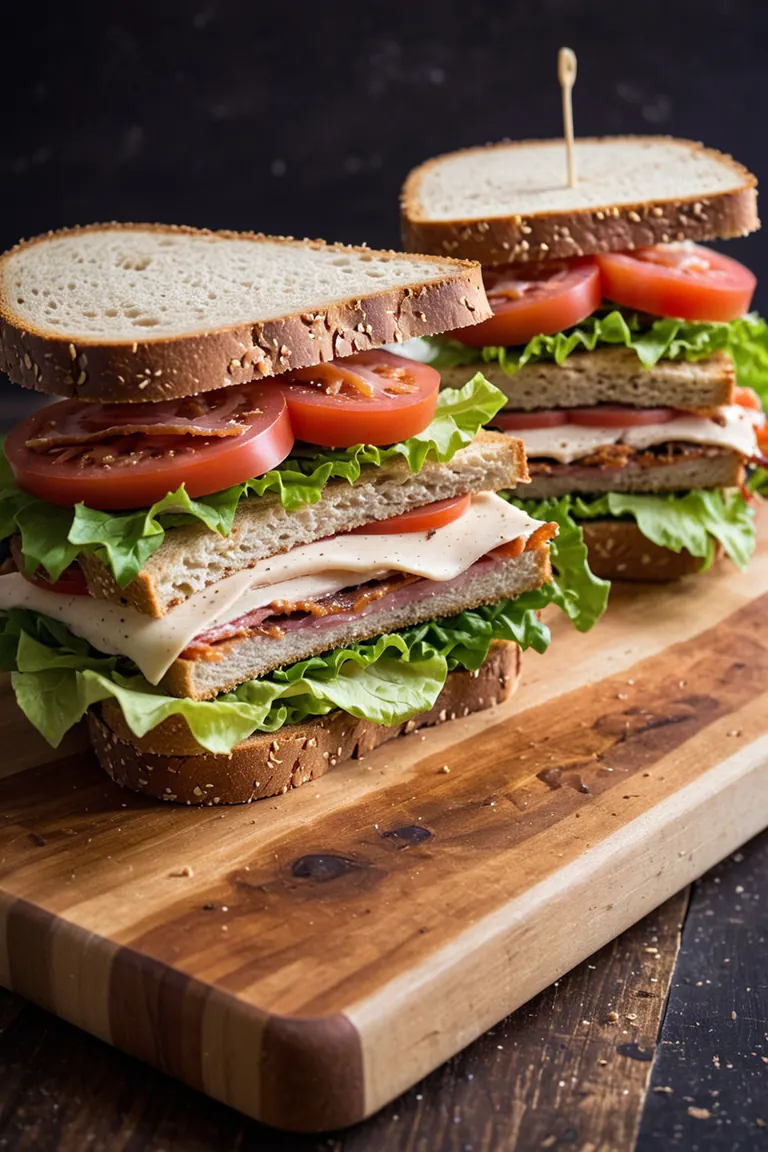
RAW photo, high contrast, dramatic light, BLT sandwich on a wooden cutting board, irregular bread, fresh lettuce, bacon, ripe tomato slices, and a creamy, tangy sauce, the sandwich bread appears to be artisanal, background is dark
네거티브 프롬프트
low quality, worst quality, text, artifacts, strabismus, bad eyes, render, low contrast
설정
샘플러
dpmpp_2m_sde_simple
스텝
6
가이던스
2
시드
1058011156300710
크기
1152x1728
프롬프트
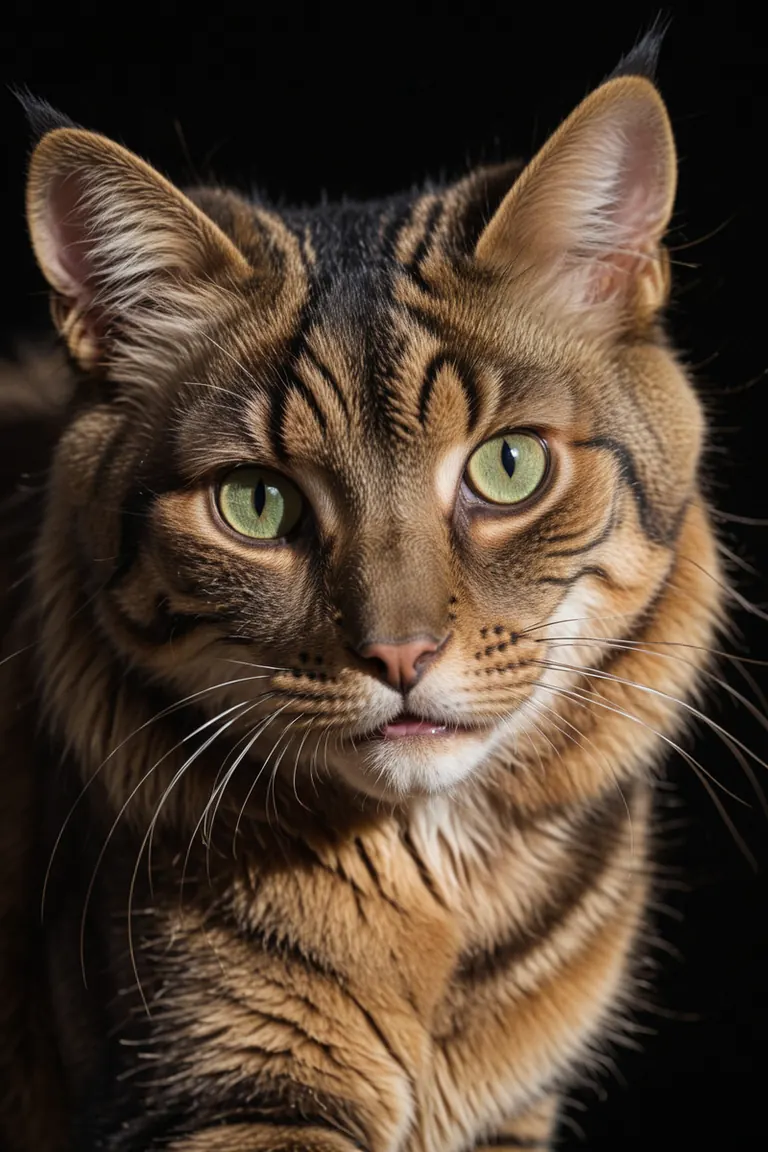
RAW photo, dramatic light, close up view, a rich golden and dark brown stripes cat, green eyes, black background, 8k
네거티브 프롬프트
low quality, worst quality, text, artifacts, strabismus, bad eyes, render
설정
샘플러
dpmpp_2m_sde_simple
스텝
6
가이던스
2
시드
1045561810308050
크기
1152x1728
프롬프트
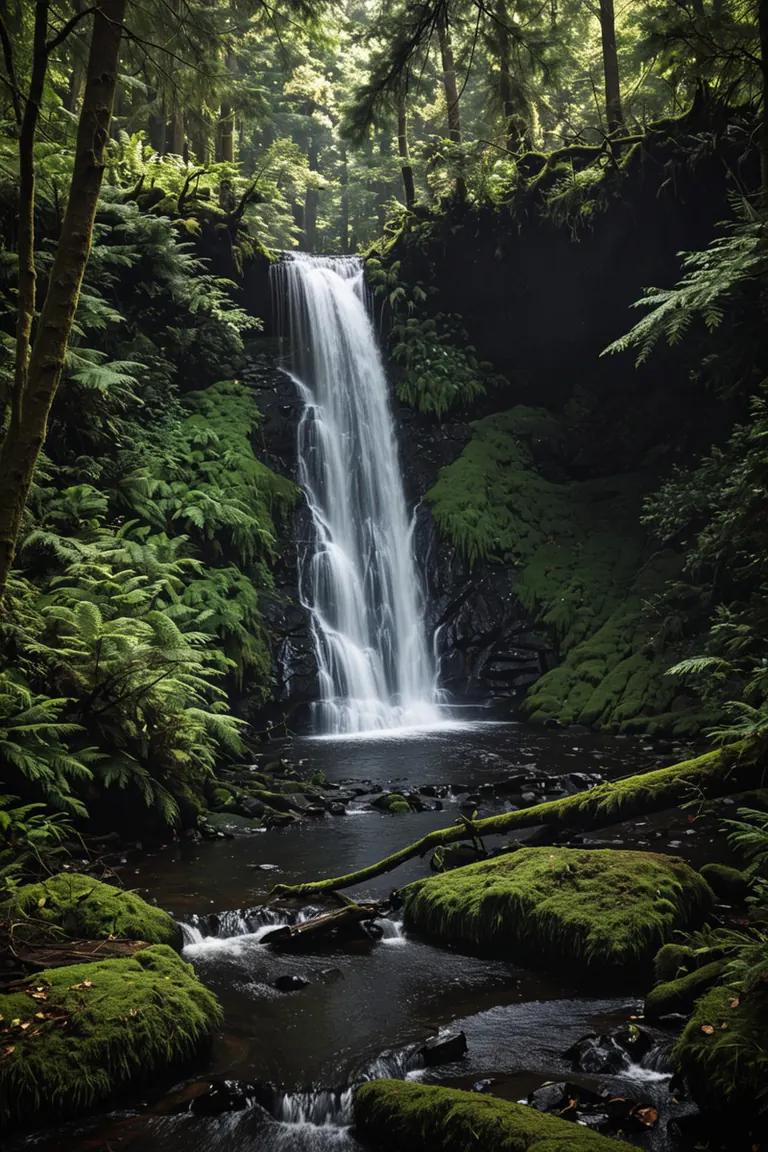
RAW photo, high contrast, dramatic light, forest scene featuring a waterfall
네거티브 프롬프트
low quality, worst quality, text, artifacts, strabismus, bad eyes, render, colorful
설정
샘플러
dpmpp_2m_sde_simple
스텝
6
가이던스
2
시드
181736622619745
크기
1152x1728
프롬프트
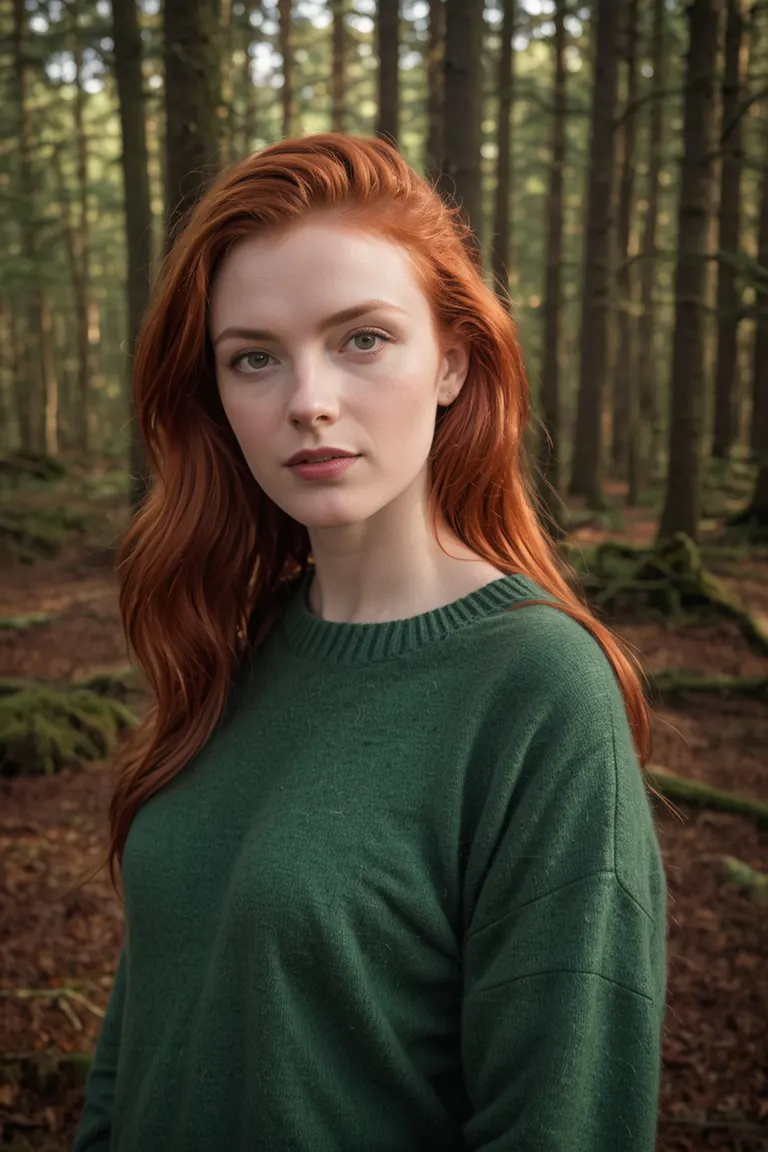
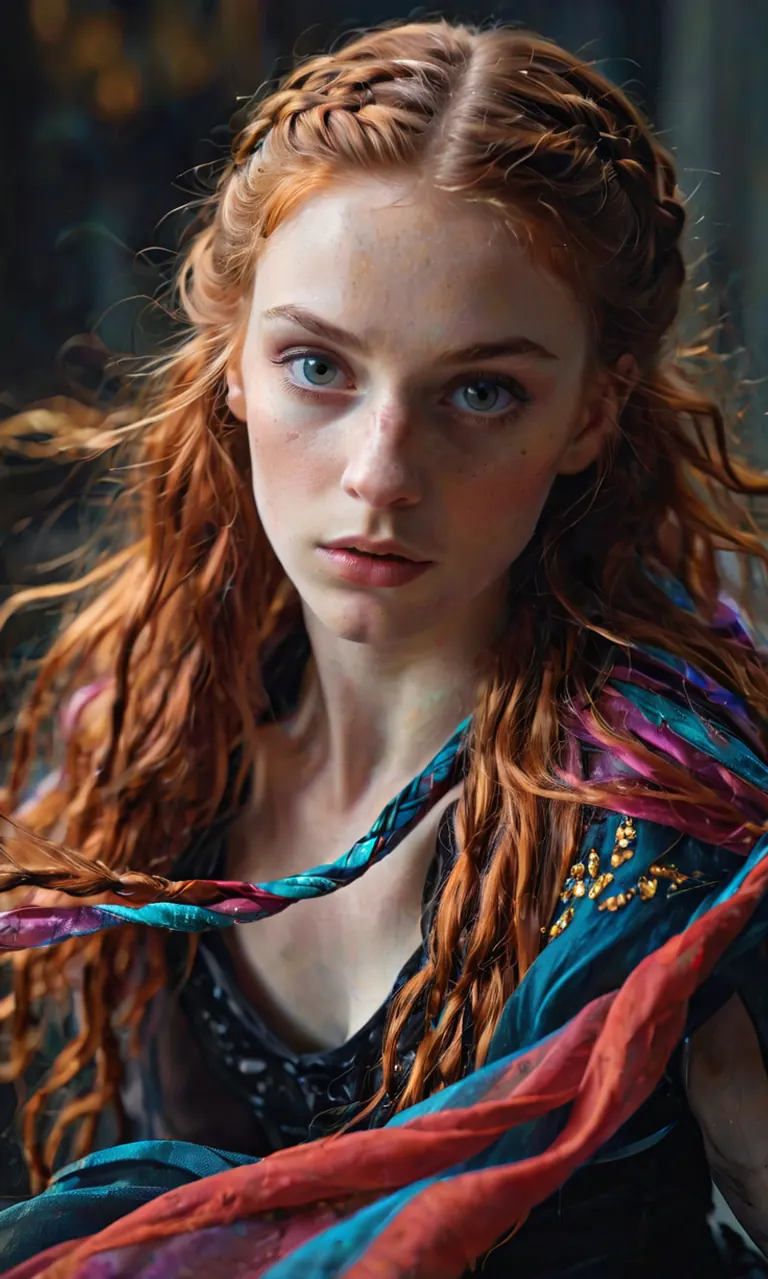
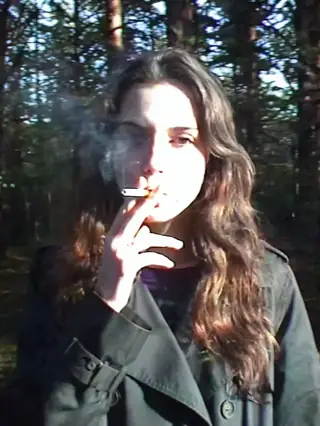
RAW photo of Neassa Móirín with sweater, (red hair:0.8), forest, Photorealistic, dramatic lighting
네거티브 프롬프트
low quality, worst quality, text, artifacts, strabismus, bad eyes, render
이 작품에는 공유된 프롬프트가 없습니다.
설정
샘플러
dpmpp_2m_sde_simple
스텝
6
가이던스
2
시드
362017804061836
크기
1152x1728
프롬프트
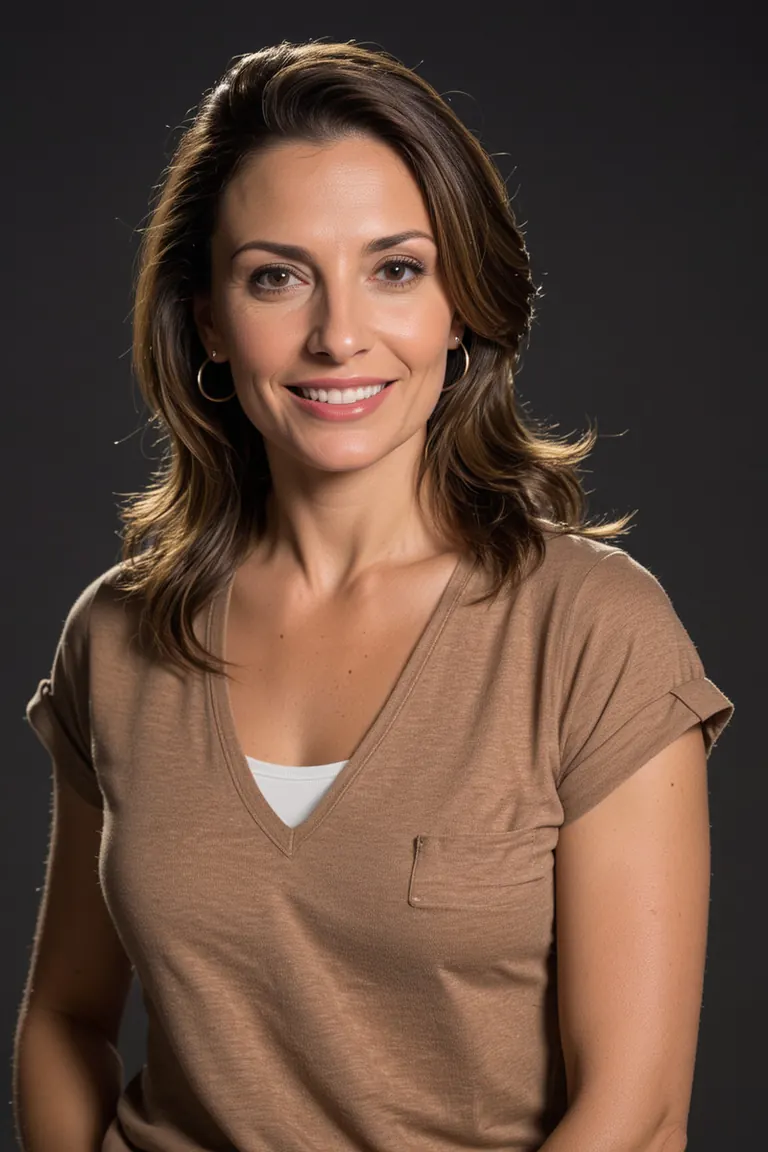
RAW photo of saura Ojeda in casual clothes, little smile, Photorealistic, dramatic lighting
네거티브 프롬프트
low quality, worst quality, text, artifacts, strabismus, bad eyes, render, (asian:0.1)
설정
샘플러
dpmpp_2m_sde_simple
스텝
6
가이던스
2
시드
373922533204917
크기
1152x1728
프롬프트
RAW photo, (close up view:1.2), golden car from Mercedes-Benz with simple grille, modern headlights, and aerodynamic lines, mediterranean building with a (red terracotta) facade and arches background
네거티브 프롬프트
low quality, worst quality, text, artifacts, strabismus, bad eyes, render
이 작품에는 공유된 프롬프트가 없습니다.
로컬에서 실행
freshPhotoXLRealism_v10Lightning.safetensors
다운로드는 Civitai에서 제공합니다. 일부 제작자는 먼저 Civitai 로그인을 요구합니다.

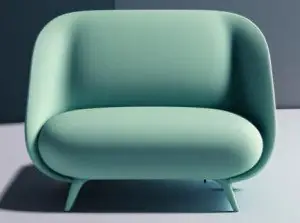




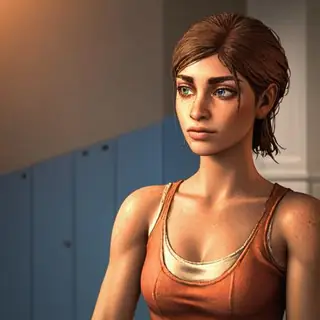

Fresh Photo XL (realism eddiemauro mix)은(는) Stable Diffusion XL 1.0 패밀리용 베이스 모델으로, 오픈 소스 AI 이미지·영상·텍스트 모델의 읽기 전용 카탈로그인 ModelTrends.ai에 등록되어 있습니다. 다른 Stable Diffusion XL 1.0 모델과 비교하고, 열기 점수로 트렌드를 확인하고, PirateDiffusion 또는 BitVector에서 열어 사용해 보세요.
모델 패밀리별로 보기

Text / LLM 모델
434

Anima 모델
528

Chroma 모델
19
Fibo 모델
2

Flux 모델
1,496

Flux 2 / Klein 모델
1,239

Flux 3 모델
3

Moss 모델
3

Iris 모델
1

MiniMax H3 모델
364

Hunyuan 모델
204

Ideogram 모델
20
Krea2 모델
717

Qwen 모델
20
Qwen2 모델
47
Ltx2 모델
153