Prefect Illustrious XL v7: polished anime with soft lighting
Topic: Models

By Captain
Published 2026-10-02
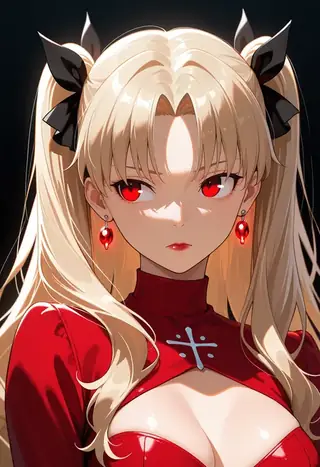
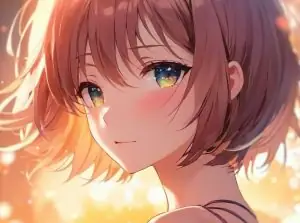
Goofy_Ai's Prefect Illustrious XL v7 is tuned for clean, soft-lit anime illustration. Learn the author's settings (Clip Skip 1, Euler a, CFG 5-6), prompt template and creative ideas.
Overview
Prefect
Illustrious
XL by Goofy_Ai is an Illustrious-based anime
checkpoint
focused on polished illustration with depth of field, bloom and detailed backgrounds. Version 7 continues the series' cleanup of style influence for a more neutral, flexible base.
Recommended settings from the author: Clip Skip 1, Euler a or DPM++ 2M,
CFG
5-6, ADetailer or a face inpaint pass, and an
img2img
upscale with 4x-UltraSharp.
Reference
Name | Type | What it is |
|---|---|---|
Prompt template | tags | masterpiece, best quality, ultra-detailed, very aesthetic, depth of field, best lighting, detailed illustration, detailed background, then the subject |
CFG | 5-6 | Author's range. |
Steps / sampler | 25-30, Euler a | Or DPM++ 2M. |
Clip Skip | 1 | Unusual for anime models; the author used 1 on every example. |
LoRAs | 0.7-1.0 |
AD

No install required - run AI models on the cloud
BitVector Prism is the easiest way to start: pick a model, type a prompt and generate in a clean web app, with nothing to configure. BitVector is also available on Discord and on the web (SpyGlass).
Step by step
- Paste the template, then the subject tags.
- Clip Skip 1, CFG 5.5, 28 steps, Euler a.
- Add soft lighting, bloom effect for the house style.
- Face detail pass with ADetailer or inpaint.
- Img2img upscale 1.5x at 0.3 with 4x-UltraSharp.
Examples
Portrait
masterpiece, best quality, ultra-detailed, very aesthetic, depth of field, best lighting, detailed illustration, detailed background, 1girl, solo, silver hair, red eyes, dark kimono, lantern festival, soft lighting, bloom effect
Scene
masterpiece, best quality, ultra-detailed, very aesthetic, detailed background, 2girls, cafe terrace, rain, umbrellas, warm light, smile
Creative idea: travel illustration
masterpiece, best quality, ultra-detailed, very aesthetic, depth of field, 1boy, solo, backpacker, mountain pass, prayer flags, wind, detailed background
Tips
- Depth of field in the template gives its signature blurred backgrounds; remove it for flat scenes.
- Named character tags work via Illustrious.
- Style LoRAs at 0.7 blend well.
Troubleshooting
Overexposed bloom
Why it happens
Bloom tag plus high CFG.
How to fix it
CFG 5 or drop bloom effect.
Soft faces
Why it happens
Depth of field at small face sizes.
How to fix it
ADetailer or inpaint the face.
AD

No install required - run AI models on the cloud
PirateDiffusion is Telegram only and built for pros: thousands of models, LoRAs and workflows driven by chat commands, with unlimited generation on a fixed price plan.

Questions
Clip Skip 1 or 2?
The author used 1; try both and keep what you like.
Compatible LoRAs?
Illustrious and most NoobAI LoRAs.
Links and sources
Models in this guide
Written by
Captain
Related guides
Models
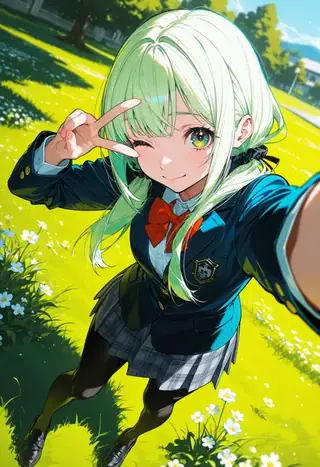
One Obsession v19 Atypical: beginner-friendly anime with hidden artist strings
maxfeifei8's One Obsession is an Illustrious/NoobAI anime checkpoint that makes good pictures without LoRAs or complex tags. Learn the clean illustration template, settings and how to discover the artist tags hidden in its examples.
By Captain
2026-10-03
Models
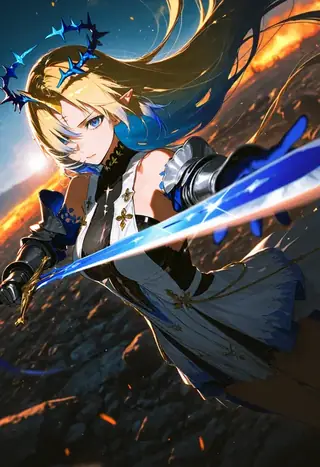
One Obsession v20 Bold: saturated color, graphic anime and 3D looks
The Bold edition of One Obsession pushes color and contrast and reaches into 2.5D and poster styles. Learn its template, settings and ideas for graphic, high-contrast illustrations.
By Captain
2026-09-29
Models
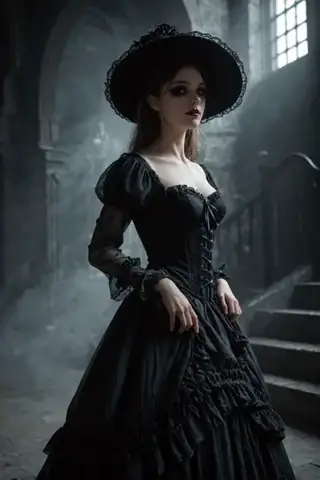
CyberRealistic Pony v13: the settings and prompts that make it shine
Version 13 of CyberRealistic Pony is a favorite for cinematic environments and natural portraits. Learn Cyberdelia's recommended settings, the score chain, and ideas for atmospheric scenes.
By Captain
2026-10-01
Models
CounterfeitXL: clean, high-contrast anime on SDXL
gsdf's CounterfeitXL carries the beloved Counterfeit look to SDXL: crisp lines, vivid color, elegant characters. Learn its tag prompting, settings and ideas for striking anime scenes.
By Captain
2026-10-03
More guides

Models
FLUX.1 Dev: how to prompt it, best settings and creative ideas
A practical guide to FLUX.1 Dev by Black Forest Labs: natural-language prompting, guidance and step settings, LoRA stacking, text rendering and prompt ideas that play to its strengths.
By Captain
2026-09-30

Models
Stable Diffusion XL 1.0: prompts, settings and what it still does best
How to get the most out of the official SDXL 1.0 base model: native resolutions, CFG and sampler settings, the refiner, negative prompts and ideas for styles where SDXL still shines.
By Captain
2026-10-01

Models
Stable Diffusion 1.5: the classic model, prompted properly
Stable Diffusion 1.5 is still worth knowing: the right resolution, CFG and sampler, how to use its huge library of LoRAs and embeddings, and creative prompt ideas suited to a 512-pixel model.
By Captain
2026-10-02

Models
FLUX.2 Dev: prompting the newest Black Forest Labs model
FLUX.2 Dev brings larger prompts, better text, stronger realism and multi-reference editing. This guide covers the turbo workflow, guidance and resolution settings, prompt structure and ideas that use its new strengths.
By Captain
2026-10-03

Models
Qwen-Image: long prompts, perfect text and bilingual posters
Qwen-Image is the model to reach for when the words in the picture matter. Learn how to write its long descriptive prompts, render English and Chinese text accurately, set CFG and steps, and explore layout-heavy creative ideas.
By Captain
2026-09-29

Models
SDXL-Lightning: four-step generation on any SDXL checkpoint
ByteDance's SDXL-Lightning LoRA turns a 30-step SDXL render into a 4-step one. Learn the step counts, the CFG you must use, the sampler, and how to combine it with your favorite checkpoints and style LoRAs.
By Captain
2026-09-30

Model
Trends
.ai
© ModelTrends.ai
|
Made in Japan
|
© 2026