
ECLIPSE XL
8016°
<eclipse-xl>
Apps that support ModelTrends tags let you run/install models by copying this code in your prompt with no setup. Look for our icon in apps that support it, like Prism (below).

NSFW model. Its pictures are hidden while NSFW is off; turn NSFW on to see them.
Run this model
Offers / Ads

Easy Creator (Prism) Web
Unlimited · flat fee
Best for beginners. Describe what you want in a chat and the picture comes back, no learning curve.

PirateDiffusion Telegram
Unlimited · flat fee
Images and video from a chat, with short commands. The most convenient tool for Telegram users, with a web companion.

Pro studio (SpyGlass) Web
Unlimited · flat fee
Best for power users. Full control over models, settings and workflows in a browser studio.

Discord bot (Vector)
Unlimited · flat fee
Best for communities. Add it to your own server and run any workflow from a channel.

Unified Editor Web
Unlimited · flat fee
One screen for every model and workflow: prompts, references, edits and video, built into your Graydient account.

Civitai Web
Pay per use
Generate on Civitai's own site; every image is paid for with Buzz credits.

Local apps
Requires setup
Set up local programs if your computer has capable hardware.

ModelDuel Web
Pay per use
Generate the same prompt on up to 50 checkpoint/base models at a time.


Creator notes
Changelogs on bottom of description. TLDR, V1 is better than V1.3 (test)
Eclipse XL v1.0 is a fine-tuned model trained on 63K images, aimed at creating a higher-fidelity base Anime XL model. This was a collaborative effort by and . We tackled this project with a token-based approach, using a dataset primarily consisting of Booru-based tags, along with a few additional Rule34 tags and original tags. The tags were pruned and cleaned using our tag-editing application (HW tagger, Link to and ), with semi-manual inspection.
Technically, the base model is Pony v6, so natural language prompting and Pony v6-based Loras will likely work with this model (although we don't recommend using Pony's quality tags, for reasons explained in the technical section). We introduced new tags for lighting (composition tags), new quality tags, and various other features to achieve better control over our generations. Our focus was not on characters or styles, as people will create Loras anyway, and using Loras will produce better images.
We had many subgoals for the project, such as improving lighting, enhancing sensitivity to tags, overwriting the knowledge of Pony, separating the style tied to tags, achieving a consistent and flexible style, and preventing it from being style-hungry like Pony (more details in the technical section). We will provide more in-depth details in the technical article.
We operate without any funding or sponsors, so if you appreciate the model, any amount of tips would be highly appreciated. You can also support us through our Patreon.
This versatile model is capable of generating both SFW and NSFW images. Please use it responsibly. If you are unable to run XL models and haven't heard of SD Forge, I highly recommend looking it up, as it may help you run XL models more efficiently. We also recommend checking out the related article because it contains the csv for the tags used in this model which you can drop it into your webui tag-autocomplete extension.
How to use:
Recommended starter prompt:
Positive prompt [prompt like any other tag based model]:
masterpiece, best, great, ...
Negative prompt (NO NEED for a long negative):
worst, worse, average, signature, watermark
recommended resolutions and prompting method:
(768, 1280), 3:5 ratio
(768, 1344), 4:7 ratio
(832, 1216), 13:19 ratio
(896, 1152), 7:9 ratio
(960, 1088), 15:17 ratio
(1024, 1024), square ratio
We recommend CFG between 5-8, sampling steps above 20 (we use 36 steps), and CLIP SKIP 1 (Pony Says to use 2, but Clip Skip is disabled for XL training on kohya so it doesn't make sense to use 2, people are probably gaslighting themselves from SD 1.5 experience).
Special tag info:
We introduced new tags based on their understood meaning (or the lack there of) by the text encoder model (Vit and BIG) that is in the XL model. Most new tokens are 1~2 token long, so the information is better absorbed in the training.
quality tags:
masterpiece, best, great, good, average, worse, worst
The quality tags were assigned using the aesthetic scorer from imgutils, we're aware of it's many biases so we manually corrected them. Although flawed, it's better than other options, so we ran with this, more info on the technical detail article.
additional detail tags:
dense, intricate
These tags were added for images with many details or parts, some images had both:
-
intricate : the details on objects/subject is tightly packed and is not a simple design (ex: lingerie, complex dress, designed armor trims, multiple accessories, etc)
-
dense : image that has multiple objects/subjects that makes the image more densely packed
lighting tags:
dim composition, ambient composition, dun composition, dark composition, contrast composition, bright composition, vibrant composition, dark background
These are not necessary for basic lighting but these tags were added to images with very extreme lighting or darkness. We followed the definitions below for tagging the images for specific lighting scenarios so we're consistent with our tagging for the training, but you can mix them in generation to get interesting effects:
-
dim composition : Dark fully visible image, but there are multiple sources of light
-
ambient composition : Dark fully visible image, but there's one single source of light
-
dun composition : Dark fully visible image with diffused light, no apparent light source
-
dark composition : Fully dark, no light source, close to pitch black image
-
contrast composition : Contains both dark and bright parts in the image, the dark and bright doesn't necessarily need to work together (ex: heaven & hell, day & night, or just a big shadow)
-
bright composition : Very bright image with strong highlights (close to white highlights)
-
vibrant composition : Image with high intensity (saturated) colors for majority of the image, independent of light source
style tags:
illustration style, western style, anime coloring, realistic, photorealistic, bold lines, 3d, 3d blender, 3d koikatsu, 3d mmd, 3d filmmaker
These tags were introduced/utilized to absorb styles that are different from what we wanted in the base model. We also tagged specific styles that were present in our dataset to properly separate it from the main style (list on technical details). If the generation deviates from the base style, you can include tags like "3d" and "western style" in the negative prompts. Sometimes the base Pony's knowledge leaks out, but we plan to document and fix these issues as we identify more untrained tags.
-
illustration style : anime style image with basic shading (little to no gradients used for shade)
-
western style : any western styled images that doesn't match the base style
-
anime coloring : images with anime coloring
-
realistic/photorealistic : this model is not intended for this but we used these tags for hyperreal illustrations or photo looking images. followed danbooru's definition
-
bold lines : Common with western style but
SHA256
ADCB7A1E10A71B5540750476C91FEB8FA8EBE4DE751F5D7FFB91DFD20325F0A7
ECLIPSE XL Popularity Trend
Heat score, last 12 months
Heat score
8,016°
This week
▼
0.5%
8,019° then, 8,016° now
This month
▼
2.3%
8,027° then, 8,016° now
Past year
▼
27.1%
8,158° then, 8,016° now
7,000°
Floor
The scale runs from 0° to 9,999°. Everything below 7,000° is kept for models no source reports on yet, which carry a stand-in number there so lists stay complete. 7,000° is where measured data begins: a model with real data but almost no downloads sits at the floor, and the measurements fill the degrees above it. The floor says nothing about the model; only the degrees above it do, and they are what separates one model from another.
+976°
Civitai downloads
1,735 downloads of this exact version on Civitai. Downloads are the heaviest ingredient and are counted on a log scale: ten times the downloads adds the same 300°, so a model with a million downloads is not a thousand times hotter than one with a thousand. The six download sources share that one term, split between them in proportion to their counts.
+382°
Likes
352 likes and thumbs up across the sources. A like weighs half a download, on the same log scale.
+5°
Adoption rate
About 0 downloads a day, measured between two readings of the sources, never guessed from a lifetime average. Speed weighs a quarter of the download term, so a fresh surge shows without letting a one-day spike outrank years of use.
+150°
Full model
+150° because this is a full model: a checkpoint, the weights themselves. A LoRA or an embedding is an add-on to someone else's weights and does not outrank a checkpoint of equal popularity.
−497°
Age
−497° because the SDXL weights came out in 2023. Every model inherits the age of the weights it is built on: 150° a year, up to 750°, and it keeps growing until then. Without it the top of the list would be 2022 and 2023 checkpoints on the strength of downloads that had years to pile up.
Show detailed breakdown
Every number on this site can be checked. This model's heat score is 8,016°, and here it is built one ingredient at a time, with the running total after each: the floor, the degrees each source adds, the bonus for the kind of model and what the age of its weights takes away. The colors are the bands of the chart above. The glossary at the end defines every term.
- 1Start at the floor.Why 7,000° and not zero: the scale runs from 0° to 9,999°, and the part below 7,000° is reserved for models no source reports on yet, which carry a stand-in number there so the lists stay complete and never outrank a model with data. 7,000° is where measured data begins. A model with real data but almost no downloads sits here; everything that follows is measurement, and the room above the floor holds ten tenfold steps in downloads at 300° each. The floor is the same for every model, so it decides nothing; the degrees above it do.7,000°running total
- 2Add the downloads.1,735 download-equivalents in all, from Civitai downloads. Ten times the downloads adds the same 300°, so size matters but never runs away with the score.+976°7,976°running total
- 3Add the likes.352 likes and thumbs up, at half the weight of a download.+382°8,358°running total
- 4Add the adoption rate.About 0 downloads a day right now, measured between two readings, at a quarter of the weight.+5°8,363°running total
- 5Bonus for a full model.A checkpoint carries the weights themselves; add-ons do not outrank one of equal popularity.+150°8,513°running total
- 6Take off the age.The SDXL weights came out in 2023: 150° a year, up to 750°, growing until then.−497°8,016°running total
- =The heat score.Where this model stands on every list of this site. Nothing else adjusts it.8,016°
Glossary: the terms used here
- Heat score
- One number for how much a model is used and wanted right now, from 0° to 9,999°. Every list on this site that says hottest is sorted by it and nothing else.
- Floor
- The 7,000° every model with real data starts from. The scale runs from 0° to 9,999°; the part below the floor is reserved for stand-ins (models without data), so that a model with data always ranks above one without. The floor is the same for everyone and decides nothing; the degrees above it are the measurement.
- Download-equivalents
- Everything the score treats as a download, added up: downloads themselves, each torrent seeder as 1,000, each AI Horde image and each run on a generation site as one.
- Log scale
- Counting by tens, not by ones: going from 1,000 to 10,000 downloads adds the same degrees as going from 10,000 to 100,000. It keeps giants from crowding out everything else.
- Likes
- Thumbs up and likes from every source, worth half a download each on the log scale.
- Adoption rate
- How many downloads a day a model gets right now, from the difference between two readings of a source. A quarter of the weight of the download term.
- Measured and estimated
- Measured means two readings of a source exist and the difference is real. Estimated means only today's total is known and the past is spread over the model's life; the site says which one it is showing.
- Seeder
- Someone who keeps a copy of the weights online for others to download over a torrent, or a hosted mirror doing the same. Each one counts as 1,000 downloads.
- AI Horde
- A volunteer network that generates images for free on donated computers. The number of images it has made with a model is public, and each counts as one download.
- Generation sites
- Sites that host their own copies of a model and let people generate with it, such as PixAI, SeaArt and Yodayo. Their downloads count like Civitai's and each generation run as one download.
- OpenRouter tokens
- A text model served through an API, such as Claude or GPT, has no weights to download, so its usage is measured in tokens: the pieces of text it read and wrote through OpenRouter, a gateway many apps use, over the last 30 days. Every 10,000,000 tokens count as one download. Source: OpenRouter (openrouter.ai/rankings), CC BY 4.0.
- Full model (checkpoint)
- The weights themselves, the file that generates on its own. It gets a bonus because add-ons depend on it.
- LoRA and embedding
- Small add-on files that steer someone else's weights toward a style, a character or a concept. They cannot run alone.
- Family and weights
- The base a model is built on, such as SD 1.5, SDXL, Flux or Wan. Every model inherits the release date of its family's weights.
- Age
- Degrees taken off for how long ago the family's weights came out: 150° a year, up to 750°. It keeps old downloads that had years to pile up from freezing the top of the list.
- Family boost
- A small, bounded nudge for LoRAs of a family this site is pushing forward right now, always listed in the breakdown.
- Stand-in score
- A stable number below the floor given to a model no source reports on yet, so lists stay complete. It never ranks above a model with data.
- New! (grace period)
- A model less than 7 days old shows New! instead of a score and holds no place in the rankings. Its score is computed from day one, but a model one day old grows faster than anything, so without the wait the week's #1 would always be whatever came out yesterday rather than what held up for a week.
- Trend
- How a model's growth over a period compares with the typical model's growth over the same period. Faster than typical reads as a rise, slower as a fall.
- Typical model
- The middle of the catalog: half the models with a figure grew faster over the period, half slower.
How this model's popularity has moved against the rest of the catalog: its growth in downloads, likes and usage over each period, measured against the typical model's growth over the same period, with its heat score at the time. Above the typical growth reads as a rise, below it as a fall. The past is reconstructed from today's totals, the model's first day and its measured download speed where two readings exist; a model that did not exist at the start of a period shows n/a.
Example renders
Prompts and settings shared by the people who made these renders on Civitai. Pick a render to see how it was made.

NSFW render, blurred. Turn NSFW on to see it.

NSFW render, blurred. Turn NSFW on to see it.

NSFW render, blurred. Turn NSFW on to see it.

NSFW render, blurred. Turn NSFW on to see it.
NSFW render, blurred. Turn NSFW on to see it.
NSFW render, blurred. Turn NSFW on to see it.
NSFW render, blurred. Turn NSFW on to see it.
NSFW render, blurred. Turn NSFW on to see it.

Settings
Sampler
Euler A Turbo
Steps
36
Guidance
7
Seed
543646265
Size
832x1216
Prompt
masterpiece,best,great,1girl,solo,white background,simple background,double exposure,silhouette,empty silhouette,close-up,upper body silhouette,cityscape in silhouette,building,long hair,from side,
Negative prompt
worst,worse,average,signature,
Settings
Sampler
Euler A Turbo
Steps
36
Guidance
7
Seed
2707206570
Size
832x1216
Prompt
masterpiece,great,best,1girl,solo,medium breasts,broken halo,cracked halo,upper body,looking at viewer,full body,sitting,black halo,ambient composition,
Negative prompt
(worst,worse,average:1.3),
Settings
Sampler
Euler a
Steps
36
Guidance
7
Seed
2479029991
Size
832x1216
Prompt
masterpiece,great,best,1girl,close-up,crystal eyes,beautiful eyes,red eyes,smile,streaked hair,black hair,green hair,intricate,swept bangs,purple eyes,upper body,gradient eyes,pink eyes,bright pupils,white pupils,wavy hair,red dress,dense,
Negative prompt
(worst,worse,average:1.3),signature,watermark,heart-shaped pupils,
Settings
Sampler
Euler A Turbo
Steps
36
Guidance
7
Seed
2707206570
Size
832x1216
Prompt
masterpiece,great,best,1girl,solo,medium breasts,broken halo,cracked halo,upper body,looking at viewer,full body,sitting,black halo,ambient composition,
Negative prompt
(worst,worse,average:1.3),
Settings
Sampler
Euler a
Steps
40
Guidance
7
Seed
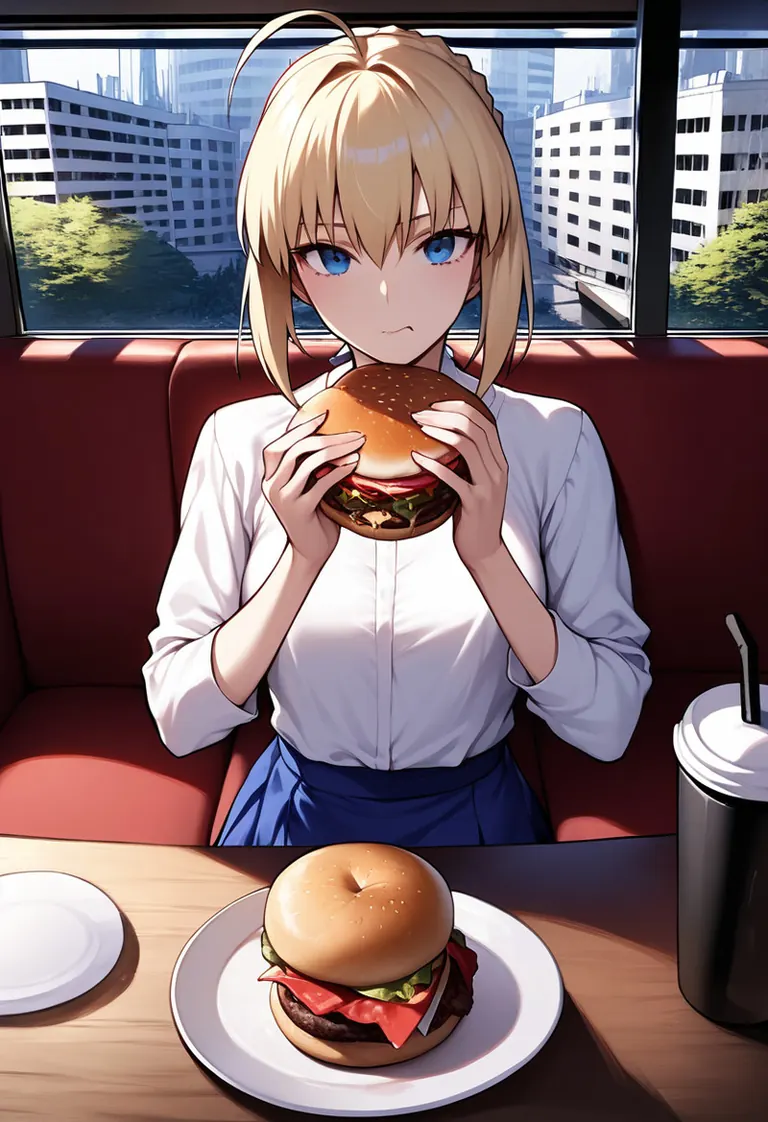
2088781129
Size
832x1216
Prompt
(masterpiece:1.3),great,best,1girl,solo,medium breasts,saber \(fate\),white shirt,pov across table,burger,indoors,restaurant,red couch,food on face,ahoge,blue eyes,blonde hair,sidelocks,blue skirt,ice coffee,eating,plate,window,outdoors,nature,street,city,ice cube,dense,closed mouth,pov,
Negative prompt
(worst,worse,average:1),signature,watermark,
Settings
Sampler
Euler A Turbo
Steps
36
Guidance
7
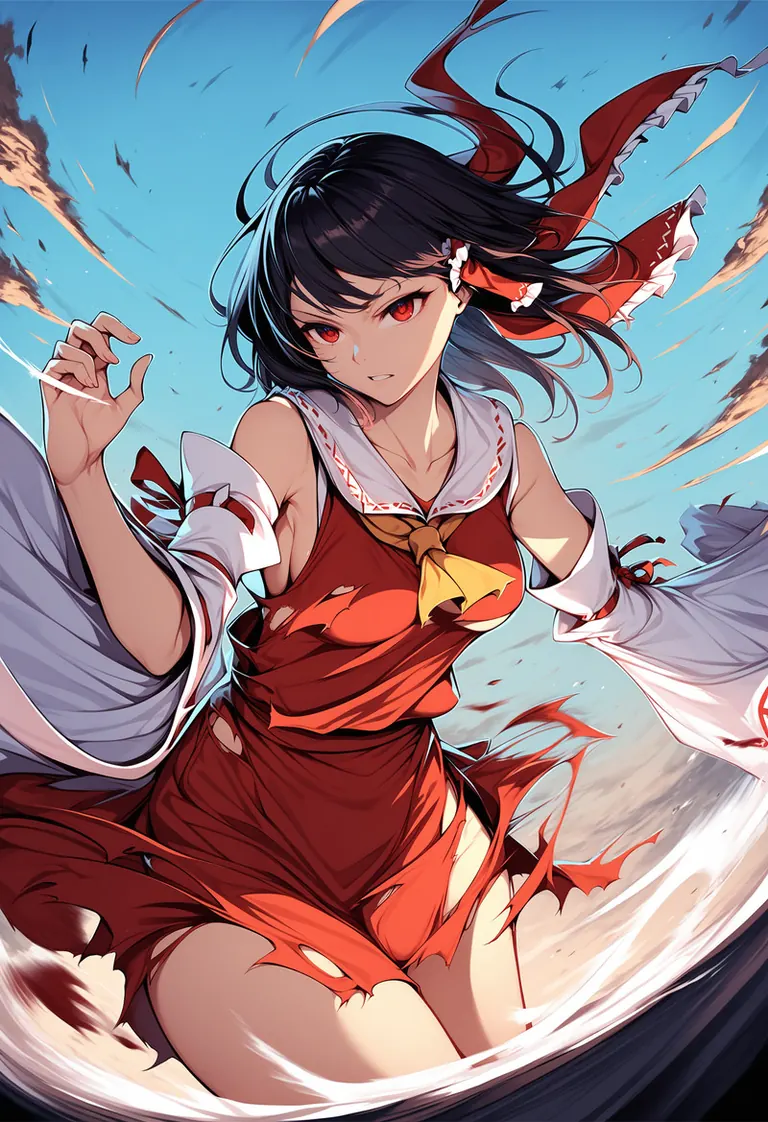
Seed
48725551
Size
832x1216
Prompt
masterpiece,(best,great:1),1girl,solo,hakurei reimu,flying,black hair,hair tube,miko,detached sleeves,collarbone,bare shoulders,medium hair,sky,midair,torn clothes,battle,red eyes,cowboy shot,medium breasts,wide sleeves,bow,spinning,hand up,
Negative prompt
(worst,worse,average:1),signature,bad hands,extra digits,fewer digits,
Settings
Sampler
Euler A Turbo
Steps
36
Guidance
7
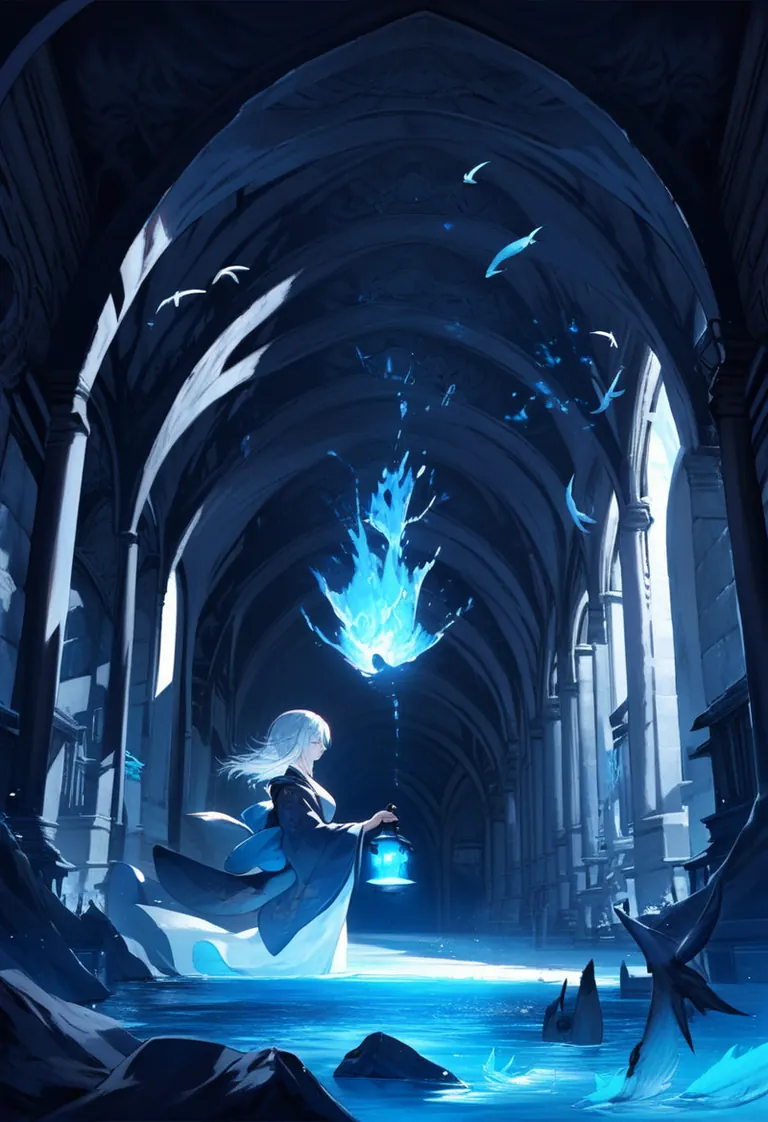
Seed
2509011677
Size
832x1216
Prompt
masterpiece,great,best,1girl,solo,floating water,(blue theme:0.5),kimono,holding lantern,dense,floating fish,fantasy,indoors,hallway,fantasy,white hair,contrast composition,from side,splash,waterfall,glowing water,underlighting,dark corridor,
Negative prompt
worst,worse,average,signature
Settings
Sampler
Euler A Turbo
Steps
36
Guidance
7
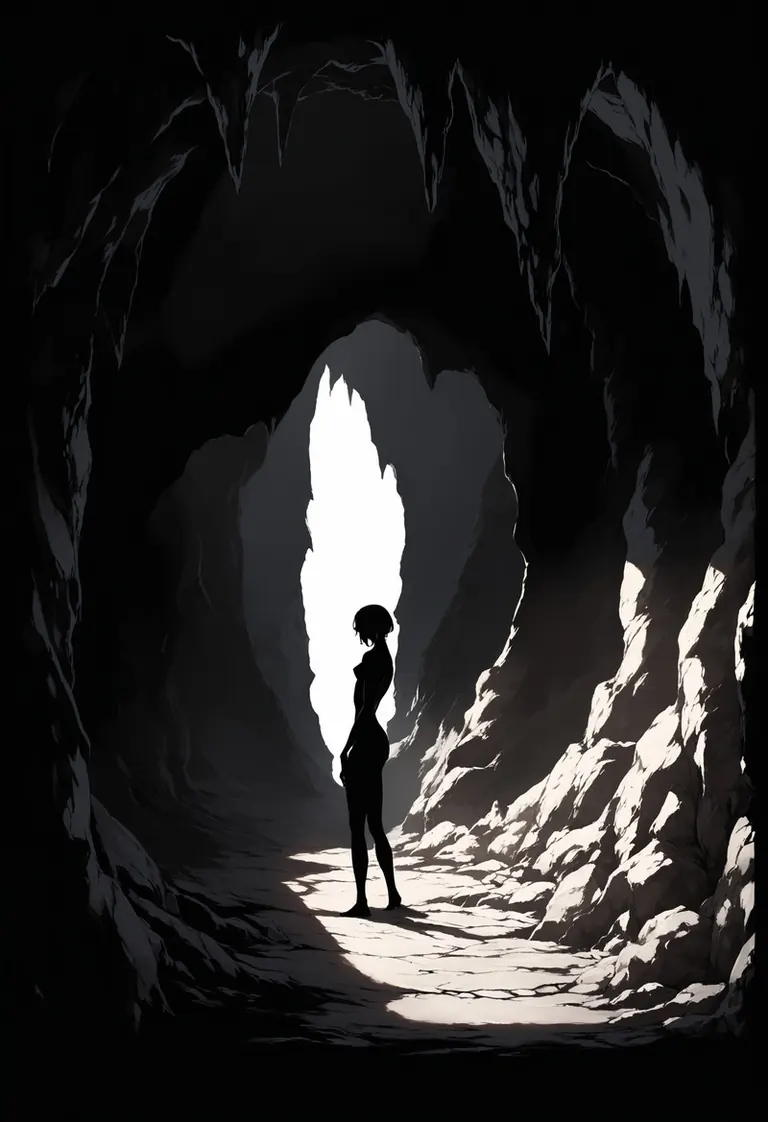
Seed
2956375185
Size
832x1216
Prompt
masterpiece,best,great,1girl,solo,contrast composition,silhouette,cave,
Negative prompt
worst,worse,average,signature,
Run Locally
How to install
What is ComfyUI? A beginner's guide to nodes, workflows and the first graph
Dec 17, 2025
eclipseXL_v10.safetensors
sdxl_vae.safetensors
Downloads are served by Civitai. Some creators ask for a Civitai login first.




ECLIPSE XL is a base model for the Stable Diffusion XL 1.0 family listed on ModelTrends.ai, a read-only catalog of open source AI image, video and text models. Compare it with other Stable Diffusion XL 1.0 models, check its heat score to see how it is trending, and open it on PirateDiffusion or BitVector to try it.
More Stable Diffusion XL 1.0 modelsMore Stable Diffusion XL 1.0 Base Modelsponytypeanimewomenbaseartstyleshentaipornbase model
Browse by Model Family

Text / LLM Models
434

Anima Models
528

Chroma Models
19
Fibo Models
2

Flux Models
1,496

Flux 2 / Klein Models
1,239

Flux 3 Models
3

Moss Models
3

Iris Models
1

MiniMax H3 Models
364

Hunyuan Models
204

Ideogram Models
20

Krea2 Models
717
Qwen Models
20

Qwen2 Models
47

Ltx2 Models
153