Run Locally
anithing_v20.safetensors
5.28 GB · SafeTensor · fp16 · full
vae-ft-mse-840000-ema-pruned_fp16.safetensors
160 MB · SafeTensor
Downloads are served by Civitai. Some creators ask for a Civitai login first.


About This Model
STABLE DIFFUSION 1.5 · Base Models
Creator notes
!!! UPLOADING/SHARING MY MODELS OUTSIDE CIVITAI IS STRICLY PROHIBITED* !!!
Check my EXCLUSIVE models on : • • • •
SDXL - Pony: • • • •
SD1.5: • • • • •
Also in Collaboration with
This model is free for personal use and free for personal merging(*).
For commercial use, please be sure to (Ko-fi) or by email: samuele[dot]bonzio[at]gmail[dot]com
⬇Read the info below to get the high quality images (click on show more)⬇
AniThing - are you brave enough?
I'm sorry, even I, who am the author, have not been able to grasp all the possibilities of this model.
Therefore, equip yourself with your best prompts and get there, where no one has gone before.
-
AniThing can be (if you want) ULTRAFAST (like LCM models), you can have great detailed result using a CFG scale of 2~3, with ONLY: 10 Steps and Scheduler: Euler or Euler A ()
-
One last thing, AniThing tends to be slightly uninhibited. So be careful with your negative prompts if you don't want to produce NSFW images
-> If you are satisfied using my model, press on ❤️ to follow the progress and consider leaving me ⭐⭐⭐⭐⭐ on model review, it's really important to me!
Thank you in advance 🙇
And remember to publish your creations using this model! I’d really love to see what your imagination can do!
Recommended Settings:
-
Excessive negative prompt can makes your creations worse, so follow my suggestions below!
-
Before applying a LoRA to produce your favorite character, try it without first. You might be surprised what this model can do!
A1111 my settings:
I run my Home PC A1111 with this setting:
-
set COMMANDLINE_ARGS= --xformers
if you can't install xFormers (read below) use my Google Colab Setting:
-
set COMMANDLINE_ARGS= --disable-model-loading-ram-optimization --opt-sdp-no-mem-attention
My A1111 Version: • python: 3.10.6 • torch: 2.0.1+cu118 • xformers: 0.0.20 • gradio: 3.41.2
If you want activate xformers optimization like my Home PC ():
-
In A1111 click in "Setting Tab"
-
In the left coloumn, click in "Optimization"
-
in: "Cross attention optimization" select: "xformers"
-
Press in "Apply Settings"
-
Reboot your Stable Diffusion
If you can't install xFormers use SDP-ATTENTION, like my Google Colab:
-
In A1111 click in "Setting Tab"
-
In the left coloumn, click in "Optimization"
-
in: "Cross attention optimization" select: "sdp-no-mem - scaled dot product without memory efficient attention"
-
Press in "Apply Settings"
-
Reboot your Stable Diffusion
How to emulate the nvidia GPU follow this steps:
-
In A1111 click in "Setting Tab"
-
In the left coloumn, click in "Show all pages"
-
Search "Random number generator source"
-
Select the voice: "NV"
-
Press in "Apply Settings"
-
Reboot your Stable Diffusion
If you use my models, install the extension for your A1111.
Navigate to the "Extensions" tab within Stable Diffusion.
-
Go to the "Install from URL" subsection.
-
Paste the following URL:
-
Click on the "Install" button to install the extension
-
Reboot your Stable Diffusion
How to install Euler Smea Dyn and Euler Max Sampler:
-
In A1111 click in "Extensions Tab"
-
click in "Install from URL"
-
Under "URL for extension's git repository" put this link:
-
Once installed click in: "Installed" Tab
-
Click in "Apply and quit"
-
Reboot your Stable Diffusion
-
Now at the end of the list of the sampler, you have the new sampler.
How to use ADetailer with Euler Smea Dyn and Euler Max Sampler:
-
In A1111 click in "txt2img" tab
-
Expand and click in "enable ADetailer"
-
Scroll down and expand "inpaint" section
-
Click and turn on "Use separate Sampler"
-
Now select: "DPM++ 2M Karras" (or your favourite sampler)
-
VAE: VAE is included (but usually I still use the)
-
Clip skip: 2 or 3
-
Upscaler: or
NORMAL GENERATION SPOT that I found is:
-
Sampling method: Restart
-
CFG 7 -> Steps 25
-
Width: 576 (or 768)
-
Height: 1024
or:
-
Sampling method: DPM++ 2M SDE Karras
-
CFG 5 -> Steps 20
-
Width: 576 (or 768)
-
Height: 1024
or:
-
Sampling method: Euler A
-
CFG 5 -> Steps 20
-
Width: 576 (or 768)
-
Height: 1024
SUPERFAST GENERATION SPOT that I found is:
-
Sampling method: Euler (or Euler a)
-
CFG 2~3.5 -> Steps 10~15
-
Width: 576 (o 768)
-
Height: 1024
IN GENERAL FOLLOW THIS ADVICE:
As the CFG scale are raised, the steps must be raised. This is a kind of guideline:
CFG scale: 2~3 -> Steps: 10~15
CFG scale: 3~4 -> Steps: 15~20
CFG Scale: 4~5 -> Steps: 20~25
CFG Scale: 5~6 -> Steps: 25~30
CFG Scale: 6~7 -> Steps: 30~35
I didn't go any further, but it could (I say this theoretically) also work beyond 7, always increasing the steps step by step
As for the prompts... it's hard to help you here either.
They change based on what you want to do, whether realism, anime, cgi and so on.
I recommend you download an image from the main gallery and insert it into the PNG info tab to get the prompt used.
I also leave you, downloadable from , my file with all the prompts I used. Just overwrite (if it is empty) the one in your Stable Diffusion folder (A1111)
MY FAVORITE PROMPT:
-
Realistim Prompt:
(masterpiece, best quality, highres:1.2), (photorealistic:1.2), (film grain:1.3), (morbid light:1.2), (dynamic angle), raw photo, ->YOUR PROMPTYOUR PROMPTYOUR PROMPTYOUR PROMPTYOUR PROMPT
-
Paint the face (only the face, neck, ears...) and after that set:
-
Inpaint masked
-
Only masked
-
Only masked padding, pixels: 12
-
Sampling steps: 50
-
Set: Only masked
-
Batch Size: 8
in the Positive Prompt write: (ultra realistic, best quality, masterpiece, perfect face)
-
Than click on GENERATE
ControlNet & Prompt guide video tutorial:
Thanx to: - (follow him in youtube)
Do you like my work?
If you want you can help me to buy a new PC for Stable Diffusion!
❤️ ❤️
This is the list of hardware if you are courius:
I must thank you and for their video tutorials! (I'd really love to see a your video using my model ❤️ )
You are solely responsible for any legal liability resulting from u
SHA256
8D97968934BB0D27BC7C9C877BECFFC2A4A0B78910512DD79E7EA83313BBDB99
ModelTrends.ai Model ID
#2914
Flag content
Example renders
Prompts and settings shared by the people who made these renders on Civitai. Pick a render to see how it was made.
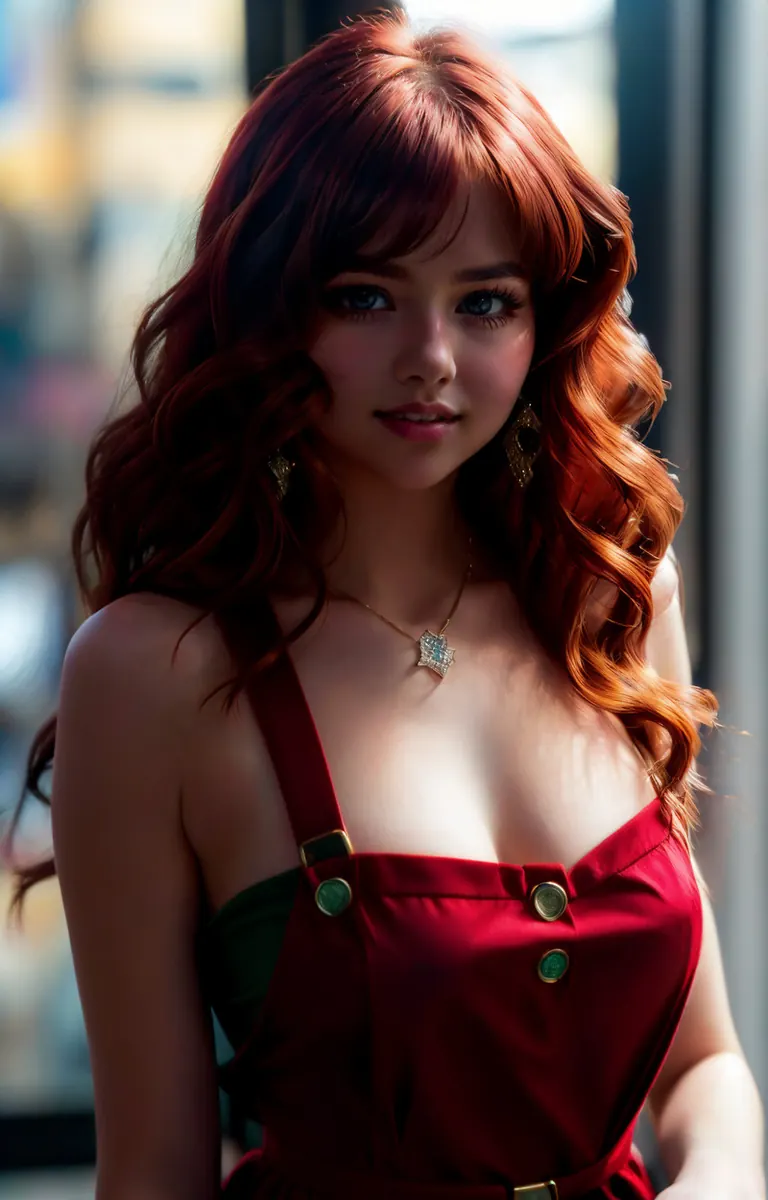
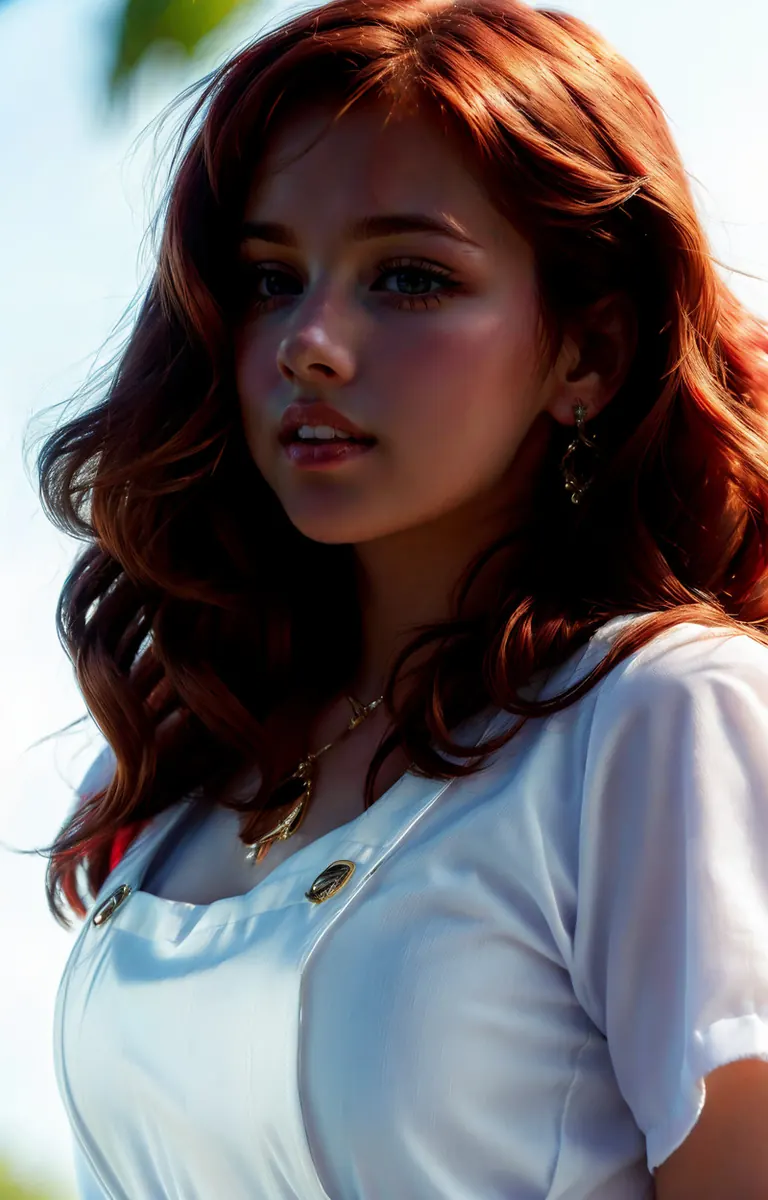
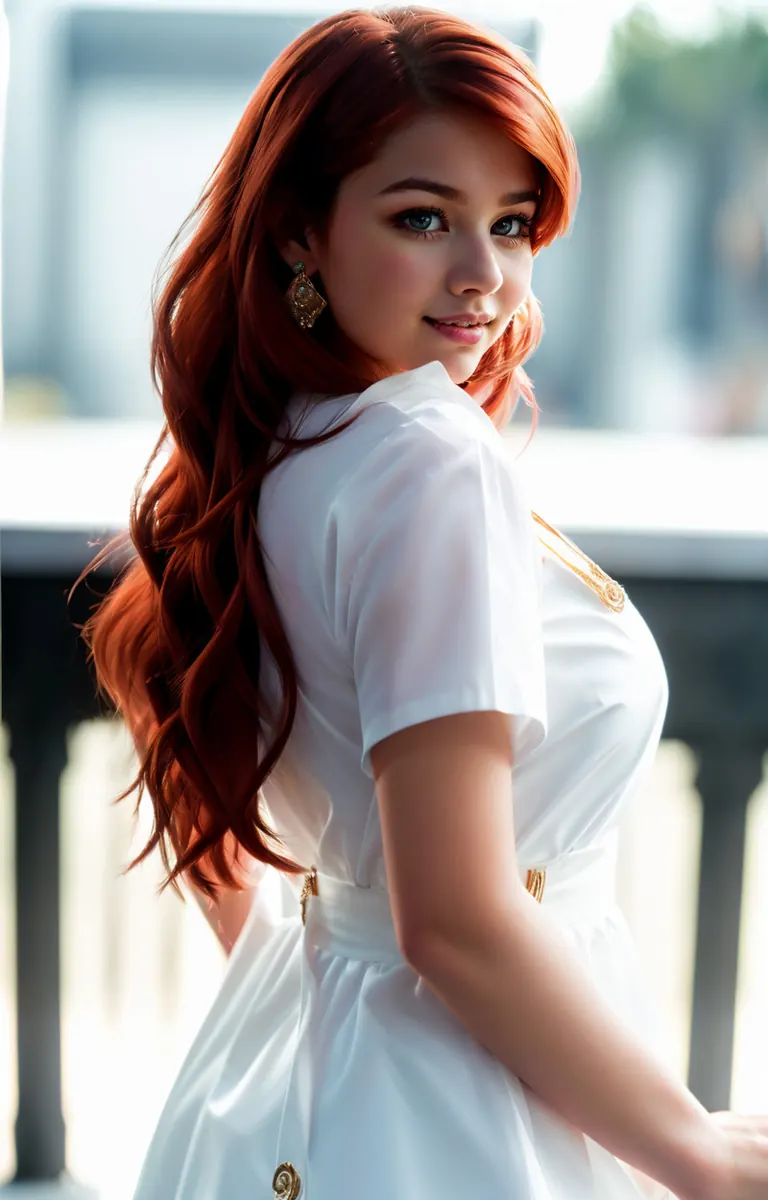
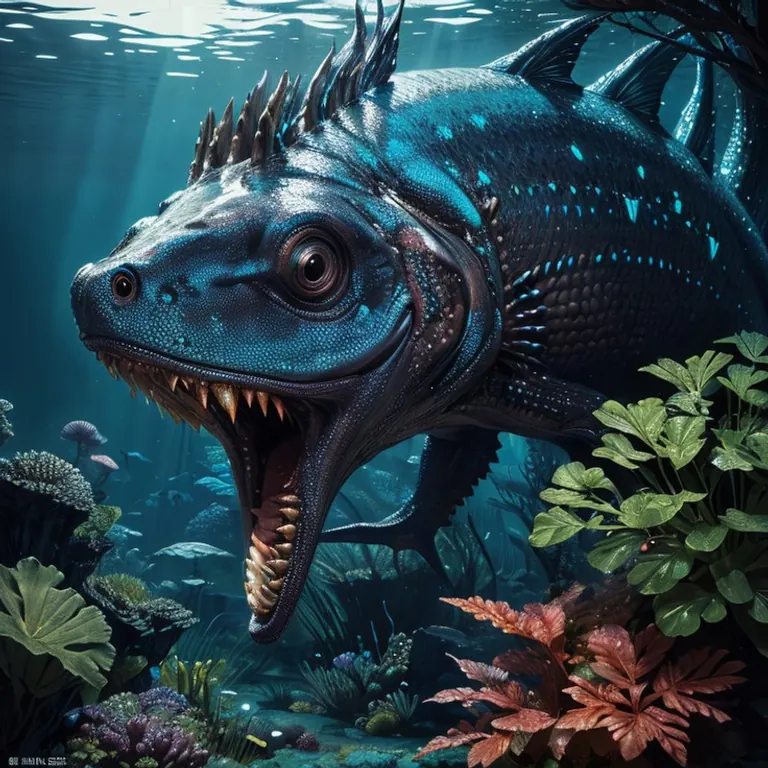
Settings
Sampler
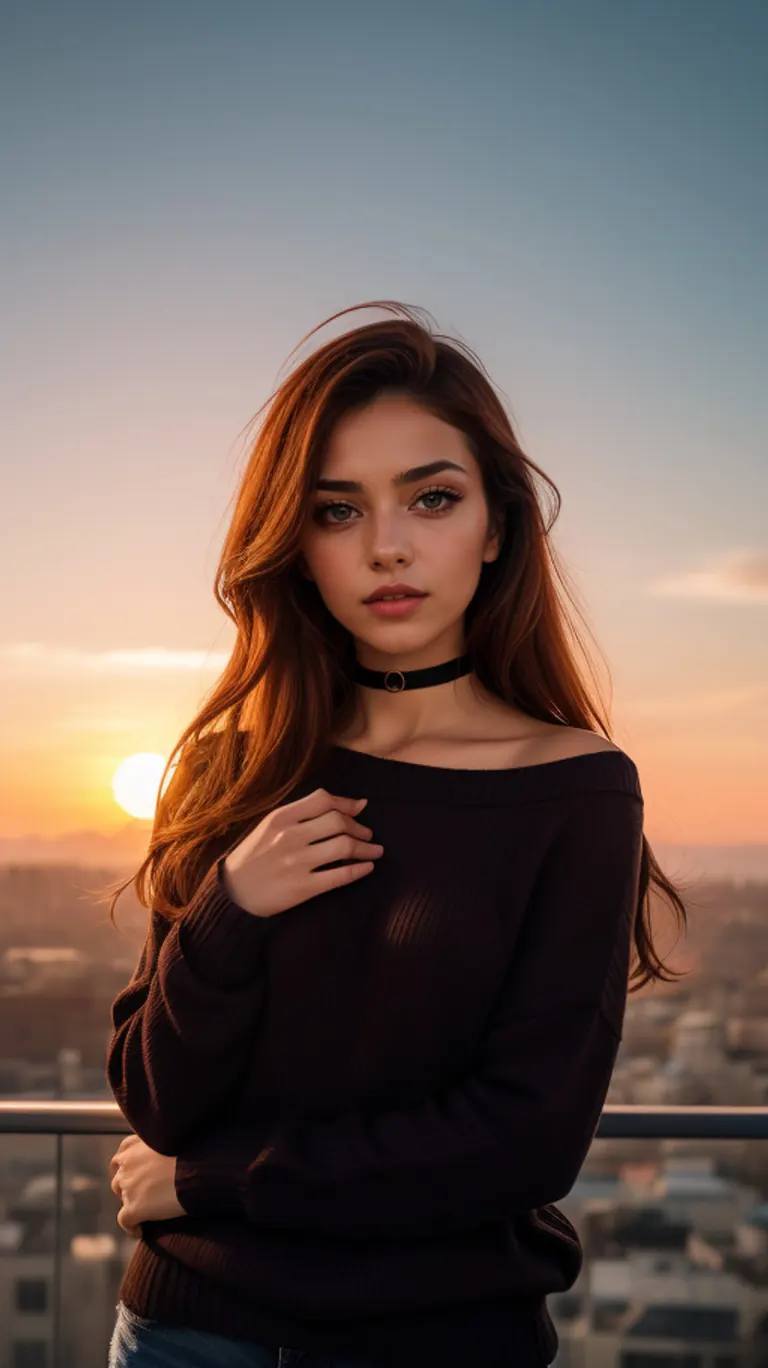
Euler_Max
Steps
30
Guidance
3.5
Seed
1618295833
Size
512x912
Clip skip
2
Prompt
1 young cute iranian girl, very slim, skinny, redhead, rouge, red neck lace choker, cateyes makeup, colorful, oversize knit jumper, softcore, warm lighting, cosy atmosphere, Instagram style, red theme, upper body shot,(cinematic, black and red:0.85), (sunset beautiful background:1.3), sharp, dim colors
Negative prompt
(CyberRealistic_Negative-neg), cartoon, painting, illustration, (grayscale:1.4), (worst quality:2), (low quality:2), (normal quality:2), ugly, fat, 3D rendering, asian
Settings
Sampler
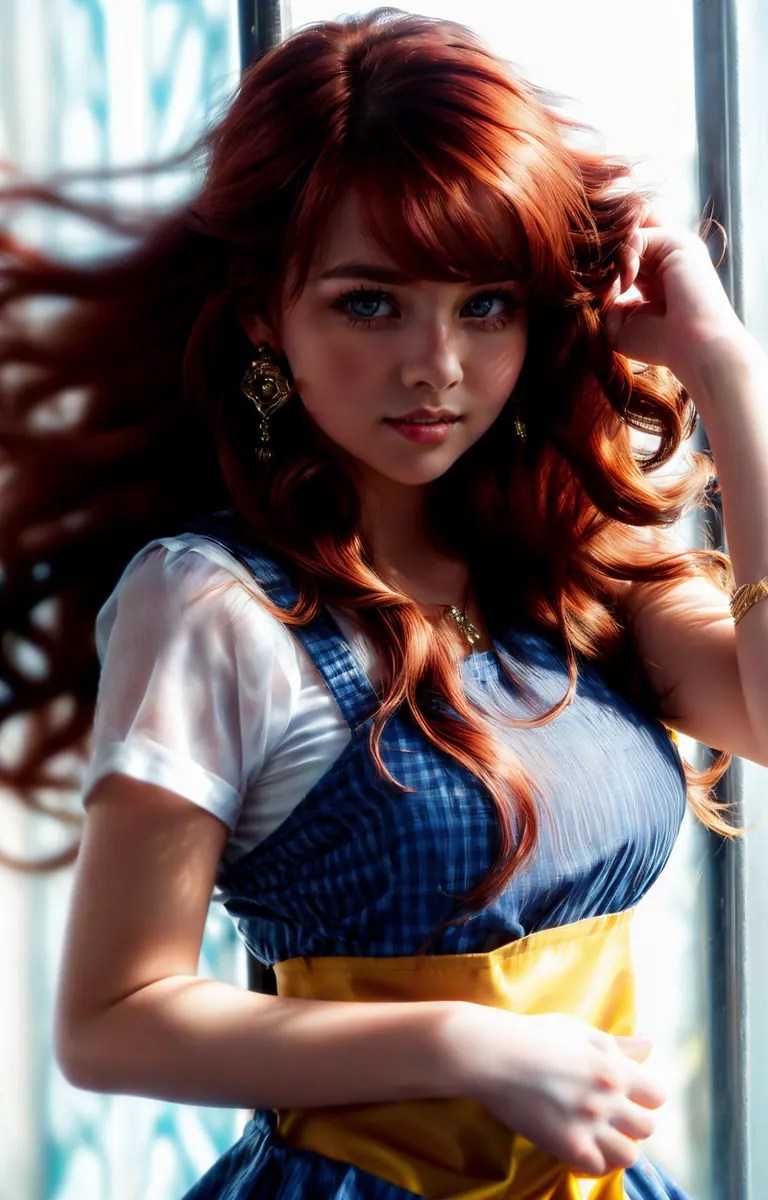
DPM++ 2M SDE
Steps
65
Guidance
7
Seed
2956020025
Size
512x800
Clip skip
2
Prompt
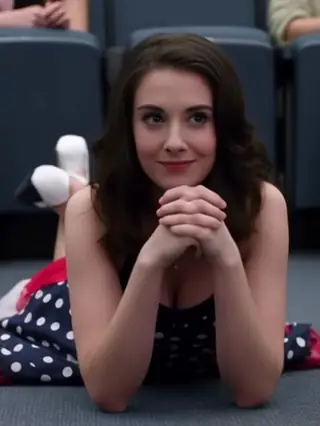
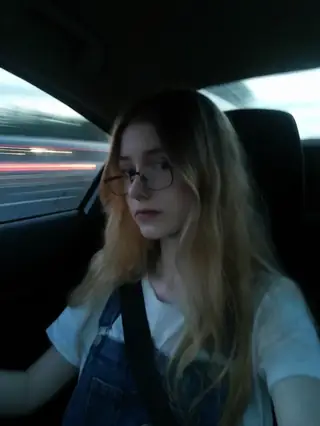
(((Ultra-HD-quality-details, real-photo-realistic, ideal))), 1girl, red hair, piercing, pinafore dress, jewelry, lips, long hair, looking at viewer, light smile, parted lips, upper body, wavy hair, from side, (((flipped hair))), (((hand in own hair))), <lora:backlight_slider_v10:-1.5> <lora:contrast_slider_v10:2> anastasiyakvitko, <lora:add_detail:0.7>
Negative prompt
3D-rendering:2, cartoonified:2, negative_hand-neg, bad-hands-5, (shadows on the face), (front light), ugly, fat, mole, moles, naked, nude, braless, cross, sepia, black&white, B&W, painting, drawing, illustration, octane
Settings
Sampler
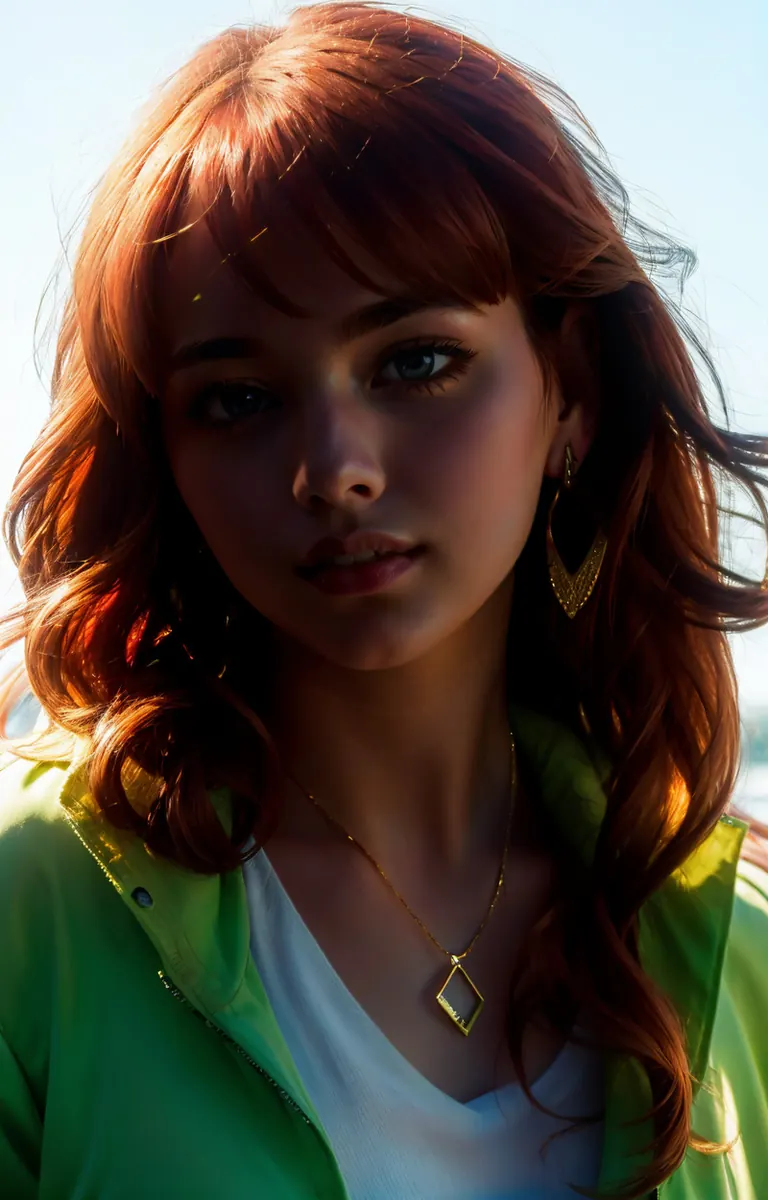
DPM++ 2M SDE
Steps
65
Guidance
7
Seed
3672524563
Size
512x800
Clip skip
2
Prompt
(((Ultra-HD-quality-details, real-photo-realistic, ideal))), 1girl, red hair, earrings, jacket, jewelry, lips, long hair, looking at viewer, seductive smile, closed mouth, upper body, wavy hair, <lora:backlight_slider_v10:-1.8> <lora:contrast_slider_v10:2> anastasiyakvitko
Negative prompt
3D-rendering:2, cartoonified:2, negative_hand-neg, bad-hands-5, (shadows on the face), (front light), ugly, fat, mole, moles, naked, nude, braless, cross, sepia, black&white, B&W, painting, drawing, illustration, octane
Settings
Sampler
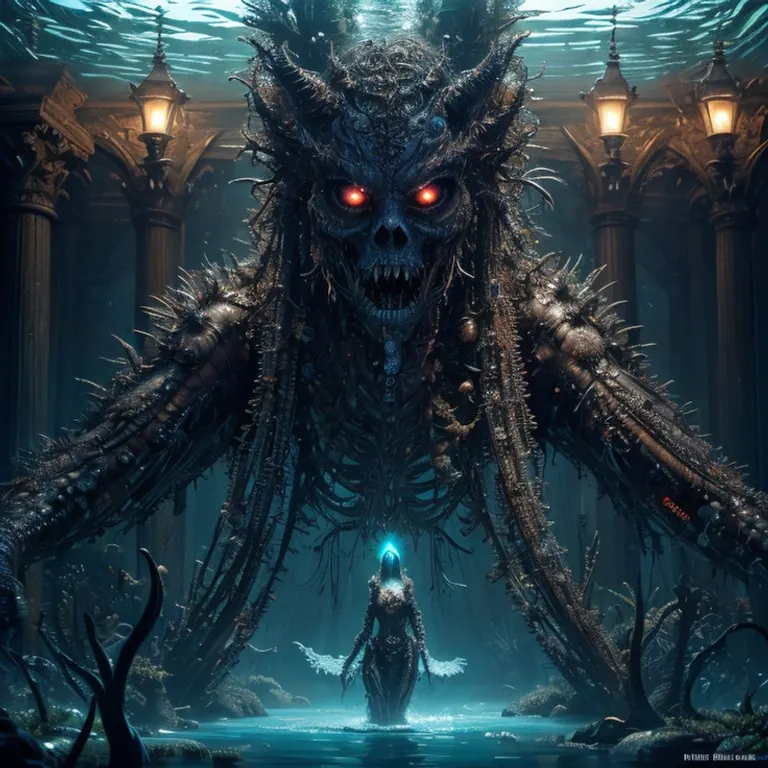
DPM++ 2M
Steps
25
Guidance
6
Seed
822930279
Size
768x768
Prompt
amazing, high quality, photorealistic,
incredible detail, high quality, masterpiece, highly detail, intricate details, tons of detail, exquisite,
a fantastic (water world:1), underwater
strange, abomination, weird, bizarre, sensual, exotic, horror fantasy, wild and unimaginable, dark and sinister, reviling, revolting, fear inducing, glowing, bioluminescent, aw, disgust, terror,
<lora:enhance-ENHANCE-Elixir:1.0>, <lora:enhance-Slider-Detail:1.0>
Negative prompt
ground,grund water watermark, cartoon, anime, animation, (worst quality:2), (low quality:2), (normal quality:2), (monochrome), normal quality, low resolution, watermark, SkinPerfection_NegV15, bad_pictures, Unspeakable-Horrors-Composition-4v, BadDream, poor detail, low quality, poor face details, legs over head,
Settings
Sampler
DPM++ 2M SDE
Steps
65
Guidance
7
Seed
2593025587
Size
512x800
Clip skip
2
Prompt
(((Ultra-HD-quality-details, real-photo-realistic, ideal))), 1girl, red hair, piercing, pinafore dress, jewelry, lips, long hair, looking at viewer, light smile, parted lips, upper body, wavy hair, hand on own arm, <lora:backlight_slider_v10:-1.5> <lora:contrast_slider_v10:2> anastasiyakvitko, <lora:add_detail:0.7>
Negative prompt
3D-rendering:2, cartoonified:2, negative_hand-neg, bad-hands-5, (shadows on the face), (front light), ugly, fat, mole, moles, naked, nude, braless, cross, sepia, black&white, B&W, painting, drawing, illustration, octane
Settings
Sampler
DPM++ 2M SDE
Steps
65
Guidance
7
Seed
2358010015
Size
512x800
Clip skip
2
Prompt
(((Ultra-HD-quality-details, real-photo-realistic, ideal))), 1girl, red hair, piercing, pinafore dress, jewelry, lips, long hair, looking at viewer, light smile, parted lips, upper body, wavy hair, from side, <lora:backlight_slider_v10:-1.5> <lora:contrast_slider_v10:2> anastasiyakvitko, <lora:add_detail:0.7>
Negative prompt
3D-rendering:2, cartoonified:2, negative_hand-neg, bad-hands-5, (shadows on the face), (front light), ugly, fat, mole, moles, naked, nude, braless, cross, sepia, black&white, B&W, painting, drawing, illustration, octane
Settings
Sampler
DPM++ 2M SDE
Steps
65
Guidance
7
Seed
486121695
Size
512x800
Clip skip
2
Prompt
(((Ultra-HD-quality-details, real-photo-realistic, ideal))), 1girl, red hair, piercing, pinafore dress, jewelry, lips, long hair, looking at viewer, light smile, closed mouth, upper body, wavy hair, from side, <lora:backlight_slider_v10:-1.5> <lora:contrast_slider_v10:2> anastasiyakvitko
Negative prompt
3D-rendering:2, cartoonified:2, negative_hand-neg, bad-hands-5, (shadows on the face), (front light), ugly, fat, mole, moles, naked, nude, braless, cross, sepia, black&white, B&W, painting, drawing, illustration, octane
Settings
Sampler
DPM++ 2M
Steps
25
Guidance
6
Seed
578277919
Size
768x768
Prompt
amazing, high quality, photorealistic,
incredible detail, high quality, masterpiece, highly detail, intricate details, tons of detail, exquisite,
a fantastic (water world:1), underwater, bizarre fish creature,
strange, abomination, weird, bizarre, exotic, horror fantasy, wild and unimaginable, dark and sinister, reviling, revolting, fear inducing, glowing, (bioluminescent:1), disgust, terror,
<lora:enhance-ENHANCE-Elixir:1.0>, <lora:enhance-Slider-Detail:1.0>
Negative prompt
ground,grund water watermark, cartoon, anime, animation, (worst quality:2), (low quality:2), (normal quality:2), (monochrome), normal quality, low resolution, watermark, SkinPerfection_NegV15, bad_pictures, Unspeakable-Horrors-Composition-4v, BadDream, poor detail, low quality, poor face details, legs over head,
Similar Models
AI Models for Image, Video & Text Generation
anithing2 is a base model for the Stable Diffusion 1.5 family listed on ModelTrends.ai, a read-only catalog of open source AI image, video and text models. Compare it with other Stable Diffusion 1.5 models, check its heat score to see how it is trending, and open it on PirateDiffusion or BitVector to try it.
More Stable Diffusion 1.5 modelsMore Stable Diffusion 1.5 Base Modelsrealisticbasecartoons2dmarvelphotorealisticillustrationsfantasy
Browse by Model Family

Text / LLM Models
411
Anima Models
509
Chroma Models
14
Flux Models
1,071
Flux 2 / Klein Models
1,237
MiniMax H3 Models
332
Hunyuan Models
198
Ideogram Models
20
Krea2 Models
675
Qwen Models
17
Qwen2 Models
37
Ltx2 Models
151
Stable Diffusion 1.5 Models
6,465
Stable Diffusion XL 1.0 Models
15,432

Zimage Models
804
Wan Models
920

Model
Trends
.ai
© ModelTrends.ai
|
© 2026
|
All Rights Reserved