
Camera_motion_h3
8414°
<camera-motion-h3>
Apps that support ModelTrends tags let you run/install models by copying this code in your prompt with no setup. Look for our icon in apps that support it, like Prism (below).
Run this model
Offers / Ads

Easy Creator (Prism) Web
Unlimited · flat fee
Best for beginners. Describe what you want in a chat and the picture comes back, no learning curve.

PirateDiffusion Telegram
Unlimited · flat fee
Images and video from a chat, with short commands. The most convenient tool for Telegram users, with a web companion.

Pro studio (SpyGlass) Web
Unlimited · flat fee
Best for power users. Full control over models, settings and workflows in a browser studio.

Discord bot (Vector)
Unlimited · flat fee
Best for communities. Add it to your own server and run any workflow from a channel.

Unified Editor Web
Unlimited · flat fee
One screen for every model and workflow: prompts, references, edits and video, built into your Graydient account.

Civitai Web
Pay per use
Generate on Civitai's own site; every image is paid for with Buzz credits.

Local apps
Requires setup
Set up local programs if your computer has capable hardware.

ModelDuel Web
Pay per use
Generate the same prompt on up to 50 checkpoint/base models at a time.


by JOJOCUBE - camera_motion_h3
Creator notes
# Camera Motion LoRA — User Guide
New custom dataset collected specifically to train this camera-motion LoRA, designed to compensate for missing camera movement capabilities within the MINIMAX H3 base model.
## 1. Mandatory Trigger Word
camera motion
Must be placed at the very start of the prompt.
It acts as the activation switch to enable camera motion control for this LoRA, followed by specific camera movement + scene description.
## 2. File Versions
1000-step file | 3000-step file
camera_motion_h3_lora_v1_1000_pruned.safetensors | camera_motion_h3_lora_v1_3000_pruned.safetensors
## 3. Installation & Loading
Place the _pruned files into ComfyUI/models/loras/
Load via LoraLoader. Recommended strength_model: 0.8 ~ 1.0
- 0.8: Mild camera motion
- 1.0: Distinct camera motion
- >1.2: Risk of unstable frames
Base model: MiniMax-H3 video workflow (pruned + int8 + convrot version)
## 4. Prompt Usage (Core Section)
### Prompt Structure for Training Samples
Annotation format used for training data (the syntax best matched for this LoRA):
camera motion, [Subject], [Scene], [Camera motion description], [Lighting / Style], [Quality]
### Use Raw Training Prompts (Recommended)
camera_motion_prompt_library.md contains 55 complete prompts extracted directly from training samples, sorted into 9 camera motion categories (Push-in / Pull-back / Combined Push-Pull / Orbit / Tracking / Aerial / Crane / Pan / Macro). Copy and paste directly for results closest to the training dataset.
Example:
camera motion, a woman and a man in athletic wear, engaged in a dynamic rooftop martial arts fight with punches and defensive blocks, nighttime urban cityscape background, slow push-in to medium shot transitioning to slight pull-back as the woman falls, cinematic teal-orange grading, water droplet effects, sharp 4k, high production quality
### Swap Scene, Keep Camera Motion
Replace [Subject] and [Scene] while retaining the camera motion phrase after the comma:
camera motion, [Your Subject], [Your Scene], slow push-in with subtle lateral tracking, cinematic color grading, 4k, high quality
### Swap Camera Motion, Keep Scene
Only modify the camera motion phrase (e.g. slow push-in → slow orbit), leave the rest unchanged.
### Full Ready-to-Use Examples
① Push-in (Martial Arts / Night Scene)
camera motion, a woman and a man in athletic wear, engaged in a dynamic rooftop martial arts fight with punches and defensive blocks, nighttime urban cityscape background, slow push-in to medium shot transitioning to slight pull-back as the woman falls, cinematic teal-orange grading, water droplet effects, sharp 4k, high production quality
② Pull-back (Industrial / Volumetric Light)
camera motion, two men in a dynamic martial arts fight, exchanging kicks and punches with defensive blocks and dodges, inside a vast abandoned industrial warehouse with crumbling pillars and dramatic shafts of sunlight, slow pull-back combined with gentle orbit around the fighters revealing the full scale of the environment, cinematic gritty texture, natural volumetric lighting, high production quality
③ Orbit (Wuxia / Snow Scenery)
camera motion, two martial artists in white and dark robes, dueling with sword and fan atop a snow-covered pavilion surrounded by swirling vortex energy, misty mountain landscape with weeping willow, dynamic pull-back from close-up vortex to wide establishing shot revealing the full rooftop confrontation, cinematic wuxia fantasy style, ethereal atmospheric lighting, 4k, high quality
④ Handheld Tracking (Action / Neon Rainy Night)
camera motion, a man and woman in athletic wear, engaged in intense martial arts combat with punches kicks and takedowns, nighttime rooftop with wet pavement reflecting neon city skyline, dynamic handheld camera with push-in and slight tracking following action, cinematic teal-orange color grading, sharp 4k, high quality
⑤ Aerial (Nature / Mountain Landscape)
camera motion, majestic green mountain peaks and misty valleys, aerial drone descending over cloud-wrapped ridges, low-angle water-level shot of splashing stream, two hikers crossing stone bridge, mountain forest with flowing creek, slow aerial push-in, water-level tracking, static wide, cinematic natural lighting, 4k, high quality
⑥ Miniature Diorama (Macro / Desktop Diorama)
camera motion, a miniature seasonal village diorama on a desk, transforming through autumn, winter, and spring with changing foliage and weather effects, office desk environment with computer monitor and stationery, slow push-in dolly glide across the diorama surface revealing each season transition, whimsical miniature aesthetic, soft natural lighting, 4k, high quality
More complete examples can be found in camera_motion_prompt_library.md (55 prompts covering all 9 camera motion categories).
## Test Videos
### Camera Motion Strength & Direction Control
| Requirement | Prompt Writing Method |
| ---- | ---- |
| Smoother motion | Add slow: slow push-in |
| Intense / Aggressive motion | Add aggressive: dynamic handheld / aggressive push-in |
| Specify direction | push-in from left / orbit right / pan left |
### Supported Camera Motion Types (Validated on Training Dataset)
| Type | Stability | Recommended Prompt Phrase |
| ---- | ---- | ---- |
| Push-in | ★★★ Most stable | slow push-in / dolly in / push in |
| Pull-back | ★★★ Most stable | pull-back / dolly out |
| Handheld Tracking | ★★★ Most stable | handheld tracking shot / dynamic handheld |
| Orbit | ★★☆ Stable | slow orbit / orbit around |
| Aerial | ★★☆ Stable | aerial drone shot / flyover |
| Crane Shot | ★★☆ Stable | crane reveal / tilt up/down |
| Combined Push & Pull | ★★☆ Stable | push-in then pull-back |
| Pan | ★☆☆ Weak (limited samples) | pan left / pan right (low sample count; recommended to combine with other terms) |
| Macro / Close-up | ★★☆ Stable | close-up / macro / extreme close-up |
SHA256
9D7D98D7377F56EFED3AA7D507F767936112D208906F49908EC9A8AE912BE88B
Ranking badge
Updated Oct 22, 2026

Made this model? Show this badge on your page.
Paste it into your Hugging Face card or Civitai description.
Also ranked: #20 Hottest MiniMax H3 model · #20 Hottest MiniMax H3 LoRA
Not this creator?
Get your own badge
camera_motion_h3 Popularity Trend
Heat score since 5 Sep 2026
Heat score
8,414°
This week
▲
3.7%
8,406° then, 8,414° now
This month
▲
27.2%
8,363° then, 8,414° now
Past year
n/a
Wasn't released/tracked
7,000°
Floor
The scale runs from 0° to 9,999°. Everything below 7,000° is kept for models no source reports on yet, which carry a stand-in number there so lists stay complete. 7,000° is where measured data begins: a model with real data but almost no downloads sits at the floor, and the measurements fill the degrees above it. The floor says nothing about the model; only the degrees above it do, and they are what separates one model from another.
+959°
Civitai downloads
1,353 downloads of this exact version on Civitai. Downloads are the heaviest ingredient and are counted on a log scale: ten times the downloads adds the same 300°, so a model with a million downloads is not a thousand times hotter than one with a thousand. The six download sources share that one term, split between them in proportion to their counts.
+285°
Likes
79 likes and thumbs up across the sources. A like weighs half a download, on the same log scale.
+70°
Adoption rate
About 7 downloads a day, measured between two readings of the sources, never guessed from a lifetime average. Speed weighs a quarter of the download term, so a fresh surge shows without letting a one-day spike outrank years of use.
+100°
Family boost
+100° because this is a LoRA of a family this site is nudging forward right now. It is a bounded nudge inside the score and is listed here openly; it can never hide a model or outweigh a thousandfold difference in downloads.
Show detailed breakdown
Every number on this site can be checked. This model's heat score is 8,414°, and here it is built one ingredient at a time, with the running total after each: the floor, the degrees each source adds, the bonus for the kind of model and what the age of its weights takes away. The colors are the bands of the chart above. The glossary at the end defines every term.
- 1Start at the floor.Why 7,000° and not zero: the scale runs from 0° to 9,999°, and the part below 7,000° is reserved for models no source reports on yet, which carry a stand-in number there so the lists stay complete and never outrank a model with data. 7,000° is where measured data begins. A model with real data but almost no downloads sits here; everything that follows is measurement, and the room above the floor holds ten tenfold steps in downloads at 300° each. The floor is the same for every model, so it decides nothing; the degrees above it do.7,000°running total
- 2Add the downloads.1,353 download-equivalents in all, from Civitai downloads. Ten times the downloads adds the same 300°, so size matters but never runs away with the score.+959°7,959°running total
- 3Add the likes.79 likes and thumbs up, at half the weight of a download.+285°8,244°running total
- 4Add the adoption rate.About 7 downloads a day right now, measured between two readings, at a quarter of the weight.+70°8,314°running total
- 5Family boost.An open, bounded nudge for LoRAs of a family this site is pushing forward right now.+100°8,414°running total
- =The heat score.Where this model stands on every list of this site. Nothing else adjusts it.8,414°
Glossary: the terms used here
- Heat score
- One number for how much a model is used and wanted right now, from 0° to 9,999°. Every list on this site that says hottest is sorted by it and nothing else.
- Floor
- The 7,000° every model with real data starts from. The scale runs from 0° to 9,999°; the part below the floor is reserved for stand-ins (models without data), so that a model with data always ranks above one without. The floor is the same for everyone and decides nothing; the degrees above it are the measurement.
- Download-equivalents
- Everything the score treats as a download, added up: downloads themselves, each torrent seeder as 1,000, each AI Horde image and each run on a generation site as one.
- Log scale
- Counting by tens, not by ones: going from 1,000 to 10,000 downloads adds the same degrees as going from 10,000 to 100,000. It keeps giants from crowding out everything else.
- Likes
- Thumbs up and likes from every source, worth half a download each on the log scale.
- Adoption rate
- How many downloads a day a model gets right now, from the difference between two readings of a source. A quarter of the weight of the download term.
- Measured and estimated
- Measured means two readings of a source exist and the difference is real. Estimated means only today's total is known and the past is spread over the model's life; the site says which one it is showing.
- Seeder
- Someone who keeps a copy of the weights online for others to download over a torrent, or a hosted mirror doing the same. Each one counts as 1,000 downloads.
- AI Horde
- A volunteer network that generates images for free on donated computers. The number of images it has made with a model is public, and each counts as one download.
- Generation sites
- Sites that host their own copies of a model and let people generate with it, such as PixAI, SeaArt and Yodayo. Their downloads count like Civitai's and each generation run as one download.
- OpenRouter tokens
- A text model served through an API, such as Claude or GPT, has no weights to download, so its usage is measured in tokens: the pieces of text it read and wrote through OpenRouter, a gateway many apps use, over the last 30 days. Every 10,000,000 tokens count as one download. Source: OpenRouter (openrouter.ai/rankings), CC BY 4.0.
- Full model (checkpoint)
- The weights themselves, the file that generates on its own. It gets a bonus because add-ons depend on it.
- LoRA and embedding
- Small add-on files that steer someone else's weights toward a style, a character or a concept. They cannot run alone.
- Family and weights
- The base a model is built on, such as SD 1.5, SDXL, Flux or Wan. Every model inherits the release date of its family's weights.
- Age
- Degrees taken off for how long ago the family's weights came out: 150° a year, up to 750°. It keeps old downloads that had years to pile up from freezing the top of the list.
- Family boost
- A small, bounded nudge for LoRAs of a family this site is pushing forward right now, always listed in the breakdown.
- Stand-in score
- A stable number below the floor given to a model no source reports on yet, so lists stay complete. It never ranks above a model with data.
- New! (grace period)
- A model less than 7 days old shows New! instead of a score and holds no place in the rankings. Its score is computed from day one, but a model one day old grows faster than anything, so without the wait the week's #1 would always be whatever came out yesterday rather than what held up for a week.
- Trend
- How a model's growth over a period compares with the typical model's growth over the same period. Faster than typical reads as a rise, slower as a fall.
- Typical model
- The middle of the catalog: half the models with a figure grew faster over the period, half slower.
How this model's popularity has moved against the rest of the catalog: its growth in downloads, likes and usage over each period, measured against the typical model's growth over the same period, with its heat score at the time. Above the typical growth reads as a rise, below it as a fall. The past is reconstructed from today's totals, the model's first day and its measured download speed where two readings exist; a model that did not exist at the start of a period shows n/a.
Example renders
Prompts and settings shared by the people who made these renders on Civitai. Pick a render to see how it was made.
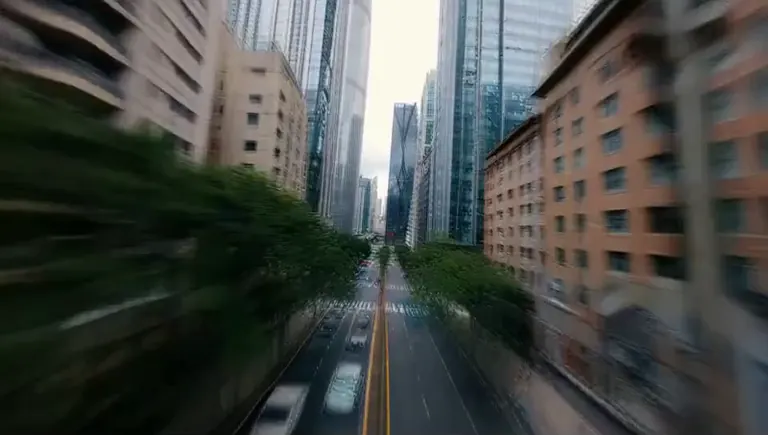
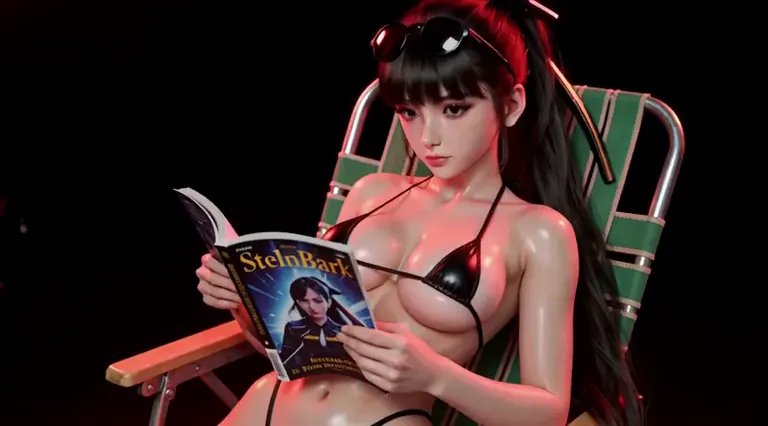

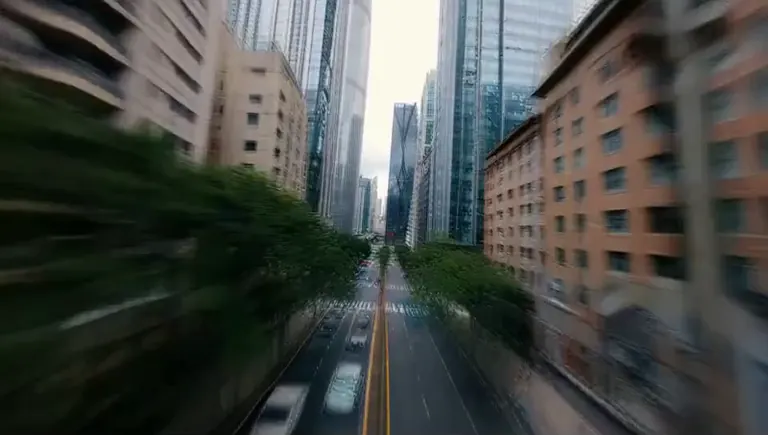
No prompt was shared with this render.
Settings
Size
2752x1536
Prompt
ww
Settings
Size
1536x2752
Prompt
ww
Settings
Size
864x480
Prompt
Very long BUT DM if you really want it
Run Locally
How to install

How to install a LoRA: folders, file checks and first use in ComfyUI, Forge, Automatic1111 and Draw Things
Sep 24, 2025
camera_motion_h3_lora_v1_3000_pruned.safetensors
Downloads are served by Civitai. Some creators ask for a Civitai login first.




Camera_motion_h3 is a LoRA for the MiniMax H3 family listed on ModelTrends.ai, a read-only catalog of open source AI image, video and text models. Compare it with other MiniMax H3 models, check its heat score to see how it is trending, and open it on PirateDiffusion or BitVector to try it.
Browse by Model Family

Text / LLM Models
434

Anima Models
528

Chroma Models
19
Fibo Models
2

Flux Models
1,496
Flux 2 / Klein Models
1,239

Flux 3 Models
3

Moss Models
3

Iris Models
1

MiniMax H3 Models
364

Hunyuan Models
204

Ideogram Models
20

Krea2 Models
717

Qwen Models
20
Qwen2 Models
47

Ltx2 Models
153