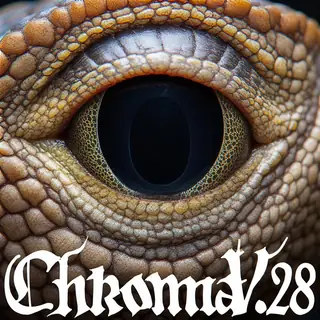
Chroma1 uncanny


最適合初學者。強大的工作流程,學習曲線低。

創建影片、圖片、自訂聊天角色等更多內容。

從任何瀏覽器或手機瀏覽模型、渲染並精修。

將 Vector 加入你的伺服器或加入 Vector Discord。創造任何東西!

影像與影片編輯器:在同一頁面渲染、編輯、放大等功能。

如果你的電腦硬體夠強,可以安裝本地程式。

一次在最多 50 個檢查點/基礎模型上產生相同的提示。

Note: This is an experimental workflow still, and is subject to change. This is the "Uncanny Photorealism" finetune of Chroma by dawncreates. It is designed to be more of a amateur / realistic look as opposed to the professional studio type of effect that chroma1-flash uses, while also retaining the uncensored knowledge that base Chroma contains. Here's a few tips: - Like all Chroma models, a natural language prompt works best, and the more details you specify, the better of a result you get (though it does seem to still work fairly well with simpler prompts) - This finetune does run slower…Note: This is an experimental workflow still, and is subject to change. This is the "Uncanny Photorealism" finetune of Chroma by dawncreates. It is designed to be more of a amateur / realistic look as opposed to the professional studio type of effect that chroma1-flash uses, while also retaining the uncensored knowledge that base Chroma contains. Here's a few tips: - Like all Chroma models, a natural language prompt works best, and the more details you specify, the better of a result you get (though it does seem to still work fairly well with simpler prompts) - This finetune does run slower than chroma1-flash - I kept the upscale pipeline that chroma1-flash uses (use `/slot1:1` to activate it), however due to the slower nature of this finetune, using the built in hi-res upscaler pass might result in a higher chance of timeouts. The upscaler will use the same CFG as the rest of the workflow, so CFG != 1 will cause longer upscale times too. - The "flash" r256 LoRA is included and used by default with a CFG = 1 (no negative prompts) to try to speed it up paired with a lower step count, which is one of the supported methods by the author. You can however use any other CFG (such as `/guidance:3.5`) to disable the flash LoRA which may also improve quality (and allow negative prompts), at the tradeoff of being slower. - If you do set a CFG outside of 1 (author recommends 3.5-4.0 if you're going to enable CFG), be sure to raise the step count between 30-40 to avoid blurry images. - T

詞彙表:這裡使用的術語
- 熱度分數
- 一個數字,表示模型目前的使用和需求程度,範圍從 0° 到 9,999°。本網站所有標示「最熱門」的排行榜都是依此排序,沒有其他排序依據。
- 底線
- 每個有實際數據的模型起始於 7,000°。分數範圍是 0° 到 9,999°;底線以下保留給沒有數據的模型,確保有數據的模型總是排名較前。底線對所有人相同,不影響排名;超過底線的度數才是評分依據。
- 下載等值
- 分數中視為下載的所有項目加總:下載本身、每個種子節點算 1,000、每張 AI Horde 圖像和每次生成網站的執行算一。
- 對數刻度
- 以十為單位計數,不是以一為單位:從 1,000 到 10,000 下載增加的度數,和從 10,000 到 100,000 增加的度數相同。這樣能防止巨頭壓過其他模型。
- 喜歡數
- 來自各來源的讚和喜歡,每個在對數刻度上算半個下載量。
- 採用率
- 模型目前每天的下載次數,根據兩次來源讀取的差異計算。權重是下載量的四分之一。
- 實測與估算
- 實測表示有兩個來源的讀數,且差異是真實的。估算表示只知道今天的總數,過去的數據則分散在模型的整個生命週期;網站會說明顯示的是哪一種。
- 種子節點
- 指在線上保留權重檔案供他人透過種子下載的人,或是提供相同服務的鏡像站。每一個種子節點算作1,000次下載。
- AI Horde
- 一個志願者網絡,利用捐贈的電腦免費生成圖片。它用某模型生成的圖片數量是公開的,每張圖片算作一次下載。
- 生成網站
- 自己托管模型並讓人使用它生成圖片的網站,例如PixAI、SeaArt和Yodayo。它們的下載量和Civitai一樣,每次生成算一次下載。
- OpenRouter 代幣
- 透過 API 提供的文字模型,如 Claude 或 GPT,沒有權重可下載,因此使用量以代幣計算:過去30天內透過 OpenRouter(許多應用使用的閘道)讀取和生成的文字片段。每 10,000,000 代幣算作一次下載。來源:OpenRouter (openrouter.ai/rankings),CC BY 4.0。
- 完整模型(檢查點)
- 權重本身,是能獨立生成的檔案。它會有額外加分,因為其他附加檔案都依賴它。
- LoRA和嵌入
- 小型附加檔案,用來引導別人的權重走向某種風格、角色或概念。它們無法獨立運行。
- 家族與權重
- 模型所建立的基礎,例如SD 1.5、SDXL、Flux或Wan。每個模型都繼承其家族權重的發布日期。
- 年齡
- 根據家族權重發布時間距今多久,扣除的度數:每年150°,最多750°。它會保留那些有多年累積下載的舊模型,防止它們從排行榜頂端消失。
- 家族加成
- 針對本站目前推廣的某個家族的LoRA給予的小幅度限制加成,會在分解中顯示。
- 替代分數
- 給尚無來源報告的模型一個穩定的最低分,讓列表保持完整。它永遠不會高於有數據的模型。
- 全新!(寬限期)
- 不到 7 天的新模型會顯示「全新!」而非分數,且不列入排名。分數從第一天開始計算,但一天大的模型成長最快,若不等待,週榜首將永遠是昨天剛出的模型,而非持續一週的。
- 趨勢
- 模型在某段時間內的成長與典型模型同期成長的比較。比典型快表示上升,比典型慢表示下降。
- 典型模型
- 目錄中的中間值:一半模型在該期間成長較快,一半較慢。