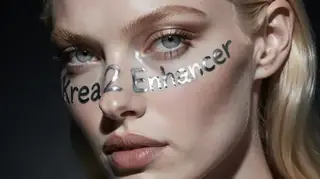
Krea2 Enhancer: cleaner detail and lighting for any Krea 2 style
Paksa: Mga model

Ni Captain
Inilathala 2026-09-30
vrgamedevgirl's Krea2 Enhancer LoRA polishes Krea 2 images across realistic, anime, product and fantasy styles without changing the prompt's intent. Learn the weight, workflow and ideas.
Hindi pa naisasalin ang pahinang ito, kaya ipinapakita ito sa Ingles.
Pangkalahatang-ideya
Krea2
Enhancer
is a general quality
LoRA
for the Krea 2 text-to-image model. It adds cleaner detail, sharper textures, better lighting and a polished finish while keeping the original style, whether photographic, cinematic, illustrated or anime.
The author ships a workflow with it; all showcase images came from that workflow.
Sanggunian
Pangalan | Uri | Ano ito |
|---|---|---|
LoRA weight | 0.5-1.0 | 0.8 default. |
Trigger | none | |
Steps / guidance | 8 / 1 | Krea 2 defaults. |
Styles | any | Realistic, anime, illustration, product. |
Combination | free | Pairs with style LoRAs at 0.6. |
AD

Walang kailangang i-install - patakbuhin ang mga AI model sa cloud
Ang BitVector Prism ang pinakamadaling paraan para magsimula: pumili ng model, mag-type ng prompt at gumawa sa isang malinis na web app, nang walang kailangang i-configure. Available din ang BitVector sa Discord at sa web (SpyGlass).
Hakbang-hakbang
- Prompt in your usual style.
- Attach the Enhancer at 0.8.
- Compare same-seed results.
- Lower to 0.5 if textures over-sharpen.
- Stack a style LoRA at 0.6 if desired.
Mga halimbawa
Oil painting
Oil painting of a graceful old crane, anthropomorphized and dressed in a black silk kimono with white accents, serene garden, soft light.
Enhancer 0.8
Anime group
Azure youth anime art style. Four young women in sailor uniforms pose for an overhead selfie, huddled together, bright day.
Enhancer 0.7
Creative idea: product line
Three matte lipsticks standing on a pink acrylic block, studio light, soft shadows, catalog photo.
Enhancer 1.0
Mga tip
- Works on anime (azure youth style prompts) as well as oil paintings.
- Good first LoRA for a new Krea 2 workflow.
- Describe lighting; the enhancer improves what is described.
- For portraits, pair with the Skin Detail slider at 1.0.
Pag-aayos ng problema
Over-sharpened
Bakit ito nangyayari
Weight 1.0 plus detail sliders.
Paano ayusin
0.6 and drop the slider.
Style shift
Bakit ito nangyayari
Rare, at high weight.
Paano ayusin
0.5.
AD

Walang kailangang i-install - patakbuhin ang mga AI model sa cloud
Ang PirateDiffusion ay Telegram lamang at ginawa para sa mga pro: libo-libong model, LoRA at workflow na pinapatakbo ng mga chat command, na may walang limitasyong paggawa sa isang fixed-price plan.

Mga tanong
Trigger?
None.
Fine-tunes?
Works on Krea 2 fine-tunes that support LoRAs.
Mga link at pinagmulan
Mga model sa gabay na ito
Isinulat ni
Captain
Mga kaugnay na gabay
Mga model
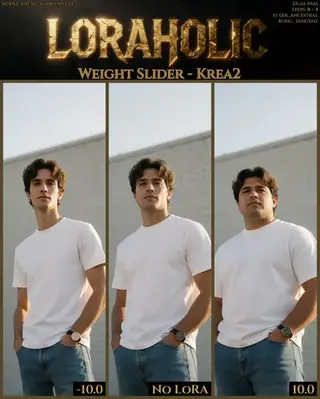
Fat/Skinny Weight Slider for Krea 2: body weight as a number
Loraholic's Weight Slider adjusts body mass in Krea 2 across a -10 to 10 range designed for predictability. Learn how to use it, stability notes and ideas for character design and fitness illustration.
Ni Captain
2026-10-01
Mga model
Krea2 Melancholy v2: cinematic, restrained, emotional realism
zidius's Melancholy LoRA for Krea 2 produces contemplative, cinematic imagery with subdued palettes, shallow depth of field and emotional restraint. Learn its zidiusArt trigger, weight and ideas for quiet scenes.
Ni Captain
2026-10-03
Mga model
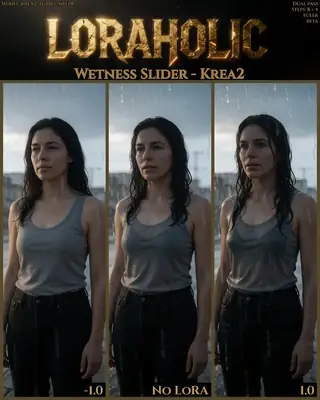
Wetness Slider for Krea 2: rain, sweat and sheen on demand
Loraholic's Wetness Slider adds or removes wetness on skin, hair and surfaces in Krea 2 with minimal side effects. Learn the safe ranges, the prompts that pair with it and creative uses from rain scenes to dewy product shots.
Ni Captain
2026-09-30
Mga model
UltraReal for Krea 2 and Klein 9B: texture back into smooth AI images
vizsumit's UltraReal LoRAs reduce the soft, smooth AI look and add real texture and detail, especially for close-ups and clothing. Learn versions, weights and prompts.
Ni Captain
2026-10-02
Higit pang gabay

Mga model
FLUX.1 Dev: how to prompt it, best settings and creative ideas
A practical guide to FLUX.1 Dev by Black Forest Labs: natural-language prompting, guidance and step settings, LoRA stacking, text rendering and prompt ideas that play to its strengths.
Ni Captain
2026-09-30

Mga model
Stable Diffusion XL 1.0: prompts, settings and what it still does best
How to get the most out of the official SDXL 1.0 base model: native resolutions, CFG and sampler settings, the refiner, negative prompts and ideas for styles where SDXL still shines.
Ni Captain
2026-10-01

Mga model
Stable Diffusion 1.5: the classic model, prompted properly
Stable Diffusion 1.5 is still worth knowing: the right resolution, CFG and sampler, how to use its huge library of LoRAs and embeddings, and creative prompt ideas suited to a 512-pixel model.
Ni Captain
2026-10-02

Mga model
FLUX.2 Dev: prompting the newest Black Forest Labs model
FLUX.2 Dev brings larger prompts, better text, stronger realism and multi-reference editing. This guide covers the turbo workflow, guidance and resolution settings, prompt structure and ideas that use its new strengths.
Ni Captain
2026-10-03

Mga model
Qwen-Image: long prompts, perfect text and bilingual posters
Qwen-Image is the model to reach for when the words in the picture matter. Learn how to write its long descriptive prompts, render English and Chinese text accurately, set CFG and steps, and explore layout-heavy creative ideas.
Ni Captain
2026-09-29

Mga model
SDXL-Lightning: four-step generation on any SDXL checkpoint
ByteDance's SDXL-Lightning LoRA turns a 30-step SDXL render into a 4-step one. Learn the step counts, the CFG you must use, the sampler, and how to combine it with your favorite checkpoints and style LoRAs.
Ni Captain
2026-09-30

Model
Trends
.ai
© ModelTrends.ai
|
Gawa sa Japan
|
© 2026