Cinematic Shot for Z-Image Turbo: color-graded, filmic frames
Topik: Model

Oleh Captain
Diterbitkan 2026-09-30
ZyloO's Cinematic Shot LoRA gives Z-Image Turbo a cinematic color grade and composition, trained on landscape frames. Learn weight, helper words and ideas for film-still style images.
Halaman ini belum diterjemahkan, jadi ia dipaparkan dalam bahasa Inggeris.
Gambaran keseluruhan
Cinematic Shot
(Z-Image-Turbo v1.0) by ZyloO is a style
LoRA
that adds cinematic color grading, contrast and framing. No trigger word is needed, though cinematic or cinematic still image helps. It was trained on landscape-orientation images.
Rujukan
Nama | Jenis | Apakah ia |
|---|---|---|
LoRA weight | 0.7-1.0 | |
Trigger | none | cinematic, cinematic still image help. |
Aspect | landscape | 16:9 or 2.39:1. |
Steps / CFG | 8 / 1 | |
Combination | DetailDeamonZ | -0.5 for extra texture. |
AD

Tiada pemasangan diperlukan - jalankan model AI di awan
BitVector Prism ialah cara paling mudah untuk bermula: pilih model, taip prompt dan jana dalam aplikasi web yang bersih, tanpa apa-apa untuk dikonfigurasi. BitVector juga tersedia di Discord dan di web (SpyGlass).
Langkah demi langkah
- Write a film-still prompt with a lens and grade.
- Attach at 0.8.
- Landscape canvas.
- 8 steps.
- Add cinematic still image if the grade is weak.
Contoh
Period still
cinematic still image, a woman in a fur coat and ushanka stands in a snowy square holding a hand-painted sign that says 'Buzz for Comrade', vintage Soviet posters behind, 2.39:1, teal and amber grade.
Cinematic Shot 0.8
Road
cinematic still image, a pickup truck on a desert highway at dusk, long shadows, dust, anamorphic flare.
Cinematic Shot 0.9
Creative idea: storyboard set
Six wide frames of a lighthouse keeper's day, same grade words, different times of day.
Petua
- Teal-orange, bleach bypass and Kodachrome are useful grade words.
- Full-body wide shots match its training.
Penyelesaian masalah
Portrait canvases look off
Mengapa ia berlaku
Landscape training.
Cara membaikinya
Use landscape ratios.
Grade too heavy
Mengapa ia berlaku
Weight 1.0 plus grade words.
Cara membaikinya
0.7.
AD

Tiada pemasangan diperlukan - jalankan model AI di awan
PirateDiffusion hanya di Telegram dan dibina untuk profesional: beribu-ribu model, LoRA dan aliran kerja yang dipacu oleh arahan sembang, dengan penjanaan tanpa had pada pelan harga tetap.

Soalan
Trigger?
None needed.
Krea 2?
zy_cinematic version.
Pautan dan sumber
Model dalam panduan ini

Ditulis oleh
Captain
Panduan berkaitan
Model
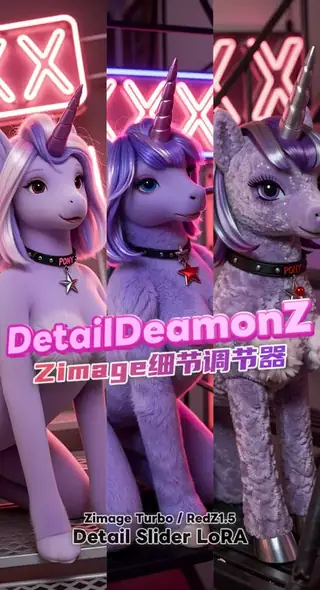
DetailDeamonZ slider for Z-Image Turbo: from ultra-clean to detail explosion
AiMetatron's DetailDeamonZ is a true detail slider for Z-Image Turbo and Base: negative weights pile on texture, positive weights clean the image. Learn the -1.5 to 1.5 range, step counts and ideas.
Oleh Captain
2026-10-01
Model
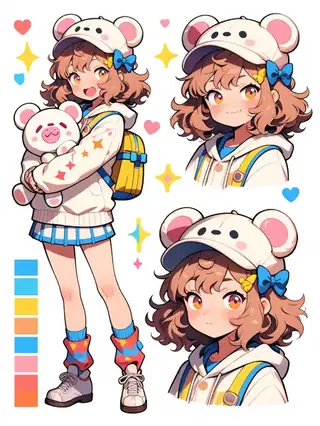
Character Design Sheet helper for Z-Image Turbo: three views and a color palette
YeiYeiArt's Character Design Sheet LoRA produces turnaround sheets with multiple perspectives and a color palette swatch on Z-Image Turbo. Learn the CharacterDesignIZT trigger, the prompt structure and ideas for game and animation design.
Oleh Captain
2026-10-01
Model
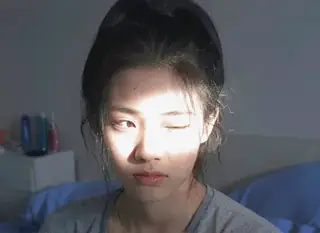
NiceGirls UltraReal Asian edition for Z-Image Turbo: natural East Asian portraits
The Asian edition of Danrisi's NiceGirls UltraReal gives Z-Image Turbo natural, unretouched portraits of East Asian women with phone-photo realism. Learn weight, prompt style and candid ideas.
Oleh Captain
2026-10-03
Model
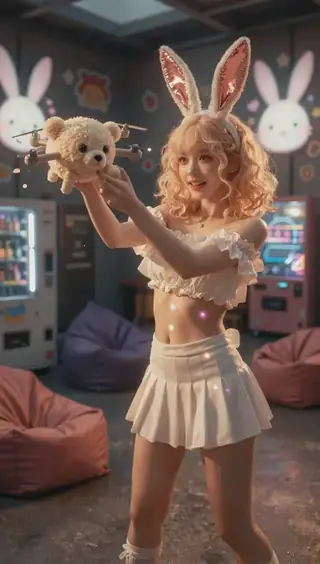
Midjourney Luneva Cinematic LoRA for Z-Image Turbo: cinematic vibe without a fixed style
luneva's Cinematic LoRA gives Z-Image Turbo a Midjourney-like cinematic look and extra detail across themes. Learn the weight, the fp32-unet FlowMatch fix, long-prompt advice and ideas.
Oleh Captain
2026-10-01
Lagi panduan

Model
FLUX.1 Dev: how to prompt it, best settings and creative ideas
A practical guide to FLUX.1 Dev by Black Forest Labs: natural-language prompting, guidance and step settings, LoRA stacking, text rendering and prompt ideas that play to its strengths.
Oleh Captain
2026-09-30

Model
Stable Diffusion XL 1.0: prompts, settings and what it still does best
How to get the most out of the official SDXL 1.0 base model: native resolutions, CFG and sampler settings, the refiner, negative prompts and ideas for styles where SDXL still shines.
Oleh Captain
2026-10-01

Model
Stable Diffusion 1.5: the classic model, prompted properly
Stable Diffusion 1.5 is still worth knowing: the right resolution, CFG and sampler, how to use its huge library of LoRAs and embeddings, and creative prompt ideas suited to a 512-pixel model.
Oleh Captain
2026-10-02

Model
FLUX.2 Dev: prompting the newest Black Forest Labs model
FLUX.2 Dev brings larger prompts, better text, stronger realism and multi-reference editing. This guide covers the turbo workflow, guidance and resolution settings, prompt structure and ideas that use its new strengths.
Oleh Captain
2026-10-03

Model
Qwen-Image: long prompts, perfect text and bilingual posters
Qwen-Image is the model to reach for when the words in the picture matter. Learn how to write its long descriptive prompts, render English and Chinese text accurately, set CFG and steps, and explore layout-heavy creative ideas.
Oleh Captain
2026-09-29

Model
SDXL-Lightning: four-step generation on any SDXL checkpoint
ByteDance's SDXL-Lightning LoRA turns a 30-step SDXL render into a 4-step one. Learn the step counts, the CFG you must use, the sampler, and how to combine it with your favorite checkpoints and style LoRAs.
Oleh Captain
2026-09-30

Model
Trends
.ai
© ModelTrends.ai
|
Dibuat di Jepun
|
© 2026