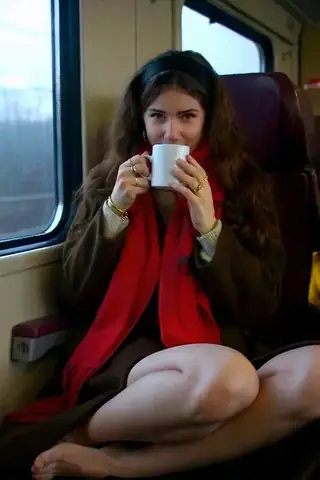
Qwen Image 2.1 Restore LoRA

Terbaik untuk pemula. Aliran kerja yang kuat, lengkung pembelajaran rendah.

Cipta video, imej, persona sembang tersuai, dan banyak lagi.

Layari model, render dan perbaiki dari mana-mana pelayar atau telefon.

Tambah Vector ke pelayan anda atau sertai Discord Vector. Cipta apa sahaja!

Editor untuk imej dan video: render, sunting, tingkatkan dan banyak lagi dalam satu halaman.

Jana di laman Civitai sendiri; setiap imej dibayar dengan kredit Buzz.

Pasang program tempatan kalau komputer kau cukup kuat.

Jana arahan yang sama pada sehingga 50 model checkpoint/asas sekaligus.

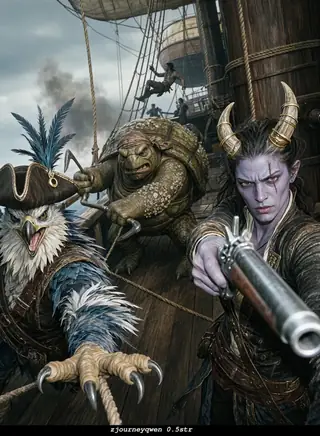
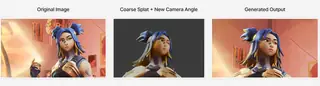
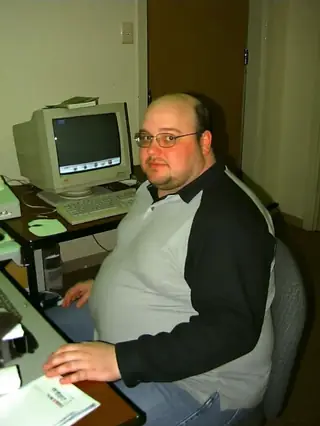
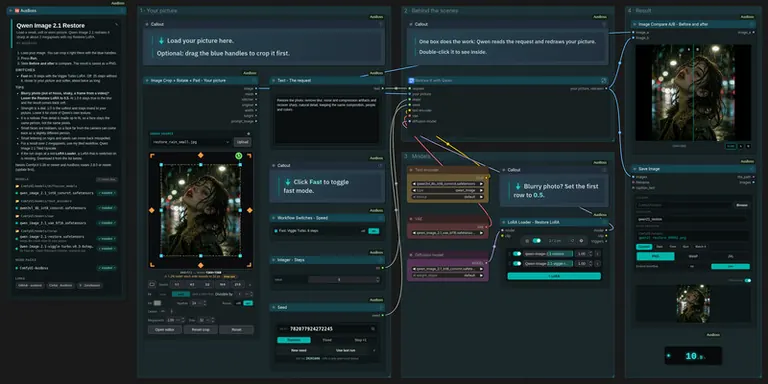
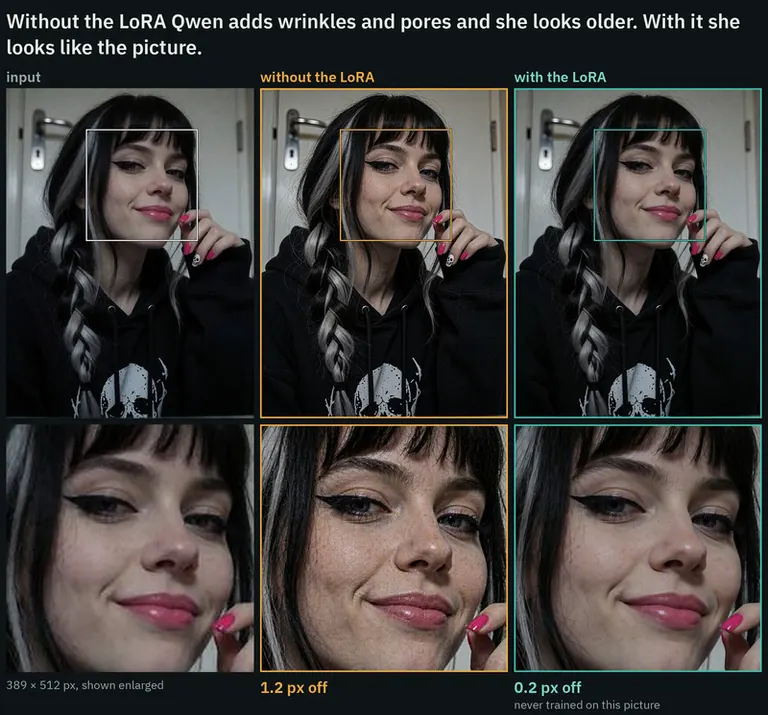
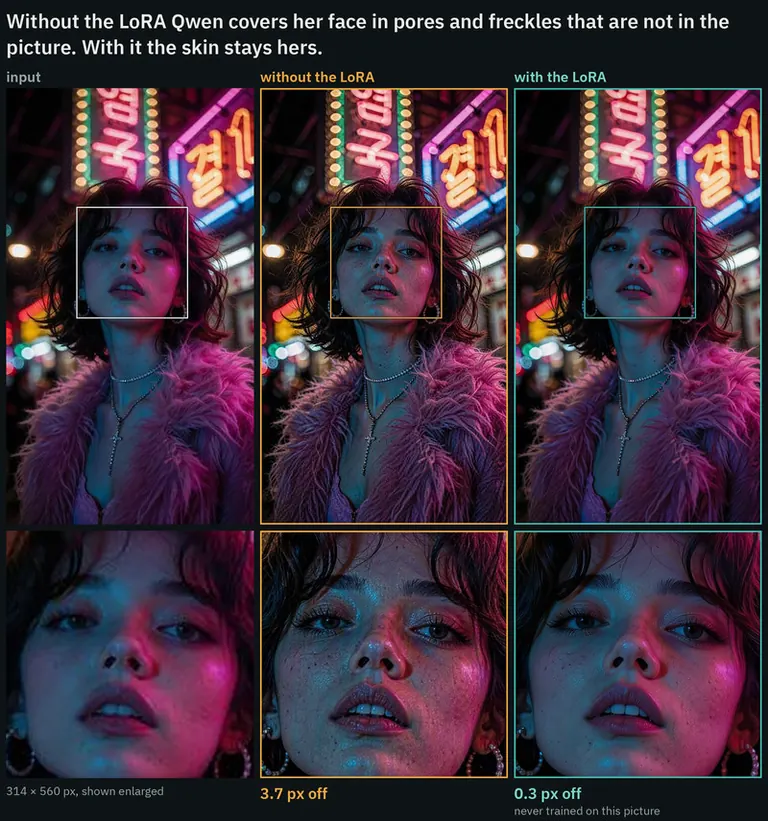
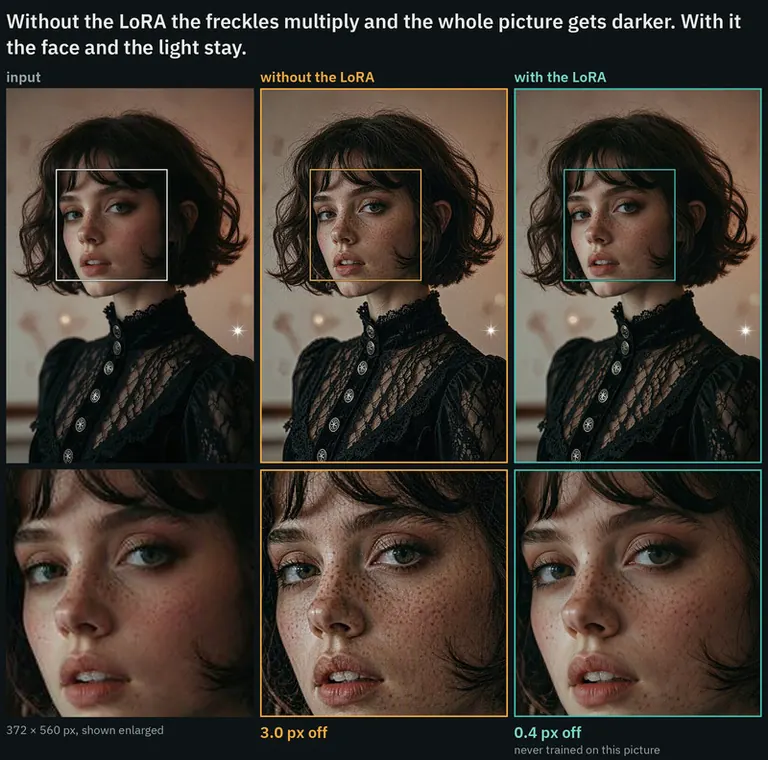
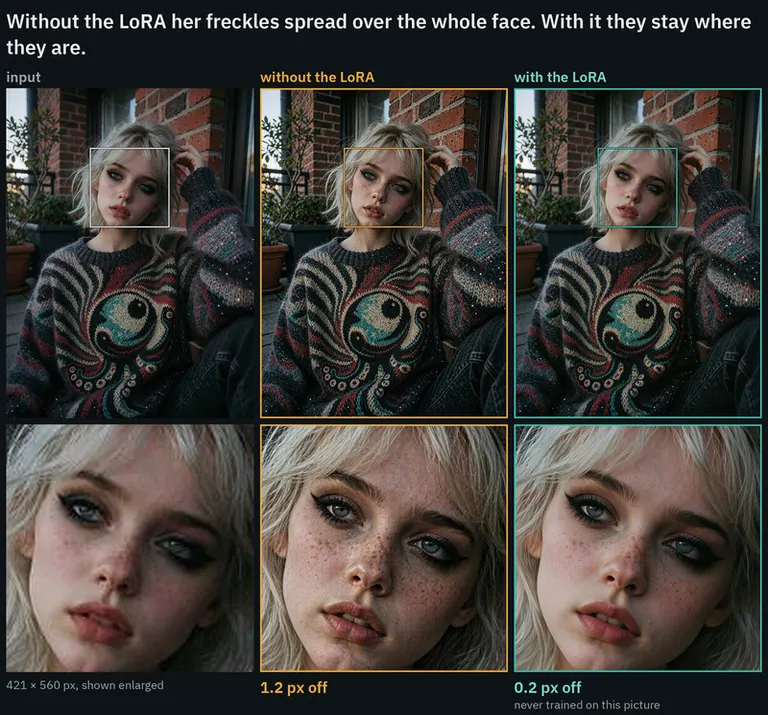
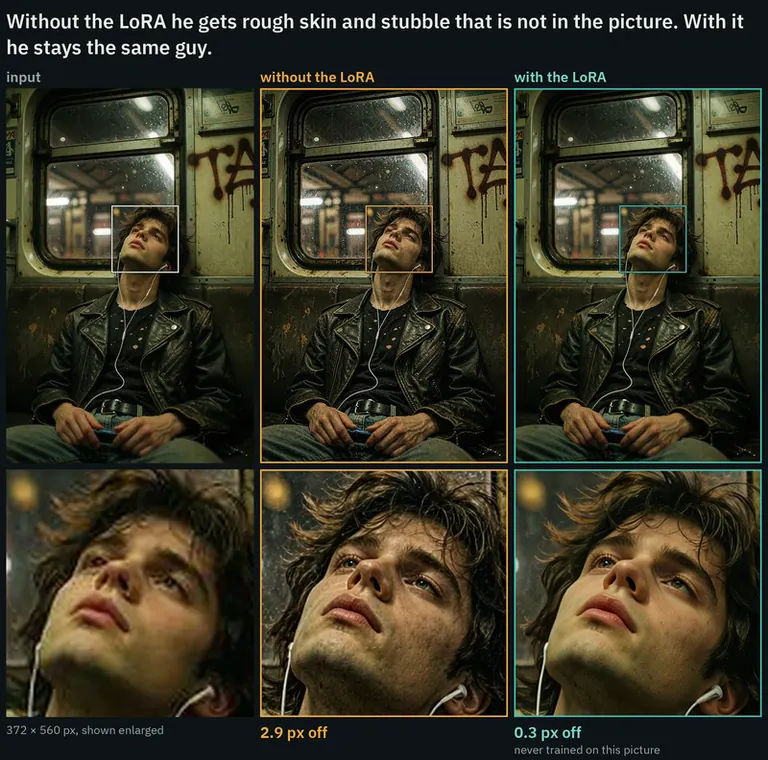
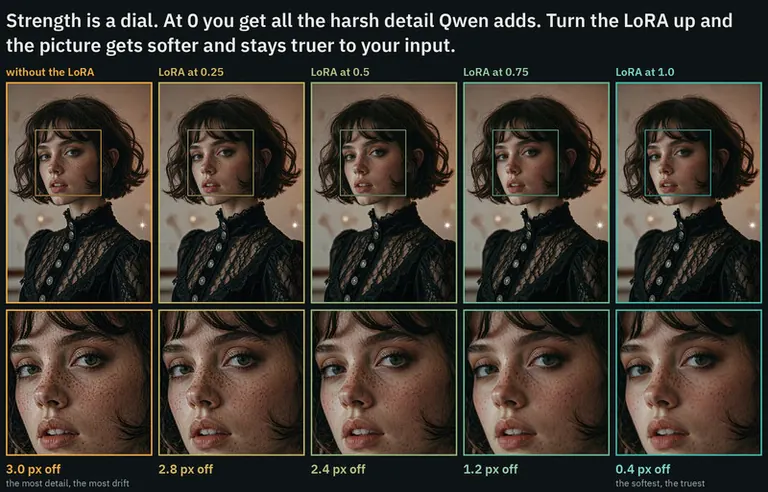
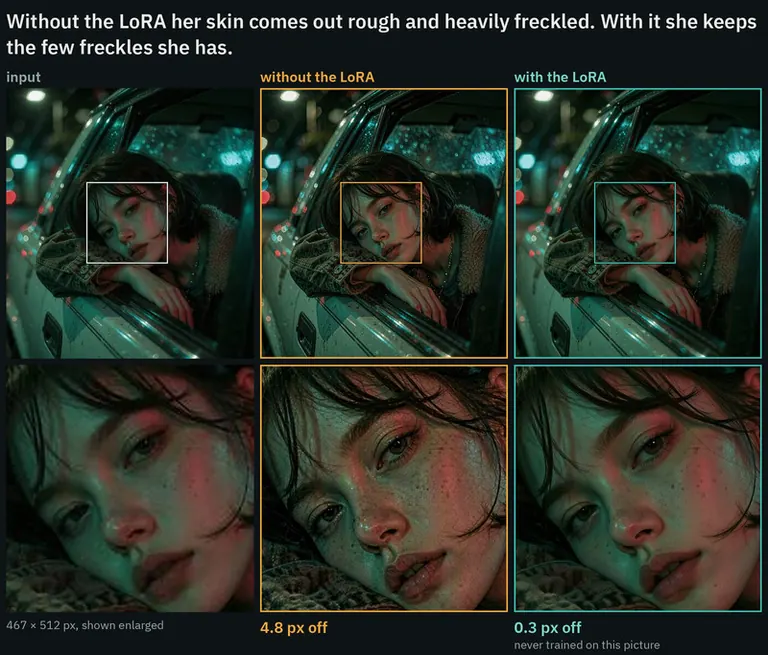
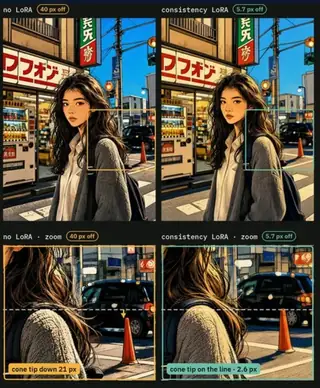
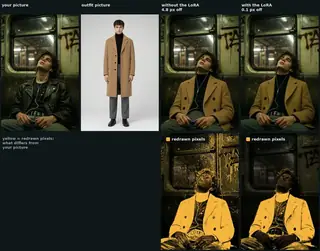
By AusBoss - A LoRA that softens the harsh upscale Qwen Image 2.1 does by itself: the result is a little softer, still detailed, makes up less, and stays true to your picture. Qwen Image 2.1 can upscale a small or worn picture without this LoRA, but it overdoes it. Skin turns gritty, pores and freckles show up that were not there, faces look older, and the picture shifts a few pixels. With this LoRA the result stays on your picture. Blurry photos need a lower strength. If your picture is out of focus, shaky, or a frame from a video, set the LoRA to 0.5. At 1.0 it stays true to the blur and…By AusBoss - A LoRA that softens the harsh upscale Qwen Image 2.1 does by itself: the result is a little softer, still detailed, makes up less, and stays true to your picture. Qwen Image 2.1 can upscale a small or worn picture without this LoRA, but it overdoes it. Skin turns gritty, pores and freckles show up that were not there, faces look older, and the picture shifts a few pixels. With this LoRA the result stays on your picture. Blurry photos need a lower strength. If your picture is out of focus, shaky, or a frame from a video, set the LoRA to 0.5. At 1.0 it stays true to the blur and the result comes back soft. A small or compressed picture that is in focus is fine at 1.0. No trigger word. Start at strength 1.0, enlarge your picture to about 2 megapixels, give it as image 1, and ask: Restore the photo: remove blur, noise and compression artifacts and recover sharp, natural detail, keeping the same composition, people and colors. For scratched or faded prints: Restore the old photo: remove scratches, dust, fading and grain and recover sharp, natural detail and color, keeping the same composition and people. On an old print it takes out scratches, dust and grain and brings back most of the color.

Tunjukkan pecahan terperinci
- 1Mula di lantai.Kenapa 7,000° dan bukan sifar: skala dari 0° hingga 9,999°, dan bahagian di bawah 7,000° dikhaskan untuk model yang belum dilaporkan oleh mana-mana sumber, yang membawa nombor gantian supaya senarai tetap lengkap dan tidak pernah mengatasi model dengan data. 7,000° adalah tempat data yang diukur bermula. Model dengan data sebenar tapi hampir tiada muat turun berada di sini; semua yang berikut adalah ukuran, dan ruang di atas lantai ada sepuluh langkah muat turun sepuluh kali ganda pada 300° setiap satu. Lantai sama untuk setiap model, jadi ia tidak tentukan apa-apa; darjah di atasnya yang buat beza.7,000°jumlah berjalan
- 2Tambah muat turun.1,922 muat turun setara semuanya, dari Muat turun Civitai. Sepuluh kali muat turun menambah 300° yang sama, jadi saiz penting tapi tidak pernah mengatasi skor.+985°7,985°jumlah berjalan
- 3Tambah suka.117 suka dan jempol, dengan berat separuh muat turun.+311°8,296°jumlah berjalan
- 4Boost keluarga.Dorongan terbuka dan terhad untuk LoRA keluarga yang sedang dipromosikan laman ini sekarang.+100°8,396°jumlah berjalan
- =Skor heat.Di mana model ini berdiri dalam setiap senarai laman ini. Tiada yang lain mengubahnya.8,396°
- Skor heat
- Satu nombor untuk seberapa banyak model digunakan dan diingini sekarang, dari 0° hingga 9,999°. Setiap senarai di laman ini yang kata paling panas disusun mengikutnya dan tiada yang lain.
- Lantai
- 7,000° yang setiap model dengan data sebenar bermula. Skala dari 0° hingga 9,999°; bahagian bawah lantai untuk pengganti (model tanpa data), supaya model dengan data sentiasa lebih tinggi dari yang tiada. Lantai sama untuk semua dan tidak tentukan apa-apa; darjah di atasnya adalah ukuran.
- Setara muat turun
- Semua yang skor anggap sebagai muat turun, dijumlahkan: muat turun sendiri, setiap torrent seeder sebagai 1,000, setiap imej AI Horde dan setiap larian di laman generasi sebagai satu.
- Skala log
- Mengira dengan puluhan, bukan satuan: dari 1,000 ke 10,000 muat turun tambah darjah sama seperti dari 10,000 ke 100,000. Ini elak gergasi menindas yang lain.
- Suka
- Jempol dan suka dari semua sumber, bernilai separuh muat turun pada skala log.
- Kadar penerimaan
- Berapa banyak muat turun sehari model dapat sekarang, dari beza dua bacaan sumber. Berat suku dari terma muat turun.
- Diukur dan dianggarkan
- Diukur bermaksud ada dua bacaan dari satu sumber dan perbezaannya adalah nyata. Dianggarkan bermaksud hanya jumlah hari ini yang diketahui dan masa lalu diagihkan sepanjang hayat model; laman web akan memberitahu yang mana satu ia tunjukkan.
- Seeder
- Seseorang yang menyimpan salinan berat secara dalam talian untuk dimuat turun oleh orang lain melalui torrent, atau cermin yang dihoskan melakukan perkara yang sama. Setiap satu dikira sebagai 1,000 muat turun.
- AI Horde
- Rangkaian sukarelawan yang menjana imej secara percuma pada komputer yang didermakan. Bilangan imej yang telah dihasilkan dengan model adalah awam, dan setiap satu dikira sebagai satu muat turun.
- Laman penjanaan
- Laman yang menghoskan salinan model mereka sendiri dan membenarkan orang menjana dengannya, seperti PixAI, SeaArt dan Yodayo. Muat turun mereka dikira seperti Civitai dan setiap sesi penjanaan dikira sebagai satu muat turun.
- Token OpenRouter
- Model teks yang disediakan melalui API, seperti Claude atau GPT, tidak mempunyai berat untuk dimuat turun, jadi penggunaannya diukur dalam token: bahagian teks yang dibaca dan ditulis melalui OpenRouter, pintu masuk yang digunakan oleh banyak aplikasi, dalam 30 hari terakhir. Setiap 10,000,000 token dikira sebagai satu muat turun. Sumber: OpenRouter (openrouter.ai/rankings), CC BY 4.0.
- Model penuh (checkpoint)
- Berat itu sendiri, fail yang menjana secara sendiri. Ia mendapat bonus kerana add-on bergantung padanya.
- LoRA dan embedding
- Fail add-on kecil yang mengarahkan berat orang lain ke arah gaya, watak atau konsep. Ia tidak boleh dijalankan sendiri.
- Keluarga dan berat
- Asas yang model dibina, seperti SD 1.5, SDXL, Flux atau Wan. Setiap model mewarisi tarikh keluaran berat keluarganya.
- Umur
- Darjah yang ditolak berdasarkan berapa lama berat keluarga itu dikeluarkan: 150° setahun, sehingga 750°. Ia mengekalkan muat turun lama yang mempunyai masa bertahun-tahun untuk terkumpul dengan membekukan di bahagian atas senarai.
- Peningkatan keluarga
- Dorongan kecil dan terhad untuk LoRA dari keluarga yang laman ini sedang galakkan sekarang, sentiasa disenaraikan dalam pecahan.
- Skor gantian
- Nombor stabil di bawah paras yang diberikan kepada model yang belum ada laporan sumber, supaya senarai kekal lengkap. Ia tidak pernah mendahului model yang ada data.
- Baru! (tempoh kelonggaran)
- Model yang berumur kurang dari 7 hari menunjukkan Baru! dan tidak mempunyai skor serta tidak menduduki tempat dalam kedudukan. Skornya dikira dari hari pertama, tetapi model yang berumur satu hari berkembang lebih cepat daripada apa pun, jadi tanpa menunggu, #1 minggu ini akan sentiasa menjadi apa sahaja yang keluar semalam dan bukan yang bertahan selama seminggu.
- Trend
- Bagaimana pertumbuhan model dalam tempoh tertentu dibandingkan dengan pertumbuhan model biasa dalam tempoh yang sama. Lebih cepat dari biasa bermaksud naik, lebih perlahan bermaksud turun.
- Model biasa
- Tengah katalog: separuh model dengan angka tumbuh lebih cepat dalam tempoh itu, separuh lagi lebih perlahan.


![NSFW UNLOCKED [LORA] FLUX / FLUX2 KLEIN / Z_IMAGE / KREA2 Qwen2.1_V1](https://media.modeltrends.ai/concepts/50343/thumb_20261014_050854.webp)