consistency qwen2
Bandingkan
8480°
Autoplay
Jalankan secara tempatan
qwen-image-2.1-consistency.safetensors
152 MB · SafeTensor · bf16
Muat turun disediakan oleh Civitai. Sesetengah pencipta memerlukan log masuk Civitai dahulu.


Tentang model ini
QWEN2 · LoRA
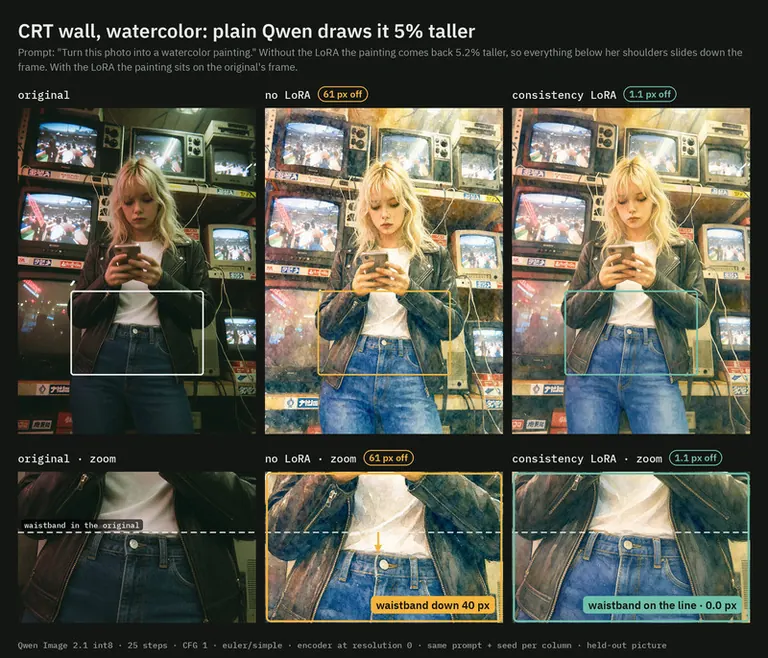
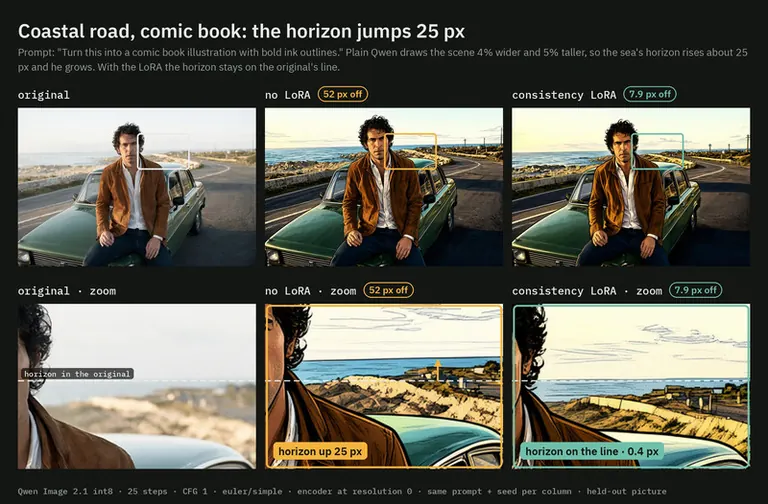
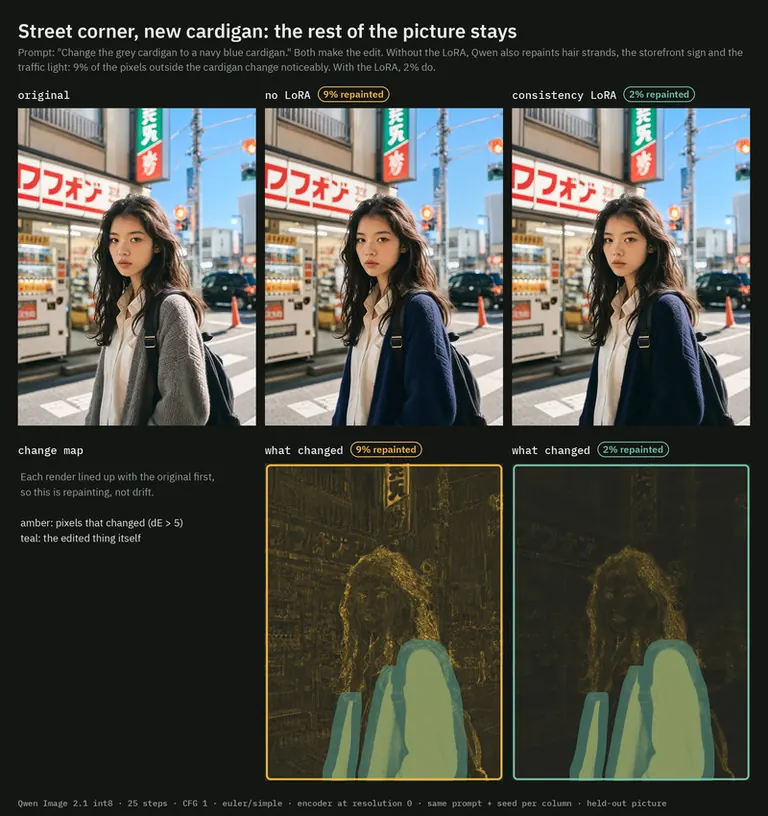
by AusBoss - Qwen Image 2.1 Consistency LoRA - Ask Qwen Image 2.1 for a watercolor, a comic or an anime version of a picture and it comes back a few percent taller, sometimes nudged sideways, different for every seed. A waistband lands 40 px lower, a horizon jumps 25 px, a face no longer lines up with the original. On a local edit ("make the cardigan navy") it also repaints things you didn't ask about: hair strands, signs, texture. That breaks anything that stacks the edit on the original: masks, stitching, before/after sliders, video frames. With this LoRA the same prompt makes the same edit, on the original's frame. No trigger word: load it and write your edit instruction as usual
Nota pencipta
A LoRA for Qwen Image 2.1 edits: the edit happens on the original's frame, so nothing moves.
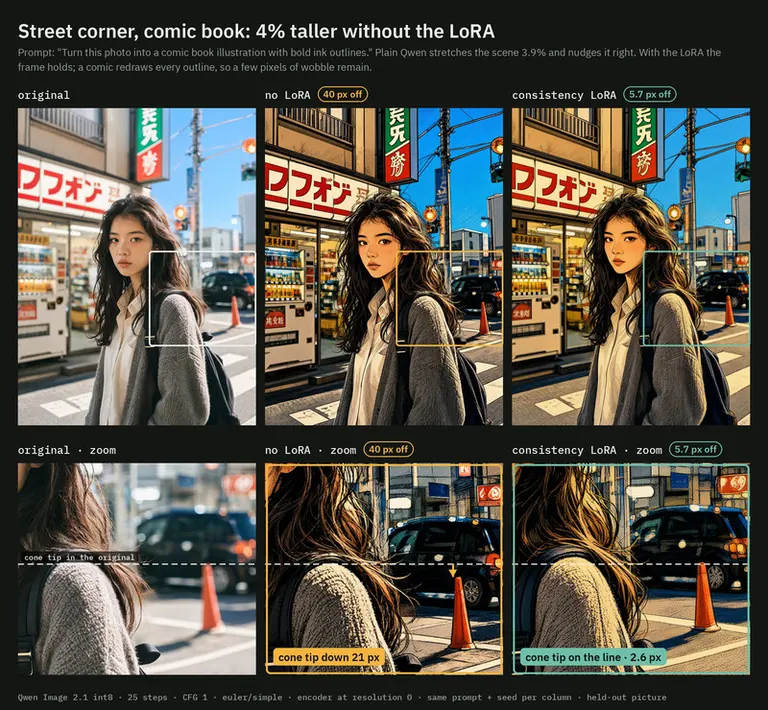
Ask Qwen Image 2.1 for a watercolor, a comic or an anime version of a picture and it comes back a few percent taller, sometimes nudged sideways, different for every seed. A waistband lands 40 px lower, a horizon jumps 25 px, a face no longer lines up with the original. On a local edit ("make the cardigan navy") it also repaints things you didn't ask about: hair strands, signs, texture. That breaks anything that stacks the edit on the original: masks, stitching, before/after sliders, video frames.
With this LoRA the same prompt makes the same edit, on the original's frame. No trigger word: load it and write your edit instruction as usual.
What it fixes
Held-out pictures it never trained on, same prompt and seed, with and without the LoRA:
-
Restyles (36 edits: watercolor, comic, anime, oil, ink...): worst corner off, median 24.3 px without the LoRA, 1.6 px with it. 75 % land under 3 px, against 3 % without.
-
Local edits on people (18 recolors and removals): pixels outside the edited thing that change noticeably, 12.8 % without, 7.5 % with. PSNR outside the edit 27.7 → 31.6 dB. Every edit still happened.
-
The look stays Qwen's. Two seeds of plain Qwen differ from each other by about as much as the LoRA's restyles differ from plain Qwen's.
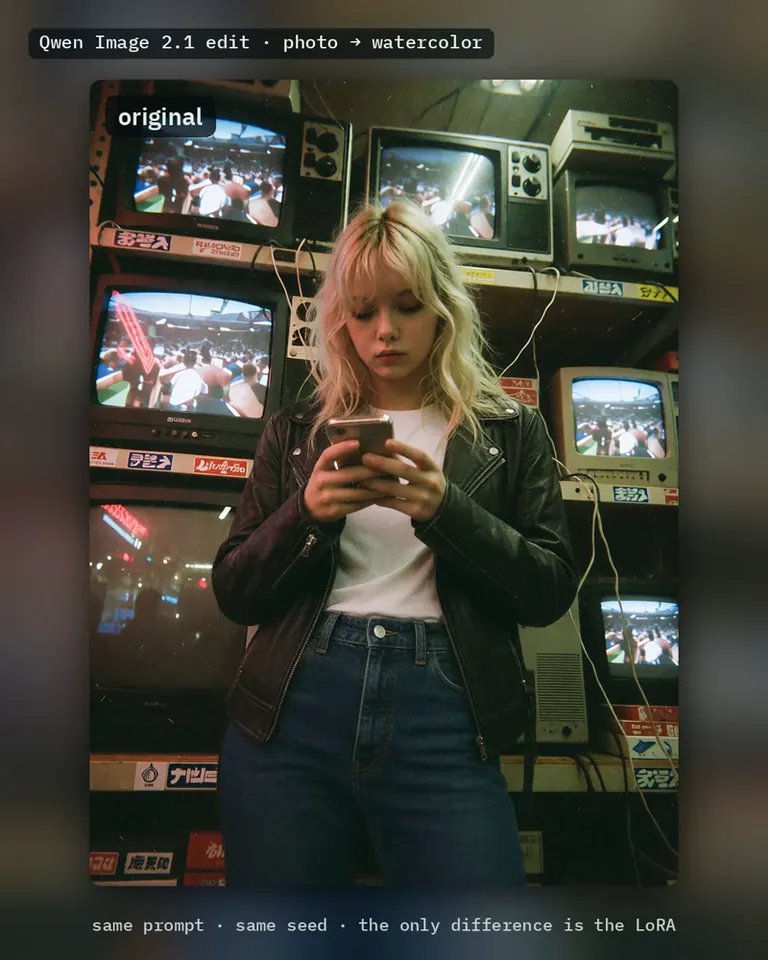
The gallery shows the drift up close: the dashed line is where a feature sits in the original, the arrow is how far it moved.
How to use it
-
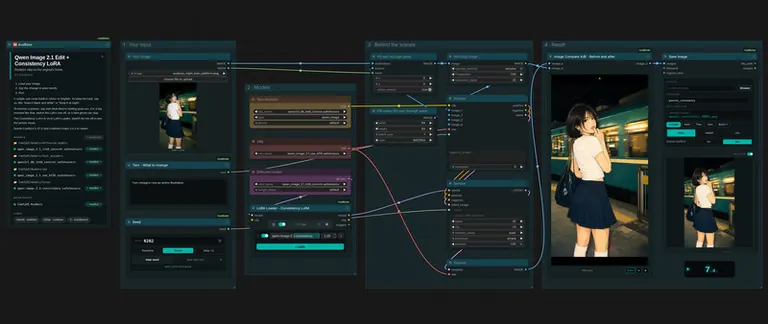
LoraLoaderModelOnly right after the model loader, strength 1.0 (lower lets some drift back).
-
Text Encode Qwen Image 2.1: your picture as image_1, resolution 0, the edit instruction as the prompt.
-
KSampler on the encoder's latent output: 25 steps, CFG 1, euler / simple, denoise 1. Sample on that latent: a latent of any other size makes Qwen zoom by the size ratio, and no LoRA can undo that.
-
VAE Decode → Split Image with Alpha (the Qwen 2.1 VAE decodes RGBA).
My is already set up this way; add the LoRA after its model loader.
Limits
-
Tested at about 1 MP with the settings above. Not yet tested with 4- or 8-step turbo LoRAs, at 2 MP, or above CFG 1.
-
Comic and anime restyles redraw every outline, so some shapes still wobble a few pixels on their own.
-
It keeps the picture in place; it doesn't make weak edits stronger.
-
A big removal, like a person up front, can leave a faint see-through ghost of them with the LoRA on. Switch it off for big removals, and say what they're holding goes too.
-
A restyle can come back in colour or brighter, with or without the LoRA. To keep the look, say so, like "keep it black and white" or "keep it at night".
Training
-
ai-toolkit (qwen_image_2) on the Comfy-Org INT8 convrot base, the same weights ComfyUI runs. Rank 32, alpha 32, AdamW8bit, learning rate 1e-4, batch 1, 1500 steps.
-
950 edit pairs from 257 pictures. Each pair started as a real Qwen Image 2.1 edit; I measured its drift and took it out, so every target sits on its source's frame. Many pairs run backwards (the edit is the source, the untouched original is the target), and local edits keep the original's pixels outside the edited thing. Every edit was checked by eye.
The full numbers, the step 2000 file (tighter alignment, slightly paler paintings) and the figures are on the .
SHA256
4F44ADA1BE2189CC23B3D010F9603543403F48454E2F76842A3D30109B20BD63
ID Model ModelTrends.ai
#28031
Laporkan kandungan
Contoh render
Prompt dan tetapan yang dikongsi oleh orang yang membuat render ini di Civitai. Pilih render untuk melihat cara ia dibuat.


Tiada prompt dikongsi bersama render ini.
Tiada prompt dikongsi bersama render ini.
Tiada prompt dikongsi bersama render ini.
Tiada prompt dikongsi bersama render ini.
Tiada prompt dikongsi bersama render ini.
Tetapan
Sampler
Euler
Langkah
8
Guidance
3
Seed
26092702
Saiz
1024x1472
Prompt
Enhanced prompt:
Blend the giant woman into the photo seamlessly by making her appear as if she is naturally part of the urban scene—adjust her edges and lighting to match the surrounding environment, ensuring her skin tone, shadows, and reflections align with the daylight and street-level perspective, while preserving her original pose, expression, and the yellow toy car she holds; remove any visible digital seams or unnatural transitions between her and the background, and ensure the street, buildings, and sky remain unchanged to maintain the illusion that she is physically present in the scene as a giant figure.
Tiada prompt dikongsi bersama render ini.
Tetapan
Sampler
Euler
Langkah
8
Guidance
3.5
Seed
26092702
Saiz
1024x1536
Prompt
Enhanced Prompt:
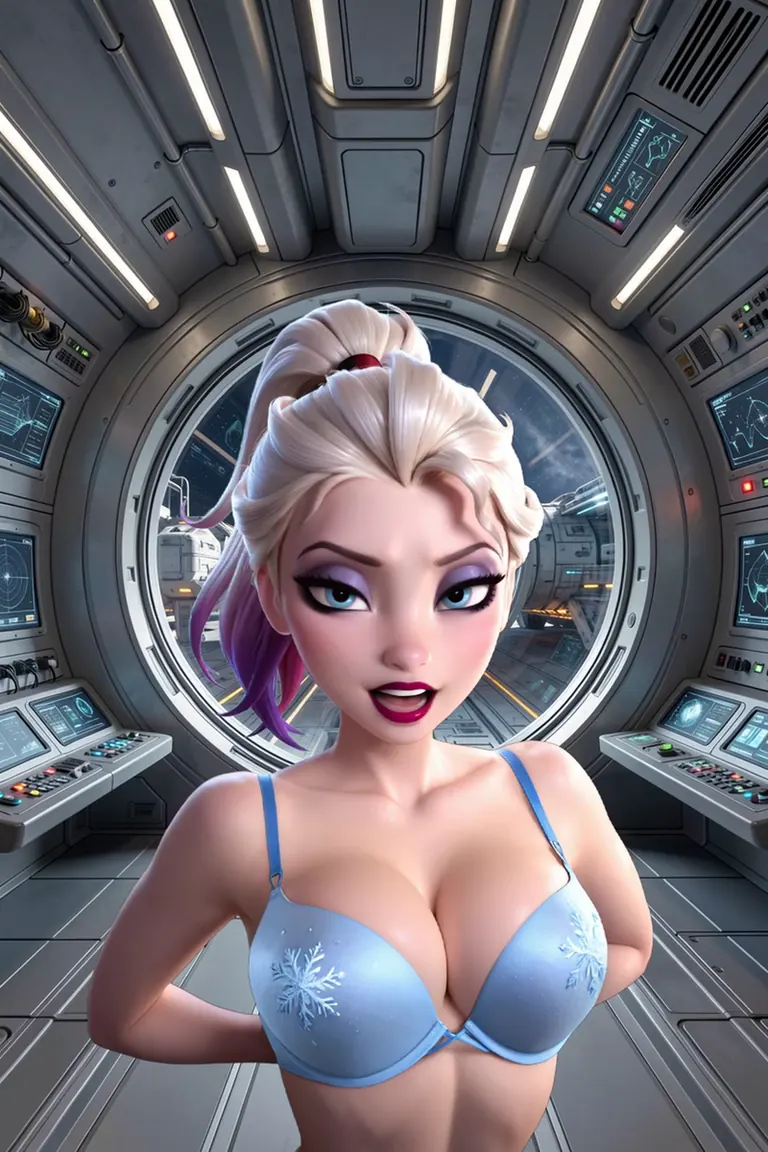
Make the girl appear as if she is naturally part of the scene by seamlessly blending her into the photo—adjust her edges and lighting to match the surrounding environment, including the metallic textures, lighting direction, and shadows of the spaceship interior, so that her silhouette and form merge with the background without visible seams or artificial boundaries, while preserving all other elements like her clothing, hair, and the surrounding controls and window view exactly as they are.
Badges for creators
Made this model? Put its standing on your Civitai page, your Hugging Face card, your README or your site. Each badge is a small picture that shows the standing on the day you copy it and never changes afterwards, however the rankings move later. The date is part of the badge.


Model AI untuk penjanaan imej, video dan teks
consistency qwen2 ialah LoRA untuk keluarga Qwen2 yang disenaraikan di ModelTrends.ai, katalog baca sahaja untuk model AI imej, video dan teks sumber terbuka. Bandingkannya dengan model Qwen2 lain, semak skor habanya untuk melihat trendnya, dan bukanya di PirateDiffusion atau BitVector untuk mencubanya.
Layari mengikut keluarga model

Model Text / LLM
411
Model Anima
509

Model Chroma
14

Model Flux
1,071
Model Flux 2 / Klein
1,237
Model MiniMax H3
332
Model Hunyuan
198
Model Ideogram
20
Model Krea2
675
Model Qwen
17
Model Qwen2
37
Model Ltx2
151
Model Stable Diffusion 1.5
6,465
Model Stable Diffusion XL 1.0
15,432
Model Zimage
804
Model Wan
920

Model
Trends
.ai
© ModelTrends.ai
|
© 2026
|
Hak cipta terpelihara