Exécuter en local
aniverse_v16.safetensors
5.28 GB · SafeTensor · fp16 · full
vae-ft-mse-840000-ema-pruned_fp16.safetensors
160 MB · SafeTensor
Les téléchargements sont servis par Civitai. Certains créateurs demandent d'abord une connexion à Civitai.


À propos de ce modèle
STABLE DIFFUSION 1.5 · Modèles de base
AniVerse V1.6 model by Samael1976
Notes du créateur
!!! UPLOADING/SHARING MY MODELS OUTSIDE CIVITAI IS STRICLY PROHIBITED* !!!
Check my EXCLUSIVE models on : • • • •
SDXL - Pony: • • • •
SD1.5: • • • • •
Also in Collaboration with
This model is free for personal use and free for personal merging(*).
For commercial use, please be sure to (Ko-fi) or by email: samuele[dot]bonzio[at]gmail[dot]com
⬇Read the info below to get the high quality images (click on show more)⬇
Aniverse - is just the beginning!
This is a long shot project, I’d like to implement something new at every update!
The name is a merge of the two words: Animation and Universe (and a word pun: Any+Universe -> Anyverse -> Aniverse)
-> If you are satisfied using my model, press on ❤️ to follow the progress and consider leaving me ⭐⭐⭐⭐⭐ on model review, it's really important to me!
Thank you in advance 🙇
And remember to publish your creations using this model! I’d really love to see what your imagination can do!
Recommended Settings:
-
Excessive negative prompt can makes your creations worse, so follow my suggestions below!
-
Before applying a LoRA to produce your favorite character, try it without first. You might be surprised what this model can do!
A1111 my settings:
I run my Home PC A1111 with this setting:
-
set COMMANDLINE_ARGS= --xformers
if you can't install xFormers (read below) use my Google Colab Setting:
-
set COMMANDLINE_ARGS= --disable-model-loading-ram-optimization --opt-sdp-no-mem-attention
My A1111 Version: • python: 3.10.6 • torch: 2.0.1+cu118 • xformers: 0.0.20 • gradio: 3.41.2
If you want activate xformers optimization like my Home PC ():
-
In A1111 click in "Setting Tab"
-
In the left coloumn, click in "Optimization"
-
in: "Cross attention optimization" select: "xformers"
-
Press in "Apply Settings"
-
Reboot your Stable Diffusion
If you can't install xFormers use SDP-ATTENTION, like my Google Colab:
-
In A1111 click in "Setting Tab"
-
In the left coloumn, click in "Optimization"
-
in: "Cross attention optimization" select: "sdp-no-mem - scaled dot product without memory efficient attention"
-
Press in "Apply Settings"
-
Reboot your Stable Diffusion
How to emulate the nvidia GPU follow this steps:
-
In A1111 click in "Setting Tab"
-
In the left coloumn, click in "Show all pages"
-
Search "Random number generator source"
-
Select the voice: "NV"
-
Press in "Apply Settings"
-
Reboot your Stable Diffusion
If you use my models, install the extension for your A1111.
Navigate to the "Extensions" tab within Stable Diffusion.
-
Go to the "Install from URL" subsection.
-
Paste the following URL:
-
Click on the "Install" button to install the extension
-
Reboot your Stable Diffusion
How to install Euler Smea Dyn and Euler Max Sampler:
-
In A1111 click in "Extensions Tab"
-
click in "Install from URL"
-
Under "URL for extension's git repository" put this link:
-
Once installed click in: "Installed" Tab
-
Click in "Apply and quit"
-
Reboot your Stable Diffusion
-
Now at the end of the list of the sampler, you have the new sampler.
How to use ADetailer with Euler Smea Dyn and Euler Max Sampler:
-
In A1111 click in "txt2img" tab
-
Expand and click in "enable ADetailer"
-
Scroll down and expand "inpaint" section
-
Click and turn on "Use separate Sampler"
-
Now select: "DPM++ 2M Karras" (or your favourite sampler)
-
VAE: VAE is included (but usually I still use the)
-
Clip skip: 2
-
Upscaler: or
-
Sampling method: DPM++ 2M SDE Karras
-
Width: 576 (o 768)
-
Height: 1024
-
CFG Scale: 3 -> Steps: 15
CFG Scale: 4 -> Steps: 20
CFG Scale: 5 -> Steps: 25
CFG Scale: 6 -> Steps: 30
...and so on...
MY FAVORITE PROMPT:
-
(masterpiece, best quality, highres:1.2), (photorealistic:1.2), (intricate and beautiful:1.2), (detailed light:1.2), (colorful, dynamic angle), RAW photo, upper body shot, fashion photography, YOUR PROMPT, (highres textures), dynamic pose, bokeh, soft light passing through hair, (abstract
NEGATIVE PROMPT:
-
(worst quality, low quality), negative_hand-neg, bad-hands-5, naked, nude, braless, cross, sepia, black&white, B&W, painting, drawing, illustration
YOU CAN ALSO USE THESE NEGATIVE EMBEDDINGS:
-
1) , ,
-
2) , ,
-
3) ,
-
4) , ,
-
5) For MEN images: girl, woman, female, tits, , ,
HiRes.Fix Setting:
I don't use Hi.Res fix because:
1) in my computer don't work
2) my models don't need it. Use txt2image, aderailer and the suggested upscaler in the resources tab.
If you still want use it, this is the setting sent me by (follow him to see his creations ❤️).
Hires upscale: 1.5
Hires steps: 20~30
Hires upscaler: R-ESRGAN 4x + Anime6B,
Denoising strength: 0.4
Adetailer:
How to install and use adetailer:
Inpainting Setting:
When you see that I used Inpainting on my images, I only modify the face (Hires Fix on my old PC doesn't work and got stuck). This is my setting:
-
Click in the tab img2img, than click on inpaint ->
-
Paint the face (only the face, neck, ears...) and after that set:
-
Inpaint masked
-
Only masked
-
Only masked padding, pixels: 12
-
Sampling steps: 50
-
Set: Only masked
-
Batch Size: 8
in the Positive Prompt write: (ultra realistic, best quality, masterpiece, perfect face)
-
Than click on GENERATE
ControlNet & Prompt guide video tutorial:
Thanx to: - (follow him in youtube)
Do you like my work?
If you want you can help me to buy a new PC for Stable Diffusion!
❤️ ❤️
This is the list of hardware if you are courius:
I must thank you and for their video tutorials! (I'd really love to see a your video using my model ❤️ )
You are solely responsible for any legal liability resulting from unethical use of this model
-
(*) is authorized by me to do anything with my models.
-
(**) Why did I set such stringent rules? Because I'm tired of seeing sites like Pixai (and many others) that get rich on the backs of the model creators without giving anything in return.
-
(***) Low Rank Adaptation models (LoRAs) and Checkpoints created by me.
As per Creative M
SHA256
96E558990766B5EC604CB4A0420FCF17ECFE9CE5277C8CE7AE26C25D1B20C05B
ID de modèle ModelTrends.ai
#8572
Signaler le contenu
Rendus d'exemple
Prompts et réglages partagés par les personnes qui ont réalisé ces rendus sur Civitai. Choisissez un rendu pour voir comment il a été fait.
Réglages
Sampler
DPM++ 2M Karras
Étapes
300
Guidance
6
Seed
2155459510
Taille
576x1024
Clip skip
2
Prompt
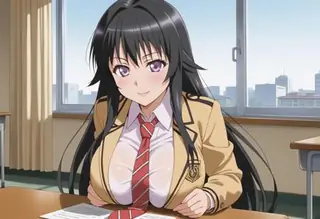
1girl, very short hair, bangs, ahoge, skinny, dark skin, orange hair, semi-realistic
masterpiece, best quality, intricate, <lora:Bang-You_v3:0.3> bang-you
Prompt négatif
FastNegativeV2, negative_hand-neg, moles, mole, piercing, tears, face skin imperfection, freckles, skindentation, cutoffs, shiny skin, scars on face bad-hands-5, greyscale, monochrome,
Réglages
Sampler
DPM++ 2M Karras
Étapes
20
Guidance
7
Seed
4097635579
Taille
512x768
Prompt
(masterpiece, best quality), 1girl, Carnation Side Swept Curls, tiny breasts, <lora:girlliketrainroomette:1> train roomette, bunk bed, pajamas, looking out the big window, breakfast on table, wooden wall
Prompt négatif
(worst quality, low quality:1.4), FastNegativeV2, ng_deepnegative_v1_75t, EasyNegativeV2,
Réglages
Sampler
DPM2
Étapes
100
Guidance
12
Seed
3606073971
Taille
576x1024
Clip skip
2
Prompt
1girl, ((double bun)), china dress, floral print, gold lining outfit, jewelry,
masterpiece, best quality, intricate,
Prompt négatif
FastNegativeV2, negative_hand-neg, moles, mole, piercing, tears, face skin imperfection, freckles, skindentation, cutoffs, shiny skin, scars on face bad-hands-5, greyscale, monochrome,
Réglages
Sampler
DPM++ 2M Karras
Étapes
150
Guidance
6
Seed
750295983
Taille
576x1024
Clip skip
2
Prompt
1girl, braid, red hair, (freckles:0.5), round eyewear, green eyes, ((nose)), parted bangs, bangs, crew neck, long sleeves, striped sleeves, cat printed, necklace, jeans, belt, looking away, feeling amused, slightly open mouth
masterpiece, best quality, intricate, depth of field,
park bench, playground, trash can, dappled sunlight,
Prompt négatif
FastNegativeV2, simple background,
Réglages
Sampler
DPM2
Étapes
100
Guidance
12
Seed
2976849628
Taille
576x1024
Clip skip
2
Prompt
1girl, ((double bun)), china dress, floral print,
masterpiece, best quality, intricate,
Prompt négatif
FastNegativeV2, negative_hand-neg, moles, mole, piercing, tears, face skin imperfection, freckles, skindentation, cutoffs, shiny skin, scars on face bad-hands-5, greyscale, monochrome,
Réglages
Sampler
DPM++ 2M Karras
Étapes
37
Guidance
7
Seed
3306463537
Taille
512x768
Clip skip
2
Prompt
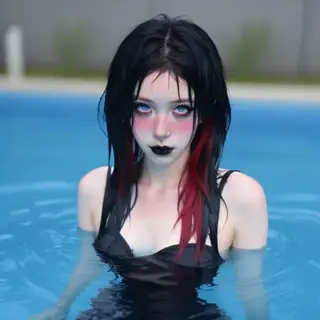
(masterpiece, best quality, highres, high resolution:1.2), extremely detailed, realistic, intricate details, 1girl, solo, goth girl, gothic, red eyes, glowing eyes, makeup, ((black lips)), black hair, tattoo, seductive smile, school uniform, pleated skirt, white shirt, jewelry, necklace, (medium breasts, thick thighs, wide hips), lockers, ((from back)), ((from the bottom)), looking at viewer, seductive pose, close-up shot,
<lora:LowRA_v2:0.5> <lora:school_lockers_v0.5:1>
Prompt négatif
ng_deepnegative_v1_75t, negative_hand-neg, (worst quality, low quality:2), lowres, bad anatomy, normal quality, monochrome, grayscale, text, logo, signature, username, error, cropped, watermark, shota, flat chest
Modèles similaires
Modèles d'IA pour générer image, vidéo et texte
aniverse16 est un modèle de base pour la famille Stable Diffusion 1.5, référencé sur ModelTrends.ai, un catalogue en lecture seule de modèles d'IA open source pour l'image, la vidéo et le texte. Comparez-le aux autres modèles Stable Diffusion 1.5, consultez son score de chaleur pour suivre sa tendance et ouvrez-le sur PirateDiffusion ou BitVector pour l'essayer.
Plus de modèles Stable Diffusion 1.5Plus de Modèles de base Stable Diffusion 1.53danimecomicsbaserealisticscifiastronomybase model
Parcourir par famille de modèles
Modèles Text / LLM
411
Modèles Anima
509
Modèles Chroma
14
Modèles Flux
1,071
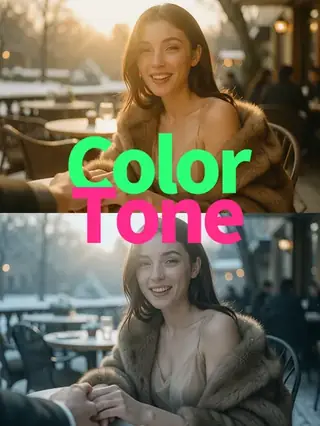
Modèles Flux 2 / Klein
1,237
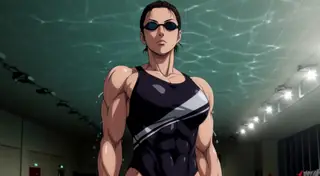
Modèles MiniMax H3
331
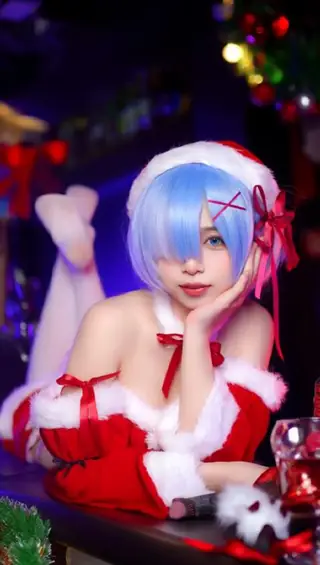
Modèles Hunyuan
197

Modèles Ideogram
20
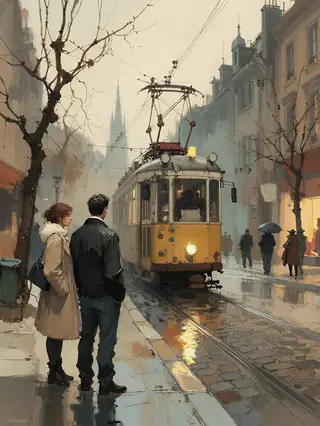
Modèles Krea2
674
Modèles Qwen
17
Modèles Qwen2
36
Modèles Ltx2
150
Modèles Stable Diffusion 1.5
6,465
Modèles Stable Diffusion XL 1.0
15,432
Modèles Zimage
804
Modèles Wan
919

Model
Trends
.ai
© ModelTrends.ai
|
Fabriqué au Japon
|
© 2026