Curseur de poids Krea 2 v2 par alcaitiff : un contrôle compact du poids du corps
Sujet : Modèles

Par Captain
Publié le 2026-09-30
Rendus d'exemple
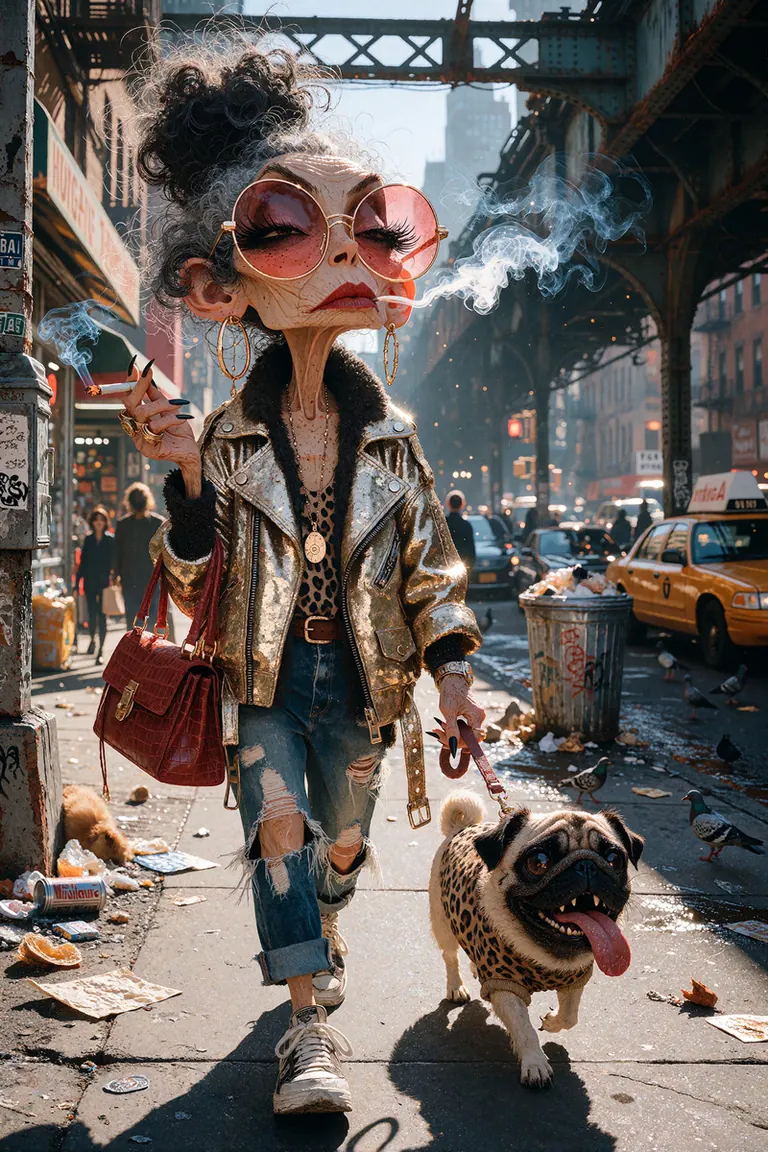
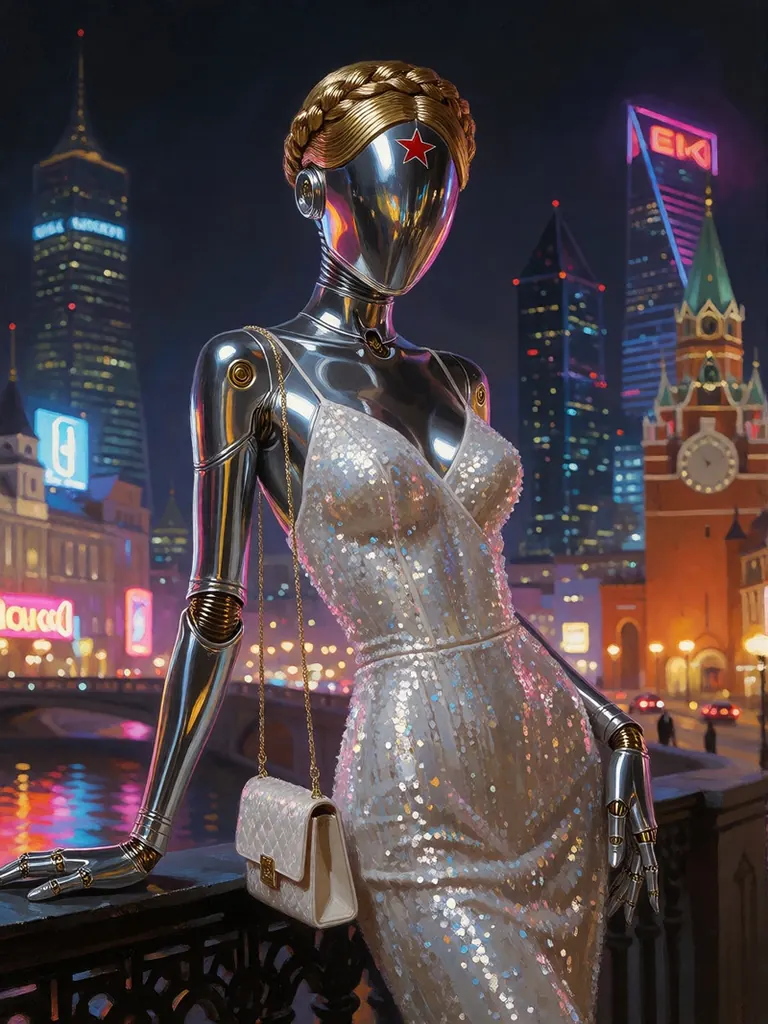
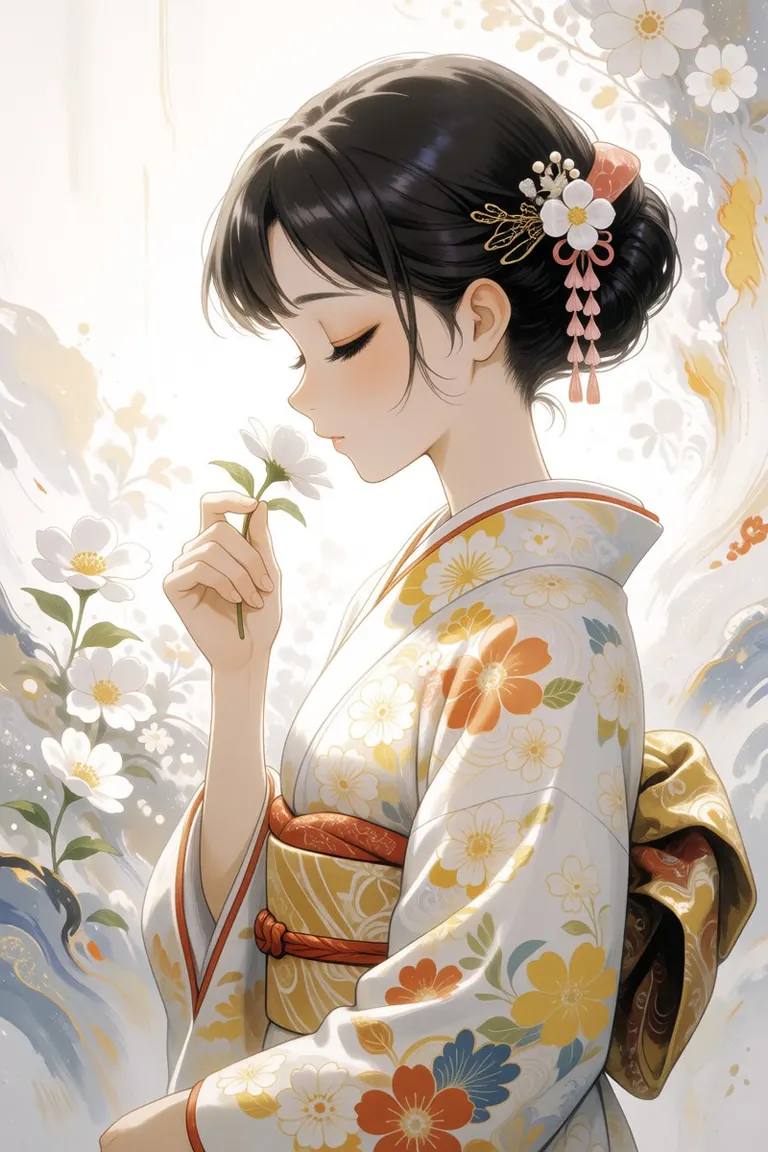
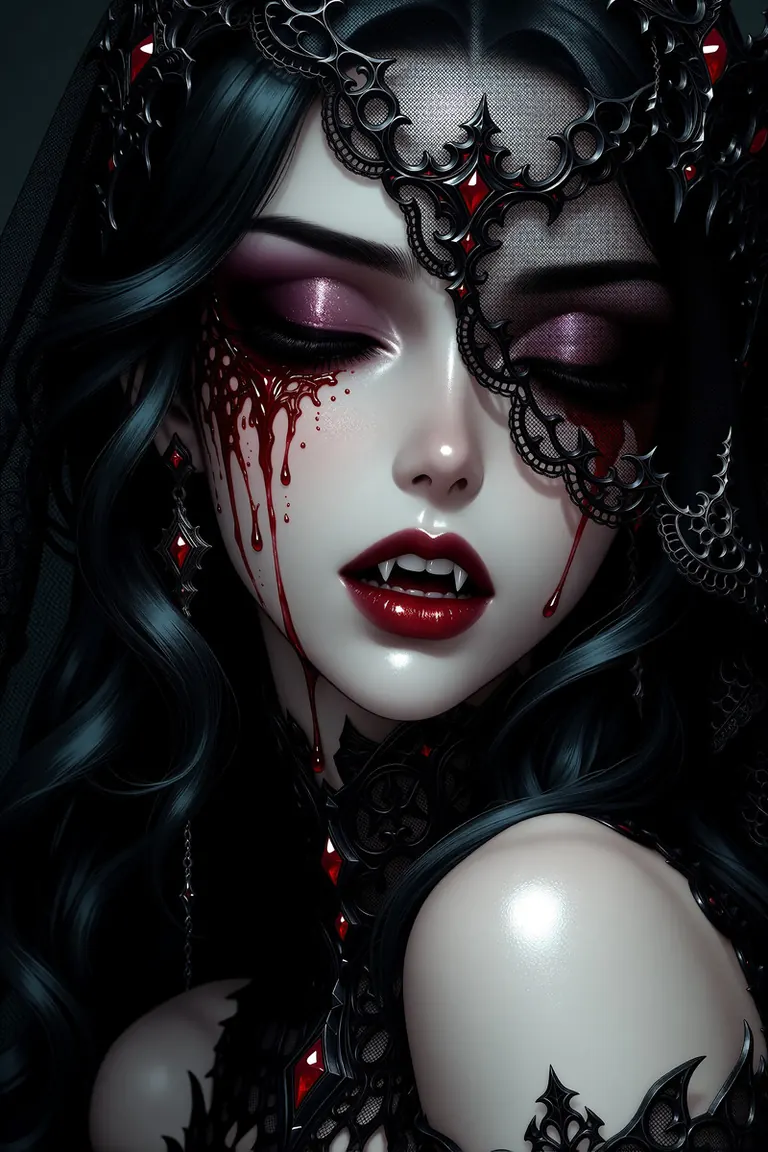
Prompts et réglages partagés par les personnes qui ont réalisé ces rendus sur Civitai. Choisissez un rendu pour voir comment il a été fait.
Réglages
Sampler
er_sde_simple
Étapes
8
Guidance
1
Seed
6697018328102538
Taille
2048x3072
Poids utilisé
-0.8
Prompt
zidiusArt,, midjourney,, whimsical storybook illustration,, GrimmsPaint, {
"scene": "parody of a glamorous anime fashion strut, an unattractive disheveled middle-aged woman from Queens walking down a filthy New York sidewalk with total runway confidence, walking her hideous little dog",
"location": "Roosevelt Avenue in Queens, New York, under the rusty green steel elevated subway tracks",
"woman": {
"lips": "huge glossy bright red lipstick drawn far beyond her natural lip line, the red clearly visible from a distance, a lipstick smear on one front tooth",
"eyebrows": "fake drawn-on eyebrows painted with thick black pencil, extremely high and sharply arched in the middle of her forehead, one noticeably higher than the other, giving her a permanently surprised look, clearly visible above the sunglasses",
"face": "woman in her fifties with a puffy round face, a large dark mole with a single hair on her chin, double chin, two round pink blush circles on her cheeks, chin raised high with a smug self-satisfied expression",
"sunglasses": "huge oversized round hot pink plastic sunglasses sliding down to the tip of her nose, leaving her painted eyebrows fully exposed",
"hair": "towering messy black beehive hairdo, greasy and flattened on one side, frizzy strands sticking out, grey roots showing",
"body": "flabby arms, sagging deflated chest shaped under a long loose leopard-print top with a high round crew neckline, the top fully covering her stomach down to the waistband",
"outfit": "shiny metallic gold biker jacket with silver zippers and studs, ripped light blue jeans with torn knees, scuffed white sneakers",
"handbag": "cheap fake crocodile red handbag hanging from the crook of her bent left arm",
"cigarette": "cigarette held between two fingers of her raised right hand, a thin trail of smoke, very long acrylic green nails on every finger"
},
"pose": "walking straight toward the camera mid-stride, hips swaying like a catwalk model, head turned slightly to the side, gazing off into the distance past the camera, ignoring the viewer completely",
"dog": {
"breed": "small fat pug on a pink rhinestone leash, trotting ahead of her toward the camera",
"face": "hugely exaggerated bulging eyes pointing in two different directions, long wet tongue hanging out sideways from the corner of its mouth, crooked underbite with two tiny teeth sticking out, deep wrinkles, snorting",
"outfit": "tiny leopard-print sweater matching her top"
},
"sidewalk": "cracked grimy concrete sidewalk, flattened chewing gum spots, a crushed soda can, scattered cigarette butts, a greasy paper plate, a puddle reflecting the elevated tracks, an overflowing trash can on the curb",
"environment": "busy Queens street with shop awnings, a bodega with a neon sign, yellow cabs, pigeons pecking at crumbs, graffiti on the steel pillars of the elevated tracks",
"environment.light_source": "harsh midday sunlight slicing through the gaps in the elevated tracks, casting striped shadows across the sidewalk, a bright patch of sun falling directly on her face",
"style": {
"medium": "high-quality anime illustration, polished gacha character splash art, clean lineart, glossy cel shading",
"palette": "metallic gold, hot pink and lipstick red contrasting with grimy greys, rust greens and dirty yellows",
"lighting": "glamour anime lighting with shiny highlights on the gold jacket, the sunglasses, her red lips and her hair, sparkling glints, striped sunlight"
},
"camera": "low angle with the camera close to the sidewalk, wide-angle lens, the pug large and close in the foreground, the woman striding toward the camera with her face large, sharp and detailed in the upper half of the frame, elevated tracks overhead"
}
Réglages
Sampler
Euler
Étapes
8
Guidance
1
Seed
963997902106583
Taille
888x1184
Prompt
at night in Moscow
Réglages
Sampler
euler
Étapes
8
Guidance
1
Seed
109507117
Taille
832x1248
Poids utilisé
-1
Prompt
wabisabi, japan, (ethereal:2), volumetric lighting, backlit, over exposure,
A photo-realistic shoot from a profile camera angle about a young woman in a traditional japanese kimono smelling a flower with paint like background mixture. That mixture creates an atmosphere of mystery and subtlety. the woman has Crystal-clear white skin. the image also shows a soft, blurred wghite background with some flowers and delicate patterns. on the middle of the image, a young woman with fair skin and dark hair styled in an elegant updo, wearing a traditional japanese kimono with a floral pattern in shades of white, yellow, and orange. she appears to be smelling a white flower, with her eyes closed and a peaceful expression on her face. she is holding a small white flower in her right hand. her hair is adorned with a small, delicate hair comb and a pink ribbon, adding a touch of elegance to her overall look. her kimono is intricately designed with a floral pattern, and she is wearing a brown sash around her waist, which adds to her traditional japanese attire. sh1row, Shirow Masamune style
Réglages
Sampler
euler
Étapes
12
Guidance
1
Seed
1237673200
Taille
1664x2496
Poids utilisé
-1
Prompt
A semi-realistic digital illustration of a gothic female portrait, rendered in a polished, high-fantasy digital painting style reminiscent of dark fantasy concept art and high-end manhwa aesthetics. The subject is a woman with extremely pale, porcelain-like skin that has a flawless, airbrushed quality, and long, flowing black hair that features subtle dark teal and blue undertones in the shadows. Her eyes are gently closed, conveying a sense of serenity or tragedy, with her eyelids shaded in deep burgundy and plum tones. A complex black sheer veil covers the upper right portion of her face, draping over her forehead and right eye with intricate and delicate patterns. On the left side of her face, the veil appears to blend into splatters of vivid crimson blood; the blood has a wet, viscous appearance with red droplets and streaks running down her pale cheek from her closed left eye. Her full lips are a focal point, painted in a glossy, deep red with a sharp white specular highlight on the lower lip, slightly parted to reveal a glimpse of her white vampire fangs. The very low lighting is dramatic and cinematic, utilizing a strong central light source that creates bright highlights on the bridge of her nose, forehead, chin, and her visible left shoulder, contrasting sharply with the deep black shadows of her hair and the dark, indistinct background that merges seamlessly with her silhouette. Her visible left shoulder is smooth, pale, and glossy, wrapped in black, vine-like sheer textures that extend from the bottom of the frame, adding to the dark romantic theme. The color palette is dominated by high-contrast blacks, stark whites, and vivid blood reds, creating a macabre and elegant atmosphere. The rendering quality is ultra-detailed with smooth gradient shading on the skin, soft ambient occlusion around the hair and mask, and a glossy texture on the lips and skin, finished with an 8k resolution aesthetic and high definition line work. sh1row, Shirow Masamune style, n0vuschr0ma style
Aperçu
[
KREA 2
] Curseur de poids v2.0 par alcaitiff est un
LoRA
curseur pour le poids du corps sur Krea 2. L'instruction de l'auteur est brève : utilise des valeurs de -3 à 3, mais 2 suffit généralement. C'est une alternative plus légère au curseur Loraholic de -10 à 10 dans ce catalogue.
Comme tous les curseurs, il n'a pas de déclencheur et se combine avec d'autres LoRA.
Référence
Nom | Type | Rôle |
|---|---|---|
Poids LoRA | -3 to 3 | 2 suffit généralement. |
Déclencheur | none | |
Étapes / guidage | 8 / 1 | |
Cadrage | medium / full | |
Combinaison | free |
AD

Aucune installation requise – exécutez les modèles IA dans le cloud
BitVector Prism est la façon la plus simple de commencer : choisissez un modèle, tapez un prompt et générez dans une application web épurée, sans rien configurer. BitVector est aussi disponible sur Discord et sur le web (SpyGlass).
Pas à pas
- Génère le personnage et garde la graine.
- Curseur à +2 ou -2.
- Ajuste par 0.5.
- Décris l'ajustement des vêtements.
- Combine avec le curseur Âge si besoin.
Exemples
Illustration
A whimsical storybook illustration of a middle-aged woman striding down a busy New York side street in a sequined gown, parody of a fashion strut, painterly.
Weight Slider +2
Photo de rue
A man in his forties in a wool coat at night in Moscow, snow, streetlights, 35mm.
Weight Slider -1.5
Idée créative : fiche de casting
Same seed portrait at -2, 0, +2 for a casting reference.
Astuces
- Plage plus petite signifie moins de risque de changer le visage.
- Les styles de livre d'images et d'illustration réagissent aussi bien que les photos.
- Compare avec le curseur Loraholic pour un contrôle plus précis.
- Reste dans ±3.
Dépannage
Peu d'effet
Pourquoi cela arrive
Gros plan.
Comment le corriger
Corps moyen ou entier.
Distorsion
Pourquoi cela arrive
Au-delà de ±3.
Comment le corriger
Reste dans la plage.
AD

Aucune installation requise – exécutez les modèles IA dans le cloud
PirateDiffusion est réservé à Telegram et conçu pour les pros : des milliers de modèles, LoRA et workflows pilotés par commandes de chat, avec génération illimitée à prix fixe.

Questions
Déclencheur ?
Aucun.
Différence avec le curseur Loraholic ?
Plage et intensité ; celui-ci est plus doux.
Liens et sources
Modèles de ce guide
Écrit par
Captain
Guides associés
Modèles
Photo amateur esthétique Krea V4 : réalisme photo de téléphone du quotidien
Le LoRA Photo amateur esthétique de powerpuff rend les images Krea 2 comme de vraies photos de smartphone et de réseaux sociaux : détails plus nets, couleurs plus vives, cadrage naturel. Découvre le poids, les prompts et les idées.
Par Captain
2026-09-29
Modèles
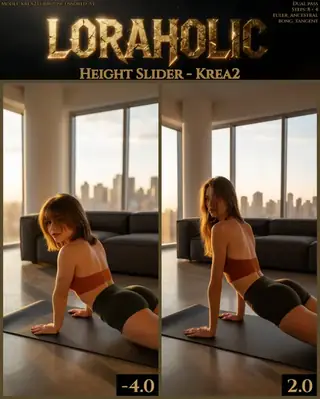
Curseur de taille pour Krea 2 : changements de taille sûrs pour l'âge
Le Curseur de taille de Loraholic modifie la taille d'un sujet dans Krea 2 sans changer son âge. Découvre la plage de -4 à 3, la remarque sur les femmes aux valeurs élevées et des idées pour les alignements de personnages.
Par Captain
2026-10-03
Modèles
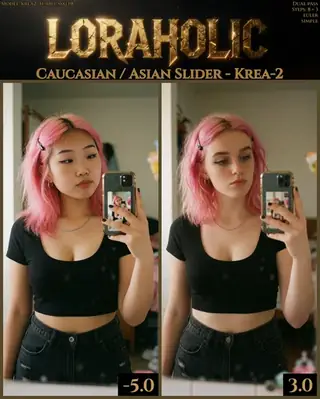
Curseur d'ethnicité Caucasien / Asiatique pour Krea 2 : utilise la valeur la plus basse qui fonctionne
Le curseur d'ethnicité de Loraholic fait varier les traits du visage entre une apparence caucasienne et est-asiatique dans Krea 2. Découvre la plage de -5 à 4, pourquoi il vaut mieux privilégier les faibles valeurs et comment l'utiliser correctement pour créer des personnages.
Par Captain
2026-10-02
Modèles
Canon UltraReal pour Krea 2 : la couleur et le bokeh d'un ancien flagship plein format
Le LoRA Canon UltraReal de Danrisi reproduit les couleurs riches, le rendu et le bokeh des photos prises avec un Canon 1Ds sur des objectifs 28-500mm. Découvre le trigger c2n0n, le poids et pourquoi les prompts détaillés comptent.
Par Captain
2026-10-01
Autres guides

Services cloud
Forfait fixe vs jetons : pourquoi les forfaits illimités comme Graydient.ai offrent la meilleure valeur pour les créateurs d’IA en 2026
Une comparaison des coûts classés, avec les prix relevés le 8 octobre 2026, entre les forfaits illimités à tarif fixe comme Graydient.ai et les tarifs à base de jetons et crédits de Midjourney, Leonardo, fal.ai, Replicate, Runway et Kling : ce que coûtent vraiment 1 000 images et 1 000 vidéos par mois sur chacun, et pourquoi un tarif fixe pour des images, vidéos, audios, chat LLM Grok et applications web illimités est la meilleure option pour les créateurs qui font beaucoup d’essais.
Par Captain
2026-10-08

Modèles
FLUX.1 Dev : comment le guider, meilleurs réglages et idées créatives
Un guide pratique pour FLUX.1 Dev de Black Forest Labs : comment utiliser des instructions en langage naturel, réglages de guidage et d’étapes, empilement de LoRA, rendu de texte et idées de prompts qui exploitent ses points forts.
Par Captain
2026-09-30

Modèles
Stable Diffusion XL 1.0 : prompts, réglages et ce qu'il fait encore de mieux
Comment tirer le meilleur parti du modèle de base officiel SDXL 1.0 : résolutions natives, réglages CFG et sampler, le refiner, prompts négatifs et idées de styles où SDXL brille encore.
Par Captain
2026-10-01

Modèles
Stable Diffusion 1.5 : le modèle classique, bien utilisé
Stable Diffusion 1.5 vaut toujours le coup : la bonne résolution, CFG et sampler, comment utiliser sa grande bibliothèque de LoRAs et embeddings, et des idées de prompts créatifs adaptés à un modèle 512 pixels.
Par Captain
2026-10-02

Modèles
FLUX.2 Dev : comment utiliser le nouveau modèle de Black Forest Labs
FLUX.2 Dev permet des prompts plus longs, un meilleur texte, un réalisme renforcé et une édition multi-références. Ce guide explique le workflow turbo, les réglages de guidance et de résolution, la structure du prompt et des idées qui tirent parti de ses nouvelles capacités.
Par Captain
2026-10-03
Modèles
Qwen-Image : longues invites, texte parfait et affiches bilingues
Qwen-Image est le modèle à utiliser quand les mots dans l’image comptent. Apprends à écrire ses longues invites descriptives, à rendre le texte anglais et chinois avec précision, à régler le CFG et les étapes, et à explorer des idées créatives avec beaucoup de mise en page.
Par Captain
2026-09-29

Model
Trends
.ai
© ModelTrends.ai
|
© 2026
|
Tous droits réservés