Run Locally
Anima_NIJI_SWEET_SPOT_v5.safetensors
175 MB · SafeTensor · fp16
Downloads are served by Civitai. Some creators ask for a Civitai login first.


About This Model
ANIMA · LoRAs
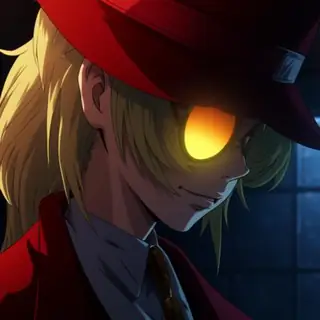
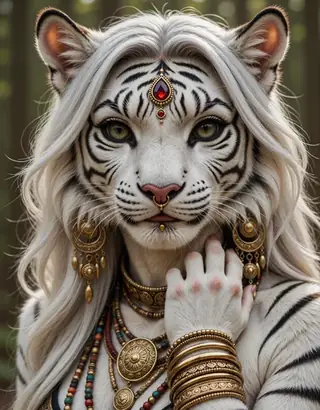
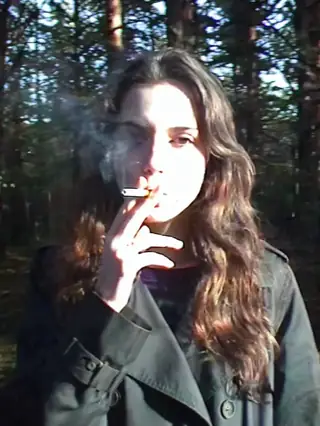
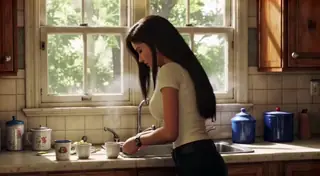
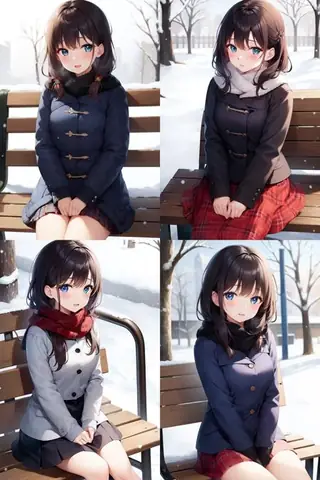
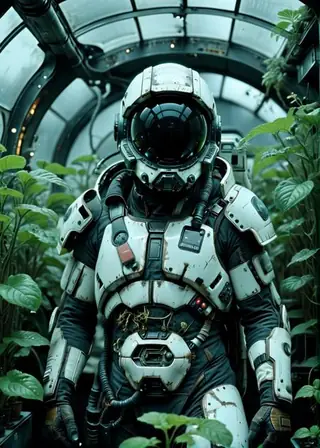
By - ZaeY This Lora feature high-fidelity digital rendering with a semi-realistic aesthetic, characterized by dramatic cinematic lighting with intricate shadow patterns, luminous emissive eyes as central focal points, and a shallow depth of field that emphasizes sharp facial details and varied material textures. This lora works better for close-ups/portraits
Creator notes
This Lora feature high-fidelity digital rendering with a semi-realistic aesthetic, characterized by dramatic cinematic lighting with intricate shadow patterns, luminous emissive eyes as central focal points, and a shallow depth of field that emphasizes sharp facial details and varied material textures. This lora works better for close-ups/portraits
Based on MJ Niji v7
NIJI SWEET SPOT BRANCHES:
- PLEASE READ THE DESCRIPTION -
You can look into the showcase images for the settings!
ANIMA v5:
Strenght: 0.4 - 1.0 (1.0 Might be too strong sometimes, recommended for general use is around 0.6-0.8)
Trained using an updated version of the Krea2 v2_A dataset. Updating Niji Sweet Spot Anima beyond version 4 was quite challenging, mainly because it already had such good quality. After training version 2A of Krea2, I was curious to try it on Anima as well, and I was amazed by the results—the quality is outstanding, the anatomy looks fantastic, facial features are exceptional, and the overall composition is impressive. I hope you enjoy it as much as I do! (Some of the images in the showcase were intentionally left without upscaling or high‑res fix, to highlight that the model delivers impressive quality even with simple, basic generation.)
Krea2 v2 A & B:
Trained using an updated version of the dataset from Anima v2_A and B. The main idea of both versions is to achieve better lighting and brigther colors. The style is a bit weaker so I recommend using more strenght (0.8 - 1.5 but you can mostly keep it on 1.0) and try to avoid adding a style on your prompt (realism, 3d, anime screenshot...)
Krea2 v1:
Krea2 is looking good, and I finally decided to make a Niji Sweet Spot version of it! As you can see in the showcase, the style keeps a look similar to Anima v4, but it handles fine details much better thanks to Krea2’s quality. I hope you all enjoy experimenting with it!
I HIGHLY RECOMMEND USING KREA2 FILTERBYPASS LORA ALONG WITH IT
Strenght: 0.6-1.2
Anima v4:
A completely new and larger dataset was created to improve anatomical accuracy and to address the overly sharp lines that versions v2_A and v3 developed. Introducing a new triggerword, since I believe Anima could be confused with certain artists of similar names to the previous triggerword. Improved clothing textures, adding a subtle 3D effect to it.
Anima v3:
Version 3 is a bit stronger than Version 2, but it is still very flexible. I strongly recommend using: "lowres, (bad quality, worst quality:1.2), long neck, bad anatomy, watermark, jpeg artifacts, ugly, poorly drawn" as a negative prompt, since in many tests it proved to significantly improve quality. Anatomy has also been improved, as well as some textures.
Anima v2 A and B:
Now with v2, you can achieve more stable results than with v1. I also managed to create two distinct major styles for you to choose from: Style A, an Anima successor of Ultra-Style version, and Style B, with a more stylized anime look. Both still maintains flexibility with different art/artist styles. Have fun discovering you favorite NIJI SWEET SPOT look!
Anima v1:
You have the same possibilities as the illustrious versions, but now with greater general stability thanks to how good Anima is! Just like the illustrious versions, this LoRA offers amazing flexibility with styles. I hope you enjoy exploring and finding what suits you best.
A new style option called Ultra Style has also been added. In my opinion, it is the best at generating beautiful and striking compositions! Now both the strong and soft versions are more refined (as you can see comparing both showcased images) and significantly more stable in terms of general anatomy (fewer issues with fingers).
Strenght: 0.6-1.0
You can achieve some variation styles based on the artists and quality tags you add to your prompt
My favorite ones (Illustrious):
-
NJsw33t, blurry background, depth of field, rim light, chiaoscuro, (anime coloring, flat color, sketch), (umikochannart:0.3), (huangdanlan:1.2), (kagoya1219:0.5), (genyaku:0.4), (artist:pigeon666:0.67),(dino_(dinoartforame):0.5),(quasarcake:0.4), (by jima:1.2), by putimaxi,
-
NJsw33t, blurry, blurry background, depth of field, close-up, best quality, masterpiece, best quality, amazing quality, newest, very aesthetic, absurdres, 8k, good anatomy, good shading, ultra detailed, refined details, high resolution, HD, masterwork, (semi-realistic) Sharp focus, ((donghua style)), ((realistic shading)) (mazjojo:0.67), (pigeon666:0.83), (zawar379:0.73), fujii eishun,
-
sw33t, blurry, background, depth of field, best quality, masterpiece, best quality, amazing quality, newest, very aesthetic, absurdres, 8k, good anatomy, good shading, ultra detailed, refined details, high resolution, HD, masterwork,(photorealistic:1.2), Sharp focus, dynamic details, dynamic angle, dynamic action, dynamic pose, (kotteri:1.3), gravitydusty, (umikochannart:0.3), (huangdanlan:1.2), (watanabe tomari:1.2), (kagoya1219:0.5), (genyaku:0.4).
Trigger words
@NJSW33T
SHA256
21E04A939834F6F70FEB49216EA24EEA857F66F51D76236DFD0CACF8305D2996
ModelTrends.ai Model ID
#27465
Flag content
AI Models for Image, Video & Text Generation
niji sweetspot anima is a LoRA for the Anima family listed on ModelTrends.ai, a read-only catalog of open source AI image, video and text models. Compare it with other Anima models, check its heat score to see how it is trending, and open it on PirateDiffusion or BitVector to try it.
Browse by Model Family
Text / LLM Models
411

Anima Models
509
Chroma Models
14
Flux Models
1,071
Flux 2 / Klein Models
1,237
MiniMax H3 Models
331
Hunyuan Models
197
Ideogram Models
20
Krea2 Models
674

Qwen Models
17
Qwen2 Models
36
Ltx2 Models
150
Stable Diffusion 1.5 Models
6,465
Stable Diffusion XL 1.0 Models
15,432
Zimage Models
804
Wan Models
919

Model
Trends
.ai
© ModelTrends.ai
|
Made in Japan
|
© 2026