LTX 2.3 Crisp Enhance: sharper, more cinematic video detail
Konu: Modeller

Captain tarafından
2026-10-03 tarihinde yayımlandı
vrgamedevgirl's Crisp Enhance LoRA for LTX 2.3 increases sharpness, micro-detail and contrast in generated video. Learn how to balance it with the Soft Enhance sibling, weights and prompt ideas.
Bu sayfa henüz çevrilmedi, bu yüzden İngilizce gösteriliyor.
Genel bakış
LTX
2.3 Enhancers are a pair of
LoRAs
for Lightricks' LTX 2.3 video model. Crisp Enhance pushes a sharper, more cinematic beautifier look with more micro-detail and contrast; Soft Enhance is the gentler counterpart that recovers detail while softening harsh contrast. Both can run together at different strengths for a custom finish.
Başvuru
Ad | Tür | Ne olduğu |
|---|---|---|
Crisp weight | 0.5-1.0 | 0.7 default. |
Soft weight | 0.3-0.8 | Optional counterweight. |
Mode | T2V | Also usable in I2V. |
Prompt | text | Cinematic descriptions with lighting and camera motion. |
Placement | after checkpoint | In the LTX subgraph. |
AD

Kurulum gerekmez – yapay zeka modellerini bulutta çalıştırın
BitVector Prism başlamanın en kolay yolu: bir model seçin, bir prompt yazın ve sade bir web uygulamasında hiçbir ayar yapmadan üretin. BitVector ayrıca Discord'da ve web'de (SpyGlass) mevcuttur.
Adım adım
- Write a cinematic video prompt with camera movement.
- Attach Crisp Enhance at 0.7.
- Generate a short clip and check for over-sharpening.
- Add Soft Enhance at 0.4 if contrast is harsh.
- Lock the pair and reuse across clips.
Örnekler
Cafe scene
A young woman in her early twenties sits at a small table in a cozy cafe on a street of half-timbered houses, warm window light, the camera slowly pushes in.
Crisp Enhance 0.7
Portrait zoom
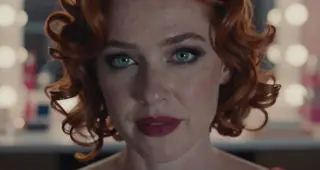
A tight close-up of a red-haired woman with green eyes and freckles, berry lipstick, the camera slowly zooms out to reveal a rainy window.
Crisp 0.6, Soft 0.4
Creative idea: product reveal
A mechanical watch on black velvet, a single light sweeps across its face, macro, slow motion.
Crisp Enhance 1.0
İpuçları
- Close-ups of faces and fabrics benefit most.
- Slow camera moves show the detail; fast pans hide it.
- If skin looks crunchy, raise Soft and lower Crisp.
- Describe light quality (soft window light) to avoid harshness.
Sorun giderme
Over-sharp, halos
Neden olur
Crisp at 1.0 on bright scenes.
Nasıl düzeltilir
0.6 plus Soft 0.4.
Flicker
Neden olur
High weights with fast motion.
Nasıl düzeltilir
Lower both and slow the camera.
AD

Kurulum gerekmez – yapay zeka modellerini bulutta çalıştırın
PirateDiffusion yalnızca Telegram'dadır ve profesyoneller için tasarlanmıştır: sohbet komutlarıyla çalışan binlerce model, LoRA ve iş akışı, sabit fiyatlı planda sınırsız üretim.

Sorular
Works on LTX-2?
Made for 2.3; test on 2.x variants.
Trigger?
None.
Bağlantılar ve kaynaklar
Bu rehberdeki modeller
Yazan
Captain
İlgili rehberler
Modeller
UltraReal for Krea 2 and Klein 9B: texture back into smooth AI images
vizsumit's UltraReal LoRAs reduce the soft, smooth AI look and add real texture and detail, especially for close-ups and clothing. Learn versions, weights and prompts.
Captain tarafından
2026-10-02
Modeller
Absolute Reality 1.8.1: realistic people, fantasy and sci-fi on SD 1.5
Lykon's Absolute Reality 1.8.1 handles realistic humans and wider fantasy and sci-fi prompts. Learn the creator's face-conditioning advice, settings, ISO-noise trick and creative ideas.
Captain tarafından
2026-09-29
Modeller
Better Human Motion for MiniMax H3: natural, consistent body movement
AdaptiveVision's Better Motion LoRA makes MiniMax H3 (and LTX) characters move naturally and consistently. Learn weight, resolution, step count and how to write short motion prompts.
Captain tarafından
2026-10-01
Modeller
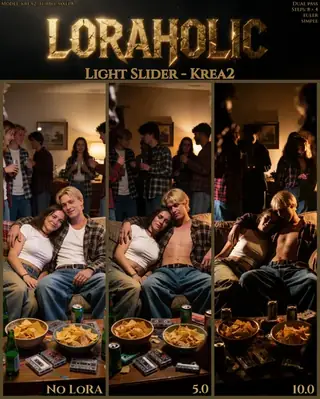
Light Slider for Krea 2: deepen shadows while the subject stays lit
Loraholic's Light Slider darkens the darkest parts of a Krea 2 scene while keeping focus areas lit, a contrast-style control. Learn the range, two-pass advice and when to use the Brightness slider instead.
Captain tarafından
2026-09-30
Diğer rehberler

Modeller
FLUX.1 Dev: how to prompt it, best settings and creative ideas
A practical guide to FLUX.1 Dev by Black Forest Labs: natural-language prompting, guidance and step settings, LoRA stacking, text rendering and prompt ideas that play to its strengths.
Captain tarafından
2026-09-30

Modeller
Stable Diffusion XL 1.0: prompts, settings and what it still does best
How to get the most out of the official SDXL 1.0 base model: native resolutions, CFG and sampler settings, the refiner, negative prompts and ideas for styles where SDXL still shines.
Captain tarafından
2026-10-01

Modeller
Stable Diffusion 1.5: the classic model, prompted properly
Stable Diffusion 1.5 is still worth knowing: the right resolution, CFG and sampler, how to use its huge library of LoRAs and embeddings, and creative prompt ideas suited to a 512-pixel model.
Captain tarafından
2026-10-02

Modeller
FLUX.2 Dev: prompting the newest Black Forest Labs model
FLUX.2 Dev brings larger prompts, better text, stronger realism and multi-reference editing. This guide covers the turbo workflow, guidance and resolution settings, prompt structure and ideas that use its new strengths.
Captain tarafından
2026-10-03

Modeller
Qwen-Image: long prompts, perfect text and bilingual posters
Qwen-Image is the model to reach for when the words in the picture matter. Learn how to write its long descriptive prompts, render English and Chinese text accurately, set CFG and steps, and explore layout-heavy creative ideas.
Captain tarafından
2026-09-29

Modeller
SDXL-Lightning: four-step generation on any SDXL checkpoint
ByteDance's SDXL-Lightning LoRA turns a 30-step SDXL render into a 4-step one. Learn the step counts, the CFG you must use, the sampler, and how to combine it with your favorite checkpoints and style LoRAs.
Captain tarafından
2026-09-30

Model
Trends
.ai
© ModelTrends.ai
|
Japonya'da yapıldı
|
© 2026