Elusarca's Krea 2 Detail Enhancer (Edit LoRA): sharpen an existing image
Ämne: Modeller

Av Captain
Publicerad 2026-09-29
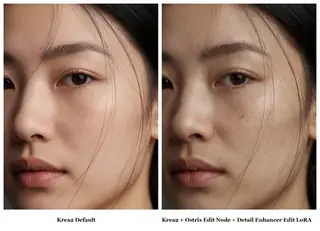
reverentelusarca's experimental edit LoRA uses Ostris's Krea 2 edit method to enhance detail in an existing image. Learn the enhance this image trigger, the recommended prompt, limitations and ideas.
Den här sidan har inte översatts ännu, så den visas på engelska.
Översikt
Elusarca's
Krea 2
Detail Enhancer
is an edit
LoRA
trained with Ostris's AI Toolkit method and custom
ComfyUI
node (ComfyUI-Krea2-Ostris-Edit), which lets Krea 2 edit images despite being a text-to-image model. It is experimental: Krea 2 is not an edit model, so expect less precision than dedicated editors, occasional changes to the image, slight lighting and color shifts and possible issues with horizontal aspect ratios.
Trigger: enhance this image. The author's prompt: Enhance this image to high resolution with rich fine details. Sharpen all textures and surfaces, add microdetail...
Referens
Namn | Typ | Vad det är |
|---|---|---|
Trigger | enhance this image | |
Prompt | author's sentence | Enhance this image to high resolution with rich fine details. Sharpen all textures and surfaces, add microdetail. |
Node | Krea2 Ostris Edit | Required custom node. |
LoRA weight | 0.8-1.0 | |
Aspect | portrait / square | Horizontal may misbehave. |
AD

Inget att installera - kör AI-modeller i molnet
BitVector Prism är det enklaste sättet att komma igång: välj en modell, skriv en prompt och generera i en ren webbapp, utan någon installation alls. BitVector finns också på Discord och på webben (SpyGlass).
Steg för steg
- Install the Ostris edit node pack.
- Load the source image and the LoRA.
- Prompt with the author's enhancement sentence.
- Generate and compare at 100 percent.
- Retry with a different seed if lighting shifted too much.
Exempel
Portrait enhance
enhance this image. Enhance this image to high resolution with rich fine details. Sharpen all textures and surfaces, add microdetail to skin, hair and fabric.
Source: a soft 768px portrait
Product
enhance this image. Enhance this image to high resolution with rich fine details, sharpen the leather grain and stitching.
Source: a bag photo
Creative idea: old render refresh
enhance this image. Enhance this image to high resolution with rich fine details, keep composition and colors.
Source: a 2023 SD 1.5 render
Tips
- Best on portraits and objects with real texture.
- Follow with a conventional upscaler for size.
- Treat it as an experiment, as the author does.
Felsökning
Image content changed
Varför det händer
Krea 2 is not an edit model.
Så löser du det
Try another seed; use a dedicated edit model for precision.
Horizontal images distort
Varför det händer
Known issue.
Så löser du det
Use portrait or square sources.
AD

Inget att installera - kör AI-modeller i molnet
PirateDiffusion finns bara på Telegram och är byggt för proffs: tusentals modeller, LoRA och arbetsflöden som styrs med chattkommandon, med obegränsad generering till ett fast pris.

Frågor
Trigger?
enhance this image.
Needs special nodes?
Yes, the Ostris Krea 2 edit node.
Länkar och källor
Modeller i den här guiden
Skriven av
Captain
Relaterade guider
Modeller
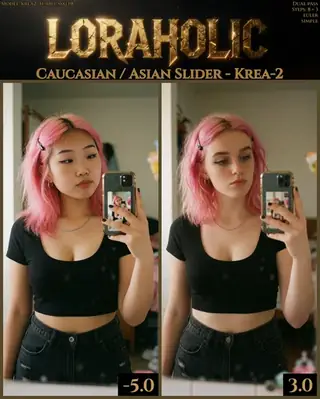
Caucasian / Asian ethnicity slider for Krea 2: use the lowest value that works
Loraholic's ethnicity slider shifts facial features between Caucasian and East Asian appearance in Krea 2. Learn the -5 to 4 range, why low values are recommended and how to use it responsibly for character design.
Av Captain
2026-10-02
Modeller
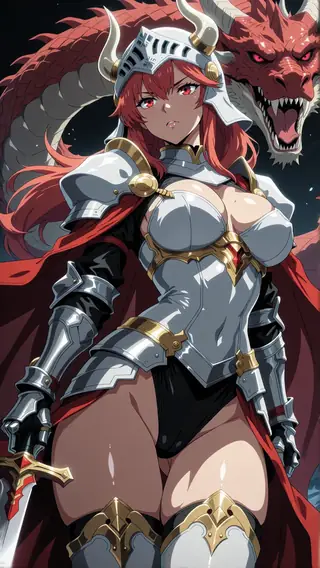
Anime Flat Style for Krea 2: bold cel-shaded 2D
Agino's Anime Flat Style LoRA gives Krea 2 clean anime artwork with bold flat colors and minimal shading. Learn weight, prompt structure and ideas for character designs and screencap-style scenes.
Av Captain
2026-10-02
Modeller
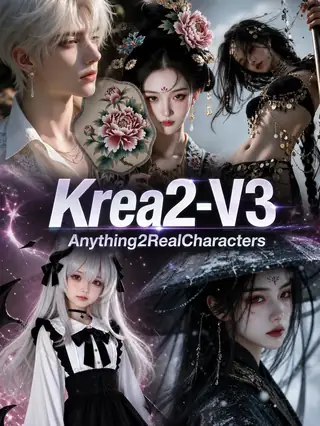
Anything2RealCharacters V3 for Krea 2: turn 2D art into photorealistic people
AIGC_Singularity's Anything2RealCharacters V3 is an image-to-image stylization LoRA that converts anime and artistic inputs into photoreal characters while keeping identity. Learn the workflow, denoise and ideas.
Av Captain
2026-10-03

Modeller
Krea2-Anime v1.5: an anime fine-tune that rewards detailed prompts
youneedanewname's Krea2-Anime turns Krea 2 into an anime model, but only shines with rich scene descriptions. Learn its prompting philosophy, tag plus prose structure, settings and ideas.
Av Captain
2026-10-02
Fler guider

Modeller
FLUX.1 Dev: how to prompt it, best settings and creative ideas
A practical guide to FLUX.1 Dev by Black Forest Labs: natural-language prompting, guidance and step settings, LoRA stacking, text rendering and prompt ideas that play to its strengths.
Av Captain
2026-09-30

Modeller
Stable Diffusion XL 1.0: prompts, settings and what it still does best
How to get the most out of the official SDXL 1.0 base model: native resolutions, CFG and sampler settings, the refiner, negative prompts and ideas for styles where SDXL still shines.
Av Captain
2026-10-01

Modeller
Stable Diffusion 1.5: the classic model, prompted properly
Stable Diffusion 1.5 is still worth knowing: the right resolution, CFG and sampler, how to use its huge library of LoRAs and embeddings, and creative prompt ideas suited to a 512-pixel model.
Av Captain
2026-10-02

Modeller
FLUX.2 Dev: prompting the newest Black Forest Labs model
FLUX.2 Dev brings larger prompts, better text, stronger realism and multi-reference editing. This guide covers the turbo workflow, guidance and resolution settings, prompt structure and ideas that use its new strengths.
Av Captain
2026-10-03

Modeller
Qwen-Image: long prompts, perfect text and bilingual posters
Qwen-Image is the model to reach for when the words in the picture matter. Learn how to write its long descriptive prompts, render English and Chinese text accurately, set CFG and steps, and explore layout-heavy creative ideas.
Av Captain
2026-09-29

Modeller
SDXL-Lightning: four-step generation on any SDXL checkpoint
ByteDance's SDXL-Lightning LoRA turns a 30-step SDXL render into a 4-step one. Learn the step counts, the CFG you must use, the sampler, and how to combine it with your favorite checkpoints and style LoRAs.
Av Captain
2026-09-30

Model
Trends
.ai
© ModelTrends.ai
|
Tillverkad i Japan
|
© 2026