Realism Enhancer for Krea 2: more photographic texture in 8 steps
HearmemanAI's Realism Enhancer LoRA pushes Krea 2 toward photographic realism. Learn the weight, the prompts that pair with it and creative ideas for product, portrait and documentary shots.
Subiect: Modele

De Captain
Publicat 2026-09-29
Această pagină nu a fost încă tradusă, așa că este afișată în engleză.
Prezentare generală
Realism Enhancer
Krea2
is a
LoRA
trained on 500 photographs with AI-Toolkit to add realistic texture, lighting response and material detail to Krea 2 output. The showcase images were produced on the mxfp8 turbo model, so it works in the fast 8-step path.
Krea 2 is already a strong SFW generalist; this LoRA is for when you want its output to pass as a photograph.
Referință
Nume | Tip | Ce este |
|---|---|---|
LoRA weight | 0.6-1.0 | 0.8 is a safe start. |
Trigger | none | None required. |
Steps / guidance | 8 / 1 | Krea 2 turbo defaults. |
Prompt | text | Natural language; include camera and light. |
Combination | any | Stacks with sliders and character LoRAs. |
AD

Fără instalare - rulează modele AI în cloud
BitVector Prism este cel mai simplu mod de a începe: alege un model, tastează un prompt și generează într-o aplicație web curată, fără nimic de configurat. BitVector este disponibil și pe Discord și pe web (SpyGlass).
Pas cu pas
- Write a photographic prompt: subject, place, light, camera.
- Attach the Realism Enhancer at 0.8.
- Generate at Krea 2's defaults.
- Compare with and without on the same seed.
- Add the Skin Detail slider at 1.0 for close portraits.
Exemple
Studio portrait
A minimalist high-contrast studio portrait of an orange tabby cat in a tiny knitted hat, grey seamless backdrop, single softbox.
Realism Enhancer 0.8
Street
A rainy evening street in Lisbon, tram lights reflecting on wet stone, people with umbrellas, 35mm, handheld.
Realism Enhancer 0.9
Creative idea: product in context
A hand-thrown ceramic mug on a workbench covered in clay dust, late afternoon window light, 50mm macro.
Realism Enhancer 1.0
Sfaturi
- It works on non-human subjects too: products, food, interiors.
- Say the lens and the light; the LoRA renders realistic falloff and bokeh.
- For an amateur look, pair with the Aesthetic Amateur Photo LoRA at 0.6.
- Lower to 0.6 when using a strong style LoRA.
Depanare
Over-sharp, crunchy textures
De ce se întâmplă
Weight 1.0 with a detail slider also high.
Cum se repară
Drop one of them; 0.8 and +0.5 is a good pair.
Illustration prompts become photos
De ce se întâmplă
The LoRA pulls toward realism.
Cum se repară
Remove it for illustrations or use 0.3.
AD

Fără instalare - rulează modele AI în cloud
PirateDiffusion este doar pe Telegram și construit pentru profesioniști: mii de modele, LoRA și fluxuri de lucru controlate prin comenzi de chat, cu generare nelimitată la un plan cu preț fix.

Întrebări
Does it work on Krea 2 fine-tunes?
Generally yes; fine-tunes that are already realistic need less weight.
Trigger word?
None.
Linkuri și surse
Modele din acest ghid

Scris de
Captain
Ghiduri conexe
Modele
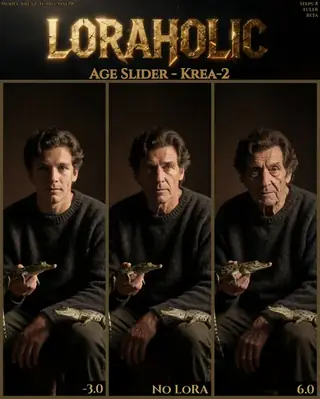
The Age Slider for Krea 2: adjust apparent age without changing anything else
Loraholic's Age Slider shifts the apparent age of people in Krea 2 images while preserving exposure, color and composition. Learn the recommended range, responsible use and creative ideas like ageing a character across a story.
De Captain
2026-09-29
Modele
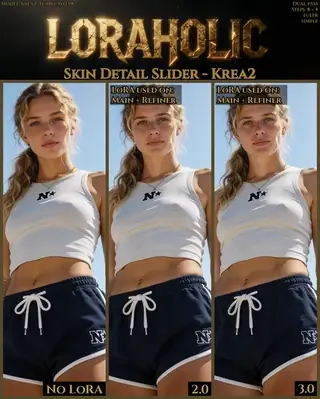
Skin Detail Slider for Krea 2: alive-looking skin without changing the image
Loraholic's Skin Detail Slider adds pores, fine lines and natural variation to skin in Krea 2 without altering composition. Learn the range (0.5-3.5), where to apply it in multi-pass workflows and when not to use it.
De Captain
2026-10-01
Modele
Krea 2 Detail Slider: dial texture up or down on any Krea 2 image
alcaitiff's Detail Slider for Krea 2 is a LoRA you steer with its weight: positive values add micro-detail, negative values simplify. Learn the ranges, how to combine it with Krea 2's 8-step workflow and ideas for using both directions.
De Captain
2026-09-30
Modele
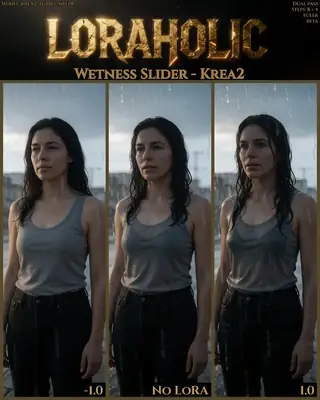
Wetness Slider for Krea 2: rain, sweat and sheen on demand
Loraholic's Wetness Slider adds or removes wetness on skin, hair and surfaces in Krea 2 with minimal side effects. Learn the safe ranges, the prompts that pair with it and creative uses from rain scenes to dewy product shots.
De Captain
2026-09-30
Mai multe ghiduri

Modele
FLUX.1 Dev: how to prompt it, best settings and creative ideas
A practical guide to FLUX.1 Dev by Black Forest Labs: natural-language prompting, guidance and step settings, LoRA stacking, text rendering and prompt ideas that play to its strengths.
De Captain
2026-09-30

Modele
Stable Diffusion XL 1.0: prompts, settings and what it still does best
How to get the most out of the official SDXL 1.0 base model: native resolutions, CFG and sampler settings, the refiner, negative prompts and ideas for styles where SDXL still shines.
De Captain
2026-10-01

Modele
Stable Diffusion 1.5: the classic model, prompted properly
Stable Diffusion 1.5 is still worth knowing: the right resolution, CFG and sampler, how to use its huge library of LoRAs and embeddings, and creative prompt ideas suited to a 512-pixel model.
De Captain
2026-10-02

Modele
FLUX.2 Dev: prompting the newest Black Forest Labs model
FLUX.2 Dev brings larger prompts, better text, stronger realism and multi-reference editing. This guide covers the turbo workflow, guidance and resolution settings, prompt structure and ideas that use its new strengths.
De Captain
2026-10-03

Modele
Qwen-Image: long prompts, perfect text and bilingual posters
Qwen-Image is the model to reach for when the words in the picture matter. Learn how to write its long descriptive prompts, render English and Chinese text accurately, set CFG and steps, and explore layout-heavy creative ideas.
De Captain
2026-09-29

Modele
SDXL-Lightning: four-step generation on any SDXL checkpoint
ByteDance's SDXL-Lightning LoRA turns a 30-step SDXL render into a 4-step one. Learn the step counts, the CFG you must use, the sampler, and how to combine it with your favorite checkpoints and style LoRAs.
De Captain
2026-09-30

Model
Trends
.ai
© ModelTrends.ai
|
Realizat în Japonia
|
© 2026