- #1

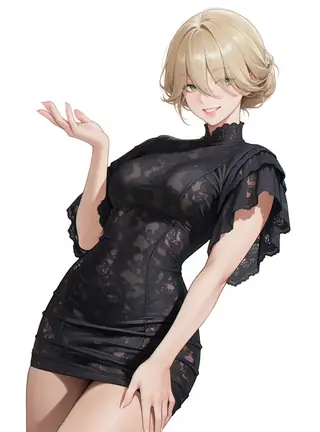
mystic5
By alcaitiff - (V5) Mystic is a general purpose NSFW helper LoRA for MiniMax H3. V5 claims to have more natural skin rendering/lighting, better movement, more realistic results, and higher audio quality. No specific triggers, describe your…By alcaitiff - (V5) Mystic is a general purpose NSFW helper LoRA for MiniMax H3. V5 claims to have more natural skin rendering/lighting, better movement, more realistic results, and higher audio quality. No specific triggers, describe your scene with natural language as you typically would with H3 in general.
- #2

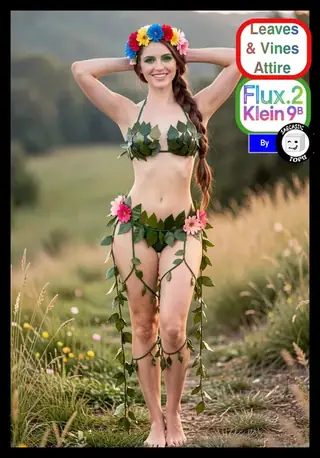
moss turbo
High-speed 8-step variant of MOSS-Image 5B DiT with 8-step DMD Turbo LoRA. Generates high-fidelity images with layout control and typography in English and Chinese in ~15 seconds. Telegram Commands: /run:turbo-moss [prompt] - Generate an…High-speed 8-step variant of MOSS-Image 5B DiT with 8-step DMD Turbo LoRA. Generates high-fidelity images with layout control and typography in English and Chinese in ~15 seconds. Telegram Commands: /run:turbo-moss [prompt] - Generate an image from description or spatial layout /steps:8 - Sampling steps (default: 8, recommended: 6-12) /guidance:2.5 - Prompt guidance / CFG (default: 2.5, recommended: 1.5-3.5) /seed:42 - Reproducible random seed /size:1024x1024 - Output canvas size (multiples of 16, e.g. 1024x1024, 1280x768, 768x1280) /slot1:22 - SLG uncond skip layer (22 = default reference; blank = off) /slot2:1.0 - Turbo LoRA strength (default: 1.0; 0.7 for milder effect; 0.0 to disable) /sampler:er_sde - Sampling algorithm (er_sde or euler) Tips: - Rapid 8-step generation cuts latency by ~70% compared to baseline MOSS. - Text Rendering: Put text in quotes within the prompt or use newlines (\n) for line breaks. - Negative Prompt: Default is empty string for clean unconditional guidance.
- #3

- #4

- #5
edit fibo2 turbo
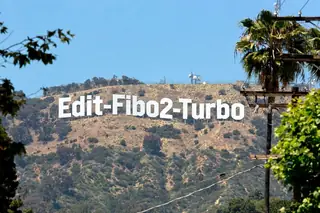
Fibo 2.0 Edit Turbo: distilled few-step editor. 4 steps, no CFG, negative prompt has no effect. Telegram Commands: Reply to any image with: /run:edit-fibo2-turbo [edit instruction] /steps:4 - Sampling steps (default 4, range 1-8)…Fibo 2.0 Edit Turbo: distilled few-step editor. 4 steps, no CFG, negative prompt has no effect. Telegram Commands: Reply to any image with: /run:edit-fibo2-turbo [edit instruction] /steps:4 - Sampling steps (default 4, range 1-8) /guidance:1 - CFG (default 1, fixed - no CFG on this model) /seed:42 - Reproducible seed /slot1:0 - Result width in pixels (0 = automatic, about 1 megapixel at the source's aspect ratio; multiples of 16) /slot2:0 - Result height in pixels (0 = automatic) Prompting: write a plain instruction ("Replace the text on the sign with \"HELLO\""); it is wrapped into Bria's structured JSON for you. Put any text you want rendered in quotes. Made of: Fibo 2.0 by Bria AI (8B flow-matching DiT, Qwen3-VL-4B encoder, FLUX.2 VAE). License CC BY-NC 4.0, non-commercial use only; commercial use needs an agreement with Bria.
- #6
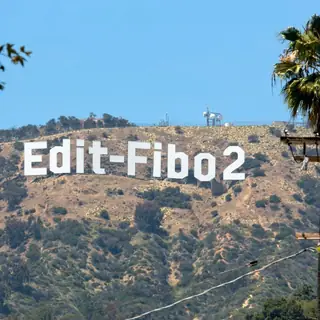
edit fibo2
Fibo 2.0 base: Bria's full 8B editing model. Highest quality, 30 steps, takes a negative prompt. Telegram Commands: Reply to any image with: /run:edit-fibo2 [edit instruction] /steps:30 - Sampling steps (default 30, range 1-60) /guidance:5…Fibo 2.0 base: Bria's full 8B editing model. Highest quality, 30 steps, takes a negative prompt. Telegram Commands: Reply to any image with: /run:edit-fibo2 [edit instruction] /steps:30 - Sampling steps (default 30, range 1-60) /guidance:5 - CFG (default 5, range 1-10) /negative:blurry, text artifacts - things to avoid (default blank) /seed:42 - Reproducible seed /slot1:0 - Result width in pixels (0 = automatic, about 1 megapixel at the source's aspect ratio; multiples of 16) /slot2:0 - Result height in pixels (0 = automatic) Prompting: write a plain instruction ("Replace the text on the sign with \"HELLO\""); it is wrapped into Bria's structured JSON for you. Put any text you want rendered in quotes. Made of: Fibo 2.0 by Bria AI (8B flow-matching DiT, Qwen3-VL-4B encoder, FLUX.2 VAE). License CC BY-NC 4.0, non-commercial use only; commercial use needs an agreement with Bria.
- #7
dreamlay
By c0ur4ge - (Preview 1 - Experimental) DR34ML4Y by DR34MSC4PE This NSFW helper LoRA, incredibly, manages to handle ALL of our specialty LoRA concepts - Double/Single Blowjobs, Missionary, Reverse (and regular) Cowgirl, Doggy, wrapped in…By c0ur4ge - (Preview 1 - Experimental) DR34ML4Y by DR34MSC4PE This NSFW helper LoRA, incredibly, manages to handle ALL of our specialty LoRA concepts - Double/Single Blowjobs, Missionary, Reverse (and regular) Cowgirl, Doggy, wrapped in one model! It obeys very well and is largely extremely accurate to the given keyword/position! Triggers: m15510n4ry, bl0wj0b, d0ubl3_bj, d0gg1e, c0wg1rl
- #8

moss
MOSS-Image: A 5B-parameter open diffusion model with layout control and text rendering in English and Chinese. Powered by Qwen3.5-9B and the FLUX.2 latent space. UPDATE - Supports LoRAs. Telegram Commands: /run:moss-image [prompt] -…MOSS-Image: A 5B-parameter open diffusion model with layout control and text rendering in English and Chinese. Powered by Qwen3.5-9B and the FLUX.2 latent space. UPDATE - Supports LoRAs. Telegram Commands: /run:moss-image [prompt] - Generate an image from description or spatial layout /steps:50 - Sampling steps (default: 50, range: 15-100) /guidance:3.0 - Prompt guidance / CFG (default: 3.0, range: 1.5-6.0) /seed:42 - Reproducible random seed /size:1024x1024 - Output canvas size (multiples of 16, e.g. 1024x1024, 1280x768, 768x1280) /slot1:5.0 - Flow sampling shift (default: 5.0) Tips: - Text Rendering: Put text in quotes within the prompt or use newlines (\n) for line breaks. - Negative Prompt: Default filter cleans up artifacts (worst quality, bad anatomy, blurry, watermark). - Layout Control: Supports 4K token prompts and structured JSON bounding boxes.
- #9
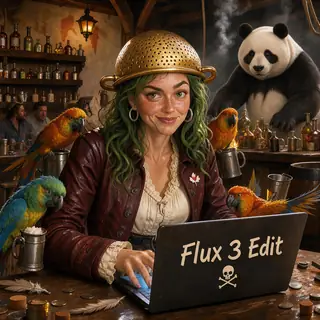
edit flux3
A basic Flux 3 distilled image editing workflow. 16 steps with 1 guidance. - #10
flux3
A basic Flux 3 distilled text to image workflow. 16 steps with 1 guidance. - #11
flux3 base
Undistilled Flux 3 Klein (base BF16 with 9GB Text Upscaler) text to image workflow. 50 steps is recommended. - #12

Moondream 3 Preview
Moondream | 32,000 token context | $0.30/M input, $2.50/M output. Moondream 3 Preview is a vision-language model from Moondream with 9B total parameters and 2B active (mixture-of-experts). It handles visual question answering, captioning,…Moondream | 32,000 token context | $0.30/M input, $2.50/M output. Moondream 3 Preview is a vision-language model from Moondream with 9B total parameters and 2B active (mixture-of-experts). It handles visual question answering, captioning, OCR, and visual reasoning over images, with a 32K-token context and an optional reasoning mode.
- #13

Moondream 3.1
Moondream | 32,000 token context | $0.30/M input, $2.50/M output. Moondream 3.1 is a vision-language model from Moondream, the successor to Moondream 3 Preview, with 9B total parameters and 2B active (mixture-of-experts). It handles visual…Moondream | 32,000 token context | $0.30/M input, $2.50/M output. Moondream 3.1 is a vision-language model from Moondream, the successor to Moondream 3 Preview, with 9B total parameters and 2B active (mixture-of-experts). It handles visual question answering, captioning, OCR, and visual reasoning over images, with a 32K-token context and an optional reasoning mode.
- #14

Muse Spark Open
Meta | 1,048,576 token context | $1.25/M input, $4.25/M output. Muse Spark Open is a coding-optimized open-weight model. Trained specifically for agentic coding workflows, it delivers higher first-attempt accuracy, reliable tool calling,…Meta | 1,048,576 token context | $1.25/M input, $4.25/M output. Muse Spark Open is a coding-optimized open-weight model. Trained specifically for agentic coding workflows, it delivers higher first-attempt accuracy, reliable tool calling, and deep codebase understanding across the repos developers actually work in.
- #15

Nemotron 3.5 Super VL
NVIDIA | 1,048,576 token context | $0.15/M input, $0.50/M output. NVIDIA Nemotron 3.5 Super VL is an open multimodal mixture-of-experts model from NVIDIA, with 12B active parameters out of 120B total. It takes text, images, documents, GUI…NVIDIA | 1,048,576 token context | $0.15/M input, $0.50/M output. NVIDIA Nemotron 3.5 Super VL is an open multimodal mixture-of-experts model from NVIDIA, with 12B active parameters out of 120B total. It takes text, images, documents, GUI screenshots, and video as input and returns text, and is built for long-running agents that combine visual understanding with reasoning and tool use. It uses a hybrid Mamba-Transformer architecture with multi-token prediction and supports a 1M-token context. Typical uses include document intelligence, web research, coding validation, customer service, and video understanding. Reasoning is on by default and can be turned off or given a token budget.
- #16
- #17
- #18

- #19

LFM2.5 24B A2B
LiquidAI | 128,000 token context | $0.05/M input, $0.70/M output. LFM2.5-24B-A2B is a mixture-of-experts reasoning model from Liquid AI with 24B total and 2.45B active parameters. It always reasons before answering and is built for agents…LiquidAI | 128,000 token context | $0.05/M input, $0.70/M output. LFM2.5-24B-A2B is a mixture-of-experts reasoning model from Liquid AI with 24B total and 2.45B active parameters. It always reasons before answering and is built for agents that call tools. Liquid recommends pairing it with retrieval or web search for knowledge-heavy tasks.
- #20
upscale vosr2
VOSR 2.0 image upscaler. Send a small, blurry or low-quality picture and get back a sharp, detailed one, 4x bigger by default. It is a one-step AI restorer (1.4B parameters), so it is fast, needs no prompt, and rebuilds fine detail such as…VOSR 2.0 image upscaler. Send a small, blurry or low-quality picture and get back a sharp, detailed one, 4x bigger by default. It is a one-step AI restorer (1.4B parameters), so it is fast, needs no prompt, and rebuilds fine detail such as textures, faces and small text instead of just stretching pixels. Reply to an image, or attach one. Nothing else is required. Controls: slot1 = upscale factor (default 4; 2-4 gives the most reliable results) /seed = changes the invented fine detail slot2 = colour match to the original: wavelet (default), adain or none slot3 = tile size in pixels (default 512; the model was trained at 512 so keep it for big outputs) slot4 = tile overlap (default 64) slot5 = VAE tile size (default 1024; stops out-of-memory on large outputs) slot6 = VAE tile overlap (default 128) Good to know: the added detail is generated to look right, not guaranteed to be what the original scene really contained, so do not use it as evidence. Keep the input small (under about 1000 px on the long side) so the result stays within the time limit.
- #21

iris3b
Iris-3B in one workflow: make pictures, read depth, or restore and enlarge. Iris paints directly in pixel space (no VAE), at full-quality weights. PICK A MODE with slot1: 0 (default) - Text to image: describe the picture in plain language…Iris-3B in one workflow: make pictures, read depth, or restore and enlarge. Iris paints directly in pixel space (no VAE), at full-quality weights. PICK A MODE with slot1: 0 (default) - Text to image: describe the picture in plain language (subject, materials, light, framing; about 295 tokens are read). No negative prompt on purpose - Iris is trained to work with an empty one. Uses the official 100-step reference sampler. Controls: steps, guidance (3 = reference), seed, width/height (about 1 megapixel, multiples of 16, e.g. 1024x1024, 1216x832), slot2 = sampling shift (4 = reference). 1 - Depth map: attach an image (image1) and set slot1 to 1. You get a grey-scale relative depth picture, dark = near, bright = far. slot3 = detail (megapixels the image is resized to, 0.6 default, up to 1.0). 2 - Upscale x4 / restore: attach an image (image1) and set slot1 to 2. Cleans up and enlarges 4x. Works best on small or soft images; the image is first resized to about 0.1 megapixel (slot4 sets this, up to 0.25), so the result is roughly 1300 pixels wide. Made of: Iris-3B by Speridlabs (Apache-2.0) with its depth model and upscaler LoRA, bf16, plus a Qwen3-VL 4B text encoder, running through the ComfyUI-Iris loader. The first run on a cold machine downloads about 21 GB and can take several minutes.
- #22
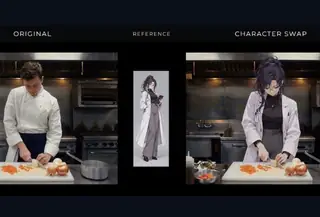
characterswap h3
Experimental character-replacement by Akatz Labs. Input a video and picture to replace the character. No prompt is necessary. If source video doesn't have audio, please use /slot1:0 or it'll fail. ComfyUI doesn't provide dynamic detection…Experimental character-replacement by Akatz Labs. Input a video and picture to replace the character. No prompt is necessary. If source video doesn't have audio, please use /slot1:0 or it'll fail. ComfyUI doesn't provide dynamic detection for this. This is the built in prompt - if you prompt anything, this is overridden, so clone it if you wish to modify how it works for a similar result: Replace only the person in with the character in . Keep the replacement character's identity, outfit, and art style from . Preserve the source video's camera, background, lighting, objects, and all other people. Match the target person's position, scale, pose, and movement. Do not show the reference sheet or its background.
- #23

eventhorizon3
By ElectricDreams. Krea2EventHorizon 3 — The Art of Imagination. Bold colors. Dramatic light. A distinctive artistic vision.⚡️ SUPER-FAST INFERENCE — STUNNING RESULTS IN JUST 5–6 STEPS! EventHorizon 3 is designed to deliver exceptional…By ElectricDreams. Krea2EventHorizon 3 — The Art of Imagination. Bold colors. Dramatic light. A distinctive artistic vision.⚡️ SUPER-FAST INFERENCE — STUNNING RESULTS IN JUST 5–6 STEPS! EventHorizon 3 is designed to deliver exceptional image quality with remarkably few sampling steps. Just 5–6 steps are typically enough for top-notch results, making generation faster, more efficient, and more affordable. Introducing Krea2EventHorizon 3, the latest chapter in my ongoing exploration of what Krea 2 can become. This checkpoint is built around something I care deeply about: visual identity. Rich, luminous colors. Beautifully sculpted light. Expressive contrast. Intricate detail. A distinctive blend of illustrative artistry and modern digital realism. I wanted to create something that doesn't simply produce beautiful images, but gives them personality — a recognizable aesthetic that feels intentional, vibrant, and alive. Whether you're exploring retro-futuristic cities, fantastic worlds, cinematic portraits, or vintage-inspired artwork, EventHorizon 3 brings its own visual character to the canvas. What Defines EventHorizon 3? Rich, luscious and luminous highlights Dramatic, expressive lighting Strong tonal contrast and atmospheric depth Refined details and beautifully rendered materials A unique balance of illustration and realism A bold, unmistakable visual personality Super-fast, low-step generation without sacrificing visual quality
- #24
- #25
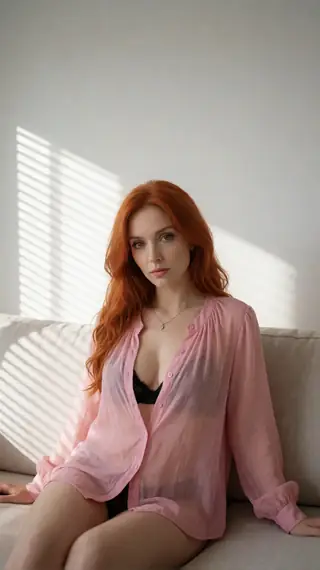
realistic redheads
by Infinite_Backshots - Realistic RedHeads - #26

restore photo
Restore old, damaged or low resolution photo using Qwen Image 2.1 Restore lora. No prompt needed, simply reply to a photo with: /workflow /run:restore-photo If photo is too blurry, try lowering /strength to 0.5-0.8 - #27
bank sfx
Type a sound, get one clean, ready-to-use hit. bank-sfx doesn't generate audio — it looks your request up in a hand-curated library of about 1,900 CC0 / public-domain sound effects (Kenney, OpenGameArt and Freesound) and returns the best…Type a sound, get one clean, ready-to-use hit. bank-sfx doesn't generate audio — it looks your request up in a hand-curated library of about 1,900 CC0 / public-domain sound effects (Kenney, OpenGameArt and Freesound) and returns the best match, so there's no AI noise or scratchiness. Controls: - Prompt: the sound you want, e.g. "door slam", "laser zap", "dog bark", "sword swing", "coin pickup", "thunder". - slot1: optional category filter (ui, impact, scifi, foley, household, animal, weapon, vehicle, body, tool, machine, magic, game, musical, water, door, food, horror, cartoon, footstep, whoosh, nature, explosion, cloth, ambience). - slot4: variation. 0 = best match, 1 = second best, 2 = third... for a different take of the same sound. Made of: a keyword-search node (ComfyUI-SfxBank) over a 196 MB FLAC sound bank. Same request always returns the same sound. Library covers game, UI, foley, nature, animals, vehicles, weapons and more; if something isn't in the bank you'll get an error rather than a made-up sound. All sounds are CC0 — free for any use, credits in the dataset on Hugging Face (Jacob121294/bank-sfx).
- #28

animate pinkcherry h3
The 1.0 version of Pinkcherry MiniMax H3 animate is faster and only needs 4 steps. - #29
ripple ltx25
Edit a whole video by describing one change. Say what to change - "make the jacket red", "add snow", "replace the man with the person in my reference image" - and the entire clip follows your edit while keeping the original motion, timing…Edit a whole video by describing one change. Say what to change - "make the jacket red", "add snow", "replace the man with the person in my reference image" - and the entire clip follows your edit while keeping the original motion, timing and camera. Built on Qwen Image 2.1 (the first-frame edit) and LTX 2.5 with the LTX Ripple add-on. YOUR FRAME OR OURS: say what to change in the prompt and the first frame is edited for you (costs about 10 to 20 seconds of render time at 1 megapixel). Or skip the prompt and give your own finished first frame in image1: it is used as is, with no AI edit. AUDIO: by default your original sound is NOT kept. The model makes new sound that follows the original timing, but any speech in it comes out garbled. To keep your original audio, set audio preservation to 1 (see settings below). HOW TO USE IT IN TELEGRAM 1. Send the video you want to edit to the chat. 2. Reply to it with: /wf /run:ripple-ltx25 make the jacket red To bring in a person or object, add a reference image and mention it in the prompt: /wf /run:ripple-ltx25 /image1:nickname replace the main subject with the man in IMAGE 1, including his suit (upload the picture first with /upload /new:nickname) Already edited the first frame yourself? Upload it, add it as image1 and leave the prompt out: /wf /run:ripple-ltx25 /image1:myframe Your frame is used as is and no render time is spent on an AI edit. SETTINGS Required: - Video: reply to it in the chat. - Either a prompt (what to change), or
- #30

audio echo25
NOTE voice identity locking with seed does not work with the audio vae alone. I will investigate a work around BUT it's actually a fantastic TTS for fantasy voices, does sound a bit retro but I prefer it to auk-tts Describe a character's…NOTE voice identity locking with seed does not work with the audio vae alone. I will investigate a work around BUT it's actually a fantastic TTS for fantasy voices, does sound a bit retro but I prefer it to auk-tts Describe a character's voice, add the line they should say in quotes, and get back a short spoken clip in that voice. Keep the seed the same to bring back the same voice for new lines. Controls: seed (voice identity), length (how long they talk), fps (pace), guidance (how strictly it follows your description), plus a negative prompt and slots for voice add-ons. Built on JoyAI-Echo (LTX-2.5) running in audio-only mode.
- #31

omni qwen21
Another "Omni" style workflow, but for Qwen Image 2.1! This workflow supports running in both Text-to-Image mode, along with Image-to-Image mode allowing up to six reference images to be used. Note: While the workflow supports 6x reference…Another "Omni" style workflow, but for Qwen Image 2.1! This workflow supports running in both Text-to-Image mode, along with Image-to-Image mode allowing up to six reference images to be used. Note: While the workflow supports 6x reference images, depending on the sizes of the input images and the size of your output image, you may not actually be able to fully execute the workflow with all six images. Use the `imageX` parameters to optionally supply these, and then reference them in your prompt with "The character from Image 1..." or such. Supports Qwen 2.1 based LoRAs as well (up to 5 of them). By default, the workflow uses a CFG ("guidance") of 2.2, this can be lowered to 1 for halving the execution time, though quite a few people in the community recommend a higher than 1 CFG when you can afford it, especially when using LoRAs. When using a guidance of 1, negative prompts will be ignored.
- #32
upscale qwen21
A simple port of a Qwen 2.1 based image upscaling workflow, which upscales the image to 2x by default but can be adjusted with the scale parameter. You can also adjust the guidance factor away from 1.0 to a slightly higher value such as…A simple port of a Qwen 2.1 based image upscaling workflow, which upscales the image to 2x by default but can be adjusted with the scale parameter. You can also adjust the guidance factor away from 1.0 to a slightly higher value such as 2.0 to get more (and newer inferred) detail, though keep in mind that guidance != 1 will increase inference time (roughly doubling it). Keep in mind that since this is effectively running the image through a diffusion model for regeneration, some original details might be changed regardless of the CFG/Guidance setting. Diffusion/generative upscaling is more of a "Recreate the image with higher quality and at a higher resolution using the reference image as extreme inspiration", if extreme precision is necessary than a different non-generative upscaling workflow might be a better choice. It uses a hardcoded upscale prompt, but can be adjusted with slot1 if deemed to be really necessary. The included prompt attempts to get Qwen to remove any watermarks from the image, which might be one case where an override is warranted (if the watermark being removed is important to your image).
- #33

darkbeast5 krea2
Dark Beast 5 C is an update to the popular Krea 2 fine-tune for spicy portrait creations - #34
krealism krea2
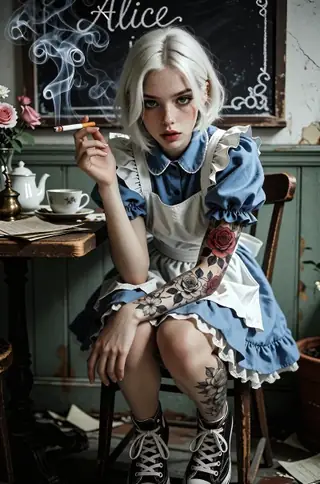
Krealism 3.1 Turbo Int8 Convrot is an edgy images fine-tune by ionecatone23. supports krea2 loras - #35
animate pinkcherry ltx25
image to video with pinkcherry alpha 0.3 - #36

image h3
minimax h3 text to image - #37
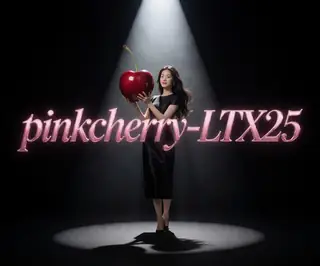
video pinkcherry ltx25
pinkcherry alpha 0.3 - #38

fineporn5 krea2
The nsfw update with lora slots - #39
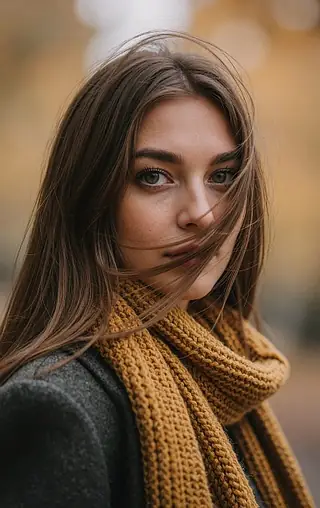
intorealism10 z
The October 2026 update of Into Realism, with LoRA slots, created by Enzino - #40
fondle
By - __2_ Creates videos of men fondling women from behind. - #41

andilia
by DiffusedDamsel - Andilia - #42
penis helper
Unknown author, as unfortunately the LoRA was pulled between me downloading it, testing it, and coming back to grab the author name. This LoRA is a helper LoRA for creating better and realistic penises via MiniMax. In my testing, I found…Unknown author, as unfortunately the LoRA was pulled between me downloading it, testing it, and coming back to grab the author name. This LoRA is a helper LoRA for creating better and realistic penises via MiniMax. In my testing, I found it to be better than our existing one, and it worked across all MiniMax modes (text-to-video, image-to-video, and reference-to-video) and still working well in Turbo workflows too, its quite adaptable. There isn't a specific trigger word, but specifying "erect penis" should do the trick. For even better results, be more specific when describing the anatomy (in the case where the character doesn't already have one, probably) such as "thick shaft", "prominent and pink glans", etc.
- #43
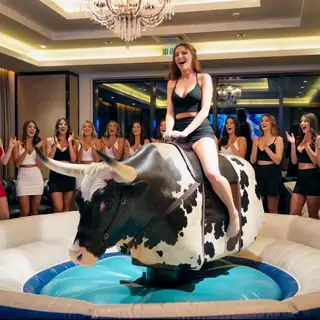
bull riding
By GayLizardSpy - T2V mechanical bull riding videos with WAN 2.2 (High version) - #44

street prostitute
By 81189 - Indoor & Street prostitution LoRA for Anima - #45
train sex
By 81189 - Train sex LoRA for Anima, supports multiple poses - check model link for detailed usage - #46
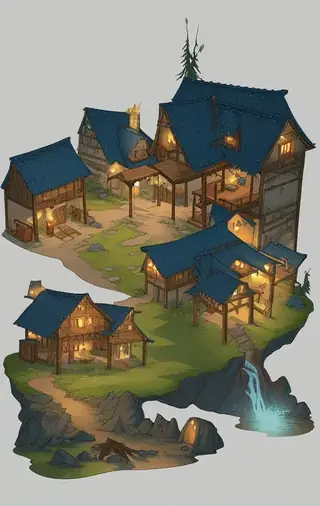
isometric
by Eepol - Isometric Dungeon Map - #47
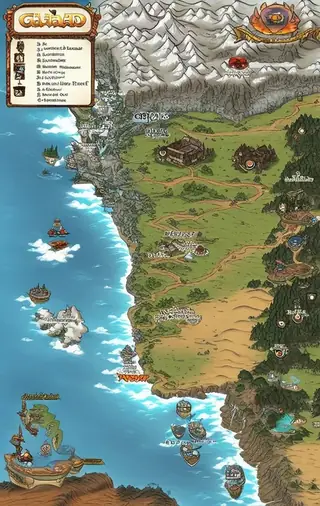
template
by Eepol - Fantasy Map Template - #48
highcut swimsuit
by Silvicultor - High-Cut-Swimsuit (for KREA2) - #49
blowjob row
by 81189 - Side view blowjob row (ANIMA V4) - #50
dgirls lara croft
by DGirls - Lara Croft
Gorąco to nasz wewnętrzny wskaźnik trendu od chłodnego do 9999°. Zmienia się codziennie wraz z sygnałami użycia i popularności ze społeczności i serwisów wokół każdego modelu. Ranking obejmuje modele bazowe, LoRA, embeddingi i modele tekstowe wszystkich rodzin w katalogu.
Przeglądaj według rodziny modeli