anitoon11
Vergleichen
7889°
Lokal ausführen
anitoon_v30.safetensors
1.99 GB · SafeTensor · fp16 · pruned
vae-ft-mse-840000-ema-pruned_fp16.pt
160 MB · PickleTensor
Downloads werden von Civitai bereitgestellt. Manche Ersteller verlangen zuerst eine Anmeldung bei Civitai.
AD


Auf Graydient installieren / ausführen
Mitgliedschaft erforderlich
<anitoon11>
Über dieses Modell
STABLE DIFFUSION 1.5 · Basismodelle
Notizen des Erstellers
!!! UPLOADING/SHARING MY MODELS OUTSIDE CIVITAI IS STRICLY PROHIBITED* !!!
Check my EXCLUSIVE models on : • • • •
SDXL - Pony: • • • •
SD1.5: • • • • •
Also in Collaboration with
This model is free for personal use and free for personal merging(*).
For commercial use, please be sure to (Ko-fi) or by email: samuele[dot]bonzio[at]gmail[dot]com
⬇Read the info below to get the high quality images (click on show more)⬇
Anitoon
In reality, I've had this model in my head for some time, I just never found the time to do it... then the PC broke... and oh well.
let's say Anitoon is squaring the circle: Animerge -> 3D, Aniverse -> 2.5D, Anitoon -> 2D
As you may have understood, this model was created with the aim of mimicking the 2D world of Anime, manga and Illustrations.
////////////////////////////////////////////////////////////////////////////////////
-> If you are satisfied using my model, press on ❤️ to follow the progress and consider leaving me ⭐⭐⭐⭐⭐ on model review, it's really important to me!
Thank you in advance 🙇
And remember to publish your creations using this model! I’d really love to see what your imagination can do!
////////////////////////////////////////////////////////////////////////////////////
Recommended Settings:
-
Excessive negative prompt can makes your creations worse, so follow my suggestions below!
-
Before applying a LoRA to produce your favorite character, try it without first. You might be surprised what this model can do!
////////////////////////////////////////////////////////////////////////////////////
A1111 my settings:
I run my Home PC A1111 with this setting:
-
set COMMANDLINE_ARGS= --xformers
if you can't install xFormers (read below) use my Google Colab Setting:
-
set COMMANDLINE_ARGS= --disable-model-loading-ram-optimization --opt-sdp-no-mem-attention
My A1111 Version: • python: 3.10.6 • torch: 2.0.1+cu118 • xformers: 0.0.20 • gradio: 3.41.2
If you want activate xformers optimization like my Home PC ():
-
In A1111 click in "Setting Tab"
-
In the left coloumn, click in "Optimization"
-
in: "Cross attention optimization" select: "xformers"
-
Press in "Apply Settings"
-
Reboot your Stable Diffusion
If you can't install xFormers use SDP-ATTENTION, like my Google Colab:
-
In A1111 click in "Setting Tab"
-
In the left coloumn, click in "Optimization"
-
in: "Cross attention optimization" select: "sdp-no-mem - scaled dot product without memory efficient attention"
-
Press in "Apply Settings"
-
Reboot your Stable Diffusion
How to emulate the nvidia GPU follow this steps:
-
In A1111 click in "Setting Tab"
-
In the left coloumn, click in "Show all pages"
-
Search "Random number generator source"
-
Select the voice: "NV"
-
Press in "Apply Settings"
-
Reboot your Stable Diffusion
If you use my models, install the extension for your A1111.
Navigate to the "Extensions" tab within Stable Diffusion.
-
Go to the "Install from URL" subsection.
-
Paste the following URL:
-
Click on the "Install" button to install the extension
-
Reboot your Stable Diffusion
How to install Euler Smea Dyn and Euler Max Sampler:
-
In A1111 click in "Extensions Tab"
-
click in "Install from URL"
-
Under "URL for extension's git repository" put this link:
-
Once installed click in: "Installed" Tab
-
Click in "Apply and quit"
-
Reboot your Stable Diffusion
-
Now at the end of the list of the sampler, you have the new sampler.
How to use ADetailer with Euler Smea Dyn and Euler Max Sampler:
-
In A1111 click in "txt2img" tab
-
Expand and click in "enable ADetailer"
-
Scroll down and expand "inpaint" section
-
Click and turn on "Use separate Sampler"
-
Now select: "DPM++ 2M Karras" (or your favourite sampler)
////////////////////////////////////////////////////////////////////////////////////
VAE: VAE is included (but usually I still use the)
Clip skip: 2
Upscaler: or
Sampler: DPM++ 2M SDE Karras
CFG: 6~7
Steps: 30
-> For Humans portraits:
Height: 1024px
Width: 576px
-> For Spaceships, Sport cars, Landscapes, ect:
Height: 576px
Width: 1024px
Adetailer for Faces:
-> (How to install and use adetailer: )
Better Hands (optional): (credits: )
MY FAVORITE PROMPT:
-
1) (best quality, masterpiece, colorful, dynamic angle, highest detailed) upperbody shot, fashion photography, YOUR PROMPT, bokeh, light passing through hair, (abstract
-
2) (masterpiece, best quality, highres:1.2), (photorealistic:1.4), (intricate and beautiful:1.2), (detailed light:1.2), (soft lighting, side lighting, reflected light), (colorful, dynamic angle), upper body shot, fashion photography, YOUR PROMPT, dynamic pose, bokeh, light passing through hair, (abstract
Neg Prompt:
-
1) , , moles, freckles, skindentation, cutoffs, shiny skin, scars on face,
-
2) , , moles, freckles, skindentation, cutoffs, shiny skin, scars on face,
-
3) , (worst quality:2), (low quality:2), (normal quality:2), lowres, bad anatomy, bad hands, normal quality, ((monochrome)), ((grayscale)), (( watermark)), , moles, freckles, skindentation, cutoffs, shiny skin, scars on face,
-
4) (), , , moles, freckles, skindentation, cutoffs, shiny skin, scars on face, tattoos,
-
5) , , (), (worst quality, low quality:1.8), negative_hand-neg, moles, freckles, skindentation, cutoffs, shiny skin, , scars on face, open hands, interlocked fingers
-
6) , , moles, freckles, skindentation, cutoffs, shiny skin, scars on face,
-
7) For MEN images: girl, woman, female, tits, , , moles, freckles, skindentation, cutoffs, shiny skin, scars on face,
///////////////////////////////////////////////////////////////////////////////////
HiRes.Fix Setting:
I don't use Hi.Res fix because:
1) in my computer don't work
2) my models don't need it. Use txt2image, aderailer and the suggested upscaler in the resources tab.
If you still want use it, this is the setting sent me by (follow him to see his creations ❤️).
Hires upscale: 1.5
Hires steps: 20~30
Hires upscaler: R-ESRGAN 4x + Anime6B,
De
SHA256
A5E29E1C96B6D4A092CE37667E828AAEB3520F9E7294059D50C69B07583DC834
ModelTrends.ai-Modell-ID
#2001
Inhalt melden
Beispielbilder
Prompts und Einstellungen, geteilt von den Leuten, die diese Bilder auf Civitai erstellt haben. Wähle ein Bild, um zu sehen, wie es entstanden ist.
Einstellungen
Sampler
DPM++ 2M SDE Karras
Schritte
30
Guidance
7
Seed
3856127487
Größe
576x960
Clip skip
2
Prompt
Mysterious woman with a sleek black bob haircut, wearing an elegant black dress with intricate patterns, standing against a golden background with surreal elements, ethereal lighting, detailed and high contrast, digital art, glowing patterns, abstract floral designs, intense gaze
Negativer Prompt
blurry, low quality, unrealistic, overexposed, underexposed, distorted, artifacts, text, watermark, crowded scene, plain background
Einstellungen
Sampler
Euler
Schritte
35
Guidance
5
Seed
367833548
Größe
576x960
Clip skip
2
Prompt
AnjelikaV2, (anime screencap:1.2), girl with blue hair styled in a short cut, wearing a gray knit beanie and black leather jacket, adorned with piercings, chokers, and skull-themed necklaces, intricate tattoos visible on her arms, background featuring urban lights and blurred figures, detailed lighting with a mix of soft and dramatic tones, focus on realistic skin textures and facial features, digital art, contemplative and intense expression, detailed clothing textures, high contrast
Negativer Prompt
blurry, low quality, unrealistic, overexposed, underexposed, distorted, artifacts, text, watermark, multiple characters, bad hands, deformed hands, less fingers, extra fingers, bad body anatomy, plain background, lack of detail, poor lighting
Einstellungen
Sampler
DPM++ 2M Karras
Schritte
30
Guidance
7
Seed
728456341
Größe
512x768
Clip skip
2
Prompt
goth, scenery, gothic castle, night, full moon, dark fantasy, down view, top on mountain, castlevani artstyle, gargoyle
Negativer Prompt
ugly, deformed, noisy, blurry, distorted, out of focus, bad anatomy, extra limbs, poorly drawn face, poorly drawn hands, missing fingers, bad quality, medium quality, worst, ,extra digits:1.4,
Einstellungen
Sampler
DPM++ 2M SDE Karras
Schritte
30
Guidance
7
Seed
2668662581
Größe
576x960
Clip skip
2
Prompt
Sophisticated woman with a sleek black bob, dressed in a black gown with detailed embroidery, set against a surreal golden background with floating abstract shapes and illuminated floral patterns, dramatic and soft lighting, highly detailed digital illustration, intense and captivating look, ethereal atmosphere
Negativer Prompt
blurry, low quality, unrealistic, cartoonish, overexposed, underexposed, distorted, artifacts, text, watermark, crowded environment, plain background
Einstellungen
Sampler
Euler
Schritte
35
Guidance
5
Seed
2557540921
Größe
576x960
Clip skip
2
Prompt
(AnjelikaV2:1.2), (anime screencap:1.2), a mature woman with blue hair and gray beanie, wearing a black leather jacket with metal studs, adorned with piercings and multiple layered necklaces featuring intricate skull designs, dark and smoky eye makeup, detailed tattoos on her arms, background of a neon-lit cityscape with blurred lights and bokeh effects, highly detailed lighting that accentuates the textures of her clothing and accessories, realistic skin details, intense and focused expression, side profile, digital painting, high detail
Negativer Prompt
blurry, low quality, cartoonish, fake, overexposed, underexposed, distorted, artifacts, text, watermark, busy background, bad hands, deformed hands, less fingers, extra fingers, bad body anatomy, lack of detail, poor lighting
Einstellungen
Sampler
DPM++ 2M SDE Karras
Schritte
130
Guidance
5
Seed
926705590
Größe
576x960
Clip skip
2
Prompt
Stylish woman with a black bob haircut and yellow flower in her hair,wearing a shiny black dress with yellow reflections, standing against a surreal yellow and black abstract background, cinematic lighting, highly detailed digital painting, captivating gaze, three-quarter pose, high contrast, elaborate background elements
Negativer Prompt
blurry, low resolution, unrealistic, exaggerated, cartoon-like, overexposed, underexposed, noise, text, watermark, multiple subjects, bad hands, deformed hands, less fingers, extra fingers, bad body anatomy
Ähnliche Modelle
KI-Modelle für Bild-, Video- und Texterzeugung
anitoon11 ist ein Basismodell für die Familie Stable Diffusion 1.5 und wird auf ModelTrends.ai gelistet, einem reinen Lesekatalog für Open-Source-KI-Modelle für Bild, Video und Text. Vergleiche es mit anderen Stable Diffusion 1.5-Modellen, prüfe den Hitzewert, um den Trend zu sehen, und öffne es auf PirateDiffusion oder BitVector, um es auszuprobieren.
Weitere Stable Diffusion 1.5-ModelleWeitere Stable Diffusion 1.5 Basismodelleillustrationbase modelmangascififemalesexyvideo gameman
Nach Modellfamilie stöbern

Text / LLM-Modelle
411
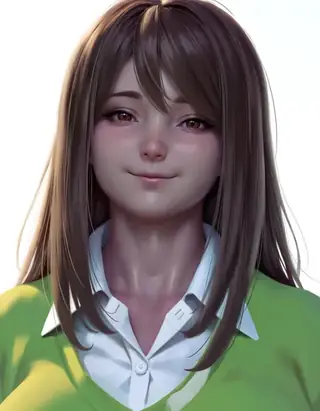
Anima-Modelle
509
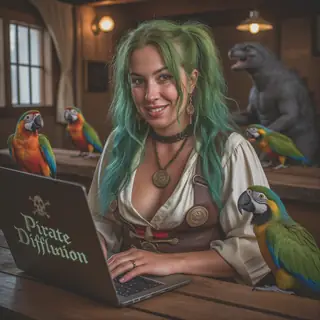
Chroma-Modelle
14
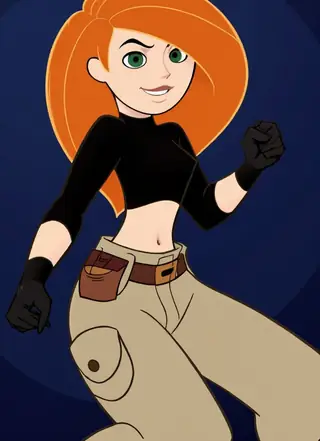
Flux-Modelle
1,071
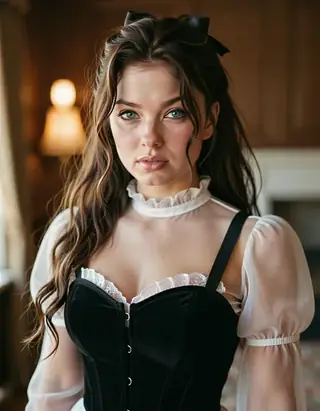
Flux 2 / Klein-Modelle
1,237
MiniMax H3-Modelle
331

Hunyuan-Modelle
197
Ideogram-Modelle
20
Krea2-Modelle
674
Qwen-Modelle
17
Qwen2-Modelle
36
Ltx2-Modelle
150
Stable Diffusion 1.5-Modelle
6,465
Stable Diffusion XL 1.0-Modelle
15,432
Zimage-Modelle
804
Wan-Modelle
919

Model
Trends
.ai
© ModelTrends.ai
|
Made in Japan
|
© 2026